CloudWatch Logs

Monitoring and troubleshooting AWS

John Q. Martin

Principal Consultant

Core concepts: log events, streams, and groups
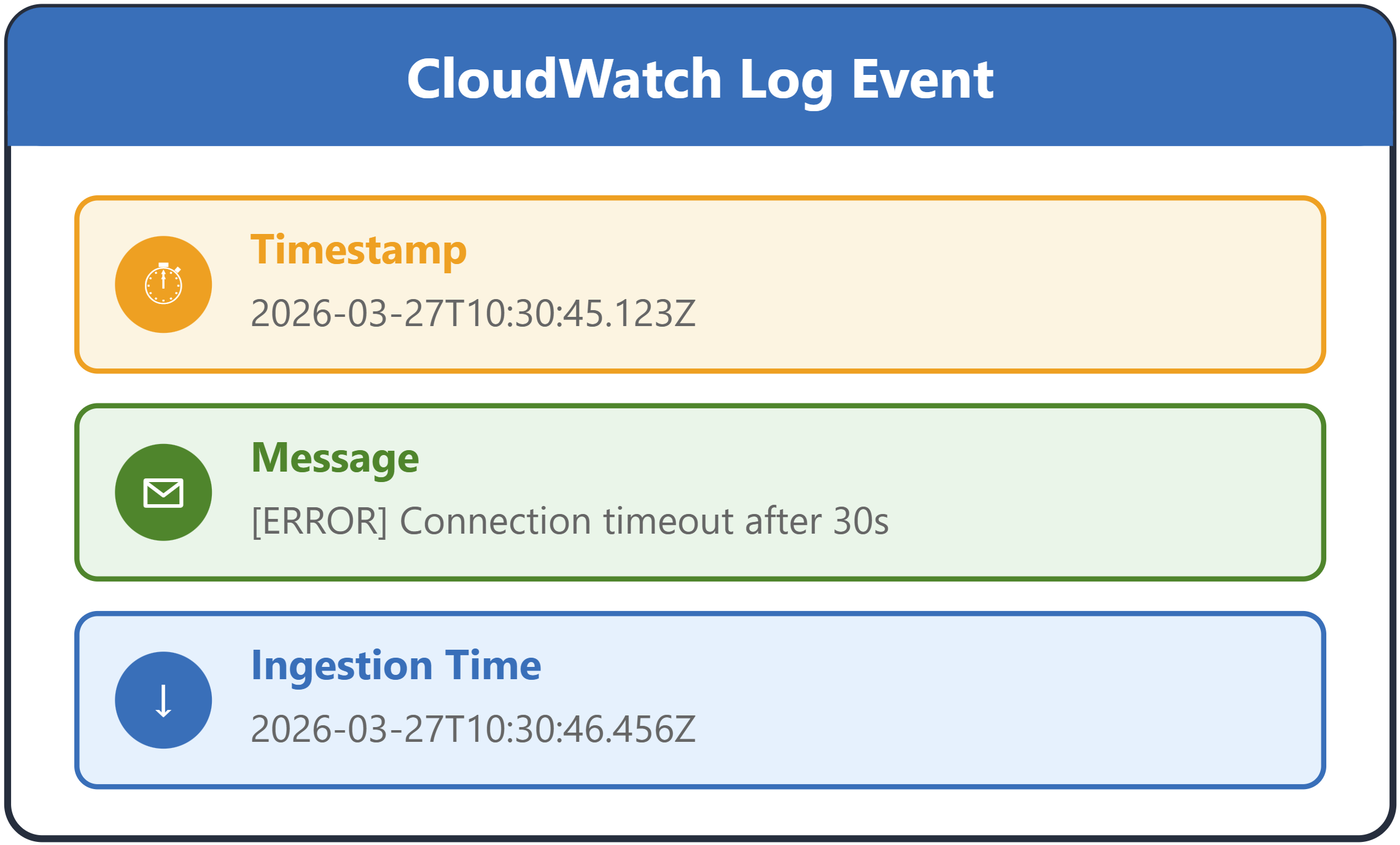
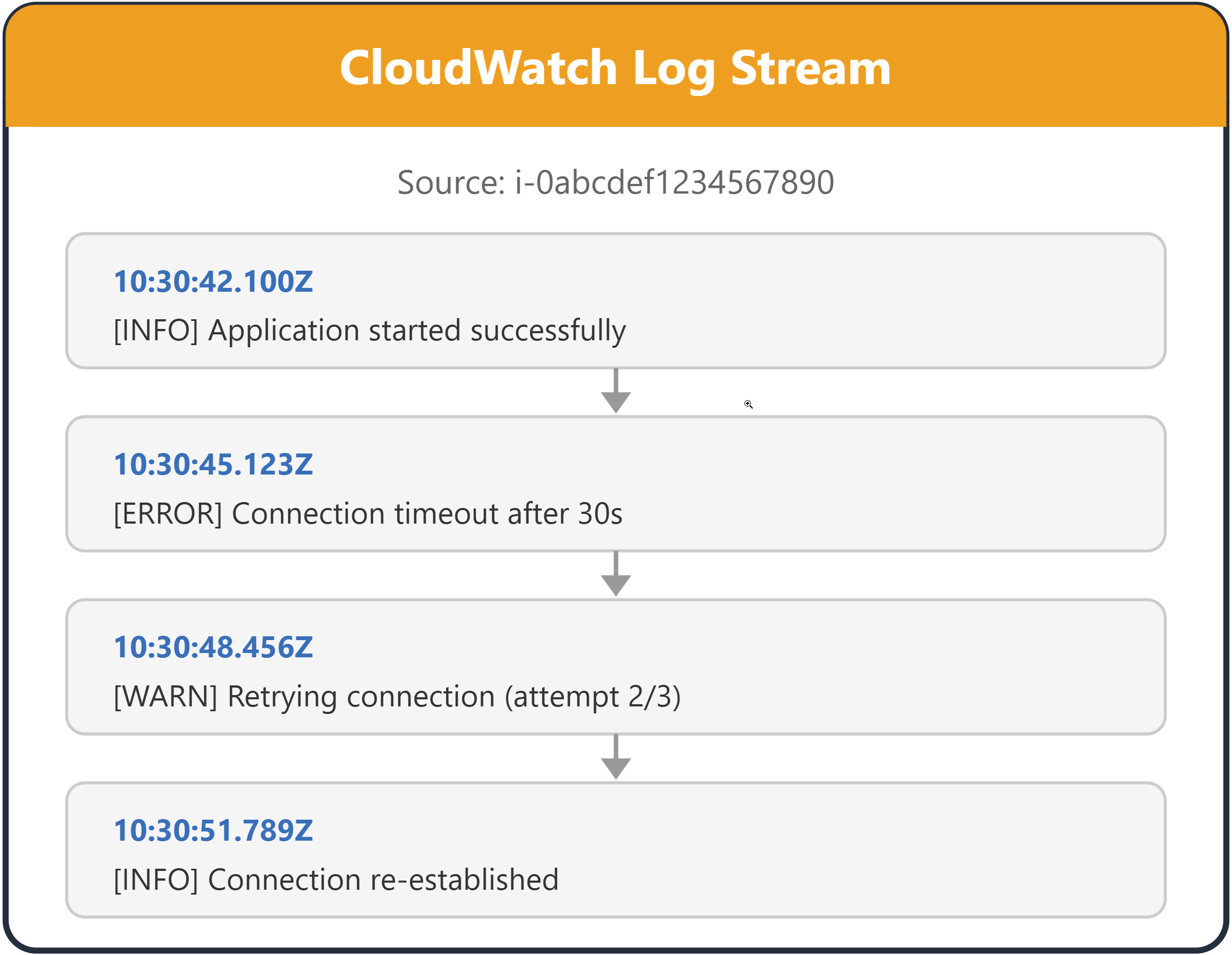
  A log event shown as a single record with timestamp message and ingestion time

  A log stream shown as a sequence of log events from a single source

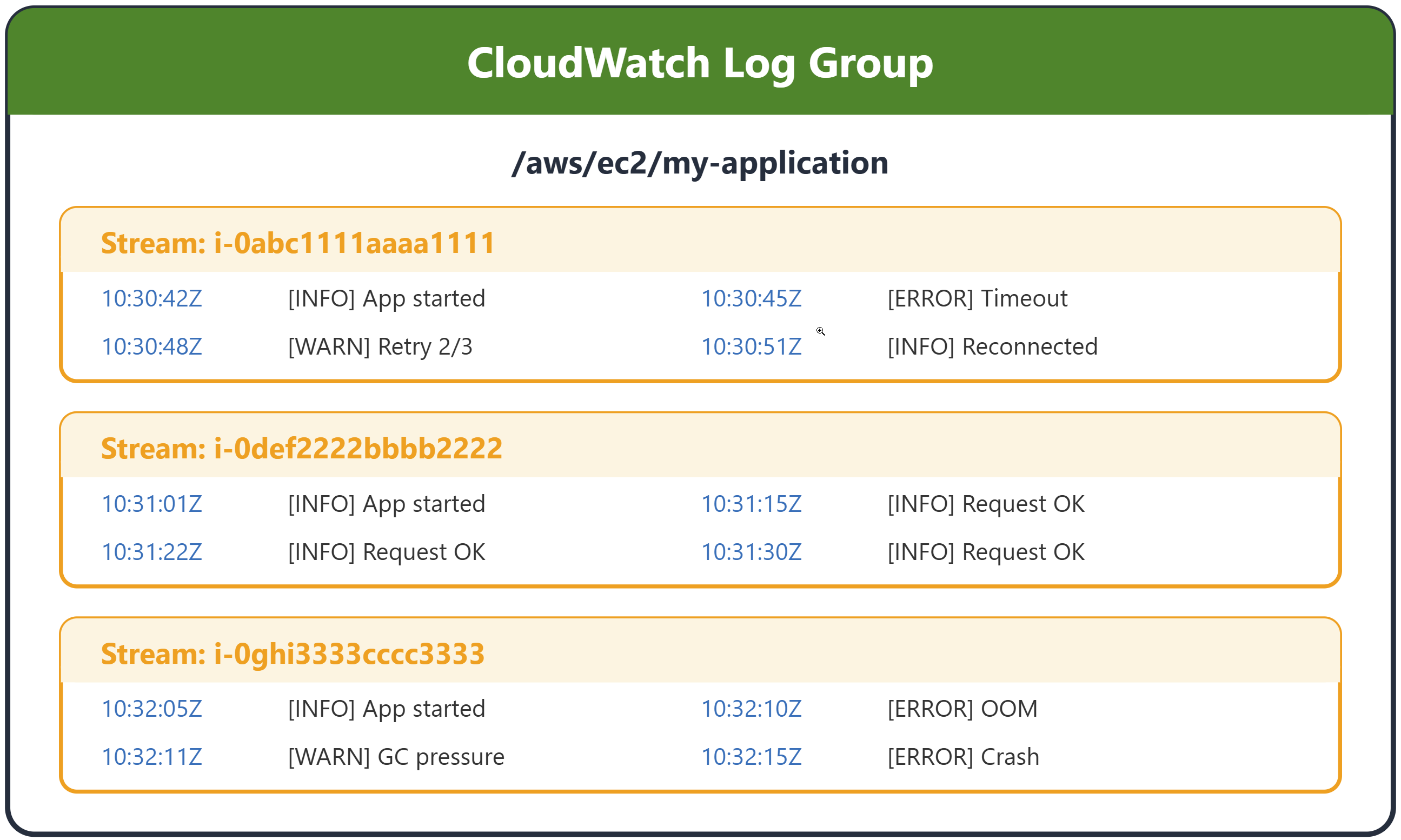
  A log group shown as a collection of related log streams sharing retention and access settings


  • /aws/lambda/function-name
  • /ecs/cluster-name/service-name
  • /var/log/application-name
Monitoring and troubleshooting AWS

CloudWatch Logs architecture

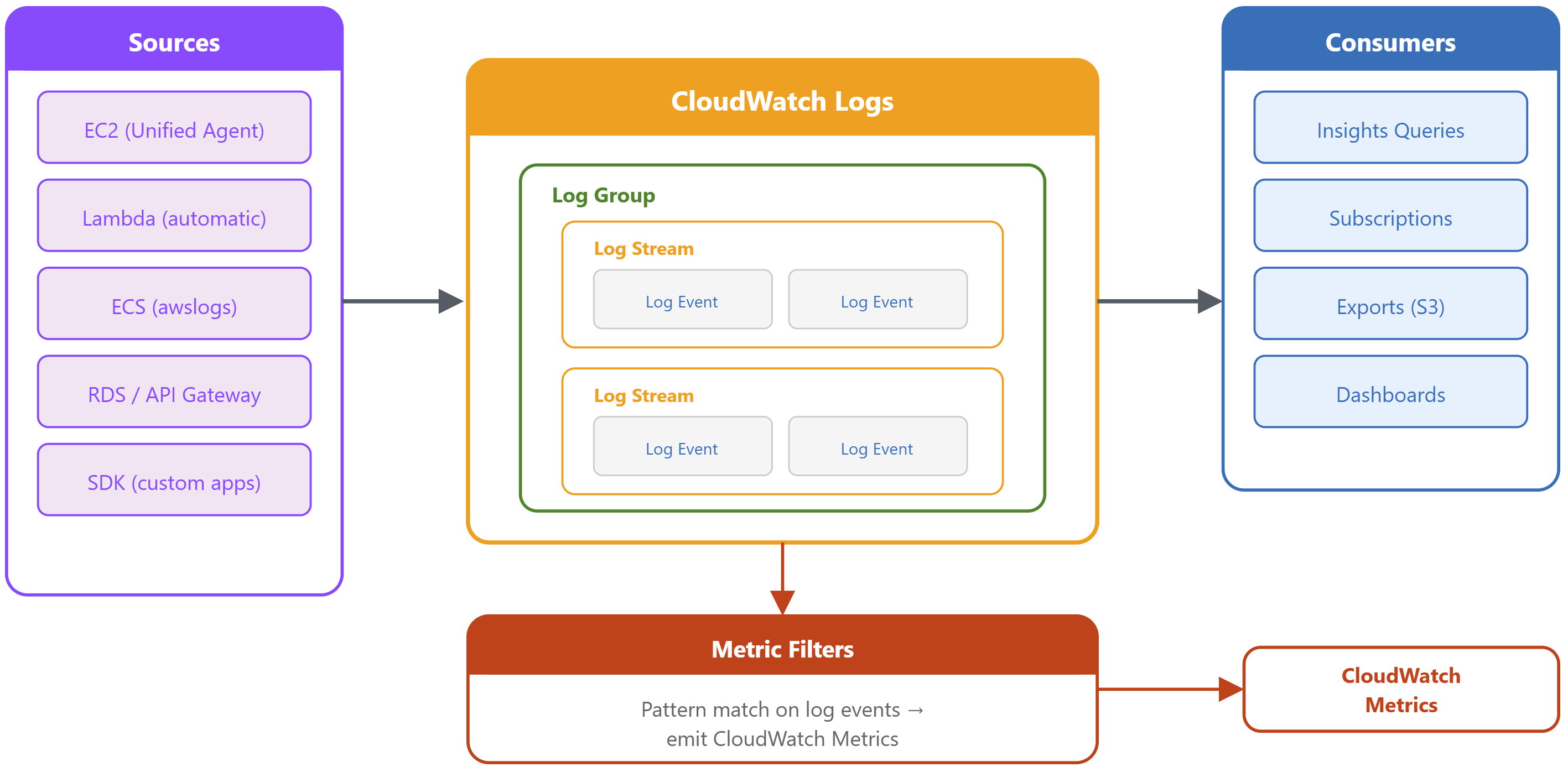
CloudWatch Logs architecture from application agent to log groups and streams then query export and subscriptions

Monitoring and troubleshooting AWS

CloudWatch logs vs. traditional logging
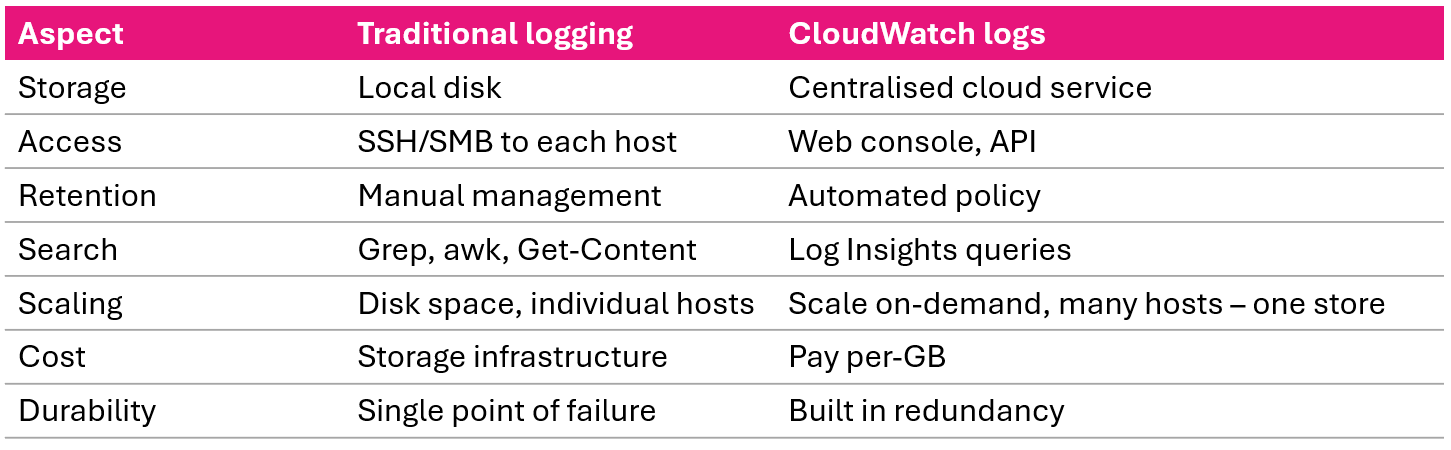
CloudWatch centralized logging compared with traditional per server SSH and grep logging

Monitoring and troubleshooting AWS

Unified agent setup: EC2


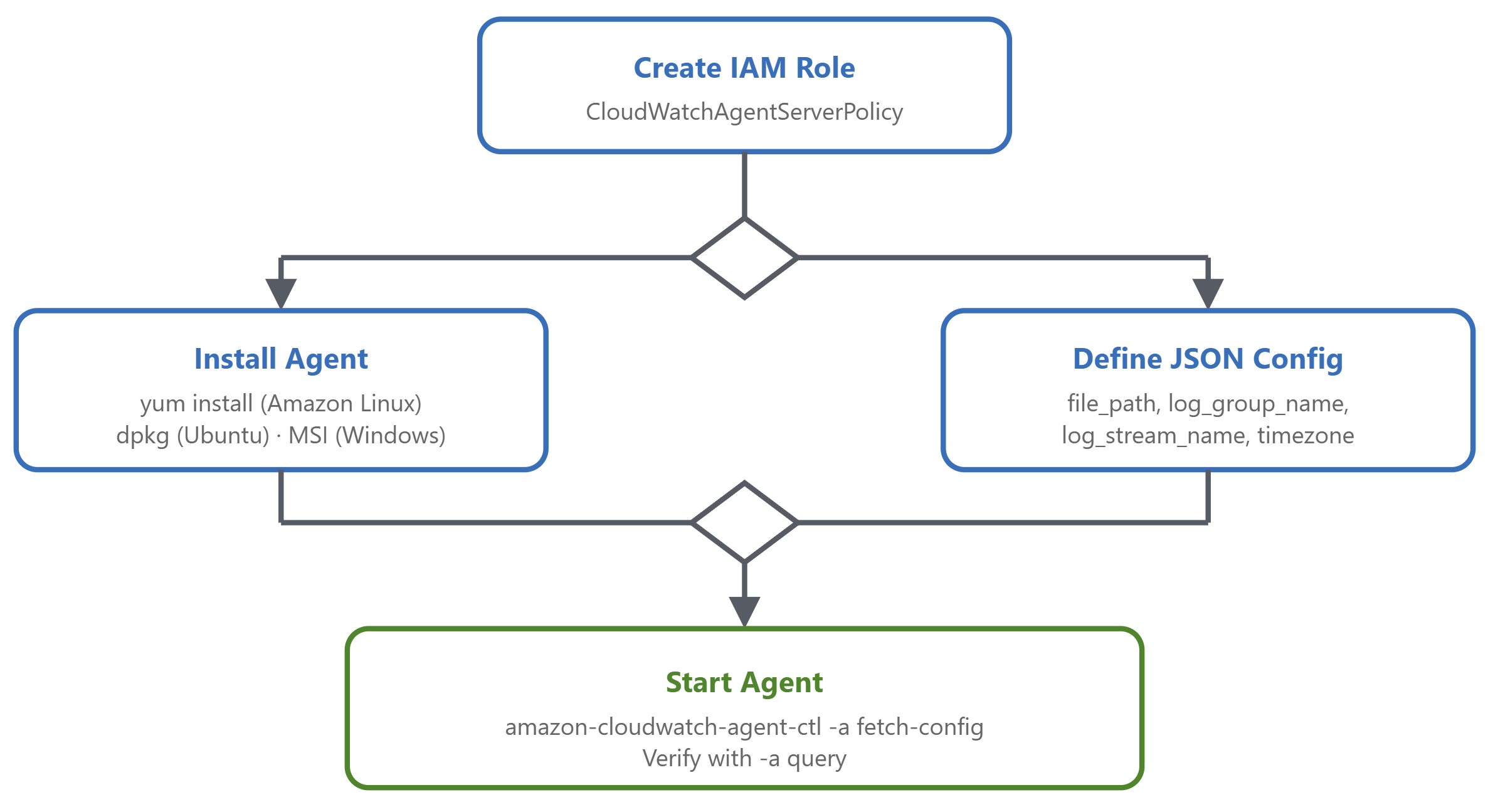
Four step CloudWatch unified agent setup flow on EC2 from IAM role to install config and start

{
  "logs": {
    "logs_collected": {
      "files": {
        "collect_list": [
          {
            "file_path": "/var/log/application.log",
            "log_group_name": "/aws/ec2/application",
            "log_stream_name": "{instance_id}",
            "timezone": "UTC"
          }
        ]
      }
    }}}
Monitoring and troubleshooting AWS

Lambda and ECS logging


Lambda: no agent needed

  • Auto-logs to /aws/lambda/function-name
  • Captures invocations, duration, stdout/stderr, errors
  • Use structured JSON for easier querying


{
  "logDriver": "awslogs",
  "options": {
    "awslogs-group": "/ecs/my-application",
    "awslogs-region": "us-east-1",
    "awslogs-stream-prefix": "ecs",
    "awslogs-create-group": "true"
  }
}
Monitoring and troubleshooting AWS

Introduction to metric filters


What are metric filters?

  • Scan log events for patterns → publish CloudWatch metrics
  • Bridge between logs and metrics
  • Created on a log group


Use cases

  • Count error occurrences
  • Track response times from logs
  • Monitor business events (orders, signups)
  • Feed alarms from log patterns
Monitoring and troubleshooting AWS

Filter pattern syntax


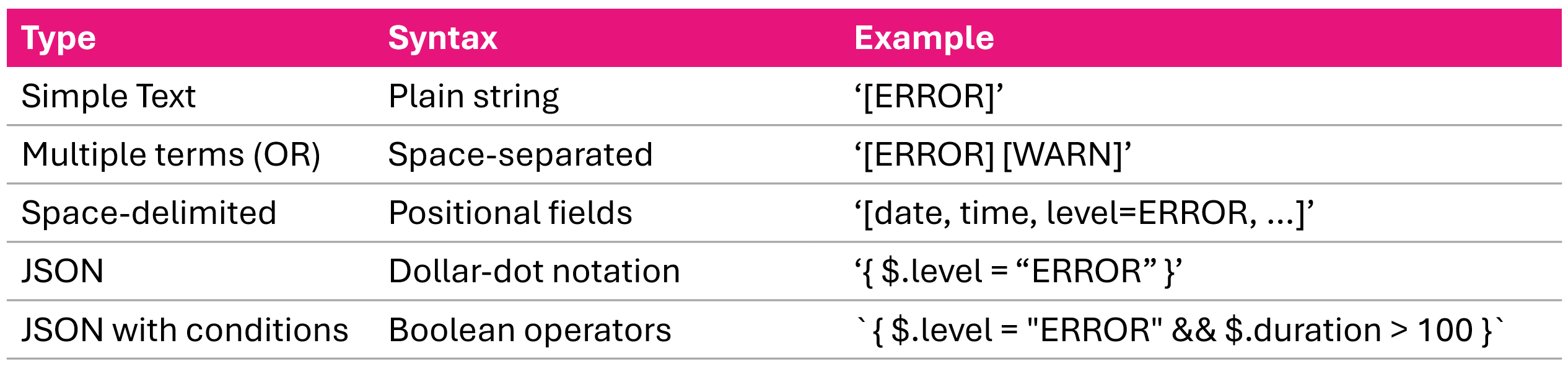
Three metric filter pattern formats simple text space delimited fields and JSON dollar dot notation

Monitoring and troubleshooting AWS

Metric filter recommended practices


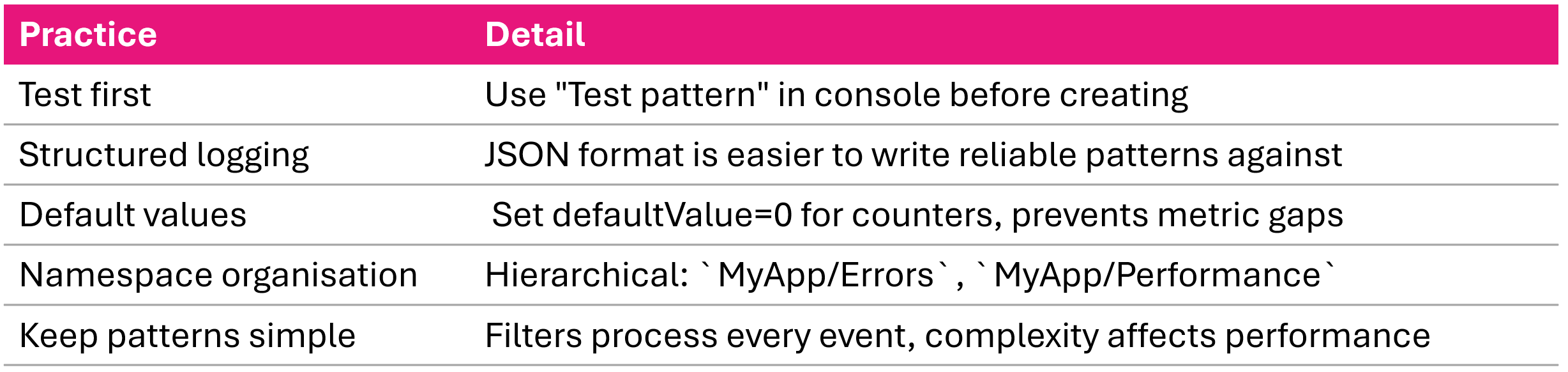
Metric filter recommended practices test patterns set default value zero group namespaces and keep patterns simple

Monitoring and troubleshooting AWS

Introduction to CloudWatch Logs Insights


What is log insights?

  • Interactive query service inside CloudWatch Logs
  • Query one or more log groups at once
  • Results in seconds, no infrastructure to manage


Three supported query languages

  • CloudWatch Logs Insights QL
  • OpenSearch PPL (Piped processing Language)
  • OpenSearch SQL
Monitoring and troubleshooting AWS

Video summary


  • CloudWatch Logs: centralized logging with log events → streams → groups
  • EC2: Unified Agent with JSON config
  • Lambda: automatic, no agent needed, use structured JSON logging
  • ECS: awslogs log driver in task definition
  • Metric filters: extract CloudWatch metrics from log patterns
  • Log Insights: interactive query service - we'll master the queries in video 4
Monitoring and troubleshooting AWS

Let's practice!

Monitoring and troubleshooting AWS

Preparing Video For Download...