Variables and Compose

Introduction to Power Automate

Anushika Agarwal

Cloud Data Engineer

Why store values?
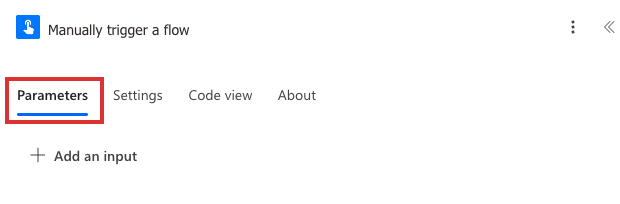
 

Real Power Automate Manually trigger a flow card open on its Parameters tab with a red highlight box around the Parameters tab label, the Settings, Code view, and About tabs visible to its right, and a plus Add an input affordance below


  • Reuse a value across multiple actions (e.g. a trigger input)
  • Update a counter or build a string as the flow runs
  • Compare values later in Conditions or Switch
Introduction to Power Automate

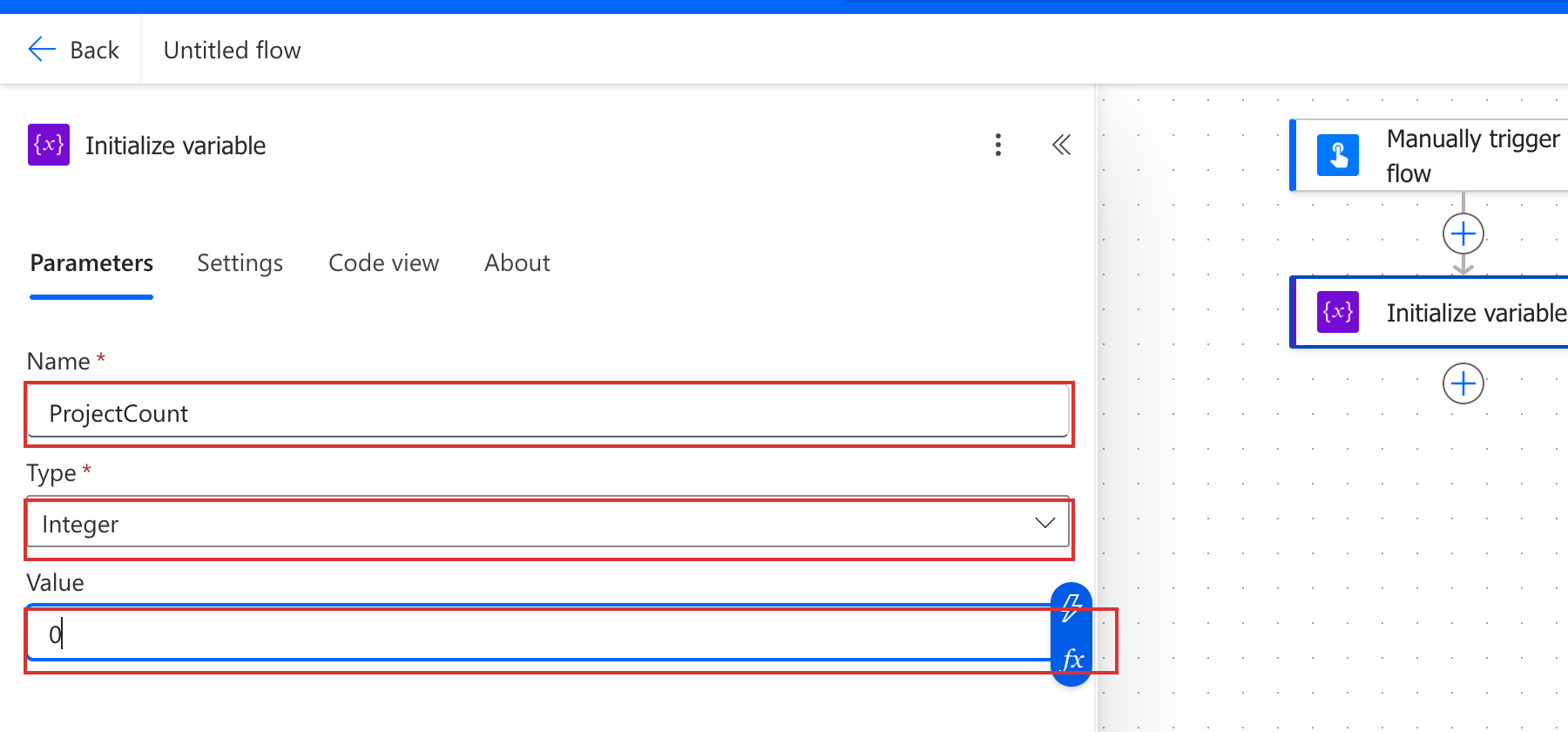
Initialize variable


  • Always the first variable action in a flow
  • Declares the name, type, and starting value
  • Six types: String, Integer, Float, Boolean, Array, Object
  • One Initialize action per variable: each variable gets its own

$$

Golden rule: Initialize before you use.

Real Power Automate Initialize variable action card cropped to its parameters panel, with the Name field, Type dropdown, and Value field each annotated with a red box to highlight the three slots called out in the bullets

Introduction to Power Automate

Updating variables

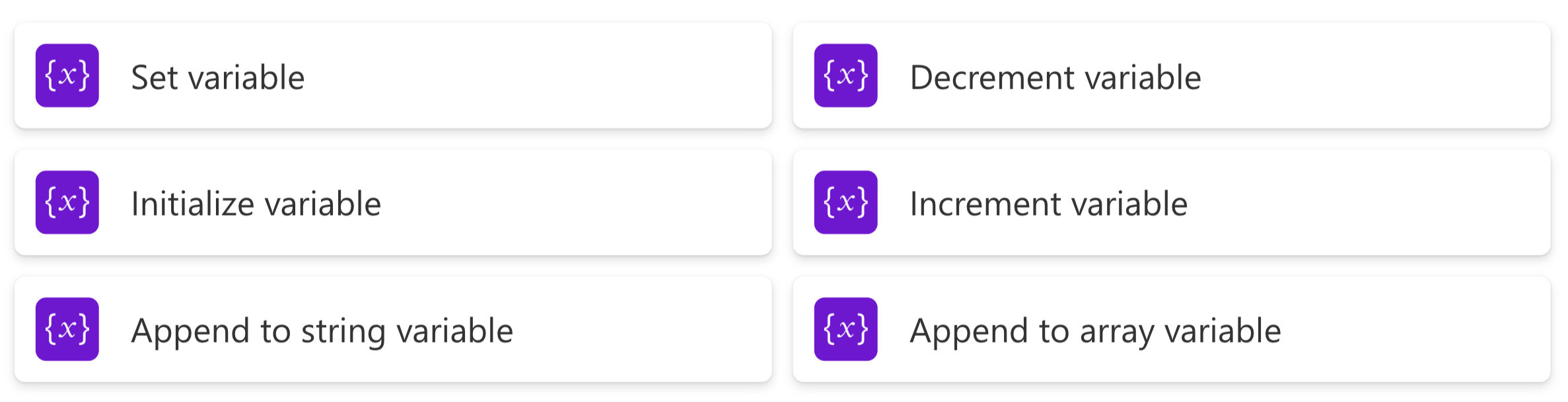
Power Automate Variable actions panel showing all six actions: Initialize variable, Set variable, Append to string variable, Append to array variable, Increment variable, Decrement variable

  • Set → replace the value
  • Append to string or array → add to the end
  • Increment or Decrement → add or subtract from a number

$$

Heads up: Set inside a loop means only the last item survives. Use Append.

Introduction to Power Automate

Compose

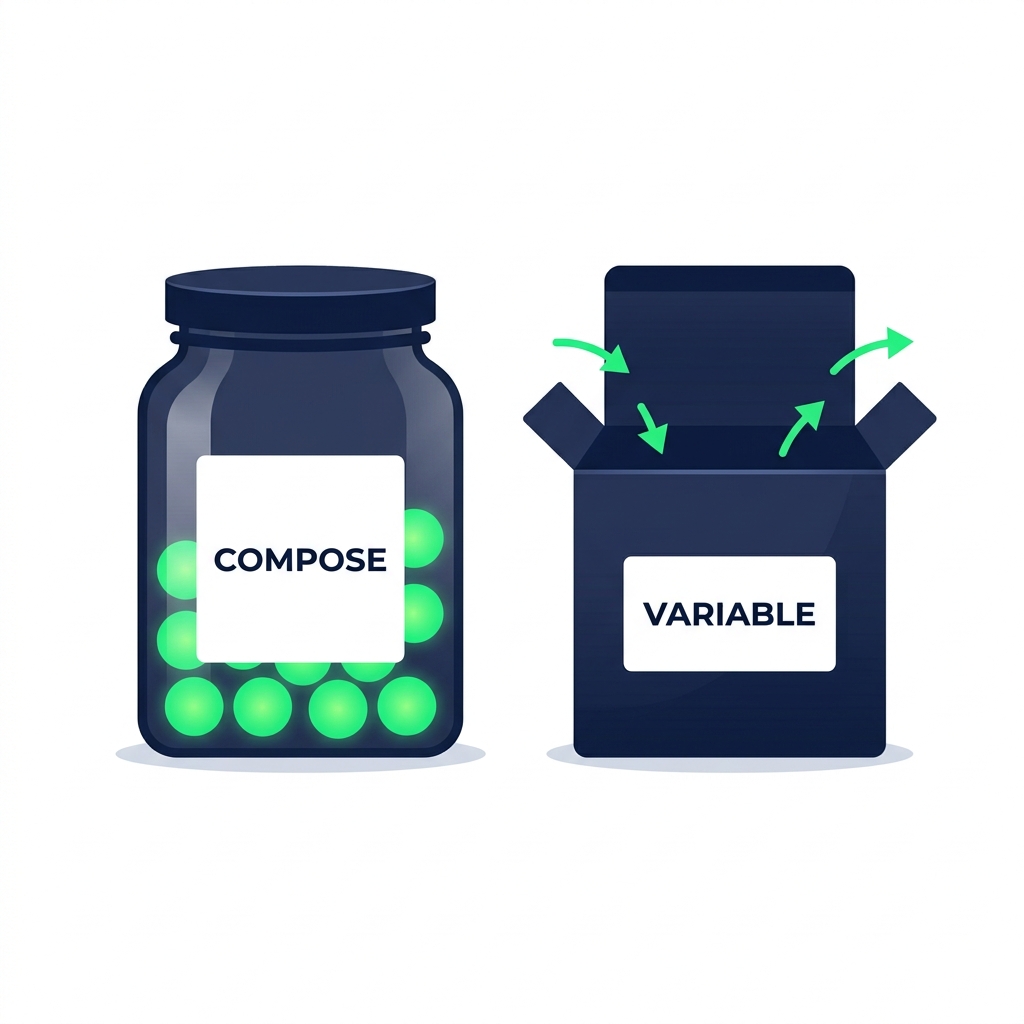
Conceptual illustration contrasting a sealed labeled jar with a fixed value (Compose) and an open box with arrows showing values flowing in and out (Variable)


  • Write-once value store: you set it once, it never changes
  • No type declaration: Compose infers the type automatically
  • Goes anywhere: inside loops, inside branches (unlike Initialize Variable)
  • Best used as an expression debugger: drop one in, run the flow, read the output in run history, remove it
Introduction to Power Automate

Variables vs Compose: when to use each

Aspect Compose Variable
Value Write-once, fixed for the run Updatable across the flow
Type declaration Not required, inferred Required at initialization
Placement Anywhere in the flow Top level only
Performance in loops Lightweight, safe in parallel Can cause locking in parallel
Best for Snapshots and expression debugging Counters, builders, accumulators

$$

  • Value needs to change across steps or iterations → Variable
  • Value is computed once and reused unchanged → Compose
Introduction to Power Automate

Let's practice!

Introduction to Power Automate

Preparing Video For Download...