Pythonで学ぶ画像処理
Rebeca Gonzalez
Data Engineer
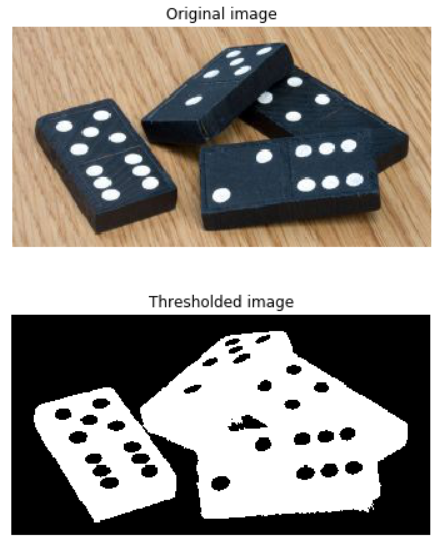
画像を前景と背景に分割
画像を白黒にすることで
各ピクセルを次で設定:

最も簡単な画像セグメンテーション手法

グレースケール画像にのみ適用

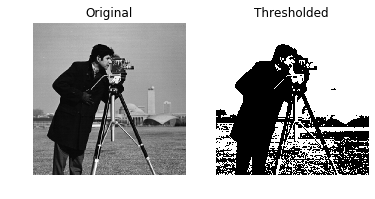
# 最適なしきい値を取得 thresh = 127# 画像にしきい値処理を適用 binary = image > thresh# 元画像としきい値処理後を表示 show_image(image, 'Original') show_image(binary, 'Thresholded')

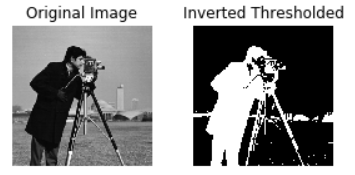
# 最適なしきい値を取得 thresh = 127# 画像にしきい値処理を適用 inverted_binary = image <= thresh# 元画像としきい値処理後を表示 show_image(image, 'Original') show_image(inverted_binary, 'Inverted thresholded')

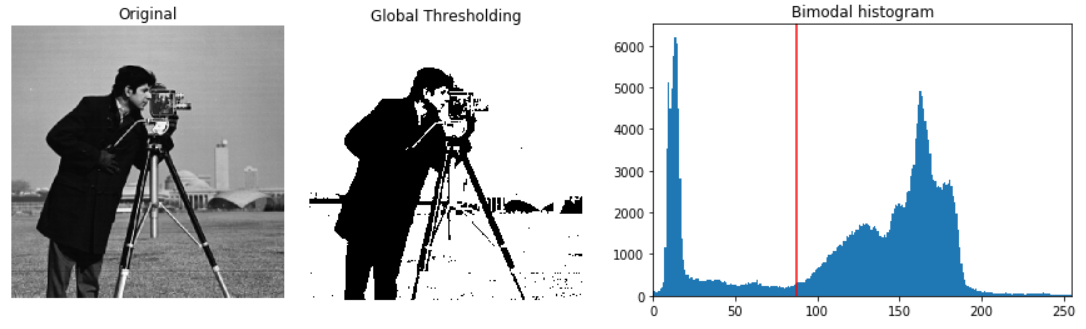
グローバル/ヒストグラム型: 均一な背景に有効
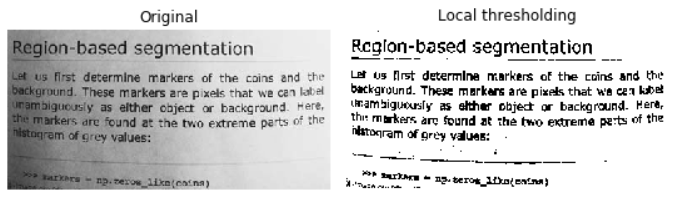
ローカル/適応型: 不均一な照明に有効
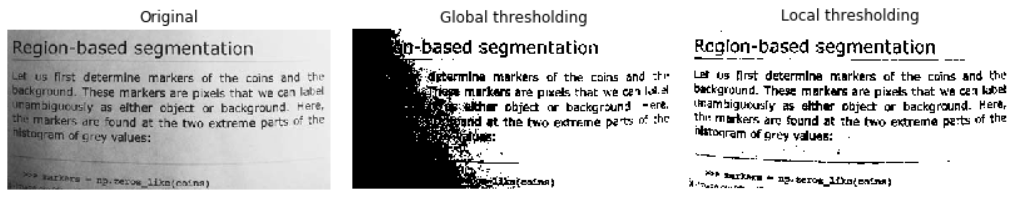
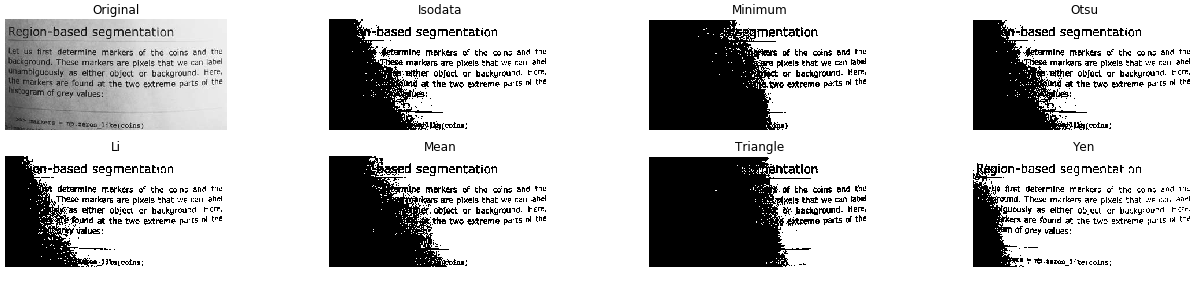
from skimage.filters import try_all_threshold# すべての結果画像を取得 fig, ax = try_all_threshold(image, verbose=False)# 結果のプロットを表示 show_plot(fig, ax)

# Otsuのしきい値関数をインポート from skimage.filters import threshold_otsu# 最適なしきい値を取得 thresh = threshold_otsu(image)# 画像にしきい値処理を適用 binary_global = image > thresh
# 元画像と二値化画像を表示
show_image(image, 'Original')
show_image(binary_global, 'Global thresholding')
# ローカルしきい値関数をインポート from skimage.filters import threshold_local# ブロックサイズを35に設定 block_size = 35# 最適なローカルしきい値を取得 local_thresh = threshold_local(text_image, block_size, offset=10)# ローカルしきい値処理を適用して二値画像を得る binary_local = text_image > local_thresh
# 元画像と二値化画像を表示
show_image(text_image, 'Original')
show_image(binary_local, 'Local thresholding')
Pythonで学ぶ画像処理