Pythonで学ぶ画像処理
Rebeca Gonzalez
Data Engineer


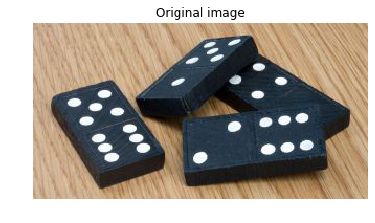
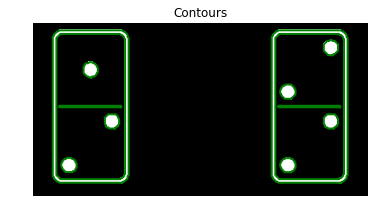
ドミノの点の合計: 29。

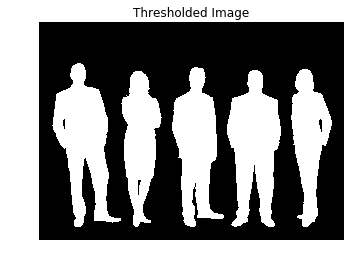
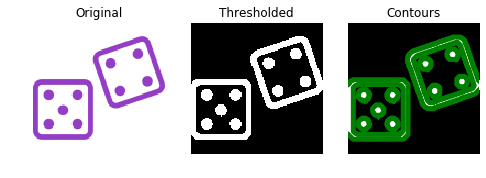
二値画像は、しきい値処理またはエッジ検出で作成できます。

画像を2Dグレースケールに変換します。
# Make the image grayscale
image = color.rgb2gray(image)
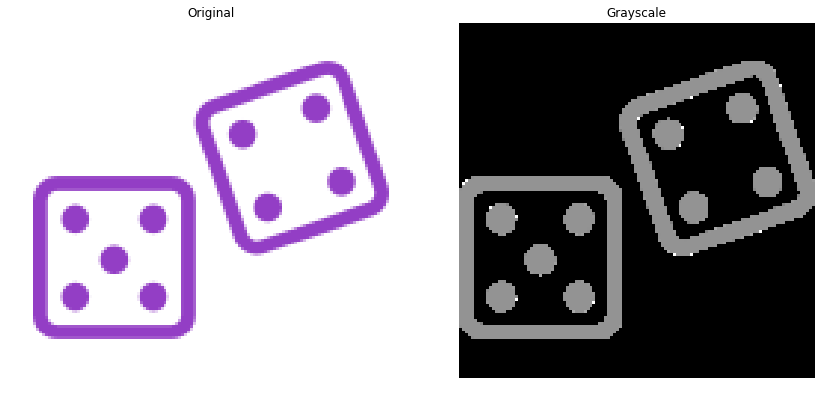
画像を二値化します。
# Obtain the thresh value
thresh = threshold_otsu(image)
# Apply thresholding
thresholded_image = image > thresh

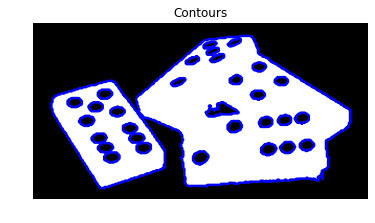
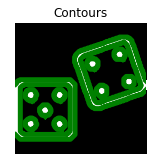
次に find_contours() を使います。
# Import the measure module
from skimage import measure
# Find contours at a constant value of 0.8
contours = measure.find_contours(thresholded_image, 0.8)


from skimage import measure from skimage.filters import threshold_otsu # Make the image grayscale image = color.rgb2gray(image)# Obtain the optimal thresh value of the image thresh = threshold_otsu(image) # Apply thresholding and obtain binary image thresholded_image = image > thresh# Find contours at a constant value of 0.8 contours = measure.find_contours(thresholded_image, 0.8)

Contours: (n,2) 形状のndarrayのリスト。
for contour in contours:
print(contour.shape)
(433, 2)
(433, 2)
(401, 2)
(401, 2)
(123, 2)
(123, 2)
(59, 2)
(59, 2)
(59, 2)
(57, 2)
(57, 2)
(59, 2)
(59, 2)

for contour in contours:
print(contour.shape)
(433, 2)
(433, 2) --> Outer border
(401, 2)
(401, 2)
(123, 2)
(123, 2)
(59, 2)
(59, 2)
(59, 2)
(57, 2)
(57, 2)
(59, 2)
(59, 2)

for contour in contours:
print(contour.shape)
(433, 2)
(433, 2) --> Outer border
(401, 2)
(401, 2) --> Inner border
(123, 2)
(123, 2)
(59, 2)
(59, 2)
(59, 2)
(57, 2)
(57, 2)
(59, 2)
(59, 2)

for contour in contours:
print(contour.shape)
(433, 2)
(433, 2) --> Outer border
(401, 2)
(401, 2) --> Inner border
(123, 2)
(123, 2) --> Divisory line of tokens
(59, 2)
(59, 2)
(59, 2)
(57, 2)
(57, 2)
(59, 2)
(59, 2)

for contour in contours:
print(contour.shape)
(433, 2)
(433, 2) --> Outer border
(401, 2)
(401, 2) --> Inner border
(123, 2)
(123, 2) --> Divisory line of tokens
(59, 2)
(59, 2)
(59, 2)
(57, 2)
(57, 2)
(59, 2)
(59, 2) --> Dots
点の数: 7。
Pythonで学ぶ画像処理