データベースのクエリと更新

OpenAI API で学ぶ埋め込み入門

Emmanuel Pire

Senior Software Engineer, DataCamp

データベースへのクエリ

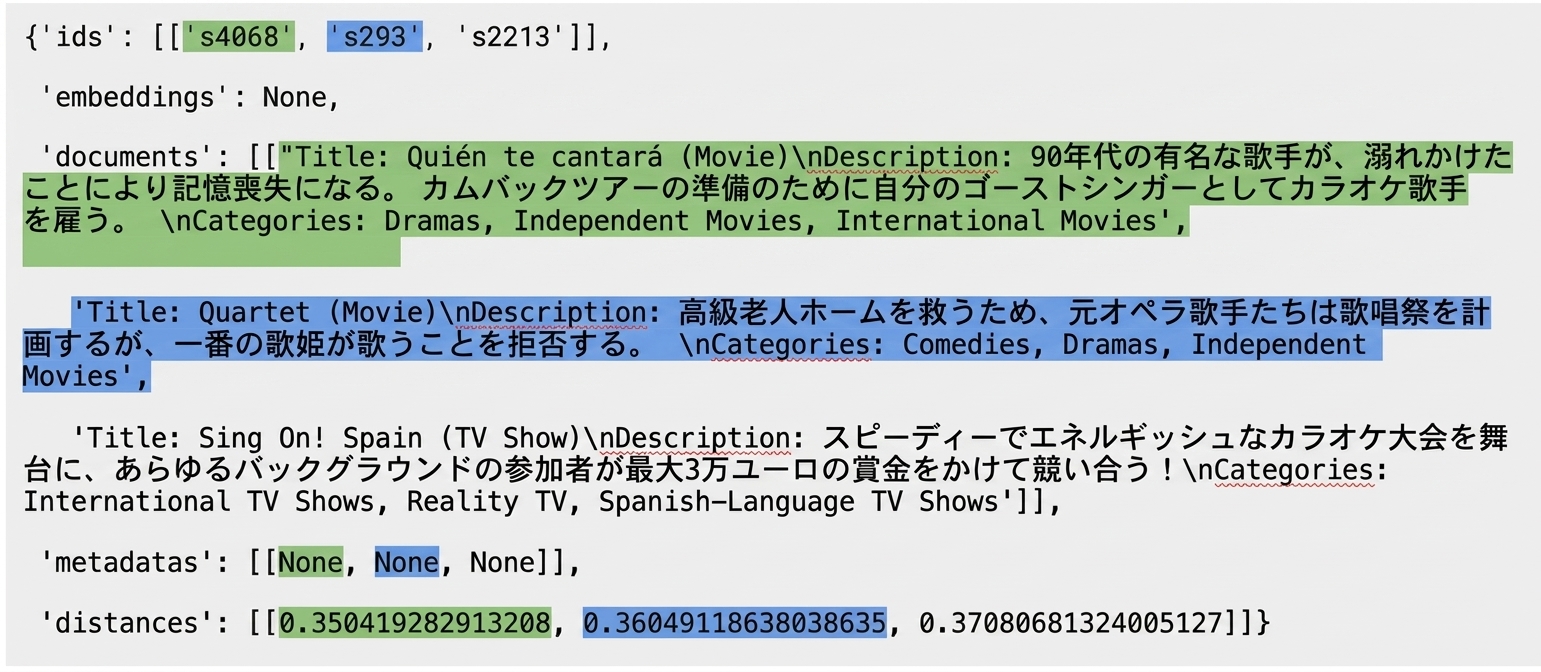
The IDs of the query results are highlighted along with their associated documents, metadata, and distances.

OpenAI API で学ぶ埋め込み入門

データベースへのクエリ

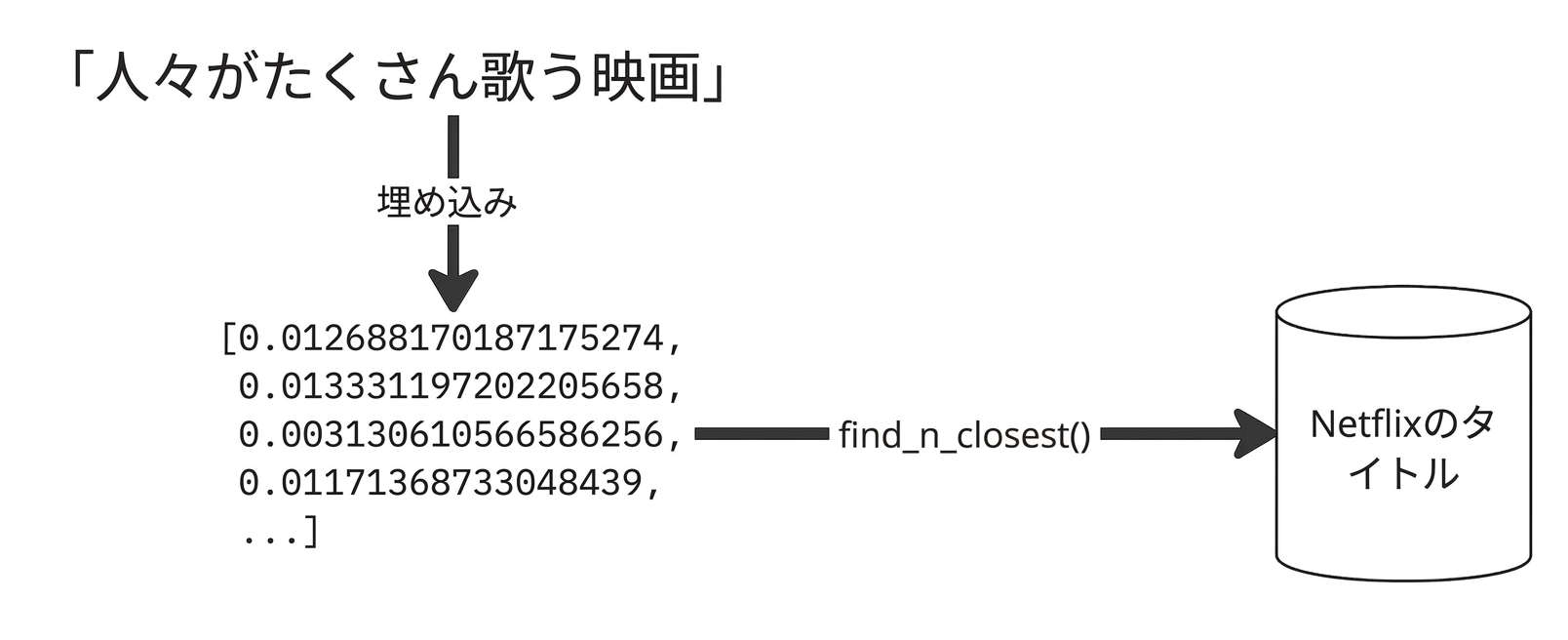
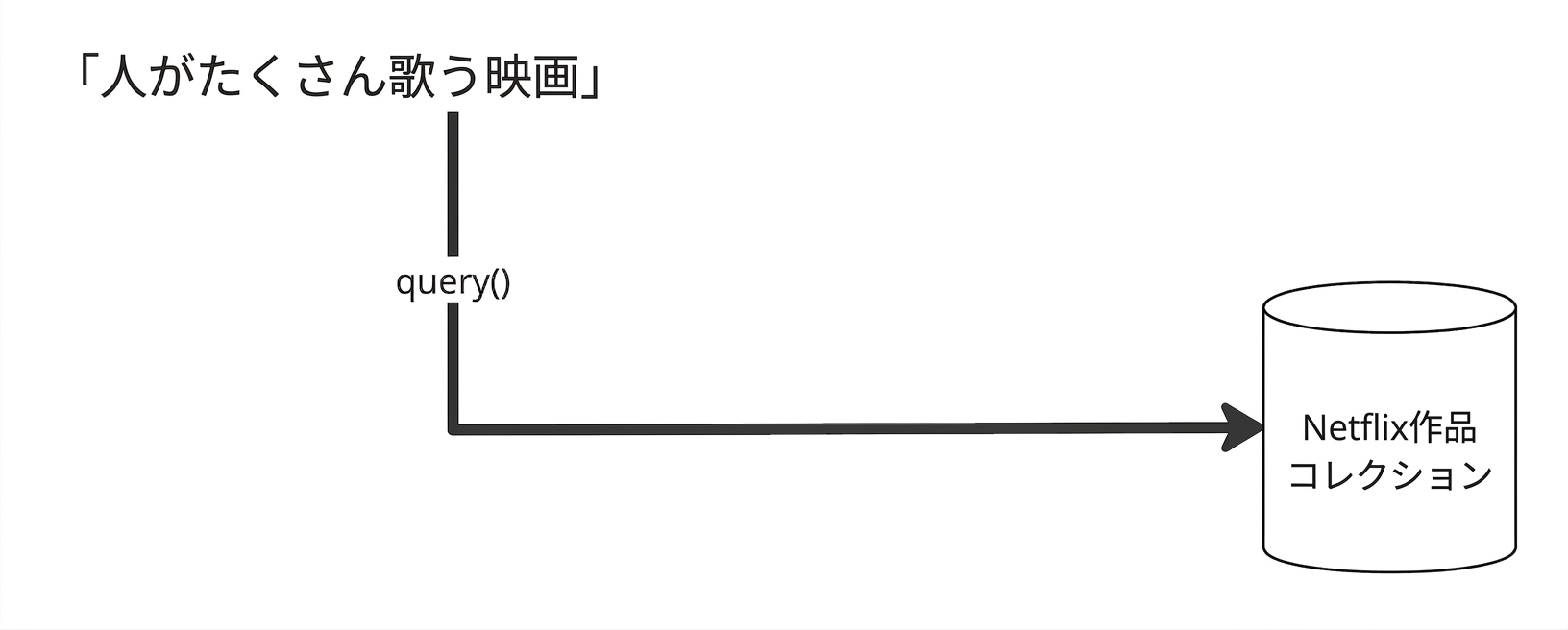
The search query is fed directly into the vector database for embedding, which already contains the embedded documents.

OpenAI API で学ぶ埋め込み入門

コレクションの取得

from chromadb.utils.embedding_functions import OpenAIEmbeddingFunction

collection = client.get_collection(
    name="netflix_titles", 
    embedding_function=OpenAIEmbeddingFunction(api_key="...")
)
  • データをコレクションに追加する際に使用したものと同じ埋め込み関数を指定する必要がある
OpenAI API で学ぶ埋め込み入門

コレクションへのクエリ

result = collection.query(
  query_texts=["movies where people sing a lot"],
  n_results=3
)
print(result)
{'ids': [['s4068', 's293', 's2213']],
 'embeddings': None,
 'documents': [['Title: Quién te cantará (Movie)\nDescription: When a near-...',
   'Title: Quartet (Movie)\nDescription: To save their posh retirement home, ...',
   'Title: Sing On! Spain (TV Show)\nDescription: In this fast-paced, high-...']],
 'metadatas': [[None, None, None]],
 'distances': [[0.350419282913208, 0.36049118638038635, 0.37080681324005127]]
OpenAI API で学ぶ埋め込み入門

query() は複数のキーを持つ辞書を返す:

  • ids: 返されたアイテムのID
  • embeddings: 返されたアイテムの埋め込み
  • documents: 返されたアイテムの元テキスト
  • metadatas: 返されたアイテムのメタデータ
  • distances: クエリテキストから返されたアイテムの距離
{'ids': [...],
 'embeddings': None,
 'documents': [...],
 'metadatas': [...],
 'distances': [...]}
OpenAI API で学ぶ埋め込み入門

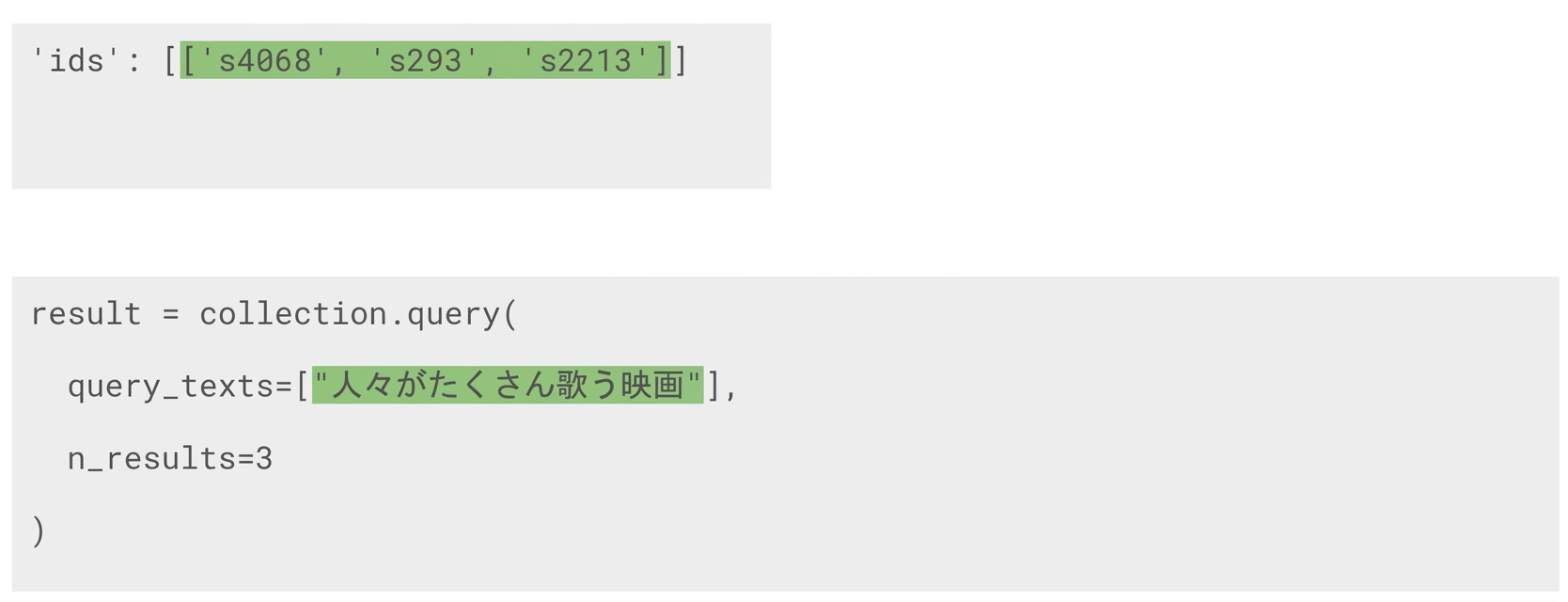
The query text is highlighted along with the ids of the three query results it generated.

  • 最初のリストは最初の query_text に対応する
  • 複数のクエリテキストは複数のリストを返す
OpenAI API で学ぶ埋め込み入門

The IDs of the query results are highlighted along with their associated documents, metadata, and distances.

OpenAI API で学ぶ埋め込み入門

コレクションの更新

collection.update(
  ids=["id-1", "id-2"],
  documents=["New document 1", "New document 2"]
)
  • 更新するフィールドのみを含め、他のフィールドは変更されない
  • コレクションは自動的に埋め込みを作成する
OpenAI API で学ぶ埋め込み入門

コレクションのアップサート(upsert)

collection.upsert(
  ids=["id-1", "id-2"],
  documents=["New document 1", "New document 2"]
)
  • IDが欠けている場合は追加する
  • IDがある場合は更新する
OpenAI API で学ぶ埋め込み入門

削除

コレクションからアイテムを削除する

collection.delete(ids=["id-1", "id-2"])

すべてのコレクションとアイテムを削除する

client.reset()
  • 注意: これを行うと、データベース内のすべてが削除される
OpenAI API で学ぶ埋め込み入門

練習しましょう!

OpenAI API で学ぶ埋め込み入門

Preparing Video For Download...