ベクトル空間の探究
OpenAI API で学ぶ埋め込み入門

Emmanuel Pire
Senior Software Engineer, DataCamp
例: 見出しを埋め込む
articles = [
    {"headline": "Economic Growth Continues Amid Global Uncertainty", "topic": "Business"},
    {"headline": "Interest rates fall to historic lows", "topic": "Business"},
    {"headline": "Scientists Make Breakthrough Discovery in Renewable Energy", "topic": "Science"},
    {"headline": "India Successfully Lands Near Moon's South Pole", "topic": "Science"},
    {"headline": "New Particle Discovered at CERN", "topic": "Science"},
    {"headline": "Tech Company Launches Innovative Product to Improve Online Accessibility", "topic": "Tech"},
    {"headline": "Tech Giant Buys 49% Stake In AI Startup", "topic": "Tech"},
    {"headline": "New Social Media Platform Has Everyone Talking!", "topic": "Tech"},
    {"headline": "The Blues get promoted on the final day of the season!", "topic": "Sport"},
    {"headline": "1.5 Billion Tune-in to the World Cup Final", "topic": "Sport"}
]
例: 見出しの埋め込み
複数入力の埋め込み
headline_text = [article['headline'] for article in articles]
headline_text
["Economic Growth Continues Amid Global Uncertainty",
 ...,
 "1.5 Billion Tune-in to the World Cup Final"]
response = client.embeddings.create(
  model="text-embedding-3-small",
  input=headline_text
)
response_dict = response.model_dump()
- バッチ処理を行うと、複数のAPI呼び出しを使用するよりも効率的
[...]

'data': [
    {
      "embedding": [-0.017142612487077713, ..., -0.0012911480152979493],
      "index": 0,
      "object": "embedding"
    },
    {
      "embedding": [-0.032995883375406265, ..., -0.0028605300467461348],
      "index": 1,
      "object": "embedding"
    },
    ...
  ]

[...]
複数入力の埋め込み
articles = [
    {"headline": "Economic Growth Continues Amid Global Uncertainty", "topic": "Business"},
     ...
]
for i, article in enumerate(articles):article['embedding'] = response_dict['data'][i]['embedding']print(articles[:2])
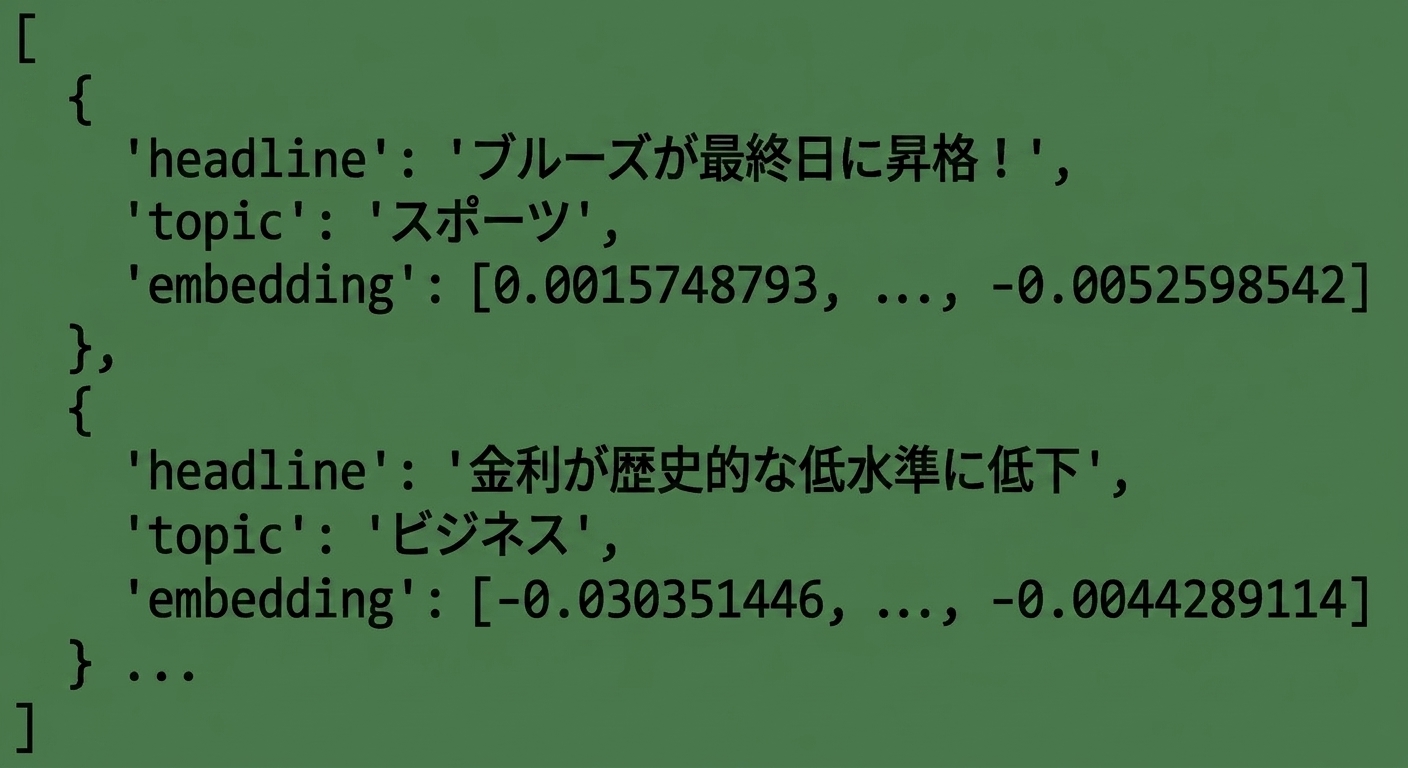
[{'headline': 'Economic Growth Continues Amid Global Uncertainty',
  'topic': 'Business',
  'embedding': [-0.017142612487077713, ..., -0.0012911480152979493]}
 {'headline': 'Interest rates fall to historic lows',
  'topic': 'Business',
  'embedding': [-0.032995883375406265, ..., -0.0028605300467461348]}]
埋め込みベクトルの長さはどれくらいか?
- 「不確実な世界でも経済成長は継続」
len(articles[0]['embedding'])
1536
- 「テック企業がアクセシビリティを向上させる革新的な製品を発表」
len(articles[5]['embedding'])
1536
- 常に1536個の数値を返す!
次元削減とt-SNE
- 次元数を減らすためのさまざまな手法
- t-SNE (t-distributed Stochastic Neighbor Embedding、t分布型確率的近傍埋め込み)
1 https://www.datacamp.com/tutorial/introduction-t-sne
t-SNEの実装
from sklearn.manifold import TSNE import numpy as npembeddings = [article['embedding'] for article in articles]tsne = TSNE(n_components=2, perplexity=5)embeddings_2d = tsne.fit_transform(np.array(embeddings))
n_components: 結果として得られる次元数perplexity: アルゴリズムで使用され、データ数より小さくなければならない- 一部の情報が失われる
1 https://www.datacamp.com/tutorial/introduction-t-sne
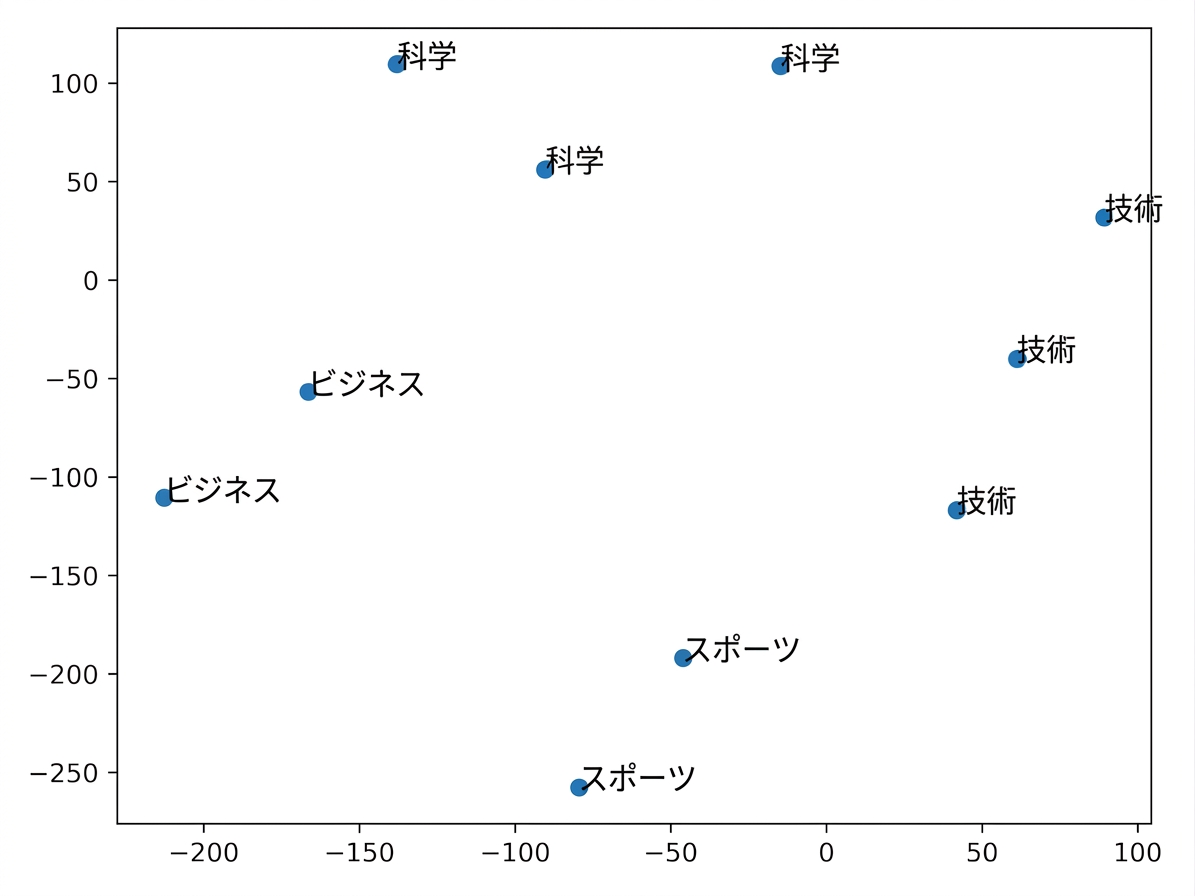
埋め込みの可視化
import matplotlib.pyplot as plt plt.scatter(embeddings_2d[:, 0], embeddings_2d[:, 1])topics = [article['topic'] for article in articles] for i, topic in enumerate(topics): plt.annotate(topic, (embeddings_2d[i, 0], embeddings_2d[i, 1])) plt.show()
埋め込みの可視化
- 類似した記事はまとめられる!
- モデルはセマンティックな意味を捉える
- 次回: 類似度の計算
練習しましょう!
OpenAI API で学ぶ埋め込み入門

