バウンディングボックス

PyTorch で学ぶ画像向け Deep Learning

Michal Oleszak

Machine Learning Engineer

物体認識とは
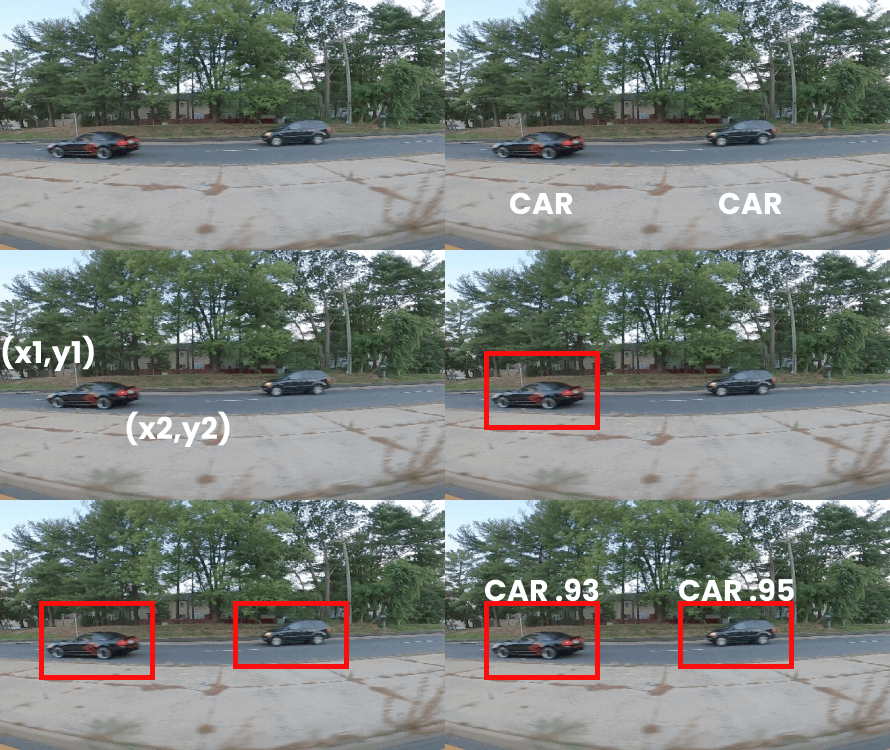
物体認識は画像内の物体を特定します:

  • 各物体の位置(バウンディングボックス)

  • 各物体のクラスラベル

用途: 監視、医用診断、交通管理、スポーツ分析

  • この動画: バウンディングボックスでのアノテーション
  • 後続の動画: 評価とモデル


走行中の車の検出

PyTorch で学ぶ画像向け Deep Learning

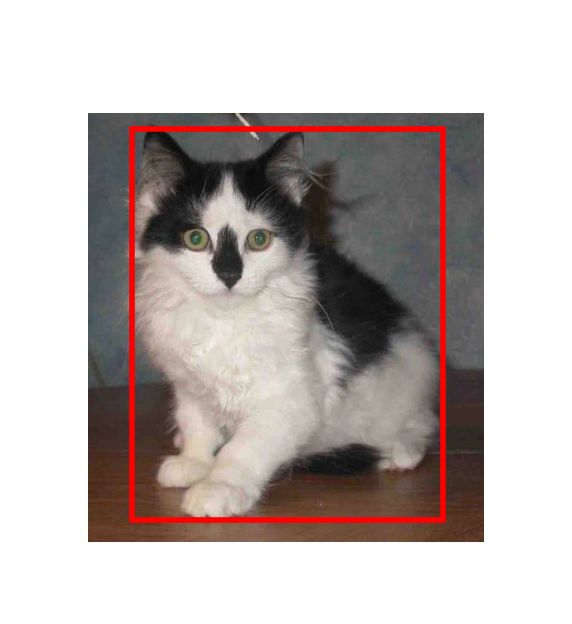
バウンディングボックスの表現

  • 物体の位置を示す長方形の枠
  • 学習データのアノテーションおよびモデル出力
  • 正解(Ground Truth)ボックス: 正確な位置

バウンディングボックスの座標

PyTorch で学ぶ画像向け Deep Learning

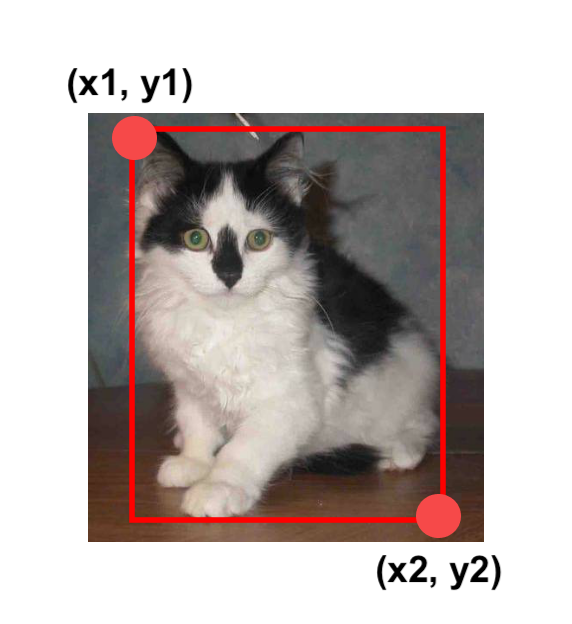
バウンディングボックスの表現

  • 物体の位置を示す長方形の枠
  • 学習データのアノテーションとモデル出力
  • 正解(Ground Truth)ボックス = 正確な位置
  • ボックスの座標:
    • 左上と右下
    • バウンディングボックス = (x1, y1, x2, y2)
    • x1 = x_min、x2 = x_max、…

バウンディングボックスの座標

PyTorch で学ぶ画像向け Deep Learning

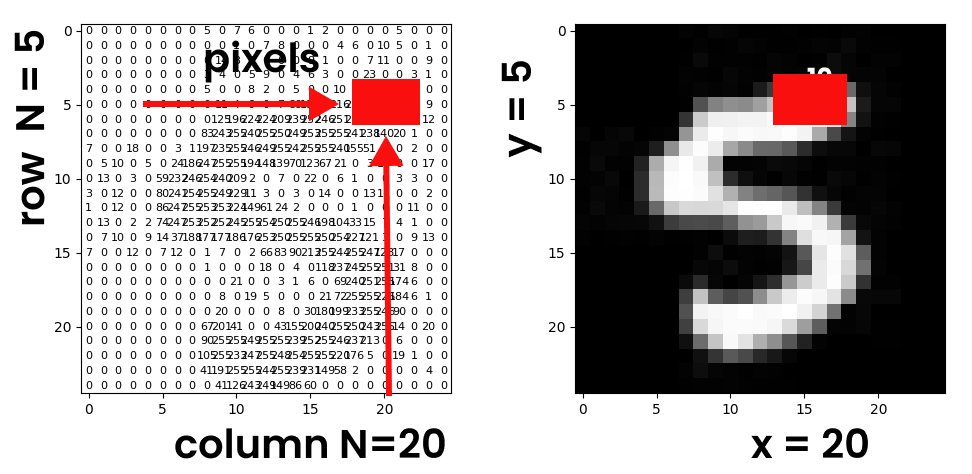
ピクセルと座標

ボックスの座標

  • 座標: x = 列番号、y = 行番号
  • 原点: (0, 0) = 左上
PyTorch で学ぶ画像向け Deep Learning

ピクセルをテンソルへ変換

ToTensor() による変換

  • テンソル型:
    • torch.float
  • スケール済み範囲:
    • [0.0, 1.0]
import torchvision.transforms as transforms

transform = transforms.Compose([ transforms.Resize(224), transforms.ToTensor() ]) image_tensor = transform(image)

PILToTensor() による変換

  • テンソル型:
    • torch.uint8(8ビット整数)
  • 非スケール範囲:
    • [0, 255]
import torchvision.transforms as transforms
transform = transforms.Compose([
            transforms.Resize(224),
            transforms.PILToTensor()
            ])
image_tensor = transform(image)
PyTorch で学ぶ画像向け Deep Learning

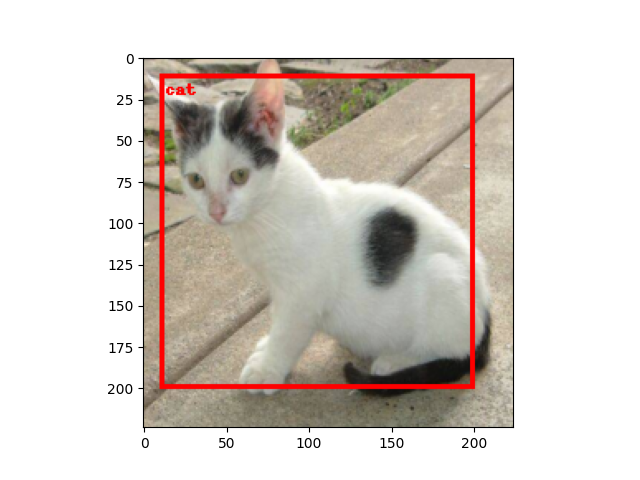
バウンディングボックスを描く

from torchvision.utils import draw_bounding_boxes


bbox = torch.tensor([x_min, y_min, x_max, y_max]) bbox = bbox.unsqueeze(0)
bbox_image = draw_bounding_boxes( image_tensor, bbox, width=3, colors="red" )
transform = transforms.Compose([ transforms.ToPILImage() ]) pil_image = transform(bbox_image) import matplotlib.pyplot as plt plt.imshow(pil_image)
  • draw_bounding_boxes をインポート
  • 座標をテンソルにまとめる
  • 2次元に unsqueeze
  • 画像に変換してプロット

ボックス付きの猫

PyTorch で学ぶ画像向け Deep Learning

練習しましょう!

PyTorch で学ぶ画像向け Deep Learning

Preparing Video For Download...