事前学習モデルの活用

PyTorch で学ぶ画像向け Deep Learning

Michal Oleszak

Machine Learning Engineer

事前学習モデルの活用

  • ゼロからの学習:

    • 時間がかかる
    • 多量のデータが必要
  • 事前学習モデル:既に学習済みのモデル

    • 新タスクにそのまま再利用可
    • 新タスクに合わせて調整が必要(転移学習)
  • 活用手順:

    • モデルの保存・読み込み
    • torchvision モデルのダウンロード
PyTorch で学ぶ画像向け Deep Learning

PyTorchモデルの保存

  • torch.save()
  • モデル拡張子:.pt または .pth
  • .state_dict() で重みを保存
    torch.save(model.state_dict(), "BinaryCNN.pth")
    
PyTorch で学ぶ画像向け Deep Learning

PyTorchモデルの読み込み

  • 新しいモデルを作成

    new_model = BinaryCNN()
    
  • 保存済みパラメータを読み込み

    new_model.load_state_dict(torch.load('BinaryCNN.pth'))
    
PyTorch で学ぶ画像向け Deep Learning

torchvisionモデルのダウンロード

from torchvision.models import (
    resnet18, ResNet18_Weights
)


weights = ResNet18_Weights.DEFAULT
model = resnet18(weights=weights)
transforms = weights.transforms()
  • resnet のアーキテクチャと重みをインポート
  • 重みを取得
  • 重みを渡してモデルを生成
  • 必要なデータ変換を取得
PyTorch で学ぶ画像向け Deep Learning

新しい入力画像を準備

from PIL import Image

image = Image.open("cat013.jpg")

image_tensor = transform(image)
image_reshaped = image_tensors.unsqueeze(0)
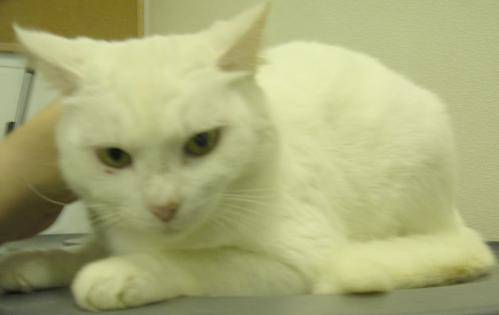
 

猫の画像

  • 画像を読み込む
  • 画像を変換
  • 画像をリシェイプ
PyTorch で学ぶ画像向け Deep Learning

新しい予測を生成

model.eval()


with torch.no_grad():
pred = model(image_reshaped).squeeze(0)
pred_cls = pred.softmax(0)
cls_id = pred_cls.argmax().item()
cls_name = weights.meta["categories"][cls_id]
print(cls_name)
Egyptian cat
  • 推論用の評価モード
  • 勾配を無効化
  • 画像をモデルへ渡しバッチ次元を除去
  • softmax を適用
  • 最高確率のクラスを選びインデックス取得
  • クラスIDをラベルに対応付け
  • ラベルを出力
PyTorch で学ぶ画像向け Deep Learning

Lass uns üben!

PyTorch で学ぶ画像向け Deep Learning

Preparing Video For Download...