高度な演算

Introduction to TensorFlow in Python

Isaiah Hull

Visiting Associate Professor of Finance, BI Norwegian Business School

高度な演算の概要

  • TensorFlow の基本演算を学びました
    • add(), multiply(), matmul(), reduce_sum()
  • 本レッスンでは高度な演算を扱います
    • gradient(), reshape(), random()
Introduction to TensorFlow in Python

高度な演算の概要

Operation Use
gradient() ある点での関数の傾きを計算
reshape() テンソルの形状を変更(例: 10x10 → 100x1)
random() 確率分布からサンプルしてテンソルを埋める
Introduction to TensorFlow in Python

最適値の探索

  • 多くの問題で、関数の最適値を求めます。

    • 最小値: 損失関数の最も低い値。
    • 最大値: 目的関数の最も高い値。
  • gradient() で求められます。

    • 最適点: 勾配 = 0 の点。
    • 最小: 勾配の変化 > 0
    • 最大: 勾配の変化 < 0
Introduction to TensorFlow in Python

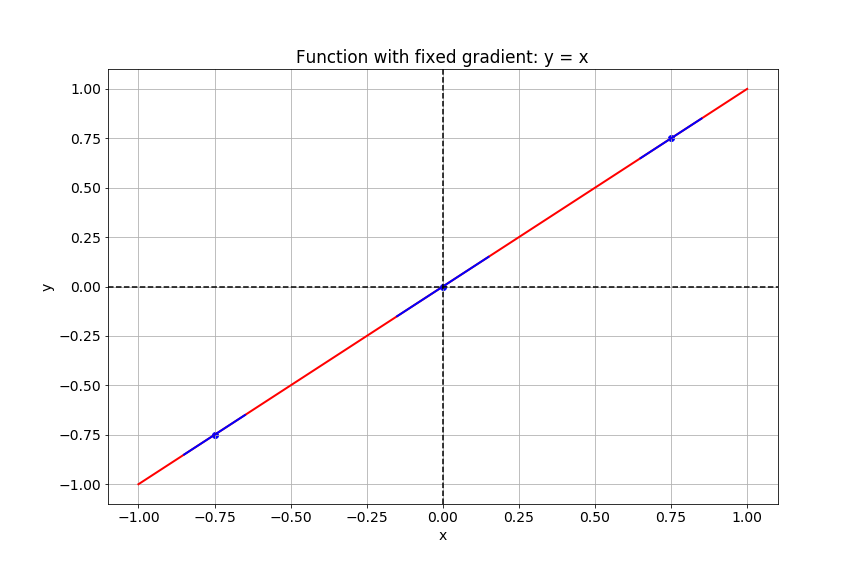
勾配の計算

関数 y = x のプロットを示すスライド。

Introduction to TensorFlow in Python

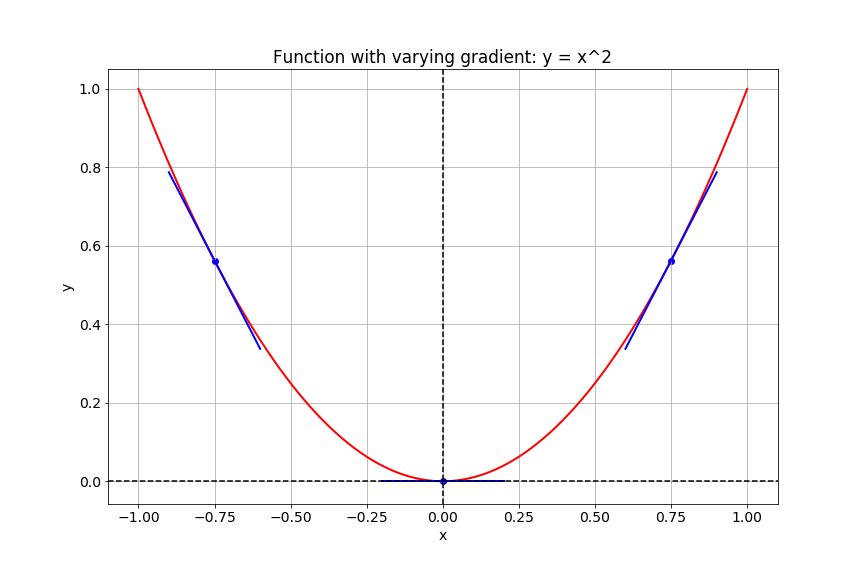
勾配の計算

関数 y = x^2 のプロットを示すスライド。

Introduction to TensorFlow in Python

TensorFlow の勾配

# Import tensorflow under the alias tf
import tensorflow as tf

# Define x
x = tf.Variable(-1.0)
# Define y within instance of GradientTape
with tf.GradientTape() as tape:
    tape.watch(x)
    y = tf.multiply(x, x)
# Evaluate the gradient of y at x = -1
g = tape.gradient(y, x)
print(g.numpy())
-2.0
Introduction to TensorFlow in Python

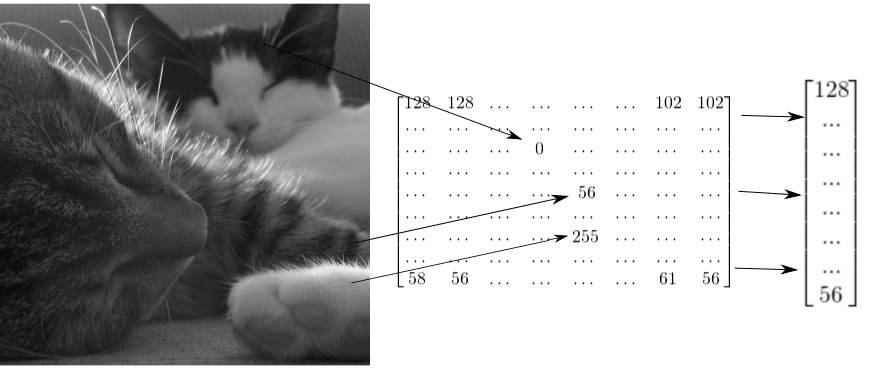
テンソルとしての画像

2匹の猫の画像を2次元テンソルで表し、1次元ベクトルにリシェイプできることを示す図。

Introduction to TensorFlow in Python

グレースケール画像のリシェイプ方法

# Import tensorflow as alias tf
import tensorflow as tf

# Generate grayscale image
gray = tf.random.uniform([2, 2], maxval=255, dtype='int32')

# Reshape grayscale image
gray = tf.reshape(gray, [2*2, 1])
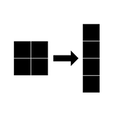
2×2のグレースケール画像を4×1のベクトルにリシェイプする図。

Introduction to TensorFlow in Python

カラー画像のリシェイプ方法

# Import tensorflow as alias tf
import tensorflow as tf

# Generate color image
color = tf.random.uniform([2, 2, 3], maxval=255, dtype='int32')

# Reshape color image
color = tf.reshape(color, [2*2, 3])
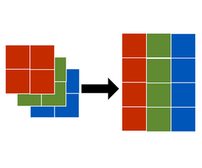
2×2×3のカラー画像を2×3の行列にリシェイプする図。

Introduction to TensorFlow in Python

Let's practice!

Introduction to TensorFlow in Python

Preparing Video For Download...