入力データ

Introduction to TensorFlow in Python

Isaiah Hull

Visiting Associate Professor of Finance, BI Norwegian Business School
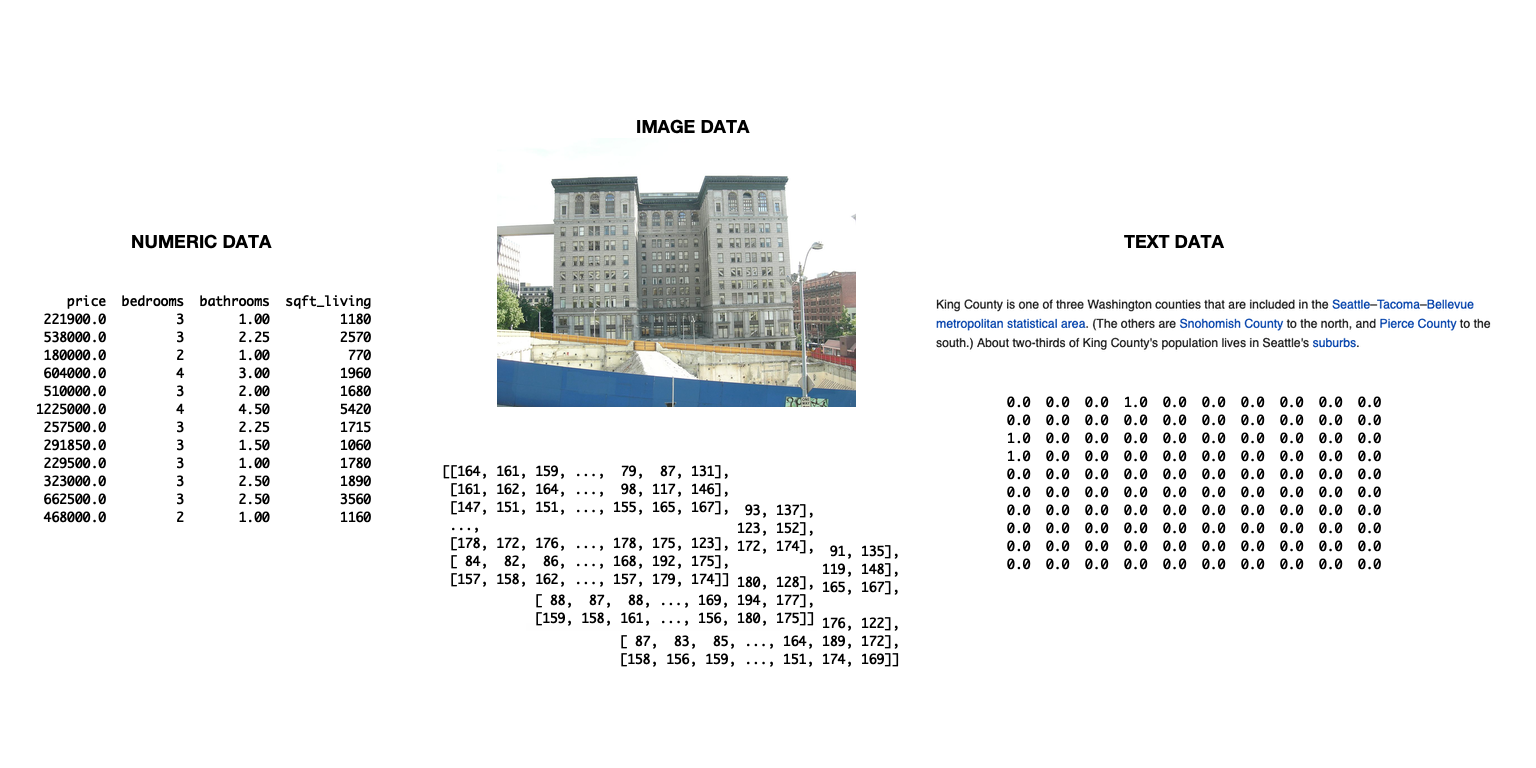
テキスト、画像、数値の3種類のデータ型を示す図。

Introduction to TensorFlow in Python

TensorFlow用データの取り込み

  • tensorflowでデータを取り込めます
    • 複雑なパイプラインの管理に有用
    • 本チャプターでは不要
  • 本チャプターの簡易手法
    • pandasでデータを読み込む
    • numpy配列に変換
    • そのままtensorflowで使用
Introduction to TensorFlow in Python

データの取り込みと変換方法

# Import numpy and pandas
import numpy as np
import pandas as pd

# Load data from csv
housing = pd.read_csv('kc_housing.csv')

# Convert to numpy array
housing = np.array(housing)
  • 本チャプターは csv データに焦点を当てます
  • Pandas は他形式にも対応
    • 例: read_json(), read_html(), read_excel()
Introduction to TensorFlow in Python

read_csv() のパラメータ

パラメータ 説明 既定値
filepath_or_buffer ファイルパスまたはURLを受け付けます。 None
sep 列の区切り文字。 ,
delim_whitespace 空白で区切るかの真偽値。 False
encoding 使用するエンコーディング。 None
Introduction to TensorFlow in Python

混在型データセットの利用

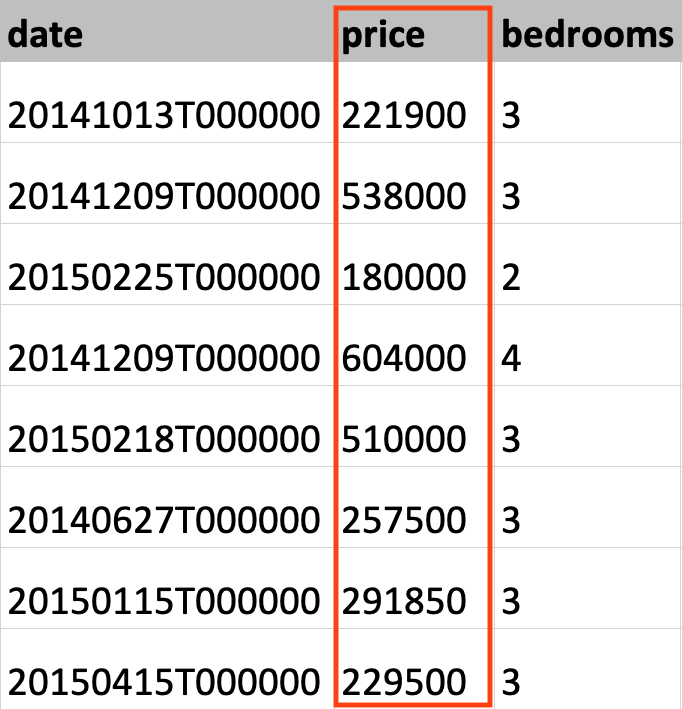
キング郡の住宅データセットから取得したデータで、家の価格列がハイライトされています。

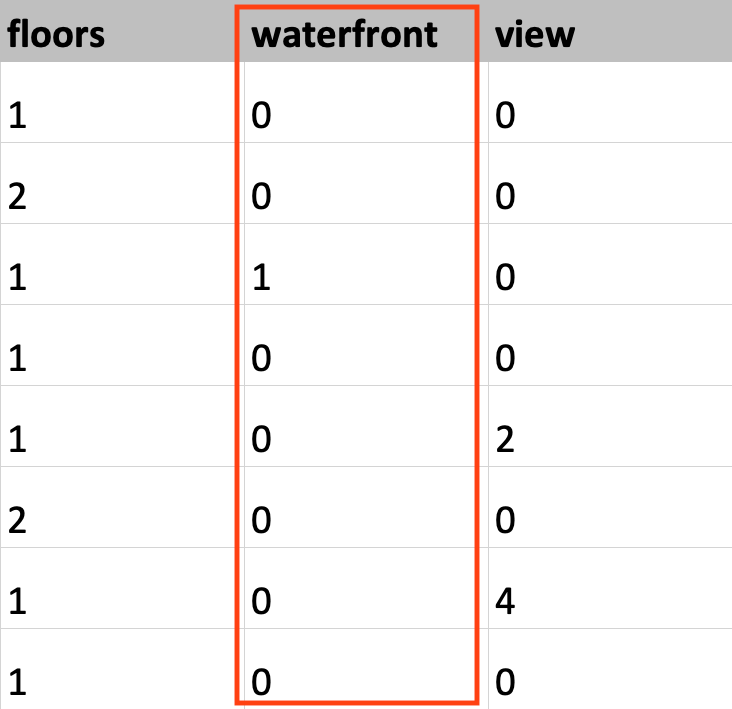
キング郡の住宅データセットから取得したデータで、waterfront 列がハイライトされています。

Introduction to TensorFlow in Python

データ型の設定

# Load KC dataset
housing = pd.read_csv('kc_housing.csv')

# Convert price column to float32
price = np.array(housing['price'], np.float32)

# Convert waterfront column to Boolean
waterfront = np.array(housing['waterfront'], np.bool)
Introduction to TensorFlow in Python

データ型の設定

# Load KC dataset
housing = pd.read_csv('kc_housing.csv')

# Convert price column to float32
price = tf.cast(housing['price'], tf.float32)

# Convert waterfront column to Boolean
waterfront = tf.cast(housing['waterfront'], tf.bool)
Introduction to TensorFlow in Python

Passons à la pratique !

Introduction to TensorFlow in Python

Preparing Video For Download...