モデリング用のテキスト準備

Rで学ぶ自然言語処理入門

Kasey Jones

Research Data Scientist

Rの教師あり学習:分類

Rで学ぶ自然言語処理入門

分類モデリング

  • 教師あり学習の手法
  • 観測をカテゴリに分類
    • 勝/敗
    • 危険・友好的・無関心
  • 代表的な手法:
    • ロジスティック回帰
    • 決定木/ランダムフォレスト/xgboost
    • ニューラルネットワーク
    • など
Rで学ぶ自然言語処理入門

モデリングの基本手順

  1. データのクリーニング/前処理
  2. 学習用とテスト用に分割
  3. 学習データでモデルを訓練
  4. テストデータで精度を評価
Rで学ぶ自然言語処理入門

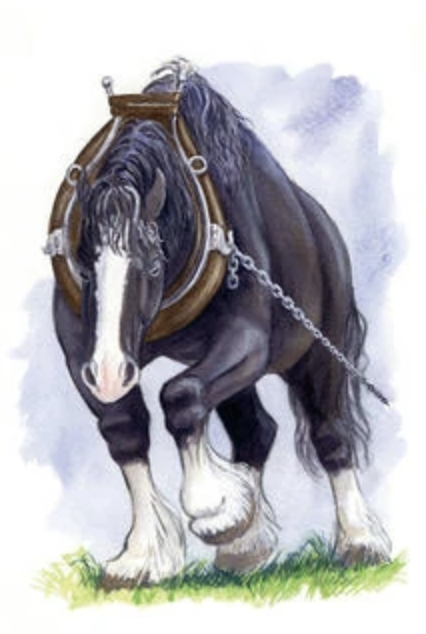
キャラクター認識

Napoloeon ナポレオン

ボクサー ボクサー

1 https://comicvine.gamespot.com/napoleon/4005-141035/ 2 https://hero.fandom.com/wiki/Boxer_(Animal_Farm)
Rで学ぶ自然言語処理入門

動物の文

# 文に分割
sentences <- animal_farm %>%
  unnest_tokens(output = "sentence", token = "sentences", input = text_column)
# 動物ごとに文をラベル付け
sentences$boxer <- grepl('boxer', sentences$sentence)
sentences$napoleon <- grepl('napoleon', sentences$sentence)
# 動物名を置換
sentences$sentence <- gsub("boxer", "animal X", sentences$sentence)
sentences$sentence <- gsub("napoleon", "animal X", sentences$sentence)
animal_sentences <- sentences[sentences$boxer + sentences$napoleon == 1, ]
Rで学ぶ自然言語処理入門

文の続き

animal_sentences$Name <-
    as.factor(ifelse(animal_sentences$boxer, "boxer", "napoleon"))
# 各75件
animal_sentences <- 
  rbind(animal_sentences[animal_sentences$Name == "boxer", ][c(1:75), ],
        animal_sentences[animal_sentences$Name == "napoleon", ][c(1:75), ])
animal_sentences$sentence_id <- c(1:dim(animal_sentences)[1])
Rで学ぶ自然言語処理入門

データの前処理

library(tm); library(tidytext)
library(dplyr); library(SnowballC)
animal_tokens <- animal_sentences %>%
  unnest_tokens(output = "word", token = "words", input = sentence) %>%
  anti_join(stop_words) %>%
  mutate(word = wordStem(word))
Rで学ぶ自然言語処理入門

前処理の続き

animal_matrix <- animal_tokens %>%
  count(sentence_id, word) %>%
  cast_dtm(document = sentence_id, term = word,
           value = n, weighting = tm::weightTfIdf)
animal_matrix
<<DocumentTermMatrix (documents: 150, terms: 694)>>
Non-/sparse entries: 1235/102865
Sparsity           : 99%
Maximal term length: 17
Weighting          : term frequency - inverse document frequency
Rで学ぶ自然言語処理入門

疎な語を削除

  • 非ゼロ(1,235)+ゼロ(102,865)
  • 行列サイズ 150 × 694
  • 疎度: 102,865 / 104,100 (99%)

対策: removeSparseTerms()

Rで学ぶ自然言語処理入門

どこまで疎なら削除すべきか?

removeSparseTerms(animal_matrix, sparse = .90)
<<DocumentTermMatrix (documents: 150, terms: 4)>>
Non-/sparse entries: 207/393
Sparsity           : 66%
removeSparseTerms(animal_matrix, sparse = .99)
<<DocumentTermMatrix (documents: 150, terms: 172)>>
Non-/sparse entries: 713/25087
Sparsity           : 97%
Rで学ぶ自然言語処理入門

Ayo berlatih!

Rで学ぶ自然言語処理入門

Preparing Video For Download...