高度なプロンプト設計

Amazon Bedrock入門

Nikhil Rangarajan

Data Scientist

プロンプトアーキテクチャ

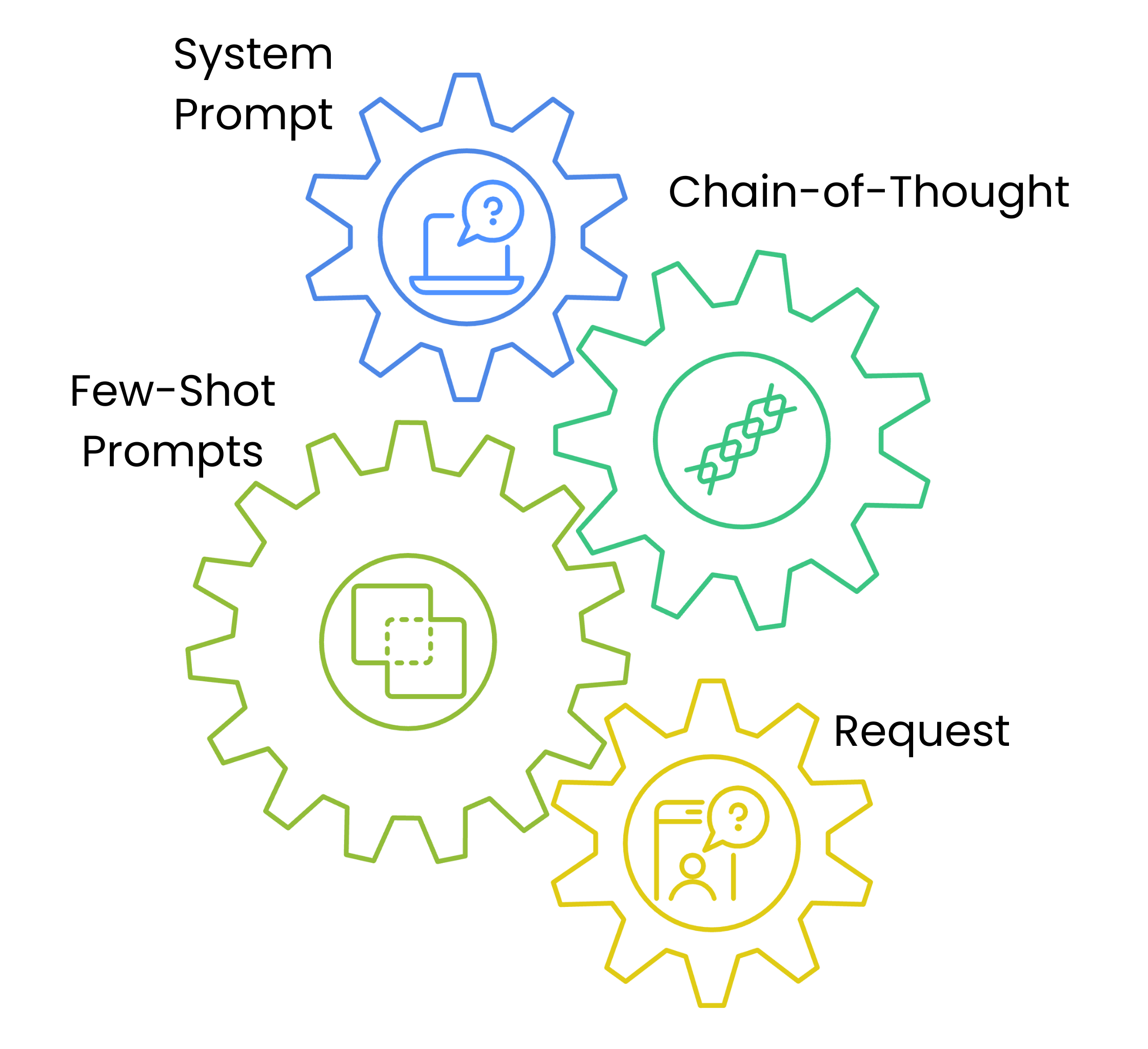
  • システムプロンプトは文体と方針を設定
  • 思考連鎖プロンプトは解法の枠組みを提示
  • フューショットは例を提示
  • 各層が理解を積み上げ、信頼性が向上

プロンプト設計の流れを示す4つの連結ギアの図:System Prompt、Chain of Thought Steps、Few-Shot Examples、Content Request。

Amazon Bedrock入門

システムプロンプトと文体制御

prompt_template = {
    "system_prompt": f"""System: Write in a professional but approachable tone.""",

"content_type": "blog_post",
"examples": [ { "title": "Cloud Migration Basics", "content": "Moving to the cloud doesn't have to be complex..." } ],
"task": f"Write a blog post about {topic}"
}
Amazon Bedrock入門

思考連鎖プロンプト

def generate_message_content(text_data):
    steps = [
        "1. Understand the target audience",
        "2. Outline key points",
        "3. Draft a promotional email"
    ]

text_data["text"] += f"\nSteps:{' '.join(steps)}"
return text_data
  • 💡 モデルの思考過程を誘導
Amazon Bedrock入門

コンテンツ適応とパラメータ

parameters = {

"blog_post": {"temperature": 0.7, "top_p": 0.9}, "social_media": {"temperature": 0.8, "top_p": 0.95},
"technical": {"temperature": 0.4, "top_p": 0.8}
}
content_type = "blog_post" prompt_data["parameters"] = parameters[content_type]
  • コンテンツ種別でパラメータを調整
  • 事前設定で一貫性を確保
Amazon Bedrock入門

テンプレートでプロンプトを生成

# Write the prompt
topic = "Cloud Security"
content_type = "blog_post"
prompt = f"Write a {topic} blog post. Use this example: {prompt_template["examples"][0]}"


# Define the parameters temperature = parameters[content_type]["temperature"] top_p = parameters[content_type]["top_p"]
# Call the model response = bedrock.invoke_model(modelId=model_id, body=json.dumps({"messages": [{"role": "user","content": [{"type": "text", "text": prompt}]}], "temperature": temperature, "top_p": top_p}))
Amazon Bedrock入門

Passons à la pratique !

Amazon Bedrock入門

Preparing Video For Download...