readxl (2)

Einführung in das Importieren von Daten in R

Filip Schouwenaars

Instructor, DataCamp

read_excel()

read_excel(path, sheet = 1, 
           col_names = TRUE, 
           col_types = NULL, 
           skip = 0)
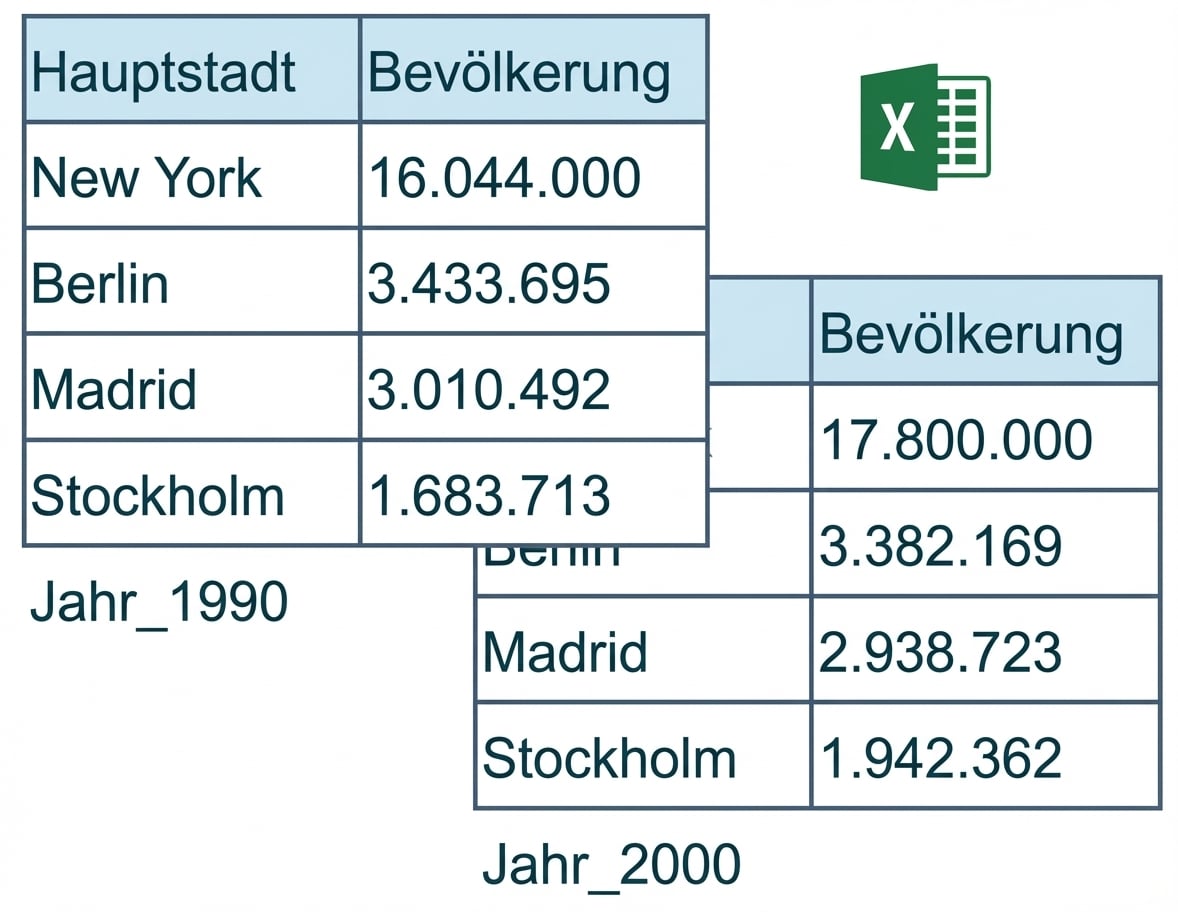
Screenshot 15.07.2019 um 15:27:34.png

Einführung in das Importieren von Daten in R

read_excel() - col_names

read_excel(path, sheet = 1, 
           col_names = TRUE, 
           col_types = NULL, 
           skip = 0)
  • col_names = FALSE: R vergibt Namen selbst

  • col_names = Character-Vektor: manuell festlegen

Einführung in das Importieren von Daten in R

read_excel() - col_types

read_excel(path, sheet = 1, 
           col_names = TRUE, 
           col_types = NULL, 
           skip = 0)

read_excel("cities.xlsx", col_types = c("text", "text"))
# A tibble: 4 × 2
    Capital Population
      <chr>      <chr>
1  New York   16044000
2    Berlin    3433695
3    Madrid    3010492
4 Stockholm    1683713
Einführung in das Importieren von Daten in R

read_excel() - col_types

read_excel(path, sheet = 1, 
           col_names = TRUE, 
           col_types = NULL, 
           skip = 0)`
read_excel("cities.xlsx", 
             col_types = c("text", "blank"))
# A tibble: 4 × 1
    Capital
      <chr>
1  New York
2    Berlin
3    Madrid
4 Stockholm
Einführung in das Importieren von Daten in R

read_excel() - skip

read_excel(path, sheet = 1, 
           col_names = TRUE, 
           col_types = NULL, 
           skip = 0)
read_excel("cities.xlsx", 
             col_names = c("Capital", "Population"),
             skip = 2)
# A tibble: 3 × 2
    Capital Population
      <chr>      <dbl>
1    Berlin    3433695
2    Madrid    3010492
3 Stockholm    1683713
Einführung in das Importieren von Daten in R

Zusammenfassung

  • excel_sheets()

  • read_excel()

  • Alles, was du brauchst!

  • Schnell

  • Gleiche Argumente wie im readr-Paket

  • Konsistenz

Einführung in das Importieren von Daten in R

Lass uns üben!

Einführung in das Importieren von Daten in R

Preparing Video For Download...