Snowflake Management, Governance & Collaboration
Emily Melhuish
Technical Curriculum Developer, Snowflake


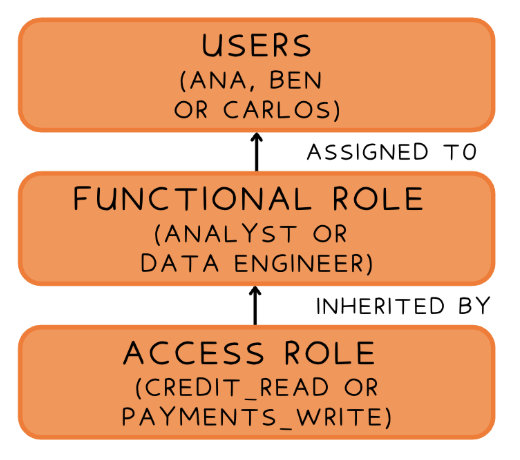
Step 1: Create an access role and grant it object privileges
CREATE ROLE credit_read;
GRANT USAGE ON DATABASE claro_db
TO ROLE credit_read;
GRANT USAGE ON SCHEMA claro_db.core
TO ROLE credit_read;
GRANT SELECT ON TABLE core.credit_scores
TO ROLE credit_read;
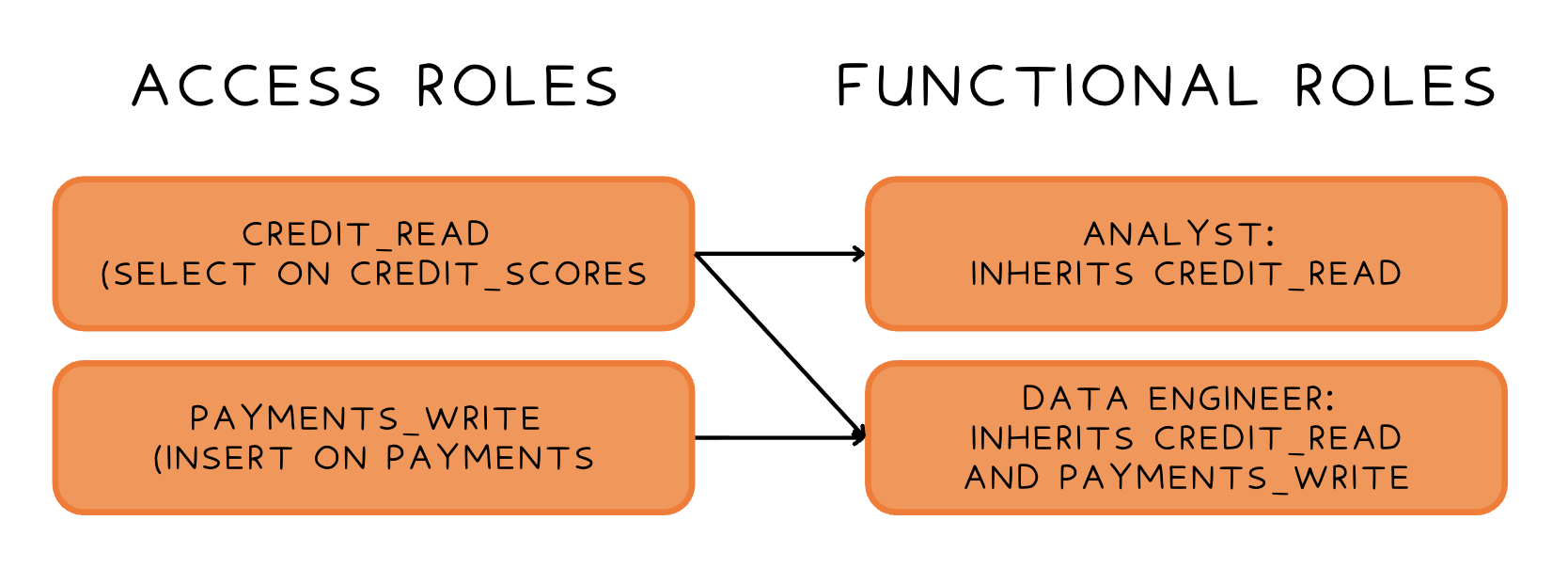
Step 2: Create a functional role and inherit the access role
CREATE ROLE analyst;
GRANT ROLE credit_read TO ROLE analyst;
Step 3: Assign the functional role to a user
GRANT ROLE analyst TO USER ana;
| Account Roles | Database Roles | |
|---|---|---|
| Scope | Span any database or schema | Scoped to a single database |
| Assigned to users? | Yes | No - granted to an account role instead |
| SQL | CREATE ROLE | CREATE DATABASE ROLE |
| Use Case | Represent job functions across the account | Bundle object access within a single database |
USE ROLE <Role Name>Use USE SECONDARY ROLES <role_name> to activate a specific subset
USE SECONDARY ROLES NONE to restrict to the primary role only
Control secondary roles in a session
USE SECONDARY ROLES ALL;
USE SECONDARY ROLES <role_name>;
USE SECONDARY ROLES NONE;
Automatically grant SELECT on any new tables added to this schema
GRANT SELECT ON FUTURE TABLES
IN SCHEMA core
TO ROLE credit_read;
Snowflake Management, Governance & Collaboration