In-place and blue/green deployments
Automating Deployments on AWS
Dunieski Otano
Amazon Web Services Solutions Architect
The 2 AM outage
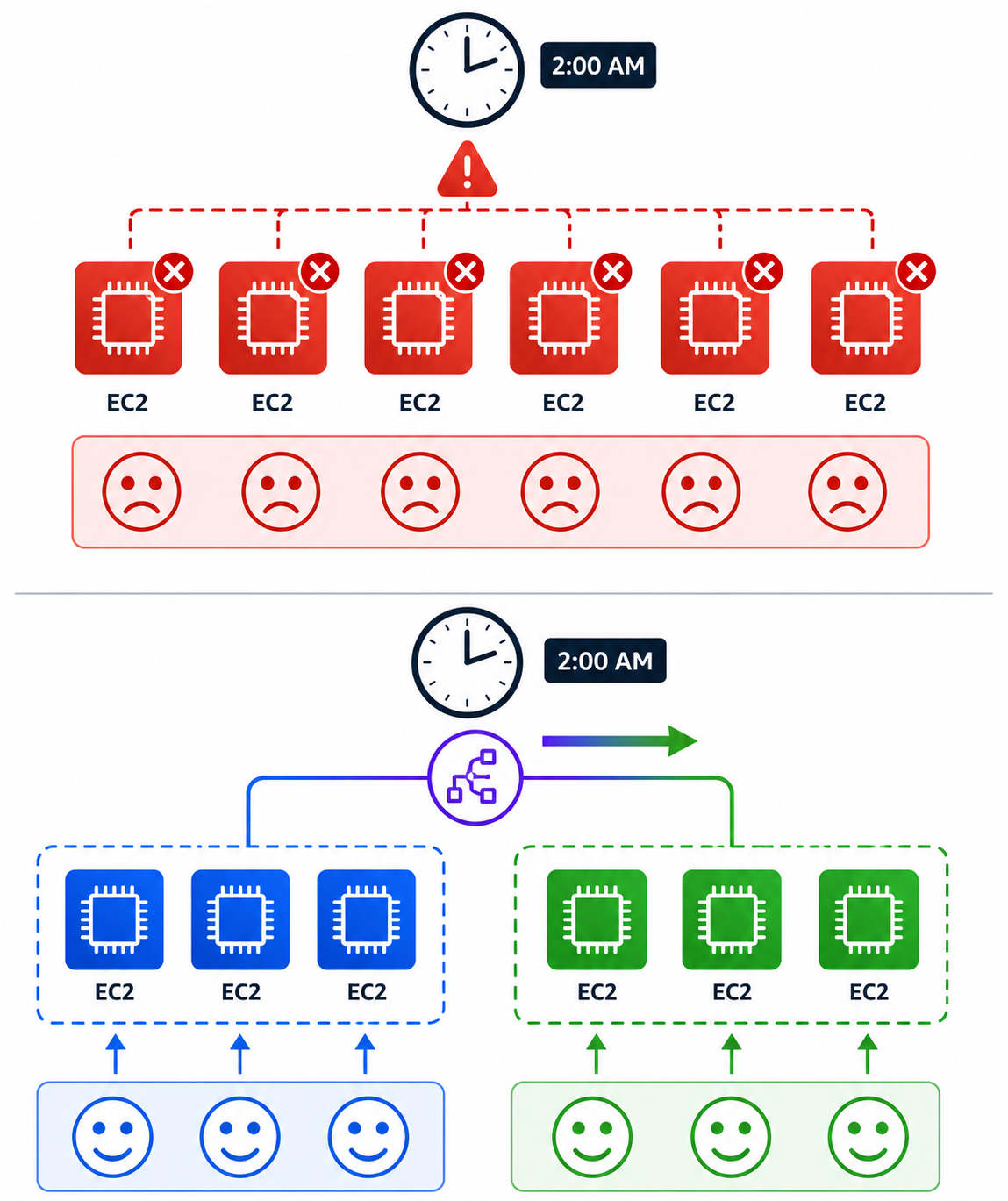
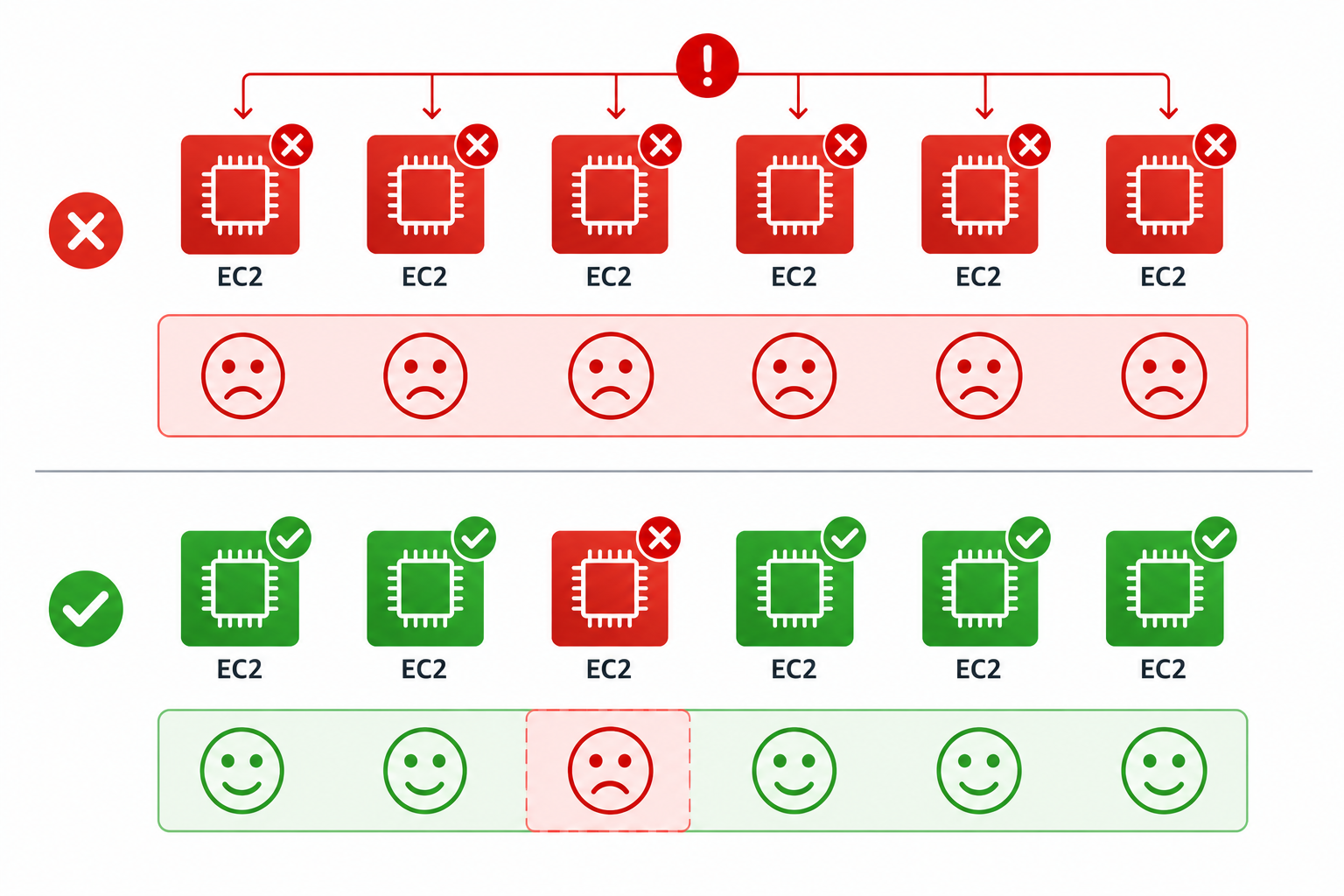
All-at-once deploy goes wrong
Every server runs the broken version
Customers see errors for an hour
Rollback takes another full deploy
Why deployment strategy matters
A bad release can take a service
down
All-at-once =
fastest, riskiest
Gradual rollout =
slower, safer
The strategy controls
blast radius
if it fails
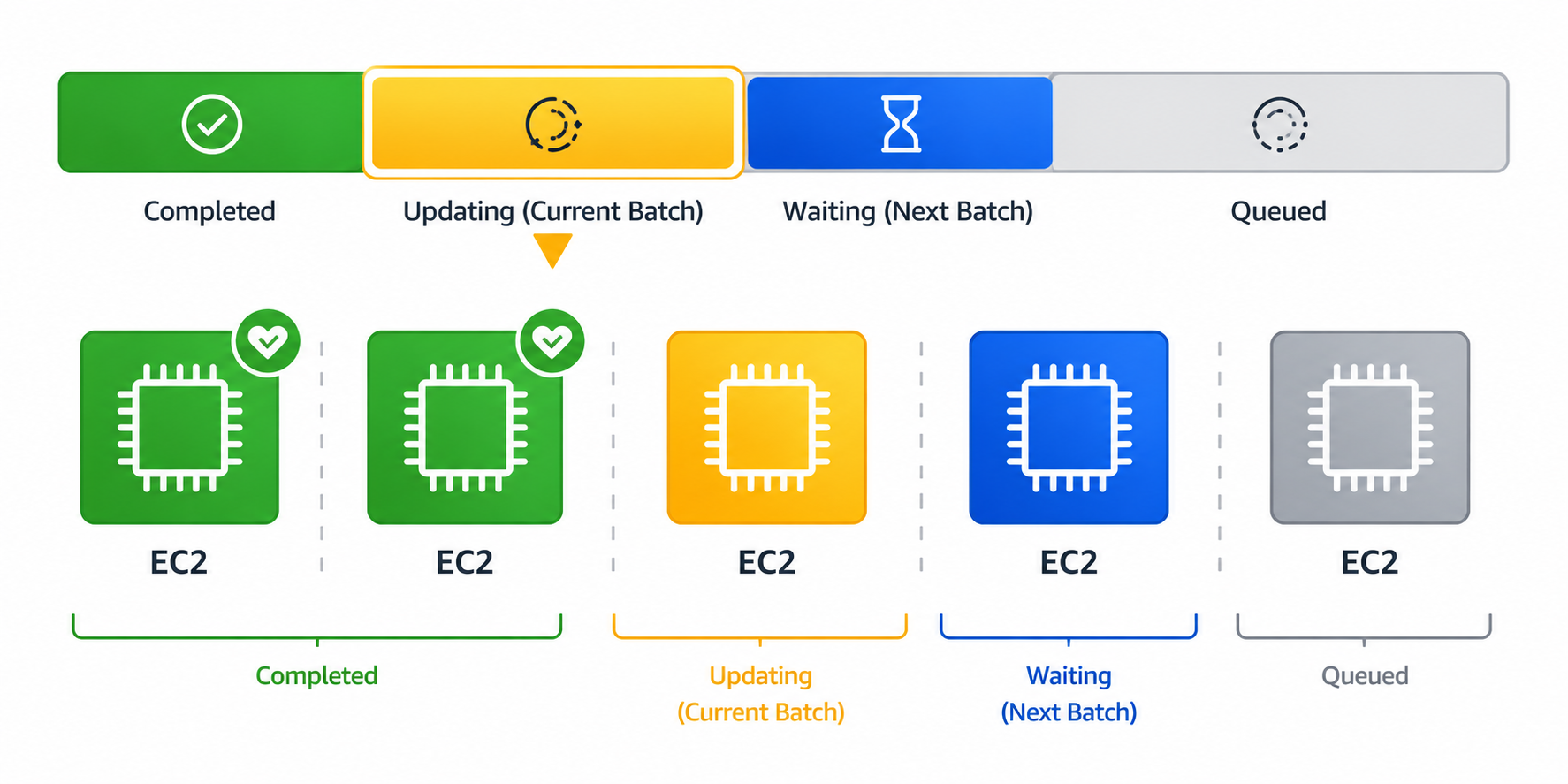
In-place deployments
Deploy onto the
same instances
that serve traffic
One
batch at a time
: half, then half; or one by one
Health-check each batch
before moving on
Cheap; no extra infrastructure needed
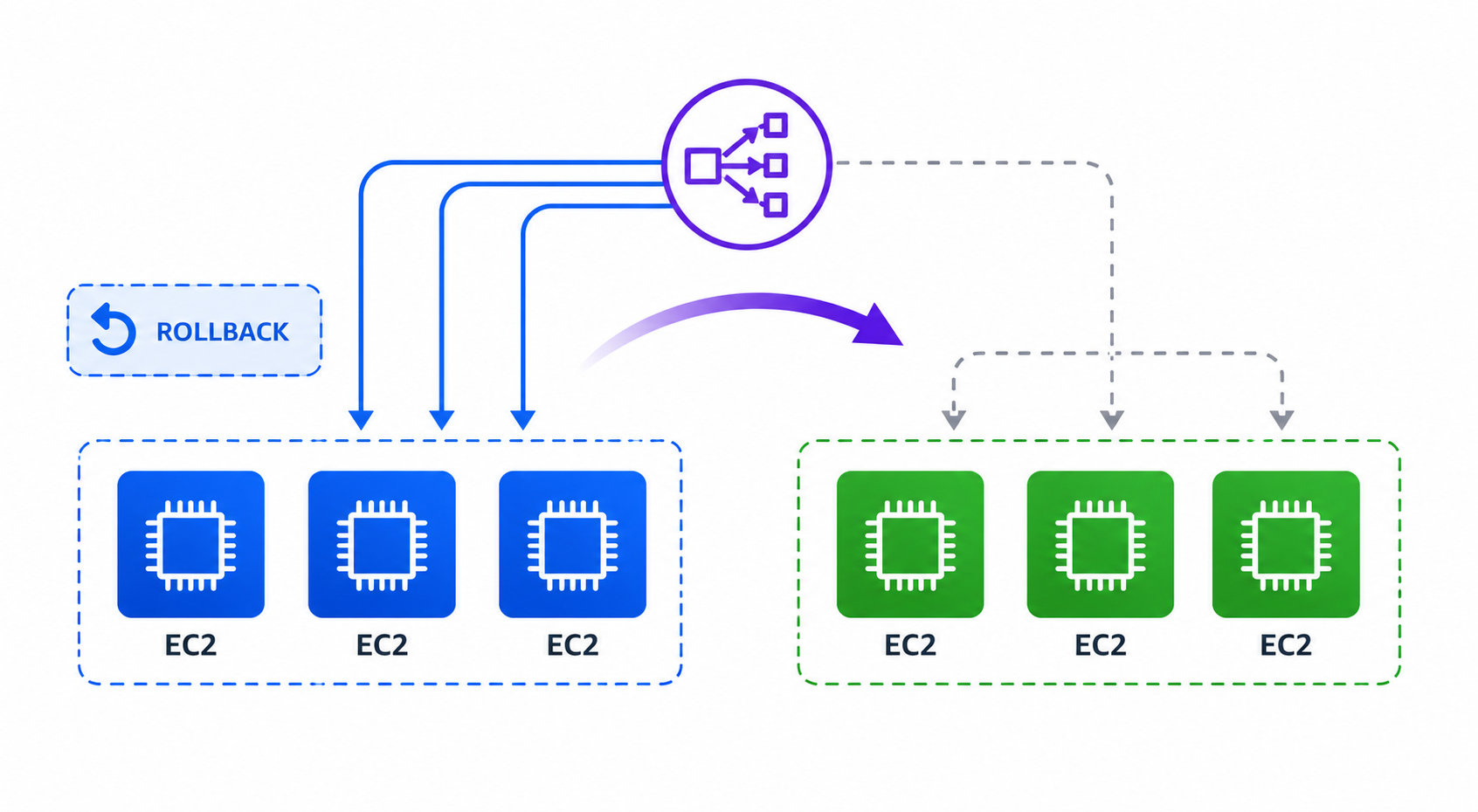
Blue/green deployments
Blue
= current production fleet
Green
= brand-new fleet with the new version
Load balancer
shifts traffic
from blue to green
Old fleet
stays available
for fast rollback
Lambda and ECS are blue/green by design
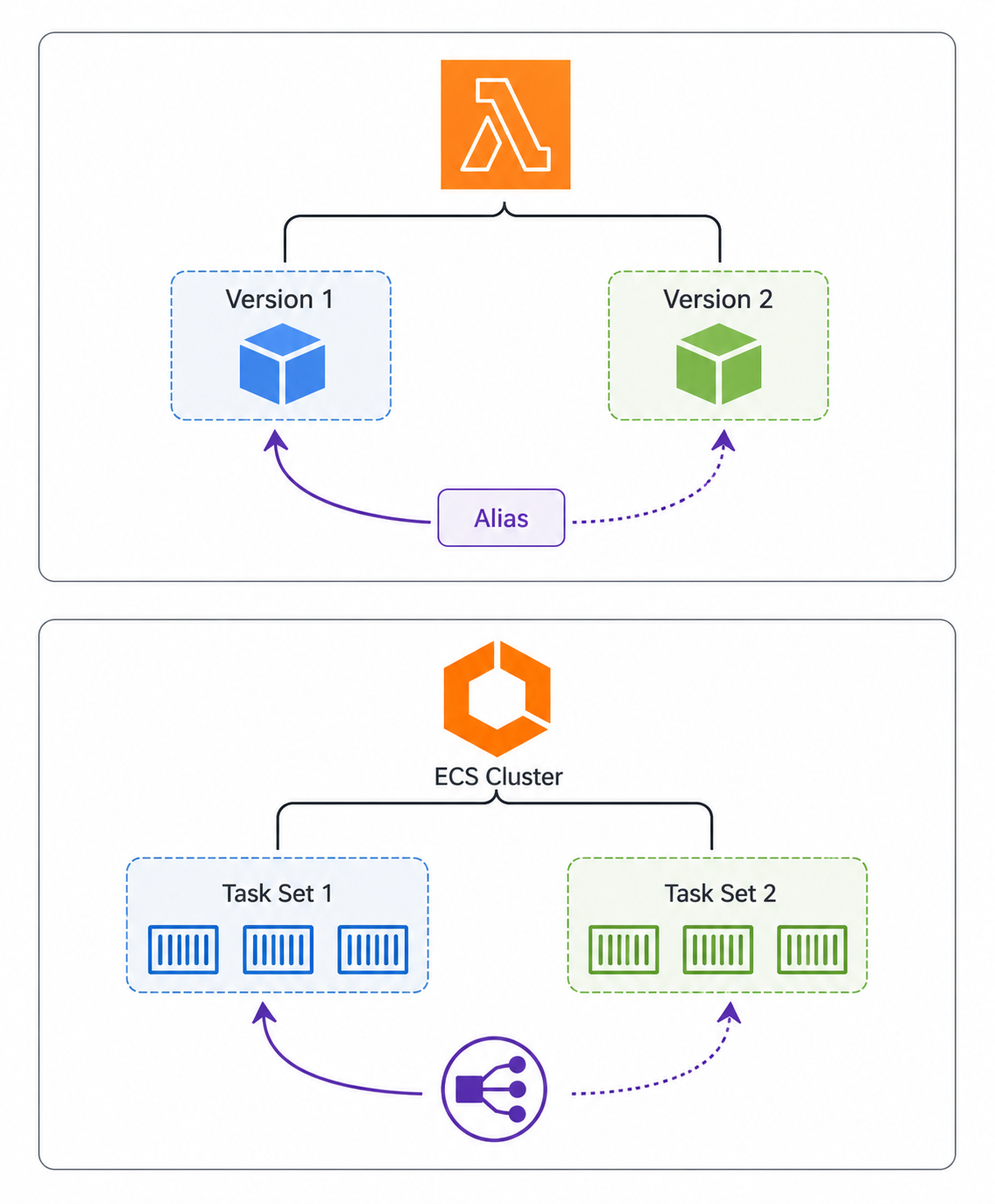
Lambda: traffic shifts via
alias version pointer
ECS: traffic shifts via
replacement task set
No EC2-style fleet duplication required
You still
pick a deployment configuration
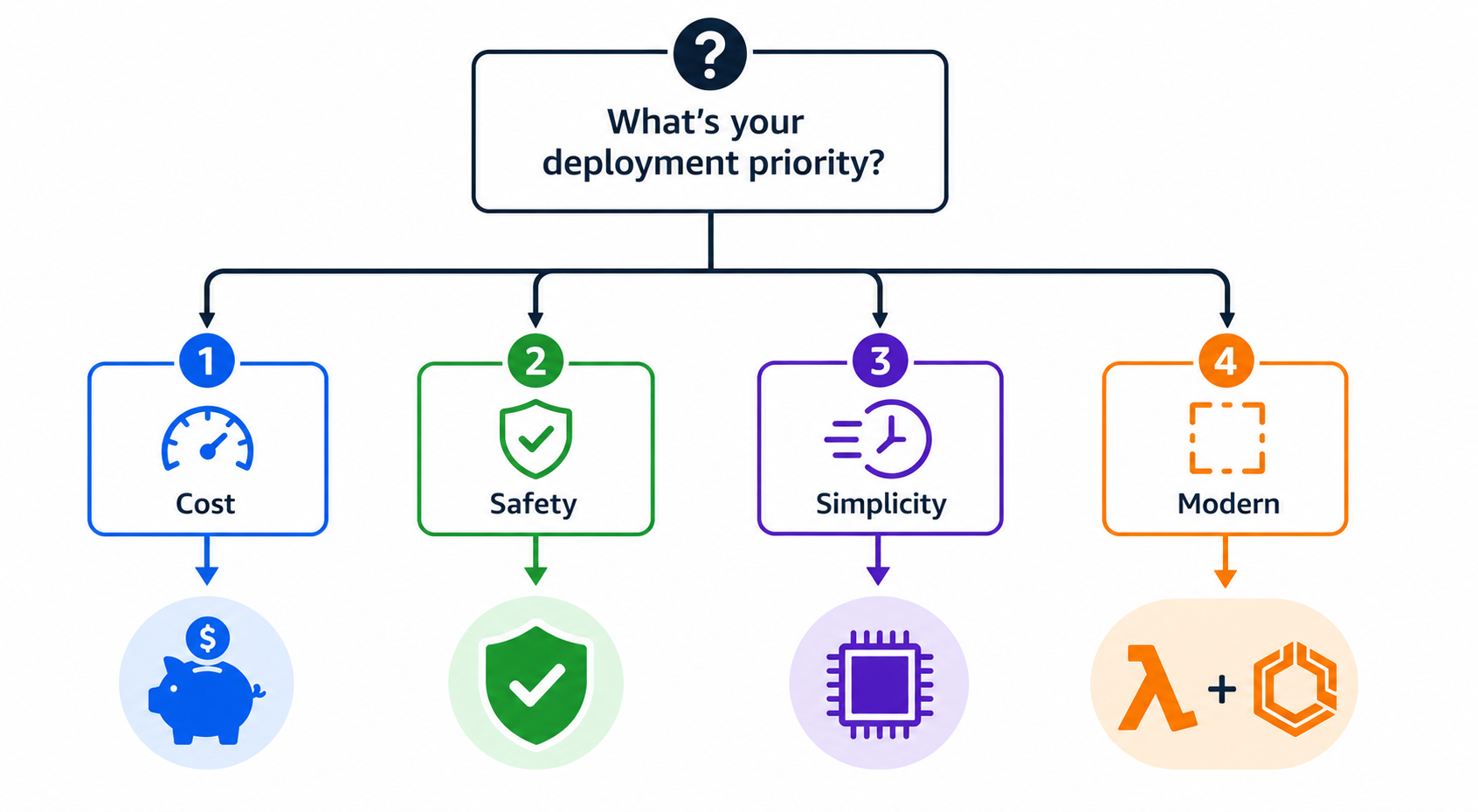
Choosing in-place vs. blue/green
Tight budget,
low-risk patch
→ in-place
Need
zero downtime
or instant rollback → blue/green
Single legacy server →
in-place
is the only option
Lambda or ECS →
blue/green is built in
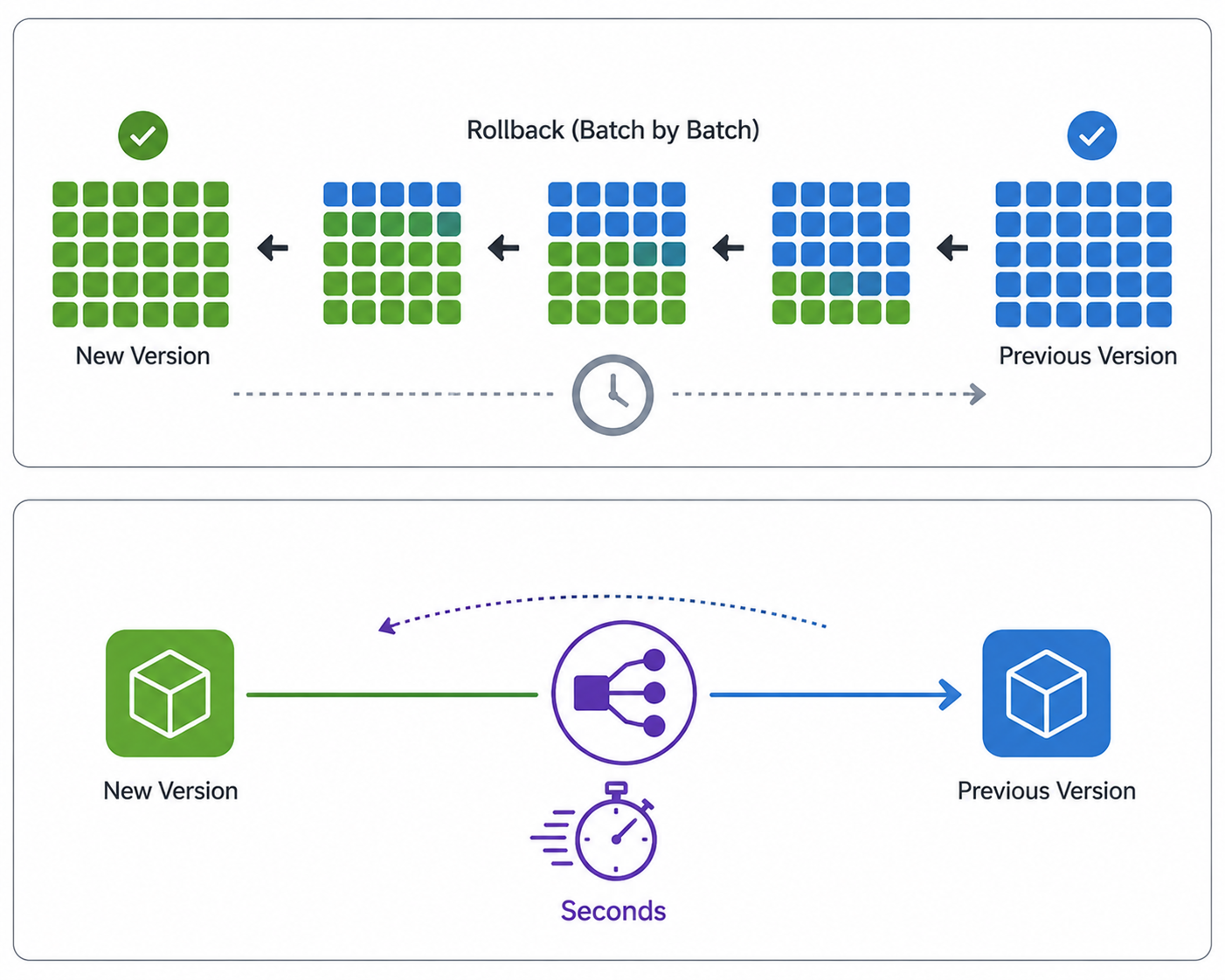
Rollback in CodeDeploy
Rollback =
redeploy the previous successful revision
Trigger automatically on
deployment failure
Trigger automatically on
CloudWatch alarm
Blue/green rollback:
flip the load balancer back
Let's practice!
Automating Deployments on AWS
Preparing Video For Download...