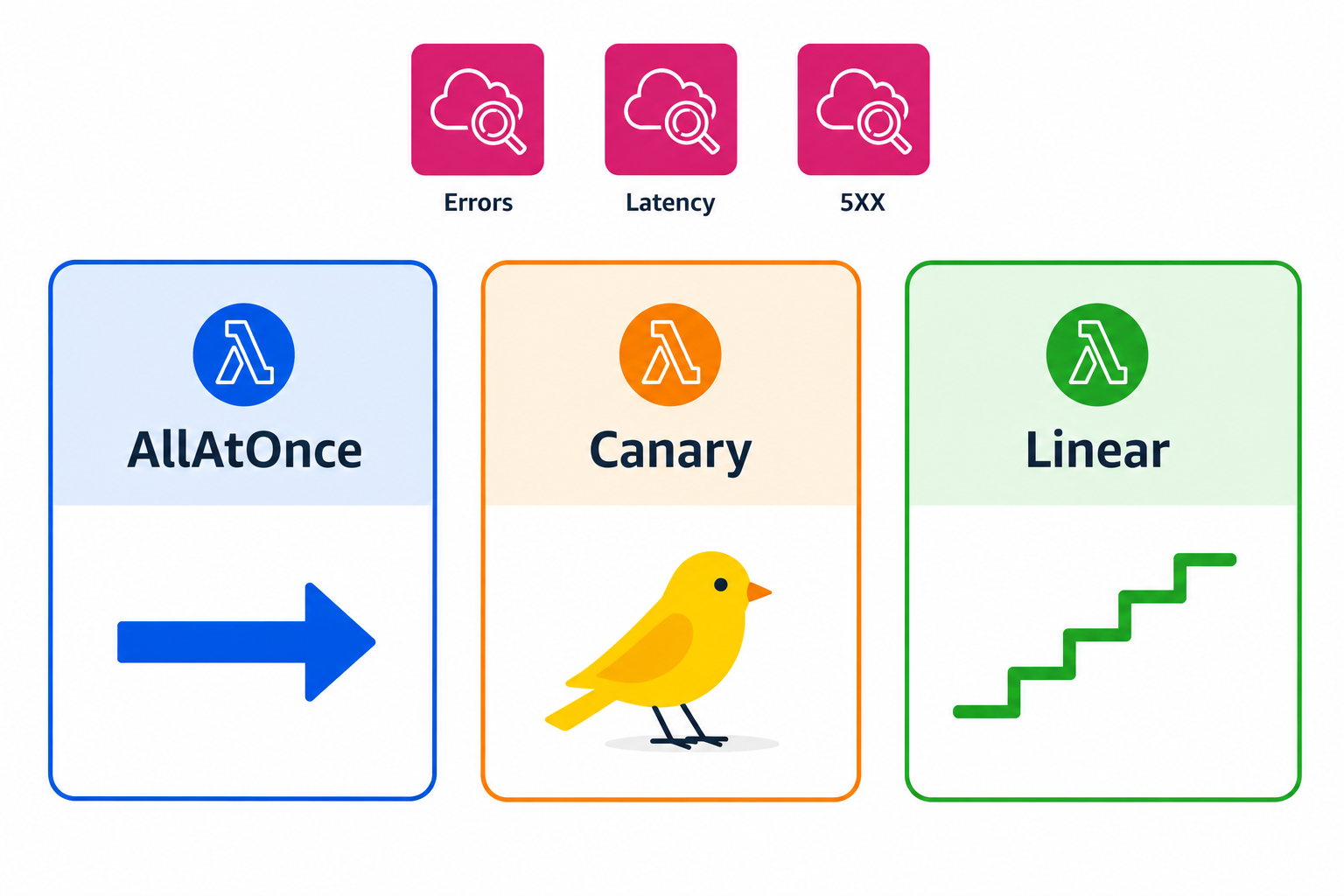
Canary and linear deployments
Automating Deployments on AWS
Dunieski Otano
Amazon Web Services Solutions Architect
One bad release, every user
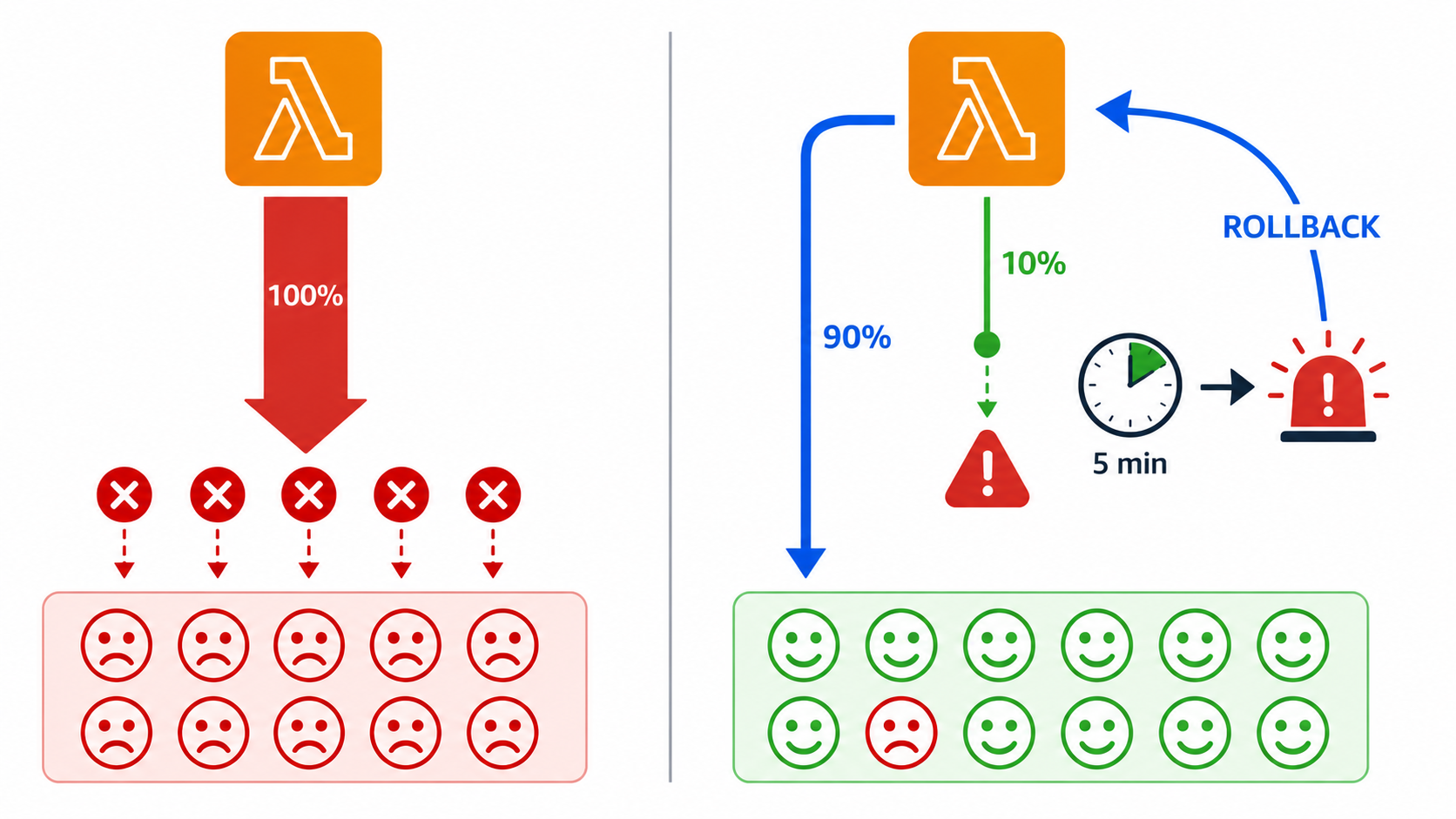
Payment-logic change deploys instantly to 100% of traffic
Bug surfaces under live load; every checkout fails
A 10% canary would have caught it in five minutes
Cost of skipping the canary: real money lost
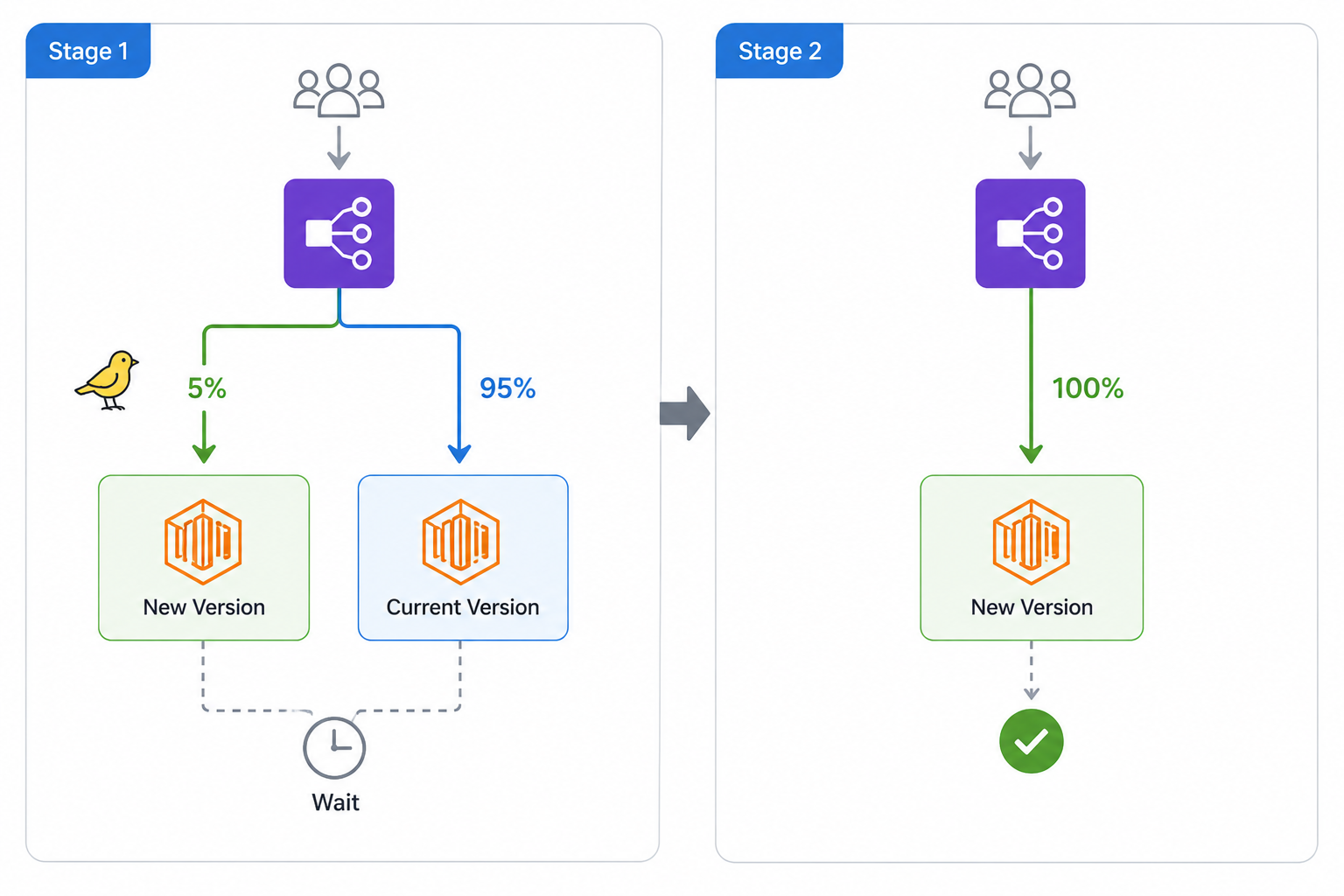
What is a canary deployment
Send a small slice
of traffic to the new version first
Watch metrics for a
fixed wait period
If healthy,
shift the rest
all at once
Common pattern:
10% for 5 minutes
, then 100%
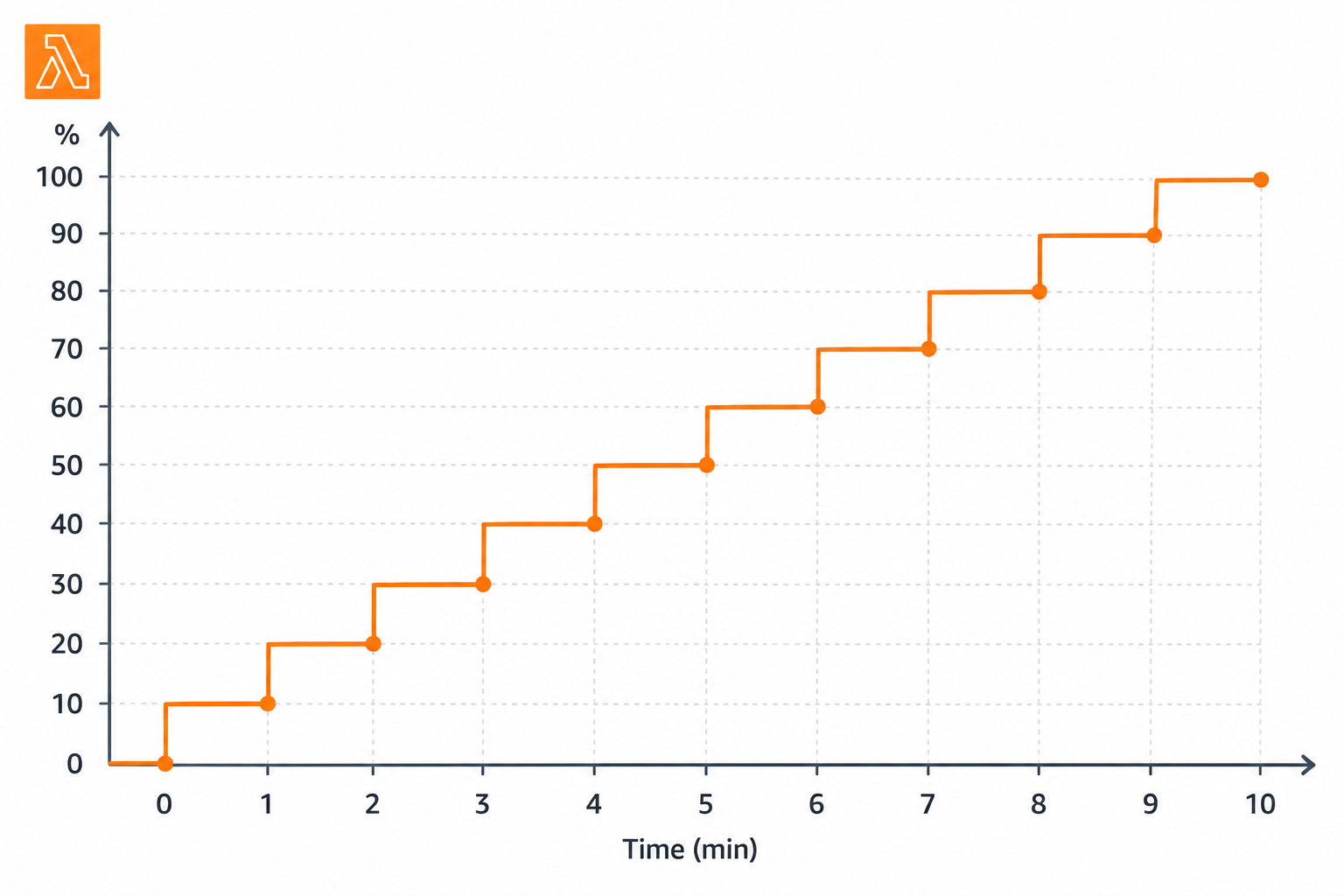
What is a linear deployment
Shift traffic in
equal increments
Wait between each step
Example:
10% every 1 minute
for 10 minutes
Smoother than canary; takes longer overall
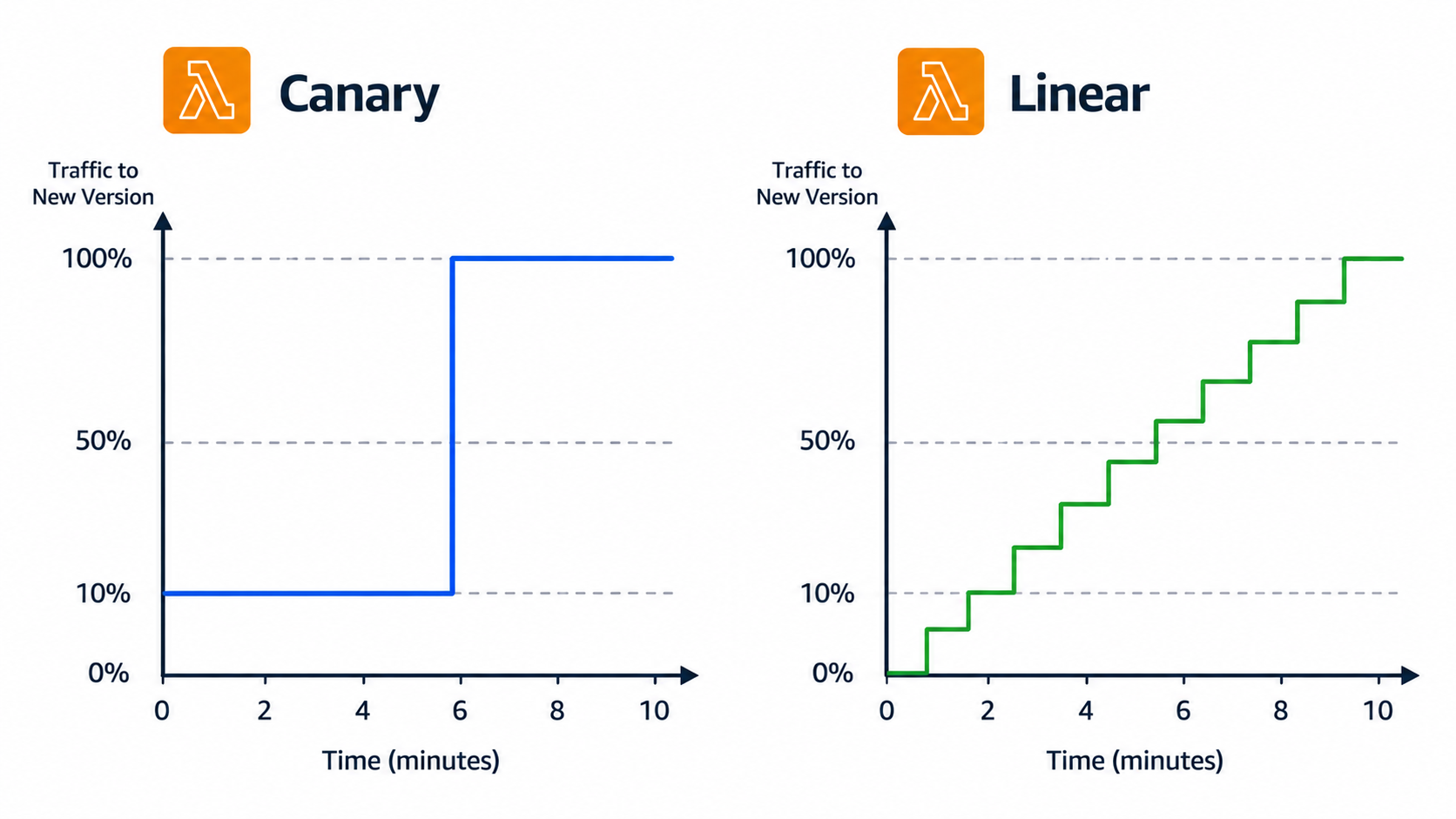
Canary vs. linear, side by side
Canary:
one slice, then everything
Linear:
many small steps
Canary catches issues fast; linear ramps gradually
Both pause if a
rollback is triggered
CodeDeploy configurations for Lambda
CodeDeployDefault.LambdaCanary10Percent5Minutes
: 10% for 5 min, then 100%
CodeDeployDefault.LambdaLinear10PercentEvery1Minute
: +10% per minute
CodeDeployDefault.LambdaAllAtOnce
: full traffic immediately
ECS has matching ECS-prefixed configurations
Automatic rollback with CloudWatch alarms
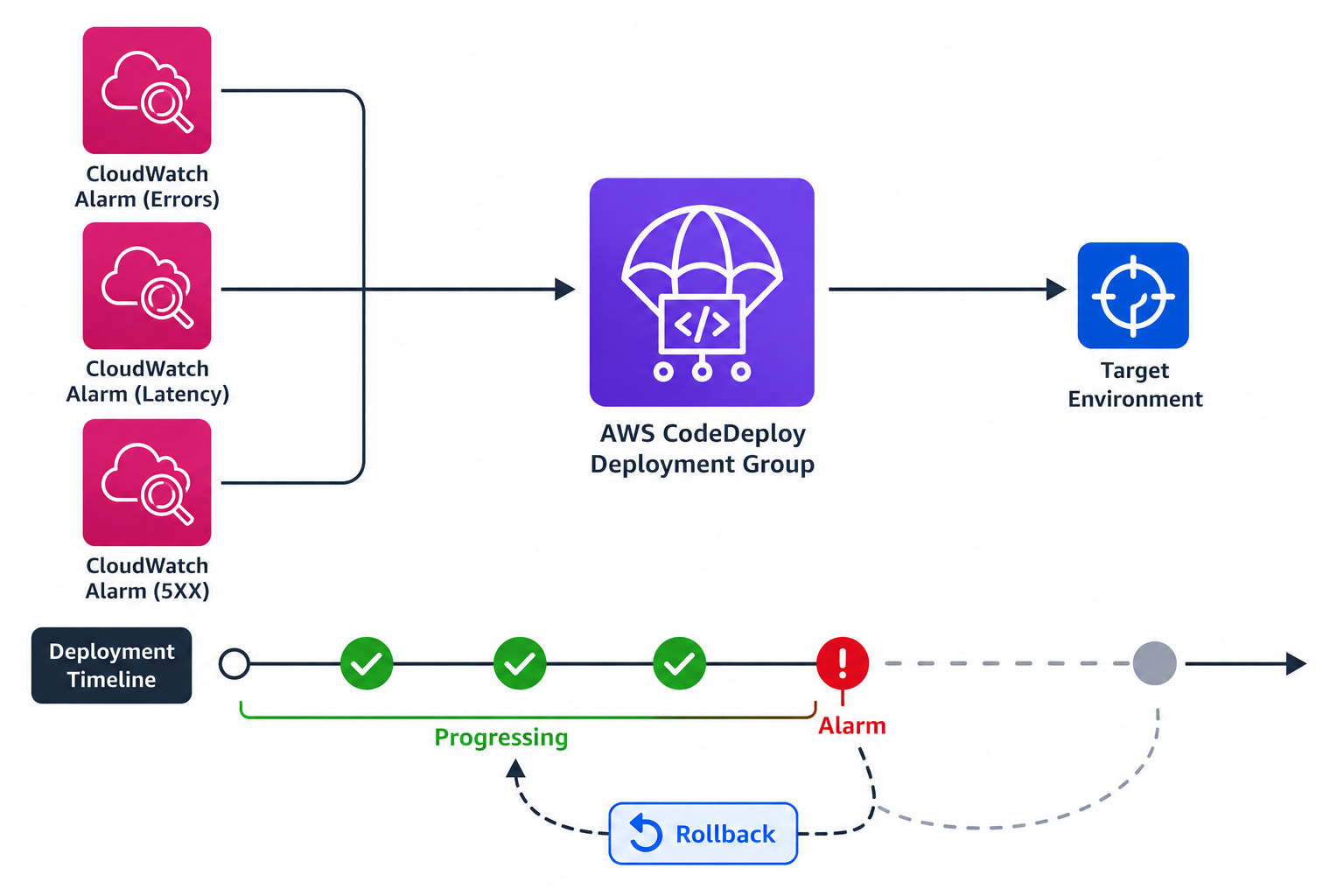
Attach
CloudWatch alarms
to the deployment group
Common alarms:
errors, duration, 5xx
If the alarm enters the
ALARM
state, deployment stops
CodeDeploy
rolls back
to the previous version
Picking the right configuration
Routine low-risk patch →
AllAtOnce
High-risk production change →
Canary
Want a smooth steady ramp →
Linear
Always pair with
alarms
for auto-rollback
Let's practice!
Automating Deployments on AWS
Preparing Video For Download...