Resolving people: the lookup pattern

Intermediate Power Automate

Dani Kahil

Solution Architect | Microsoft MVP

"People" looks different in every connector
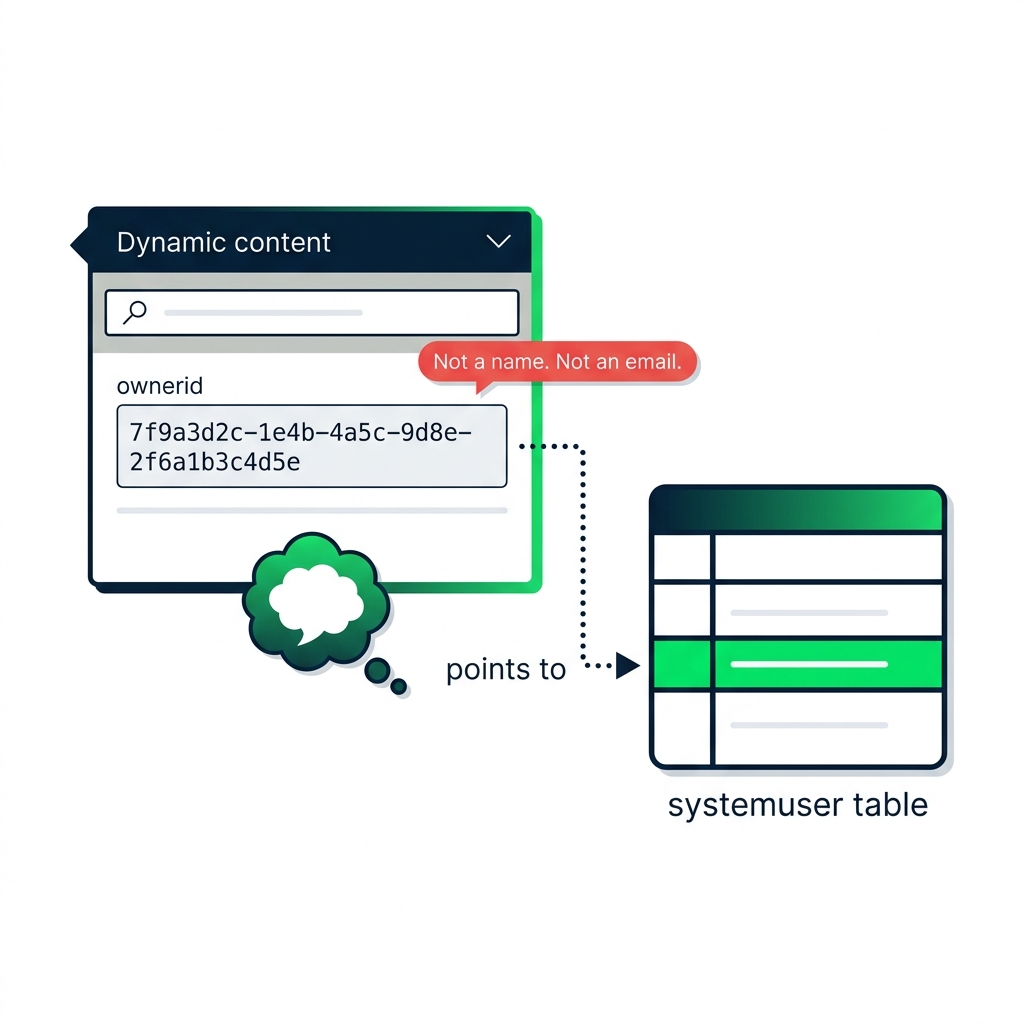
nanobanana: A flat-vector teaching illustration of a Power Automate dynamic content panel slice on the left, showing a field labeled "ownerid" with a long hex GUID value displayed inside a monospace code box — for example `7f9a3d2c-1e4b-4a5c-9d8e-2f6a1b3c4d5e`. A small red callout pill says "Not a name. Not an email." Below it, a thought-bubble icon points to the systemuser table icon on the right, with a dotted arrow labeled "points to" connecting the GUID to the table row. Green-and-navy palette, white background, sans-serif labels, monospace for the GUID.


  • Dataverse: an Owner GUID
  • SharePoint: a Person JSON object
  • Salesforce: a Lookup record ID
  • Excel: a free-text email string
Intermediate Power Automate

Inline resolution vs explicit lookup

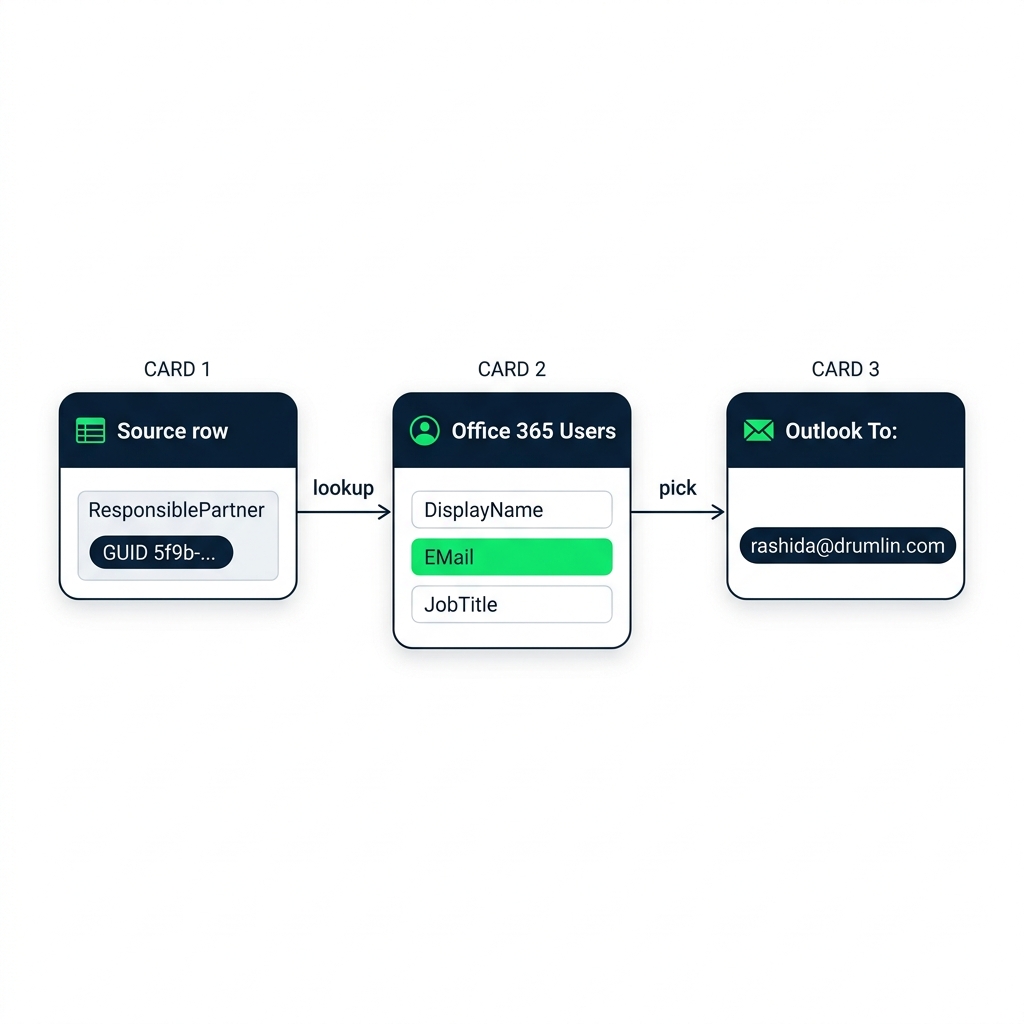
nanobanana: Three rounded box cards in a row showing the people-resolution flow — source row carries a GUID, Office 365 Users returns DisplayName/EMail/JobTitle, and Outlook receives the resolved email


  • SharePoint's Person column already carries EMail
  • Some connectors resolve inline
  • Others need an explicit lookup
Intermediate Power Automate

Get user profile and Get manager (V2)
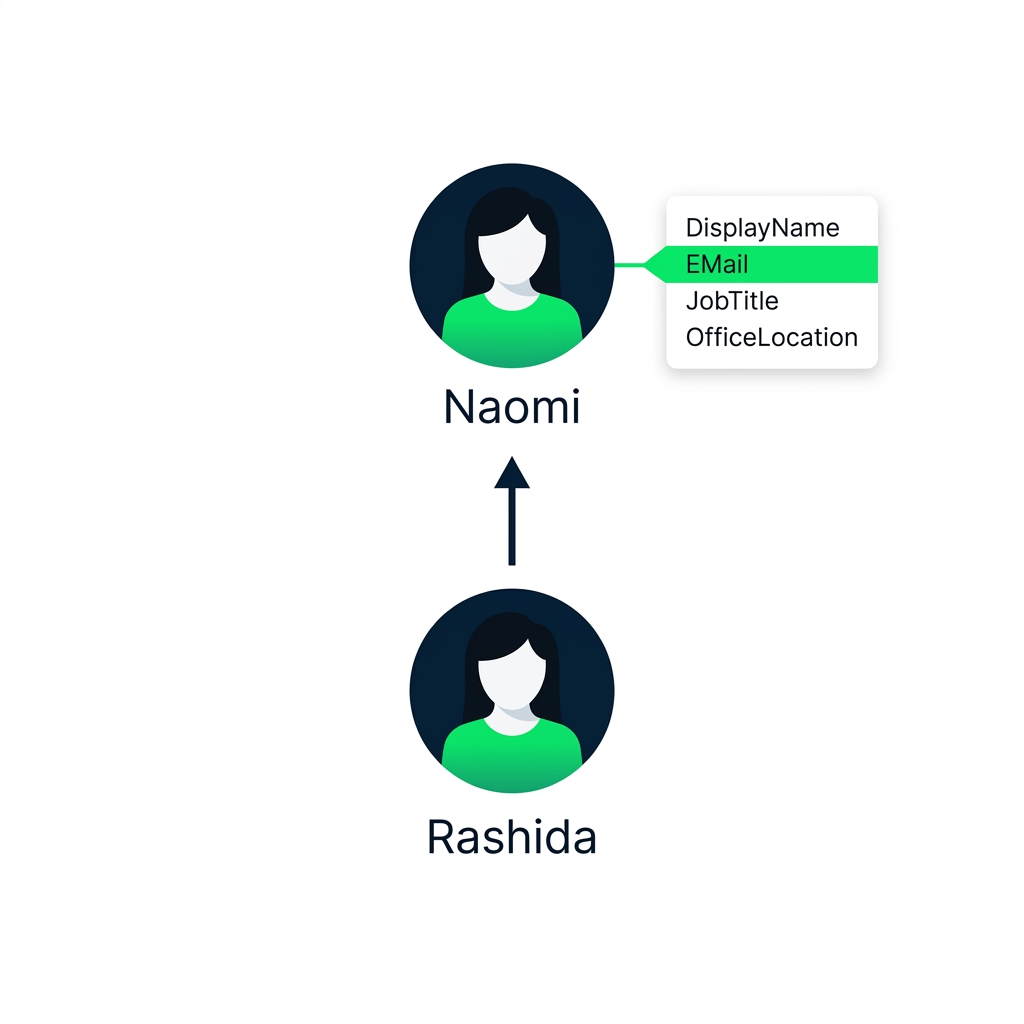
nanobanana: Two stacked person icons showing the escalation lookup — Get manager V2 resolves Partner Rashida up to Manager Naomi with profile fields exposed


  • Get user profile (V2) - full profile by email or UPN
  • Get manager (V2) - that user's manager
  • Both on the Office 365 Users connector
Intermediate Power Automate

Inline vs loop: the cost difference

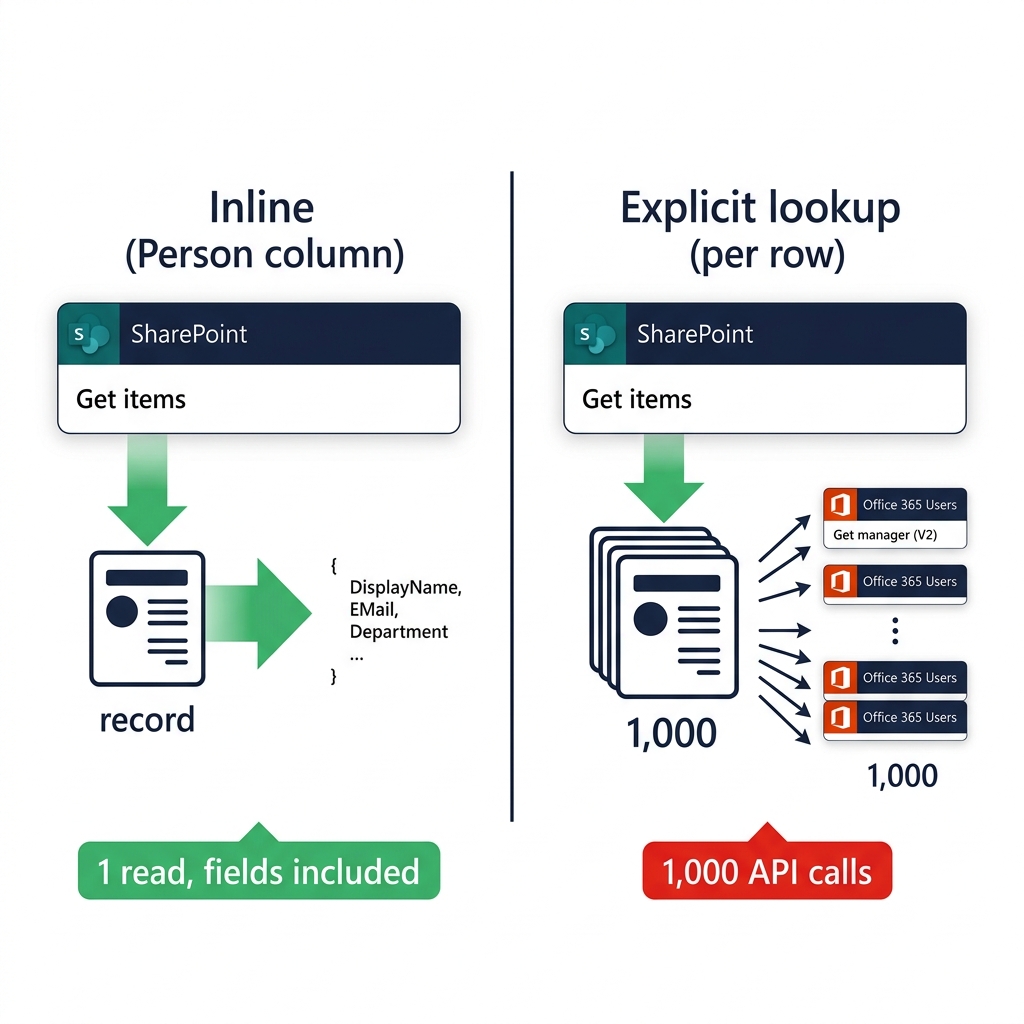
nanobanana: A flat-vector comparison illustration showing two approaches to resolving related-table data. Left side, labeled "Without Expand": a List rows action with 1,000 record cards stacked, and 1,000 separate small arrows each pointing to a tiny Office 365 Users icon — visually overwhelming, with a red "1000 API calls" tag. Right side, labeled "With Expand query": a single List rows action with one fat arrow into a combined Dataverse + systemuser icon, captioned "joined inline", with a green "1 API call" tag. Green-and-navy palette, white background, sans-serif labels.


  • Inline fields are free
  • Explicit lookups cost one call per row

$$

Tip: Take what the source gives you for free, and only reach for an explicit lookup when you need to.

Intermediate Power Automate

When the directory's incomplete

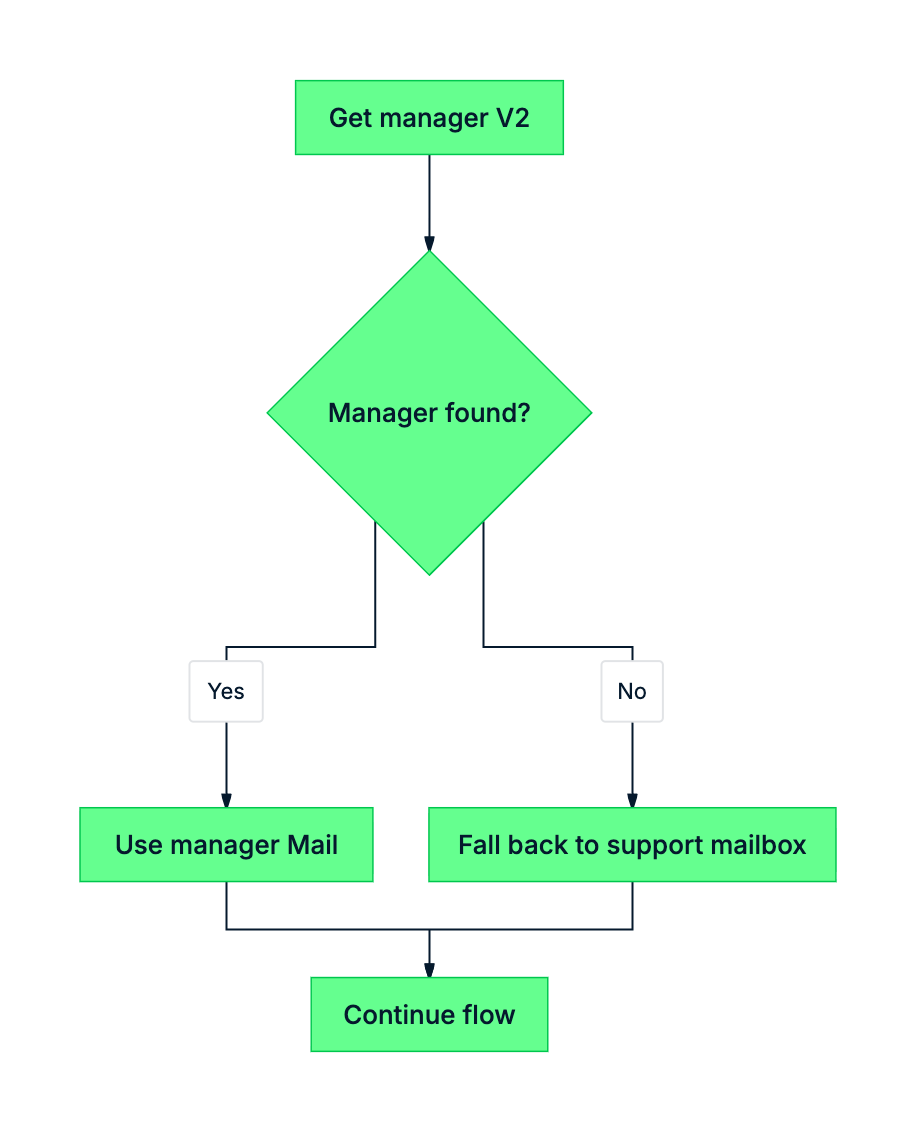
mermaid: missing manager guard


  • Guard Get manager with a Condition
  • Fall back to a support mailbox (e.g. IT or HR)
  • A missing field kills more flows than a buggy filter
Intermediate Power Automate

Let's practice!

Intermediate Power Automate

Preparing Video For Download...