Automated triggers and conditions

Intermediate Power Automate

Dani Kahil

Solution Architect | Microsoft MVP

An event listener, not a clock
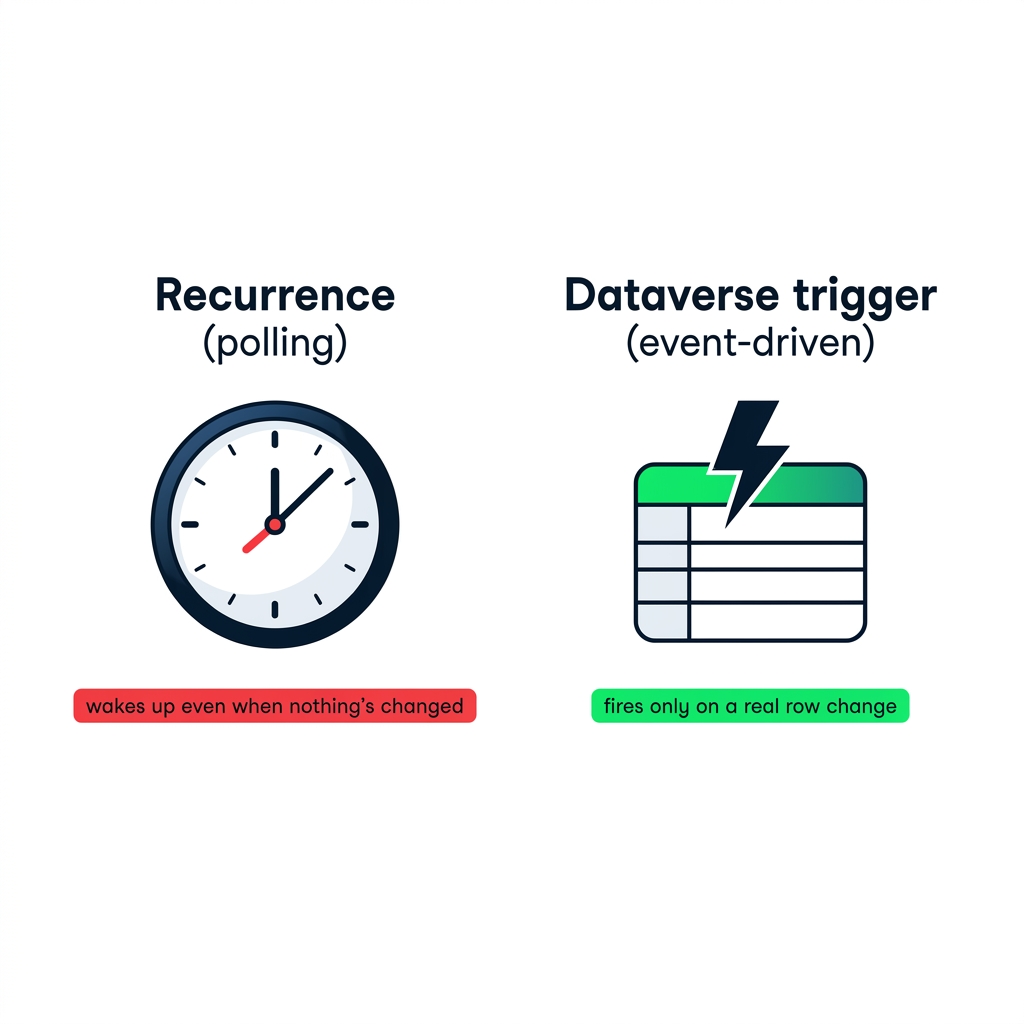
nanobanana: Two horizontal panels side by side on a pure white background. Left panel labeled "Recurrence (polling)": a clock face with hands ticking, a small red label below reading "wakes up even when nothing's changed". Right panel labeled "Dataverse trigger (event-driven)": a lightning bolt over a stylised database table icon, a small green label below reading "fires only on a real row change". Flat 2D illustration, DataCamp navy + green + red accents. No shadows, no 3D.


  • Recurrence wakes up - even when nothing's changed
  • An automated trigger waits for the change
  • One fire per event, no polling
Intermediate Power Automate

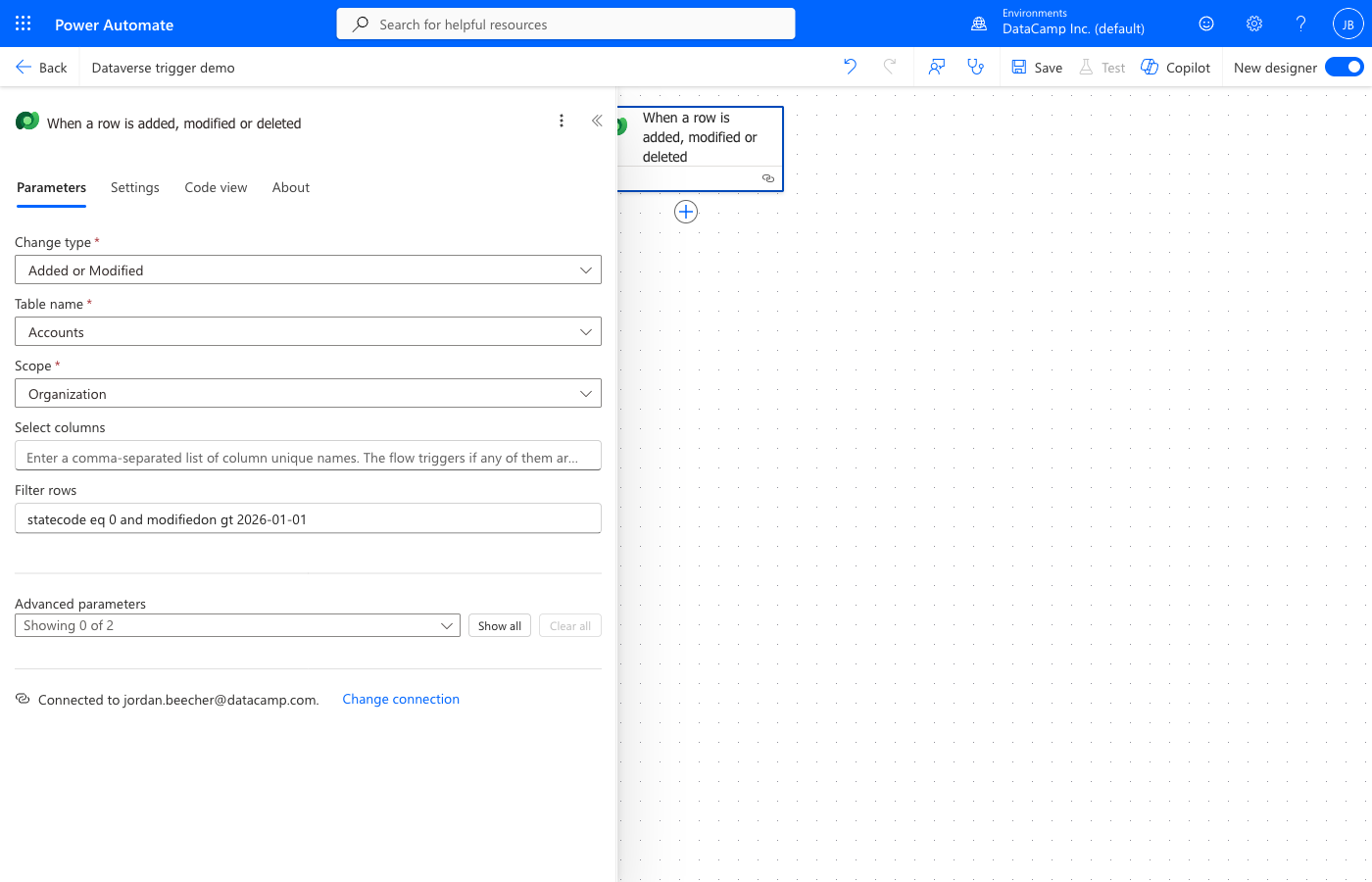
Configuring the change event

Dataverse trigger configuration showing Change type, Table name, Scope, Select columns, and Filter rows fields

Source  ·  Change type  ·  Scope — three fields that control when the trigger fires

Intermediate Power Automate

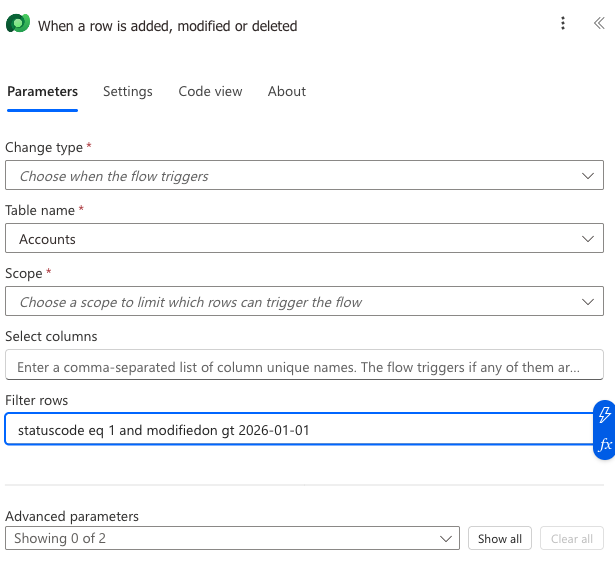
Filter rows: server-side and free


Dataverse trigger Filter rows field with OData expression "statuscode eq 1 and modifiedon gt 2026-01-01"


  • Filter rows runs server-side, before the flow fires
  • Only matching events trigger a run
  • Dataverse-specific - SharePoint uses trigger conditions instead
Intermediate Power Automate

Same idea, every trigger

@equals(
  triggerOutputs()?['day'],
  'Monday'
)
@greater(
  item()?['priority'],
  'High'
)
@contains(
  triggerBody()?['subject'],
  'urgent'
)


  • Available on every trigger, not just Dataverse
  • A boolean expression in the trigger's Settings panel
  • Operatorsequals, greater, and, or — same OData syntax
Intermediate Power Automate

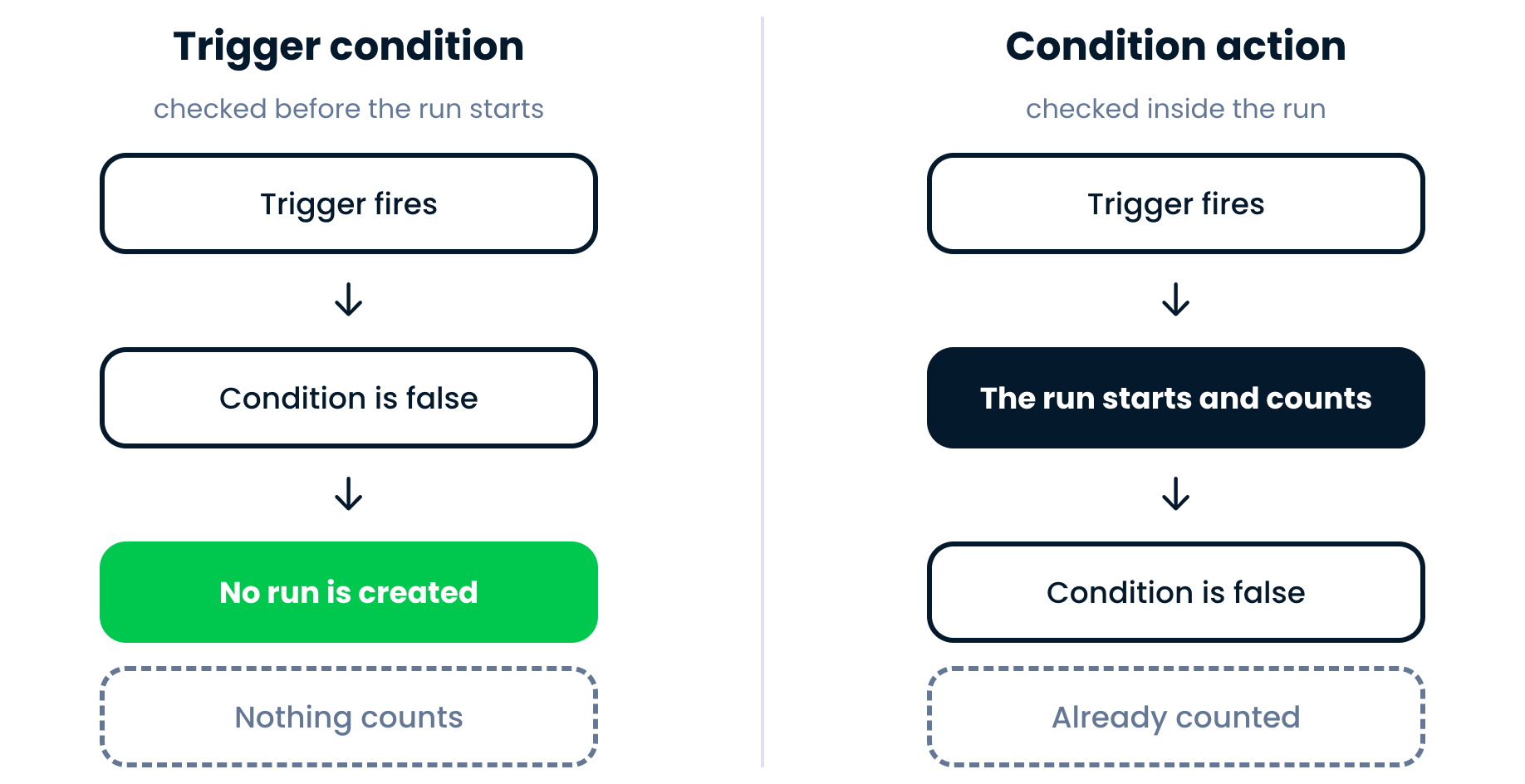
The cost trap on Recurrence

Two panels comparing cost: Recurrence + Trigger Condition uses 100% budget (red) vs Dataverse Filter Rows uses 5% budget (green)

Trigger condition rejects → run still counts{{1}}  ·  Filter rows rejects → no run, no cost

Intermediate Power Automate

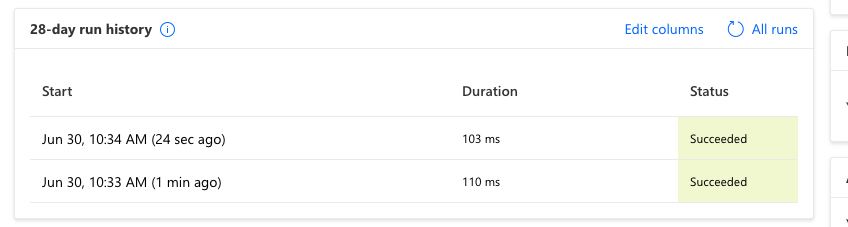
Debugging a flow that won't fire


Power Automate 28-day run history showing two succeeded runs with Start, Duration, and Status columns


  • Rejected events produce no run history entry
  • The clue is the absence of runs you expected
  • Compare the filter expression to the actual field name in your table
Intermediate Power Automate

Let's practice!

Intermediate Power Automate

Preparing Video For Download...