Working with SharePoint documents
Intermediate Power Automate
Dani Kahil
Solution Architect | Microsoft MVP
SharePoint document libraries in a nutshell
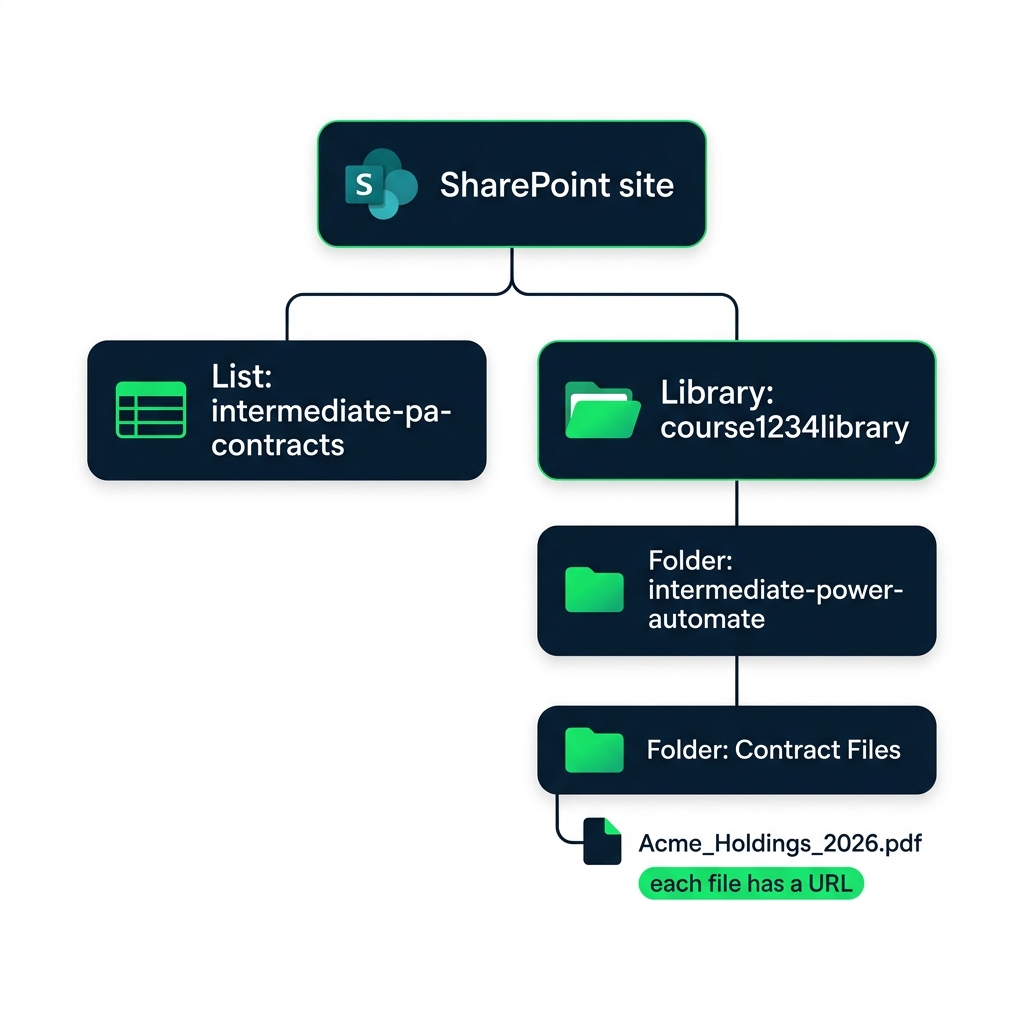
A
site
contains one or more libraries
A
library
holds files (often in folders)
Each file has a unique URL
Functions:
Get files, Get file content, Get file metadata using path, and more
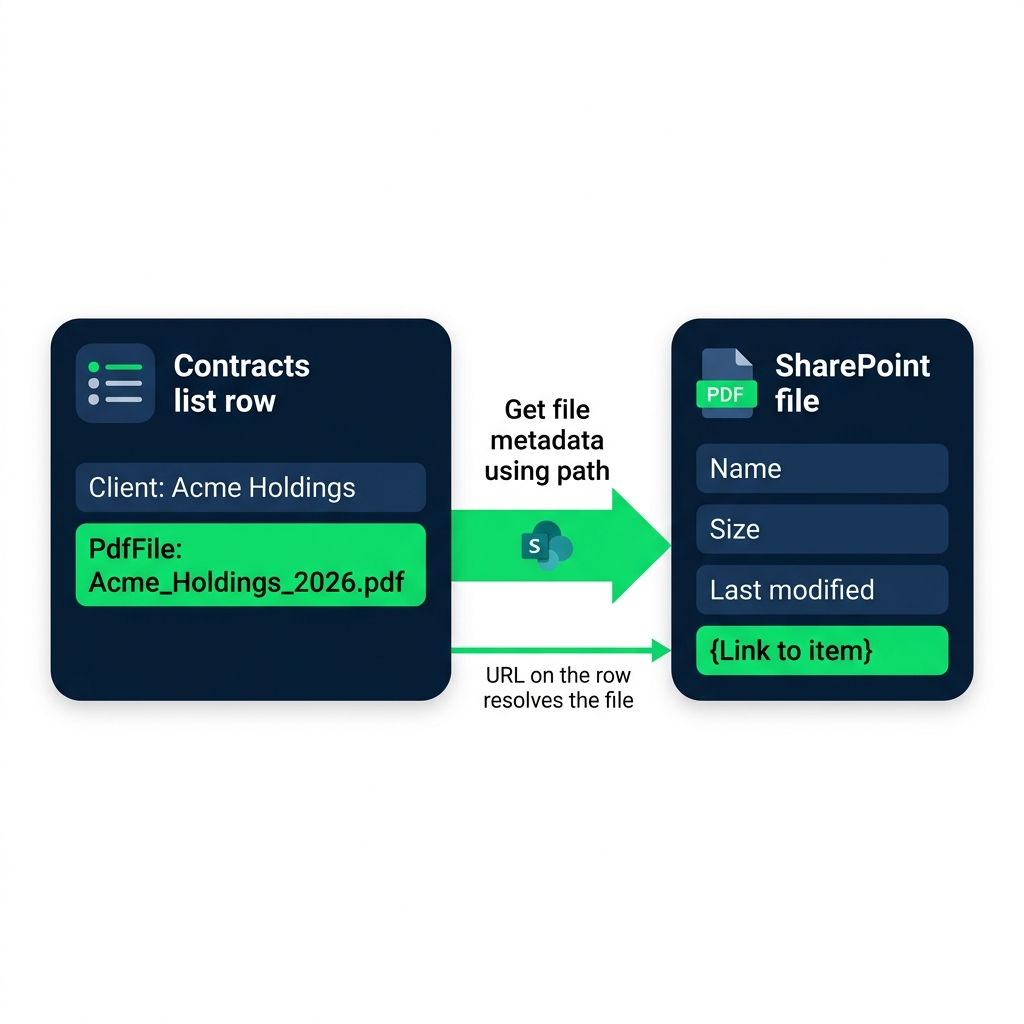
Matching a row to its file
Each row carries the file's URL or path
The flow reads the URL, asks SharePoint for the file
No naming convention needed; the URL is the truth
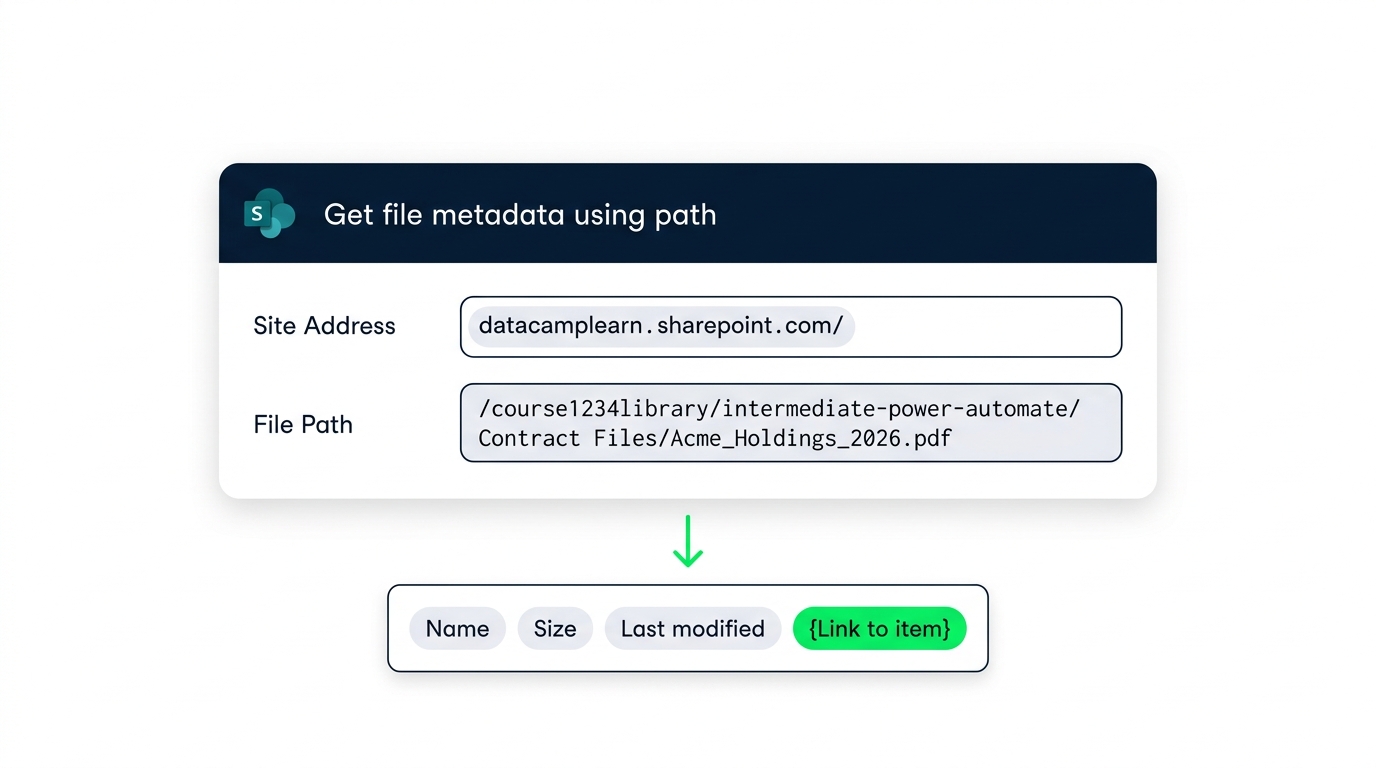
Get file metadata using path
Pass the
Site Address
and
File Path
Returns metadata,
not
the file contents
Surfaces the
{Link to item}
token
Link or attach?
$$
✅ Link
$$
Permissions enforced on click
Always the current version
Re-checks access on forward
$$
❌ Attached copy
$$
Frozen at send
Permissions bypassed
Leaks the file on forward
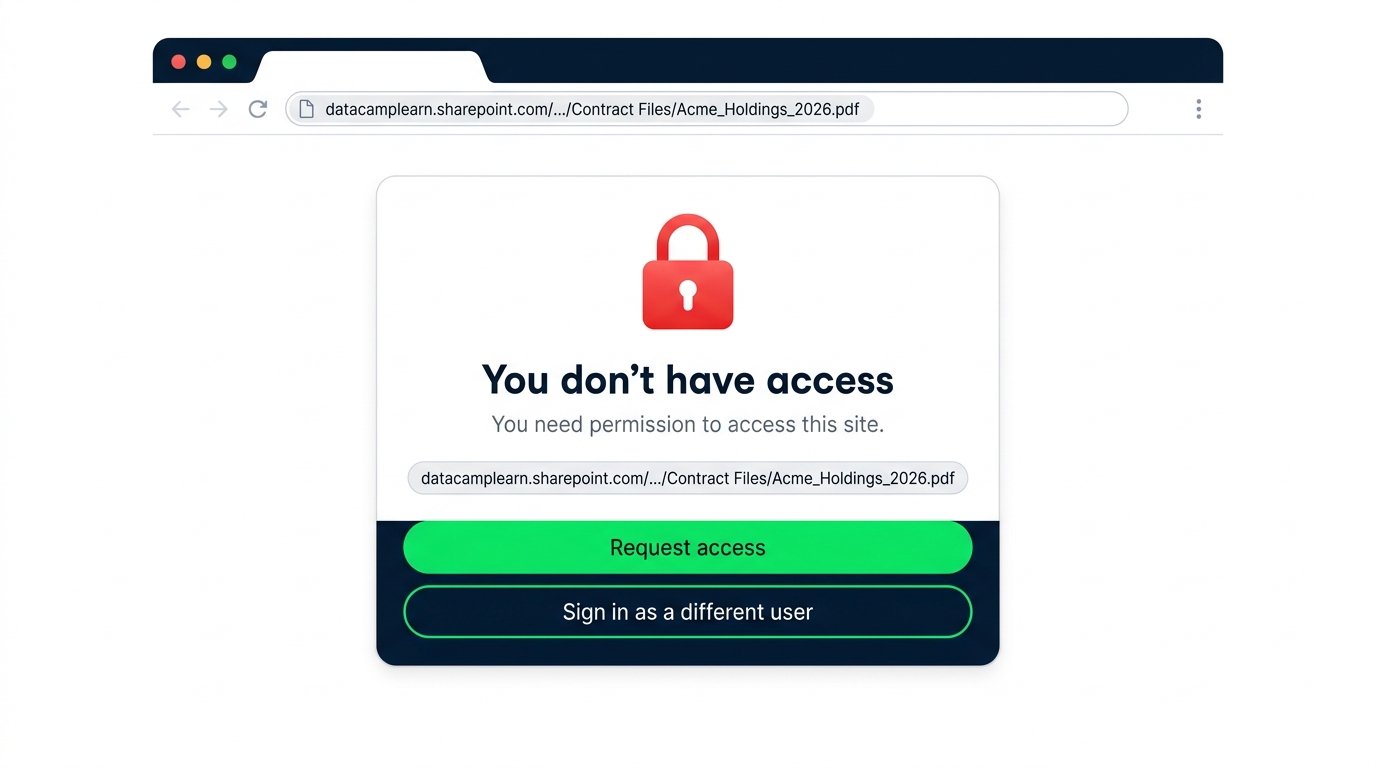
The permissions trap
A working link only works for people with access
The flow doesn't grant access - it sends a URL
Use Share-with or library permissions to enable recipients
Let's practice!
Intermediate Power Automate
Preparing Video For Download...