Getting data: fetching structured records

Intermediate Power Automate

Dani Kahil

Solution Architect | Microsoft MVP

Every connector has a list action
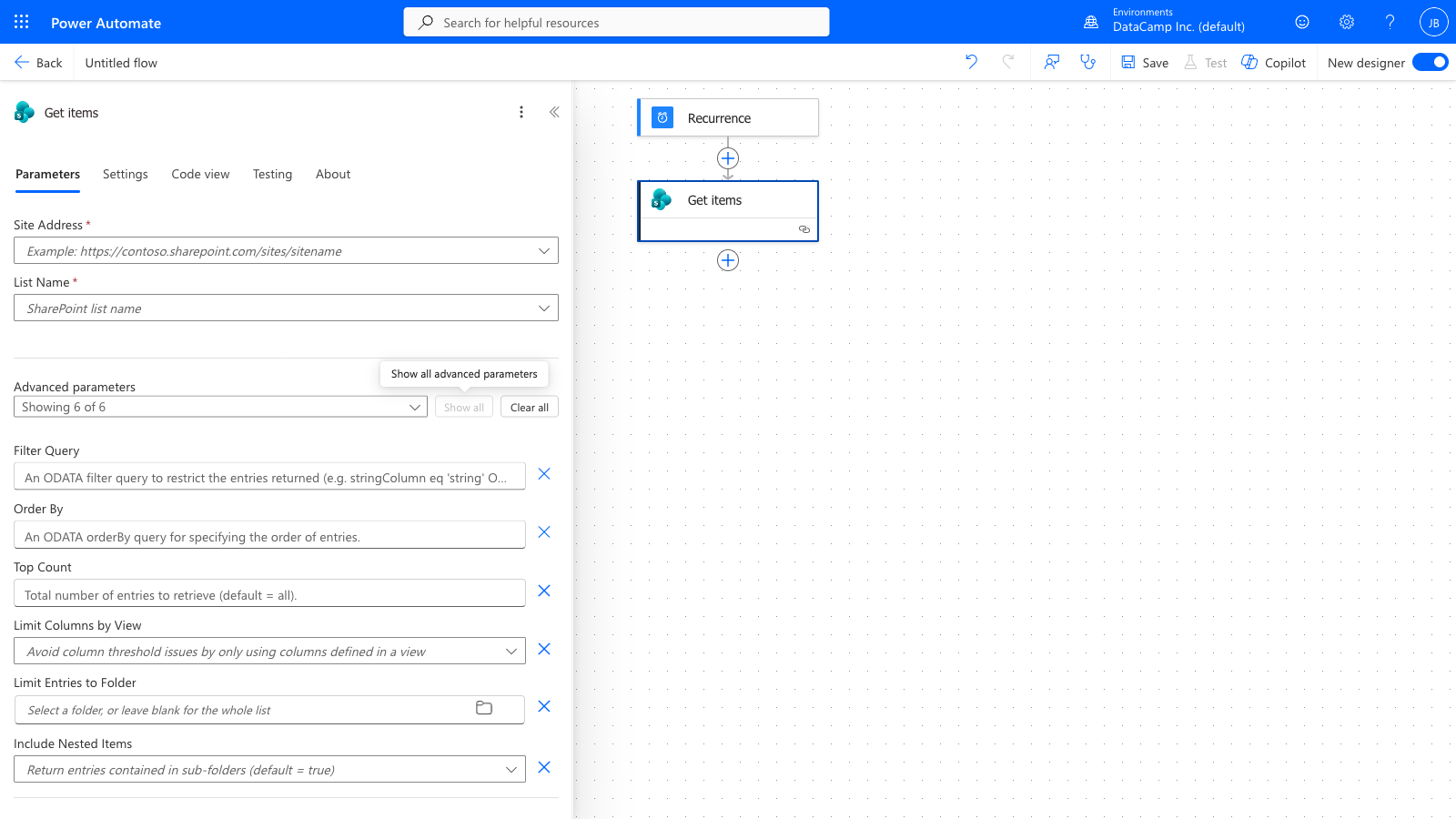
 

The Power Automate Get items (SharePoint) action expanded in the v3 designer, showing Site Address, List Name, and all advanced parameters: Filter Query, Order By, Top Count, Limit Columns by View, Limit Entries to Folder, and Include Nested Items


  • Dataverse: List rows
  • SharePoint: Get items
  • Excel: List rows present in a table
  • Salesforce: Get records
  • All return an array of records
Intermediate Power Automate

Anatomy of a Get items action


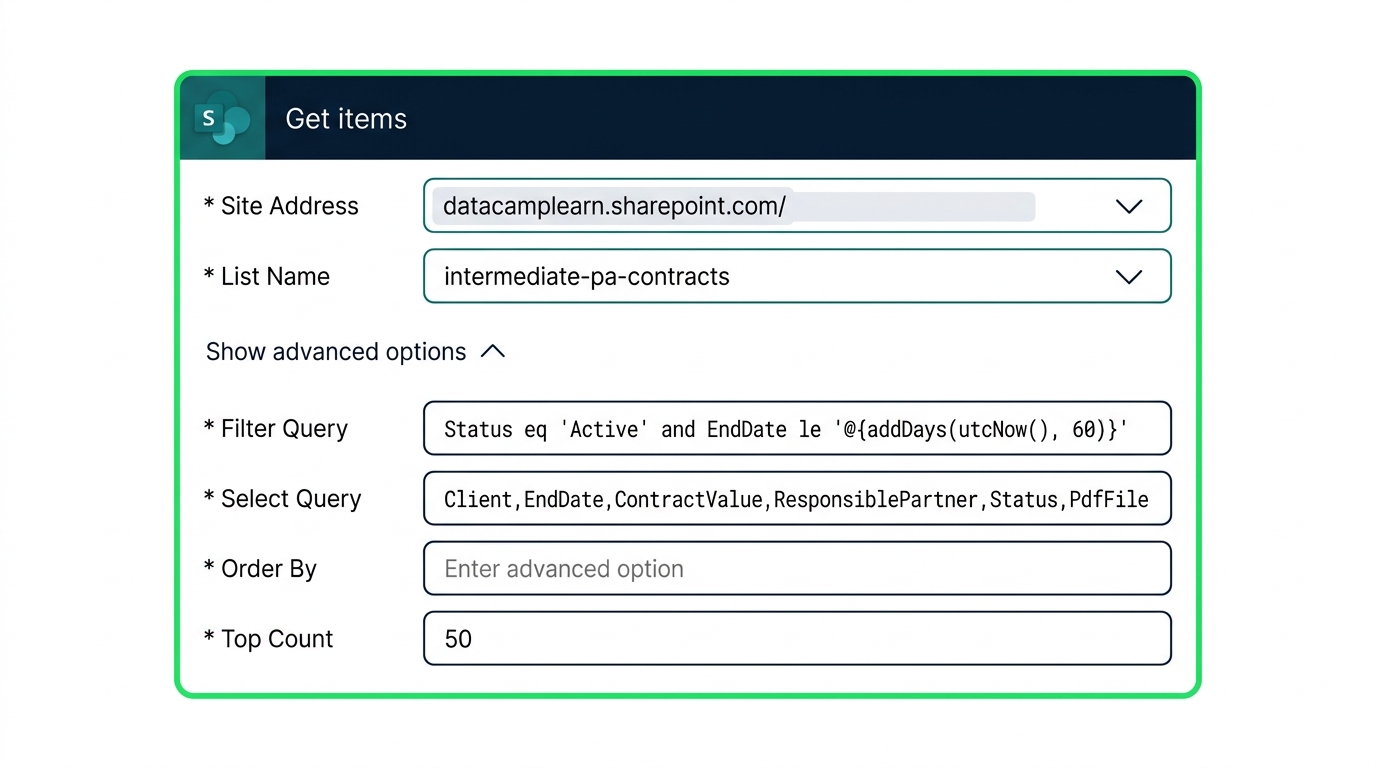
screenshot_get_items_anatomy: The Power Automate Get items (SharePoint) action expanded, showing Site Address, List Name, and the advanced options Filter Query, Order By, Top Count, and Limit Columns by View visible on the action card.


  • Filter Query - OData expression
  • Order By - column plus asc / desc
  • Top Count - caps the result count
  • Limit Columns by View - limit the number of columns
Intermediate Power Automate

Filtering at the source


Filter Query is an OData expression — field, operator, value.

Status eq 'Active'
EndDate le '@{addDays(utcNow(), 60)}'
Status eq 'Active' and EndDate le
  '@{addDays(utcNow(), 60)}'

Choice columns expect a quoted display label; dates expect a single-quoted ISO string wrapped in @{...}.

Intermediate Power Automate

Source-side vs in-flow filtering

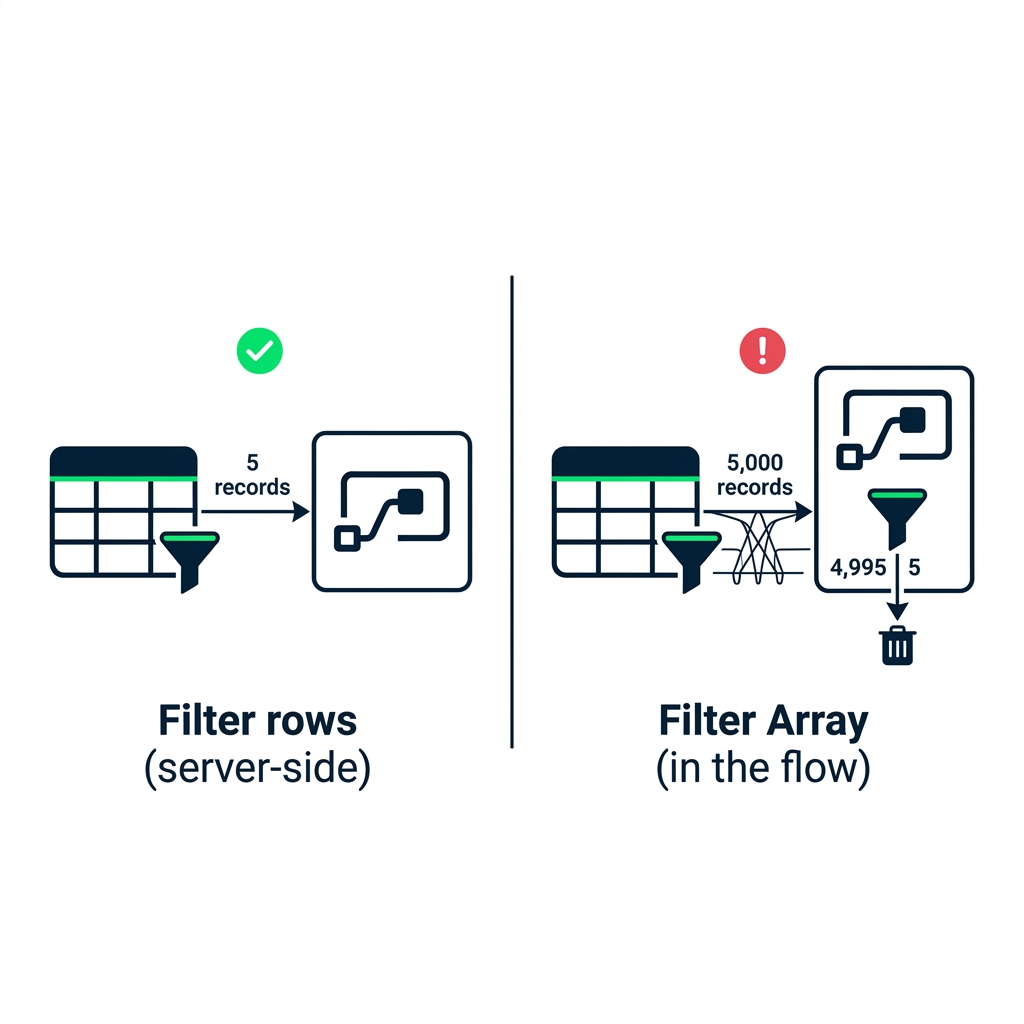
nanobanana: A side-by-side comparison illustration with a vertical divider. Left side, labeled "Filter at the source": a generic data-store icon (a stylised cylinder labelled "List / Table") with a funnel; an arrow labeled "5 records" goes into a Power Automate flow box. A small green check tick floats above. Right side, labeled "Filter in the flow": the same data-store icon; an arrow labeled "5,000 records" crosses to a Power Automate flow box, then a Filter Array action inside drops 4,995 into a small trash icon and 5 continue downstream. A small red exclamation icon hovers above the right side. Flat vector, green-and-navy palette, white background.


  • Filter Query runs at the source
  • Filter Array runs inside the flow
  • Same result, very different cost

$$

Tip: If the filter can be expressed in the source's query language, run it at the source

Intermediate Power Automate

Trimming the payload

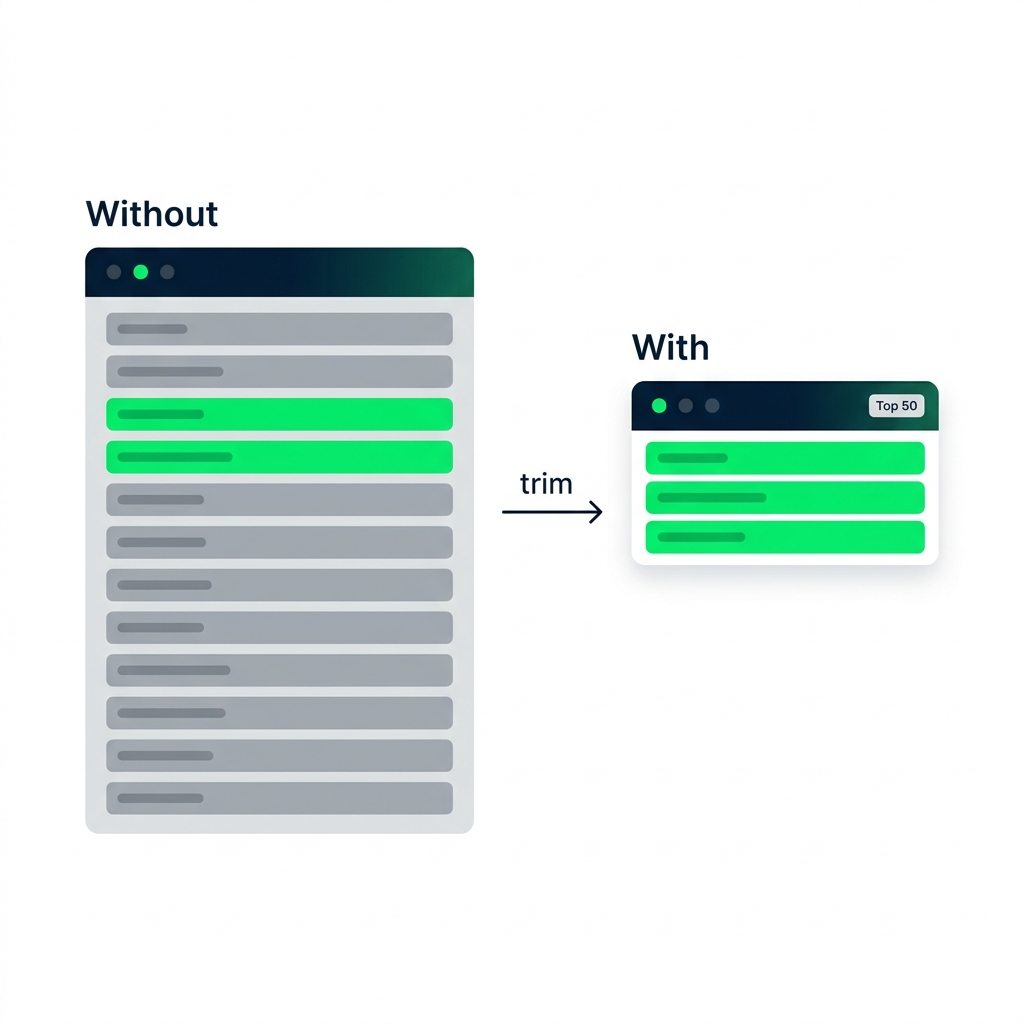
nanobanana: A conceptual flat-vector illustration of two record cards side by side on a white background. Left card, labeled "Without Limit Columns by View": a record with about twelve field rows visible, most grayed out — system fields, audit fields, unused columns — only two highlighted green. Right card, labeled "With Limit Columns by View + Top 50": a slimmer record showing only the highlighted green rows, with a small badge "Top 50" in the corner. A small arrow between the two cards labeled "trim". Green-and-navy palette, sans-serif labels.


  • No view selected → every column comes back
  • Limit Columns by View → only what the flow uses
  • Top Count caps the result count
Intermediate Power Automate

Let's practice!

Intermediate Power Automate

Preparing Video For Download...