Scheduled triggers

Intermediate Power Automate

Dani Kahil

Solution Architect | Microsoft MVP

What scheduled triggers are for
nanobanana: Single clean flat minimalist icon centred on a pure white background: a circular clock face with bold hands pointing to 8 o'clock, drawn in DataCamp navy and green. No labels, no shadows, no 3D. Flat 2D illustration style.


  • Run a daily sweep over upcoming renewals
  • Example: Refresh a cached dataset every hour
  • Example: Send a weekly status digest
Intermediate Power Automate

The four Recurrence settings

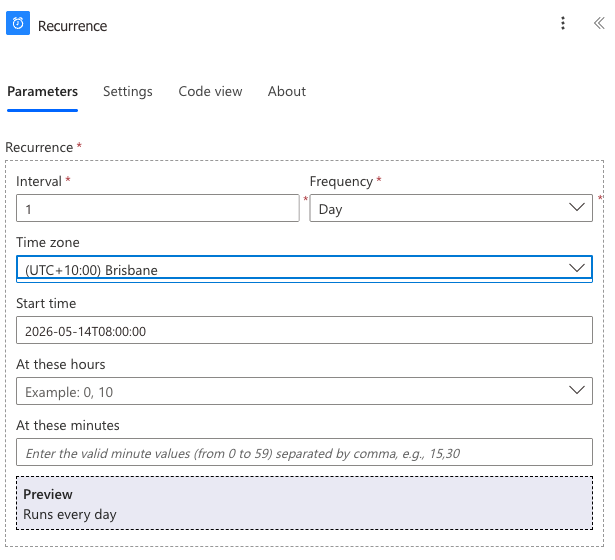
Recurrence trigger config showing Interval 1, Frequency Day, Time zone (UTC+10:00) Brisbane, Start time 08:00


  • Frequency - Minute, Hour, Day, Week, Month
  • Interval - how many of that unit between runs
  • Time zone - the zone the start time is read in
  • Start time - first run, then every interval after
Intermediate Power Automate

Time zone isn't optional

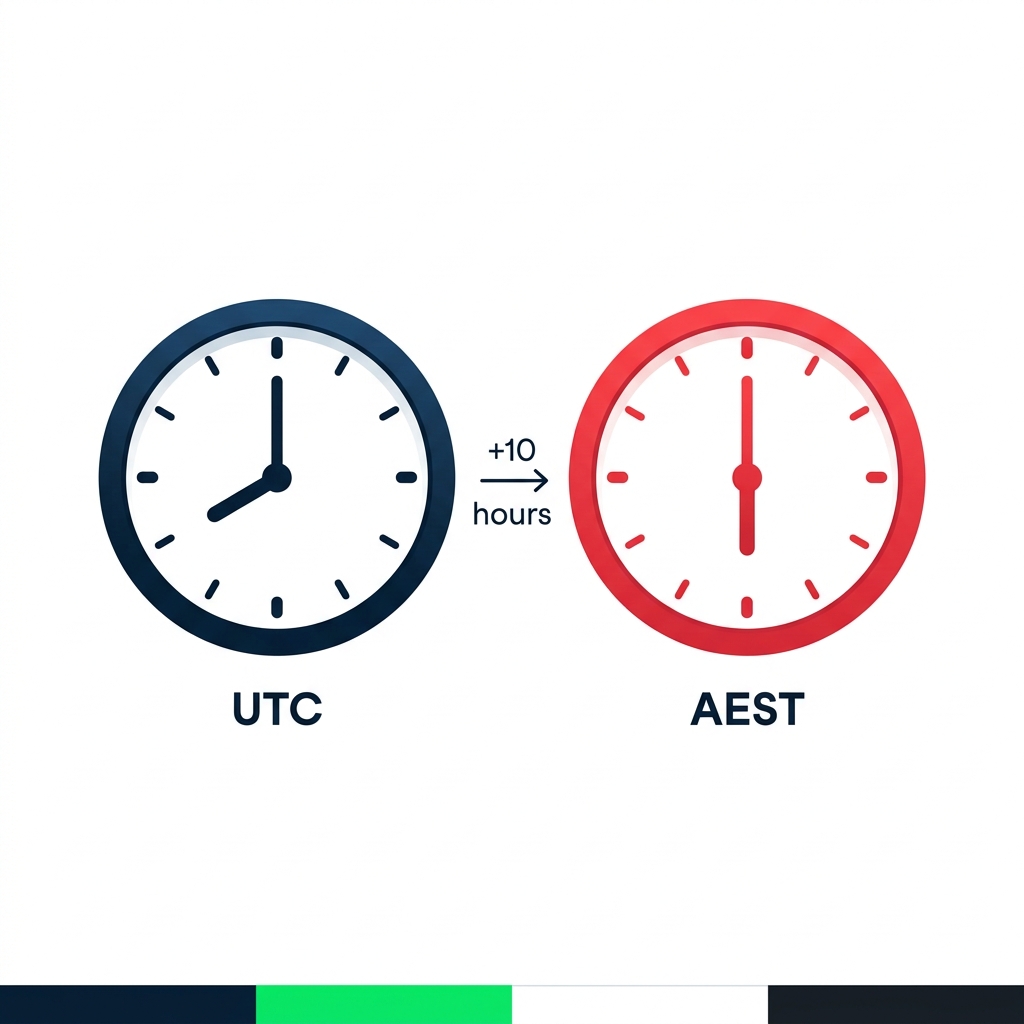
nanobanana: Two clean flat clock-face icons side by side on a pure white background. Left clock labelled "UTC" beneath, hands pointing to 8 o'clock, drawn in DataCamp navy. Right clock labelled "AEST" beneath, hands pointing to 6 o'clock, drawn in DataCamp red. Between the clocks, a small arrow with the text "+10 hours". Flat 2D, no shadows.


  • Leave the time zone on UTC and your start time runs in UTC
  • That's not when your users expect
  • Always set time zone explicitly
Intermediate Power Automate

Too often vs too rarely

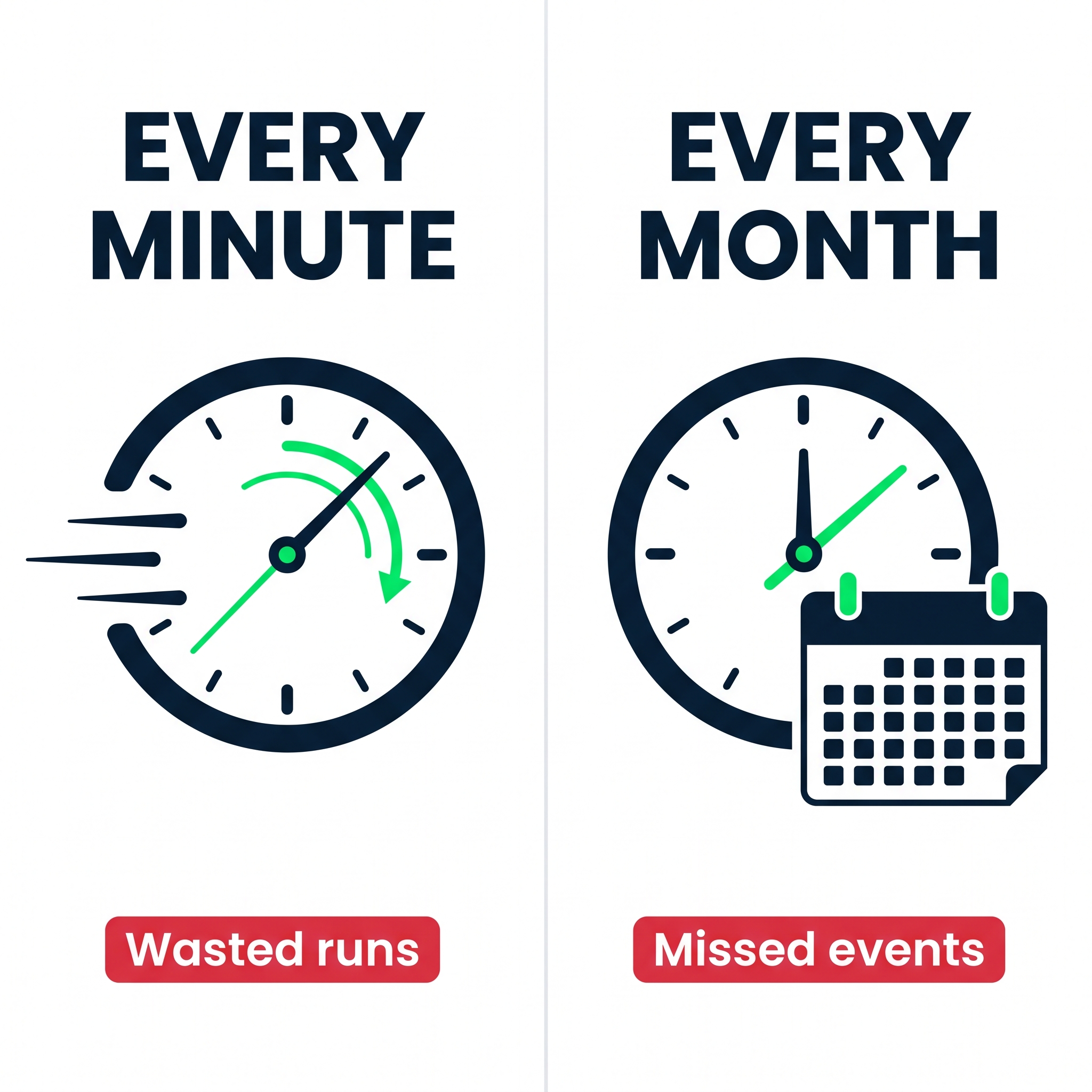
Two panels comparing scheduling extremes: Every Minute with wasted runs vs Every Month with missed events


  • Too often → wasted runs, hits the daily cap fast
  • Too rarely → events fall through the cracks
  • Match the cadence to the freshness the data needs
Intermediate Power Automate

Let's practice!

Intermediate Power Automate

Preparing Video For Download...