Notification and audit-trail write-back

Intermediate Power Automate

Dani Kahil

Solution Architect | Microsoft MVP

Send an email (V2)
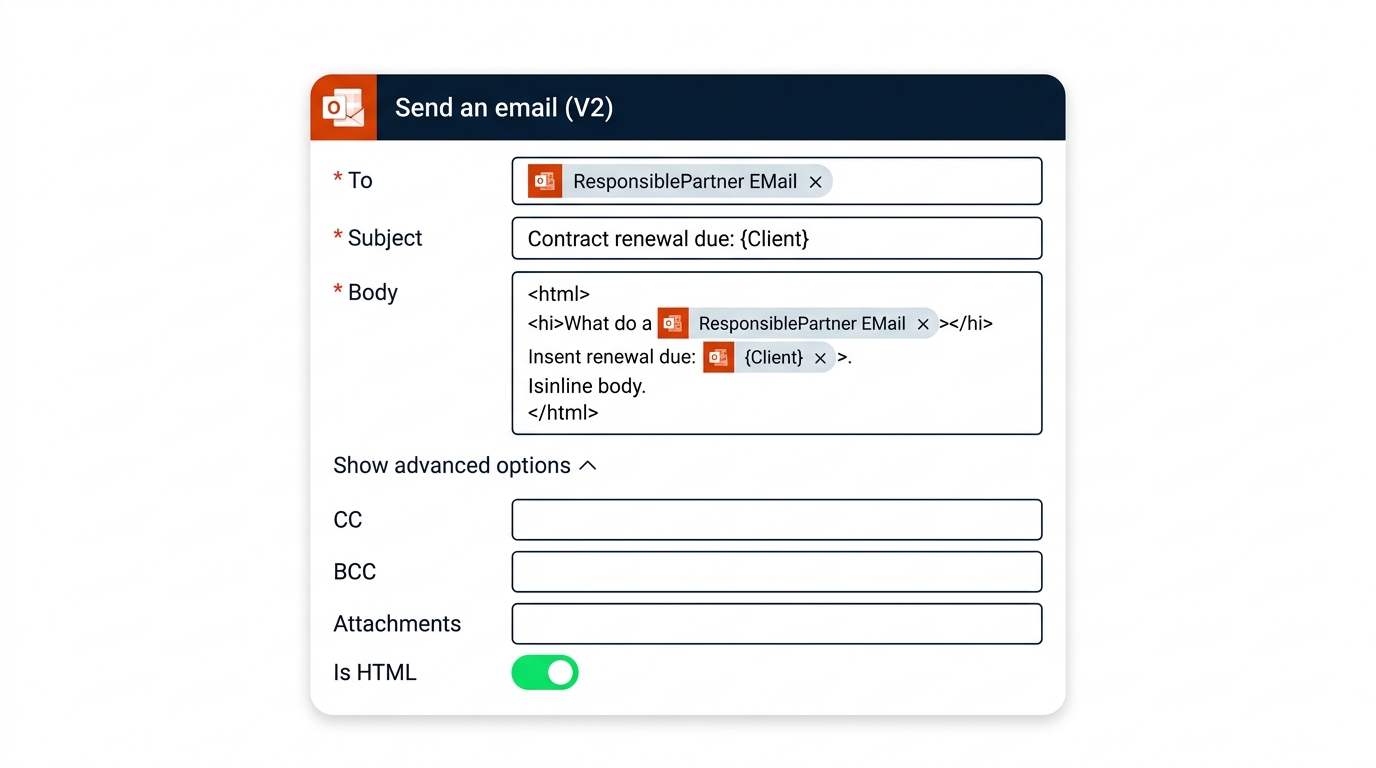
 

screenshot_send_email_v2: The Power Automate Office 365 Outlook "Send an email (V2)" action expanded, showing To, Subject, and Body filled with dynamic-content tokens, plus the Advanced options panel revealed (CC, BCC, Attachments, Importance, Is HTML toggle).


  • Office 365 Outlook connector
  • To, Subject, Body - plus Advanced options
  • Body accepts plain text or HTML
Intermediate Power Automate

Dynamic content vs expressions

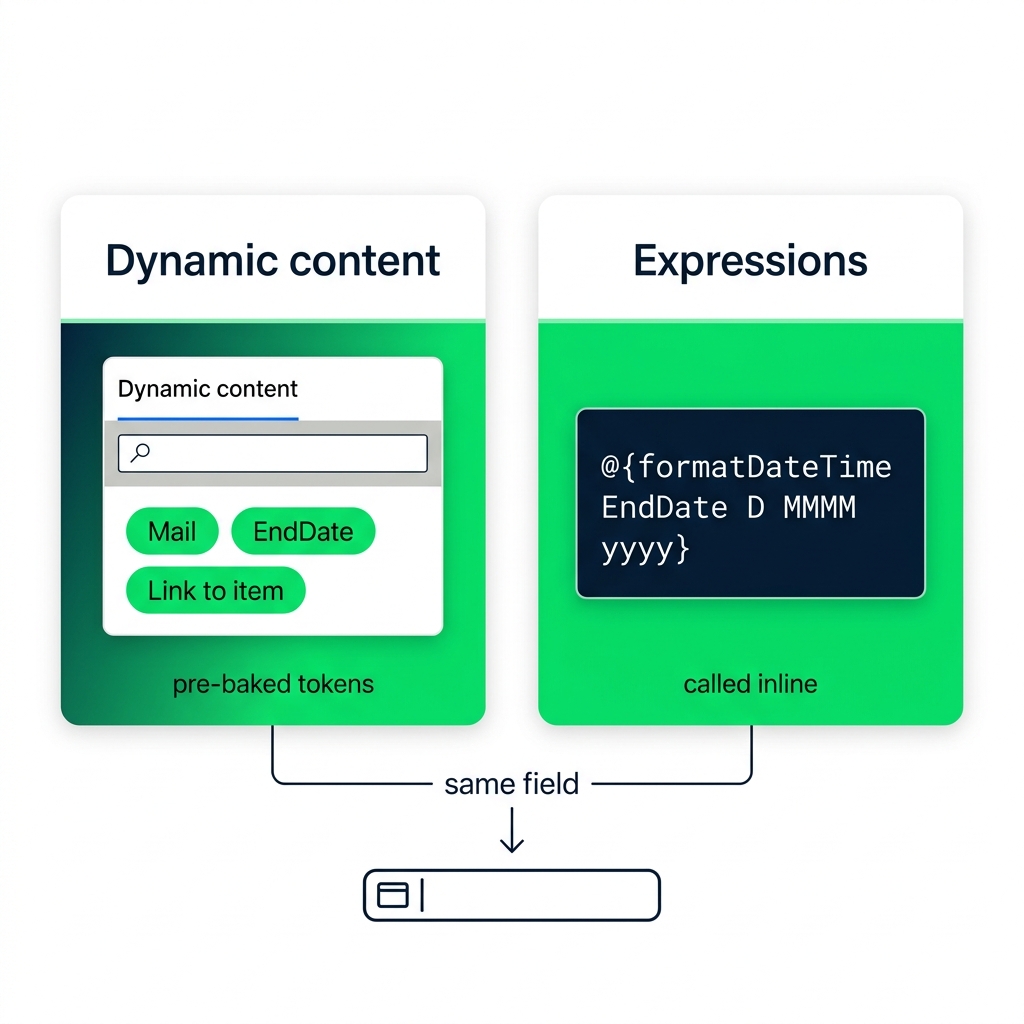
nanobanana: A flat-vector side-by-side teaching illustration on a white background. Left card, labeled "Dynamic content": a stylised Power Automate dynamic content panel showing three rounded token chips — Mail, EndDate, Link to item — with a small caption "pre-baked tokens". Right card, labeled "Expressions": a code-style box showing the text "@{formatDateTime EndDate D MMMM yyyy}" in monospace, with a small caption "called inline". A thin arrow at the bottom labeled "same field" connects both cards downward into a single input field icon. Green-and-navy palette, sans-serif labels.


  • Dynamic content → pre-baked tokens from earlier steps
  • Expressions → functions called inline via at-curly-brace syntax
  • Both end up in the same field; pick the simpler one
Intermediate Power Automate

Formatting dates for humans


Dates arrive as ISO 8601 from every connector. formatDateTime renders them human-readable, with .NET-convention format strings.

D MMMM yyyy            - 15 August 2026
d MMM yyyy             - 15 Aug 2026
dddd, d MMMM yyyy      - Saturday, 15 August 2026
Intermediate Power Automate

The audit-trail pattern is universal


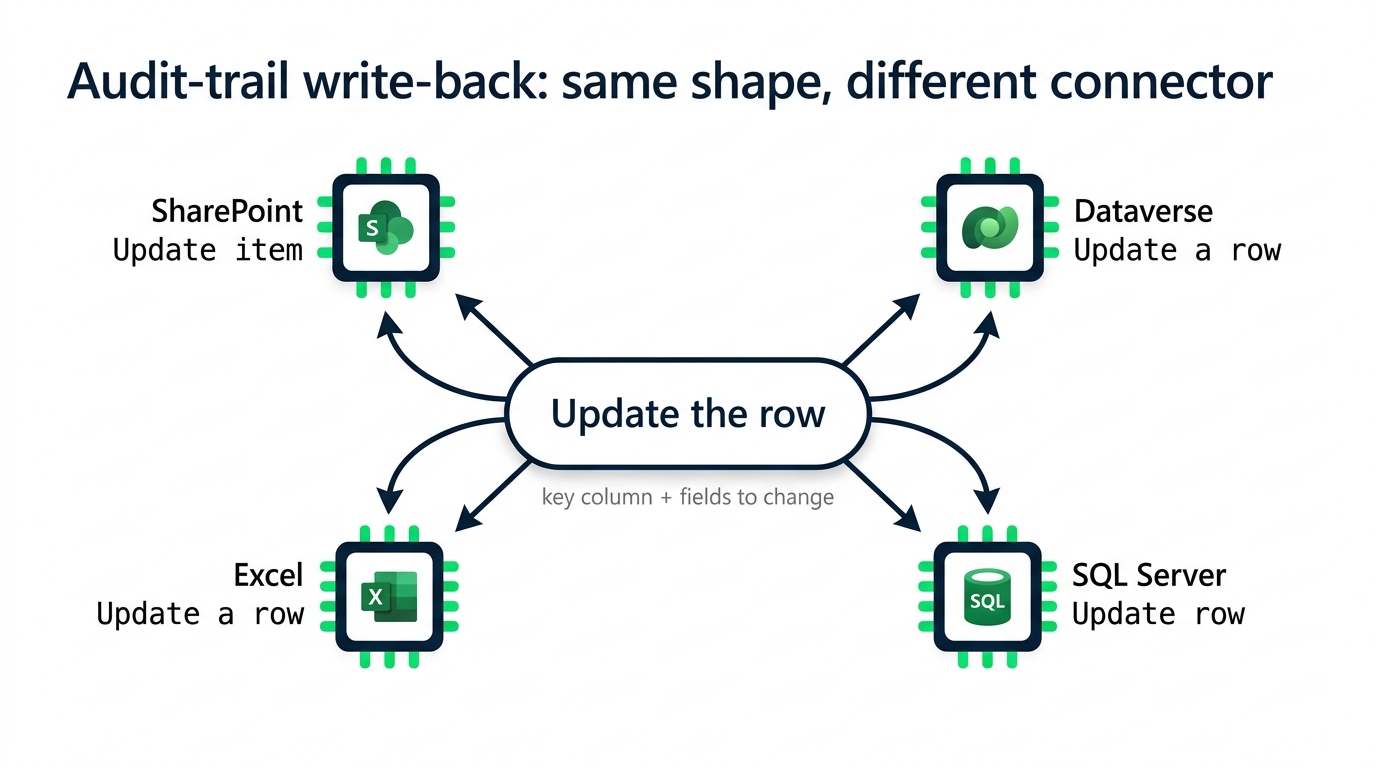
nanobanana: A flat-vector teaching diagram on a white background, titled "Audit-trail write-back: same shape, different connector". A central pill labeled "Update the row" sits in the middle. Four arrows fan out to four connector chips with logos: SharePoint ("Update item"), Dataverse ("Update a row"), Excel ("Update a row"), SQL Server ("Update row"). Beneath the central pill, a small caption reads "key column + fields to change". Green-and-navy palette, monospace for action names, sans-serif for connector labels.


  • The pattern: read → do the work → write back
  • Same shape across connectors; different action names
  • We'll use Excel to practice the pattern
Intermediate Power Automate

The audit trail is the flow's memory

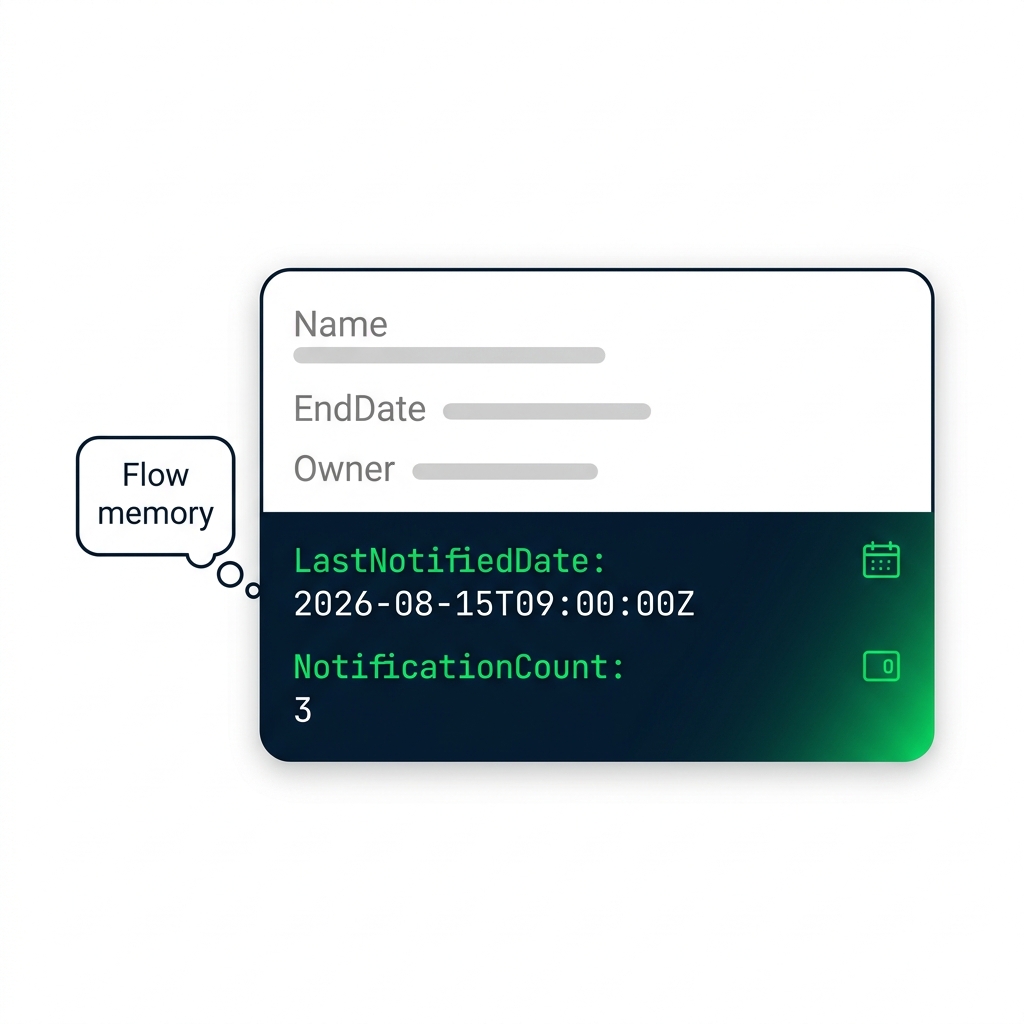
nanobanana: A flat-vector illustration of a single Contracts row card on a white background, styled as a Dataverse record. Top of the card shows core fields grayed out — Name, EndDate, Owner — and the bottom two fields highlighted in green: "LastNotifiedDate: 2026-08-15T09:00:00Z" and "NotificationCount: 3". A small calendar icon and counter icon sit beside the highlighted fields. To the left, a thought-bubble caption reads "the flow's memory". Green-and-navy palette, monospace for field values, sans-serif for labels.


  • A flow that doesn't write back repeats forever
  • Write LastNotifiedDate and NotificationCount after sending
  • The next run reads them and skips already-notified rows
Intermediate Power Automate

Let's practice!

Intermediate Power Automate

Preparing Video For Download...