Tvorba dashboardů s Dash a Plotly
Alex Scriven
Data Scientist
$$
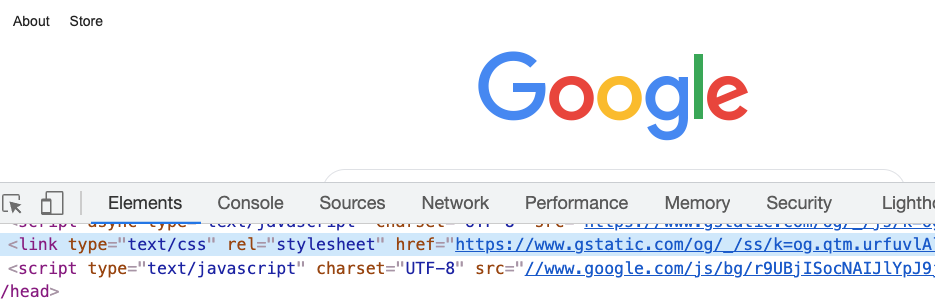
Most websites have CSS files;
style property instead
CSS can also be used on an HTML element
style property of a tag"property:value; property:value;"

<h1>Welcome to the website!</h1>
<h2 style="font-size:50px;color:red">
Enjoy your stay!
</h2>

CSS lze upravovat na živém webu

Argument style v komponentách Dash
Předchozí kód v komponentě Dash:
app.layout = [
html.H1('Welcome to the website!'),
html.H2('Text',
style={'font-size':'50px',
'color':'red'})
]
CSS umožňuje nastavit:
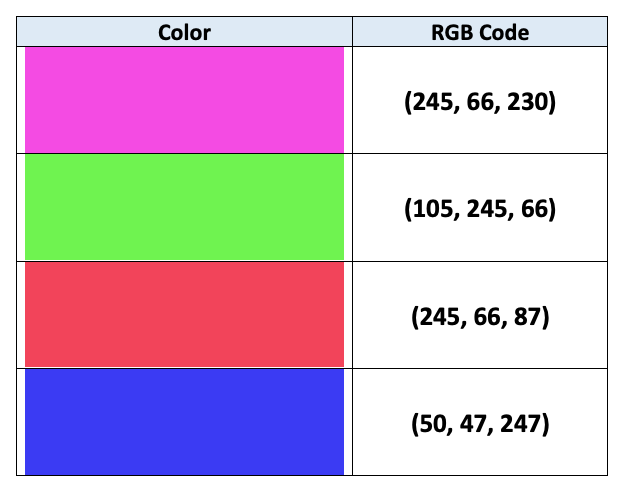
background-color)color)
Obě metody přijímají řetězce (např. 'red') nebo RGB kódy (např. 'rgb(0,0,255)' je modrá!)

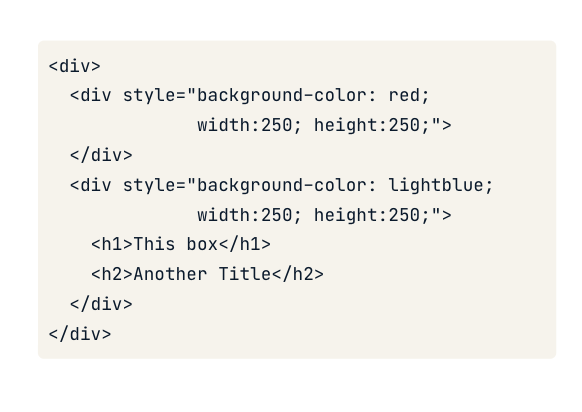
CSS umožňuje nastavit velikost pomocí vlastností width a height
app.layout = [
# Add & resize the company logo
html.Img(src=logo_link,
style={'width':'250px', 'height':'250px'})
]
app.layout = [
# Add & resize the company logo
html.Img(src=logo_link,
style={'width':'50%', 'height':'50%'})
]
Tvorba dashboardů s Dash a Plotly