User-Defined Functions and Stored Procedures

Data Pipeline Automation in Snowflake

Emily Melhuish

Technical Curriculum Developer, Snowflake

What is a UDF?

nanobanana: half: Two abstract padlock icons side by side, one open and one closed, flat minimalist design, DataCamp navy blue and green colors, white background, no text

User-Defined Functions

  • Custom operations beyond built-in SQL functions
  • Written in SQL, Python, Java, Scala or JavaScript
  • No DDL or DML — returns values only
  • Standard or SECURE (hides logic from callers)
  • Returns a scalar value per row, or a table
Data Pipeline Automation in Snowflake

SQL UDFs

Recommended starting point

CREATE FUNCTION delivery_tier(days INT)
RETURNS VARCHAR AS $$
  CASE WHEN days <= 2 THEN 'Express'
       WHEN days <= 5 THEN 'Standard'
       ELSE 'Delayed' END $$;
Data Pipeline Automation in Snowflake

Python & Other Programming Language UDFs

When SQL cannot do the job

CREATE FUNCTION parse_weight(label STRING)
RETURNS FLOAT LANGUAGE PYTHON
RUNTIME_VERSION = '3.9' HANDLER = 'parse'
AS $$ def parse(s): return float(s.split('kg')[0]) $$;
Data Pipeline Automation in Snowflake

UDFs in the Pipeline


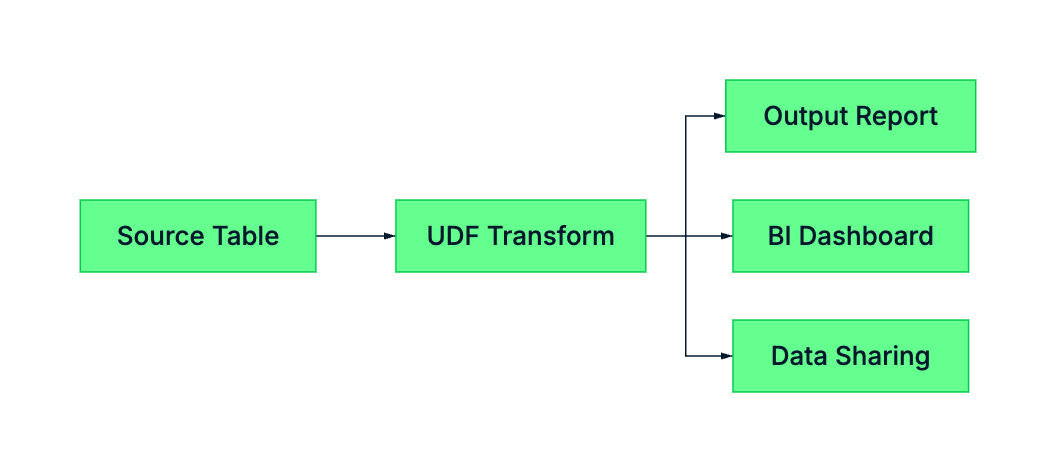
mermaid: UDF transformation layer pipeline

UDFs sit in the transformation layer - between raw storage and reporting

  • Called inside SELECT; return one value per row
  • Centralize business logic used across multiple queries
  • Add SECURE to hide the definition from other users
Data Pipeline Automation in Snowflake

What is a Stored Procedure?

  • Declare variables, loop over results, handle errors
  • Execute Data Manipulation Language (DML) across multiple tables
  • Called standalone with CALL

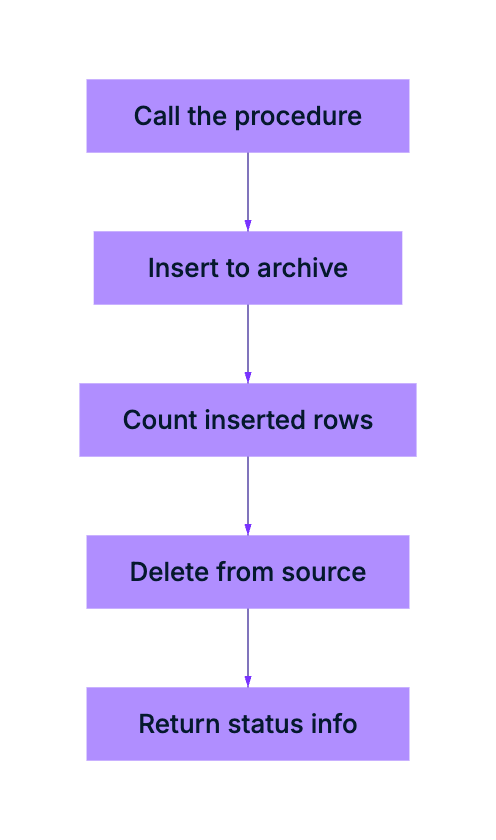
mermaid: datacamp-purple: stored procedure orchestration flow

Data Pipeline Automation in Snowflake

Stored Procedure: Snowflake Scripting

CREATE OR REPLACE PROCEDURE archive_old_shipments(cutoff INT)
RETURNS STRING LANGUAGE SQL AS $$
DECLARE                                    -- 1. Declare variables
    rows_moved INT DEFAULT 0;
BEGIN                                      -- 2. Begin the procedure
    INSERT INTO shipments_archive          -- 3. Execute SQL commands
        SELECT * FROM shipments WHERE delivery_days > :cutoff;
    rows_moved := SQLROWCOUNT;
    DELETE FROM shipments WHERE delivery_days > :cutoff;
    RETURN 'Archived ' || rows_moved       -- 4. Return the result
        || ' shipments.';
END;                                       -- 5. End the procedure
$$;
Data Pipeline Automation in Snowflake

UDFs vs Stored Procedures

UDF Stored Procedure
Called in SELECT CALL
Returns One value per row Single value
Can Execute DML No Yes
Languages SQL, Python, Java, JS SQL (Snowflake Scripting), Python, Java, JS, Scala
Use in Pipeline Transform Data Orchestrate Logic
Data Pipeline Automation in Snowflake

Let's Practice!

Data Pipeline Automation in Snowflake

Preparing Video For Download...