Snowpipe en Snowpipe Streaming
Automatisering van datapijplijnen in Snowflake

Emily Melhuish
Technical Curriculum Developer, Snowflake
Snowpipe
1 * Snowflake Learning Material
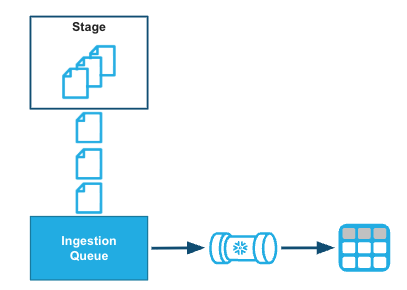
Hoe Snowpipe werkt

AUTO_INGEST— event-gedreven; cloudopslag publiceert een notificatie- Amazon S3 | Azure Event Grid | GCP Pub/Sub
- REST API-trigger — roep
insertFilesofinsertReportdirect aan vanuit orkestratiecode
Snowpipe-kosten
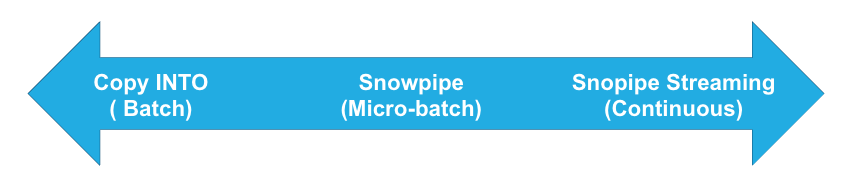
De juiste innamemethode kiezen
| Methode | Wanneer gebruiken |
|---|---|
| COPY INTO | Geplande batchloads: nachtelijke files, wekelijkse exports, uren vertraging acceptabel |
| Snowpipe | Continue bestandsaanvoer, laden binnen minuten na aankomst nodig |
| Snowpipe Streaming | Applicatie-gegenereerde data: GPS, IoT, financiële markten — data in seconden beschikbaar |
1 * Snowflake Learning Resource

