Troubleshooting deployed applications

Deploying Applications on AWS

Dunieski Otano

Amazon Web Services Solutions Architect

Task timed out
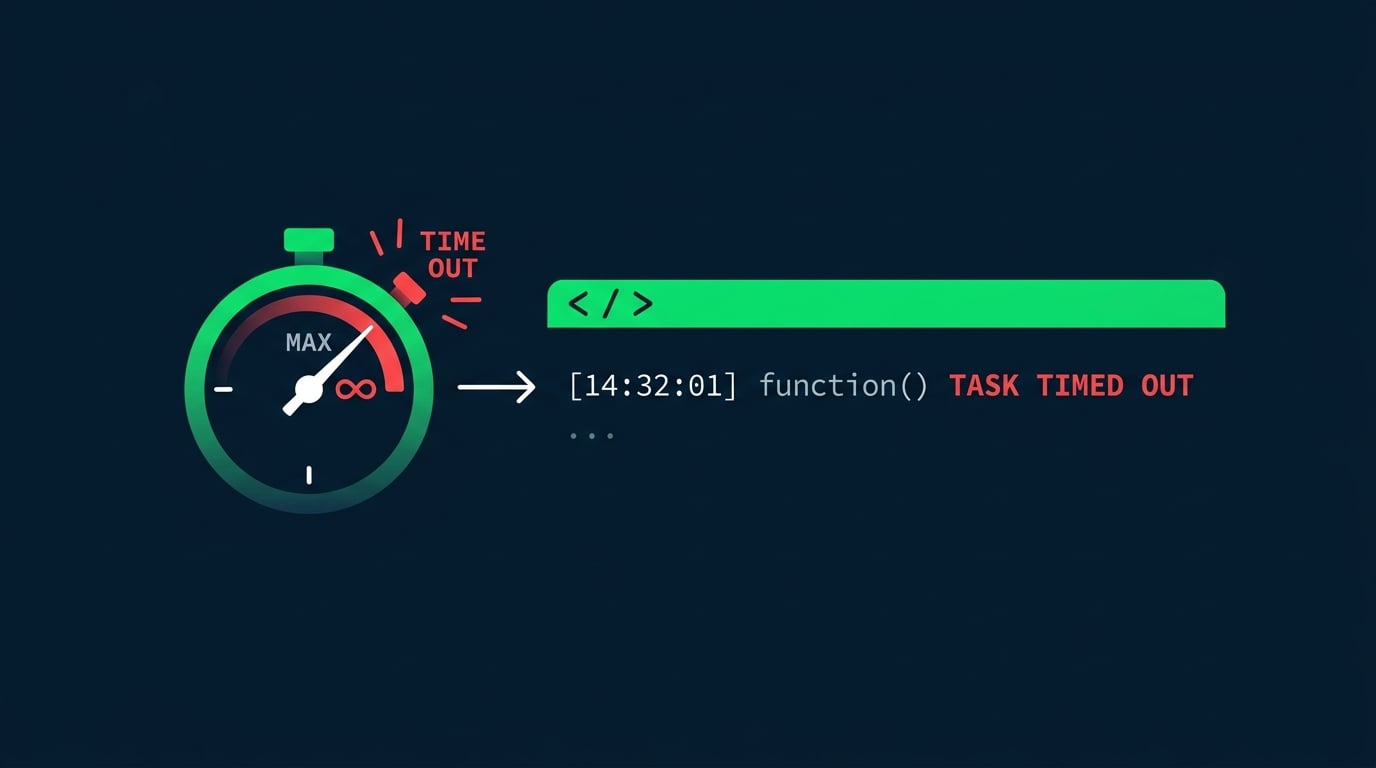
  • A function fails, but only sometimes
  • The log says "Task timed out"
  • The signature points to the real cause

A stopwatch beside an error log line showing a Lambda task that timed out

Deploying Applications on AWS

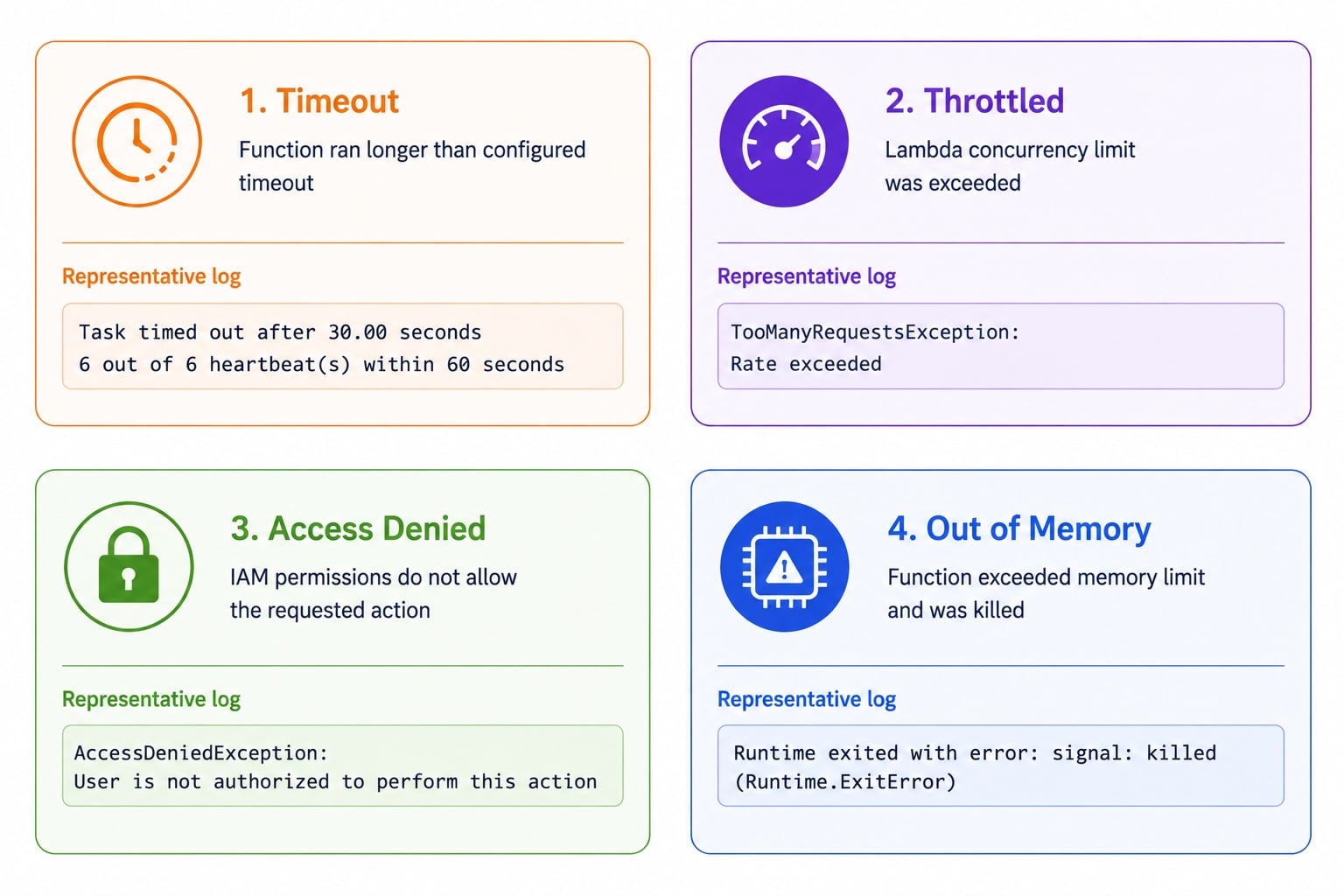
The common Lambda failure signatures

2x2 grid of Lambda failure signatures: Timeout with task-timed-out log, Throttled with TooManyRequestsException, Access Denied with AccessDeniedException, and Out of Memory with signal-killed error

  • Timeout: "Task timed out after N seconds"
  • Throttle: TooManyRequestsException
  • IAM denial: AccessDenied, not authorized
  • Out of memory: runtime killed mid-execution
Deploying Applications on AWS

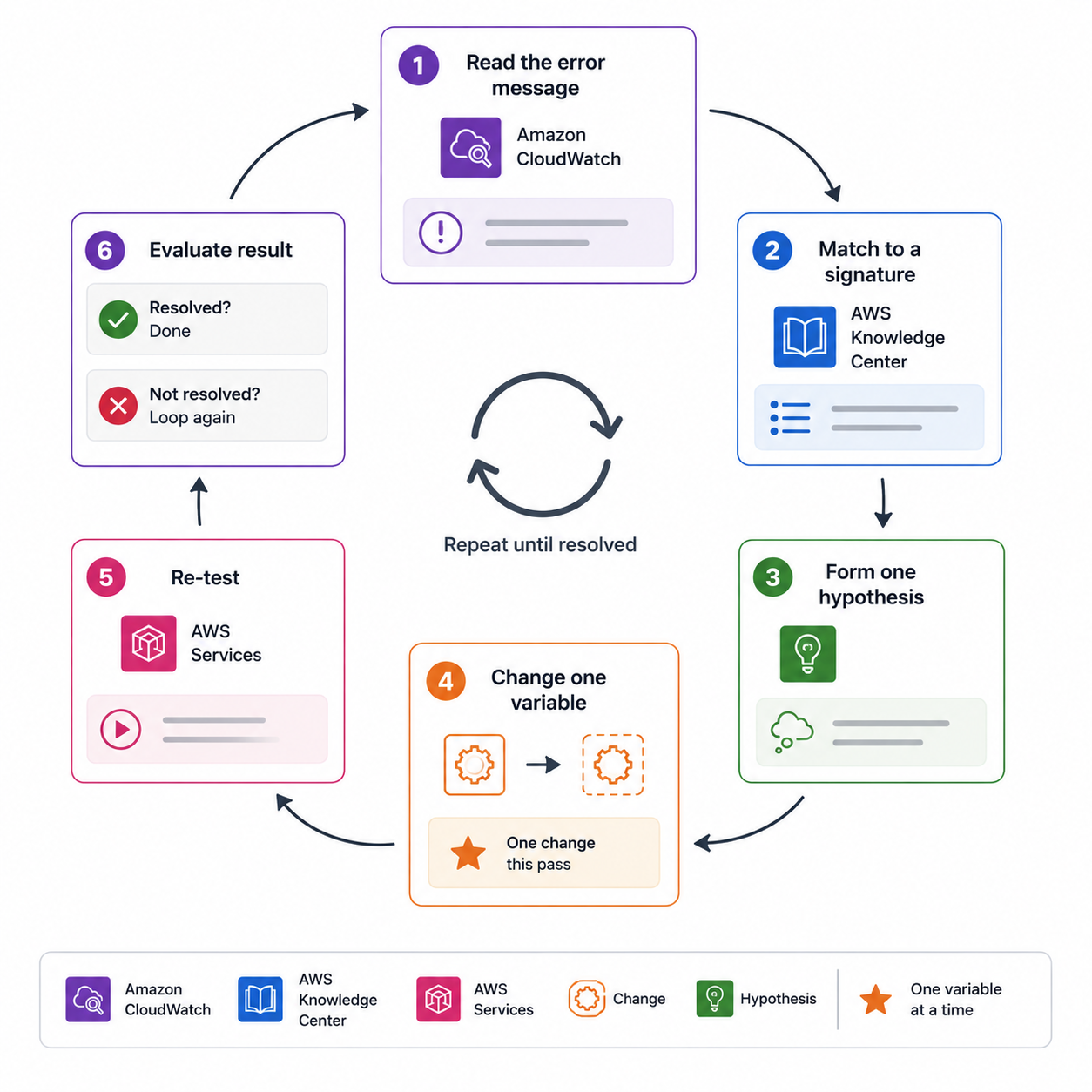
First response to a failing function

  • Read the error message before changing anything
  • Match it to a known signature
  • Check the downstream call latency for timeouts
  • Change one thing, then re-test

Troubleshooting decision loop: read error message, match to known signature, check downstream latency, change one thing, then re-test

Deploying Applications on AWS

CloudWatch Logs Insights

A Logs Insights query uses filter to narrow and stats to aggregate. Here, it counts errors per minute:

fields @timestamp, @message
| filter level = "ERROR"
| stats count() as errors by bin(1m)
| sort errors desc
Deploying Applications on AWS

Debugging integration failures from both sides
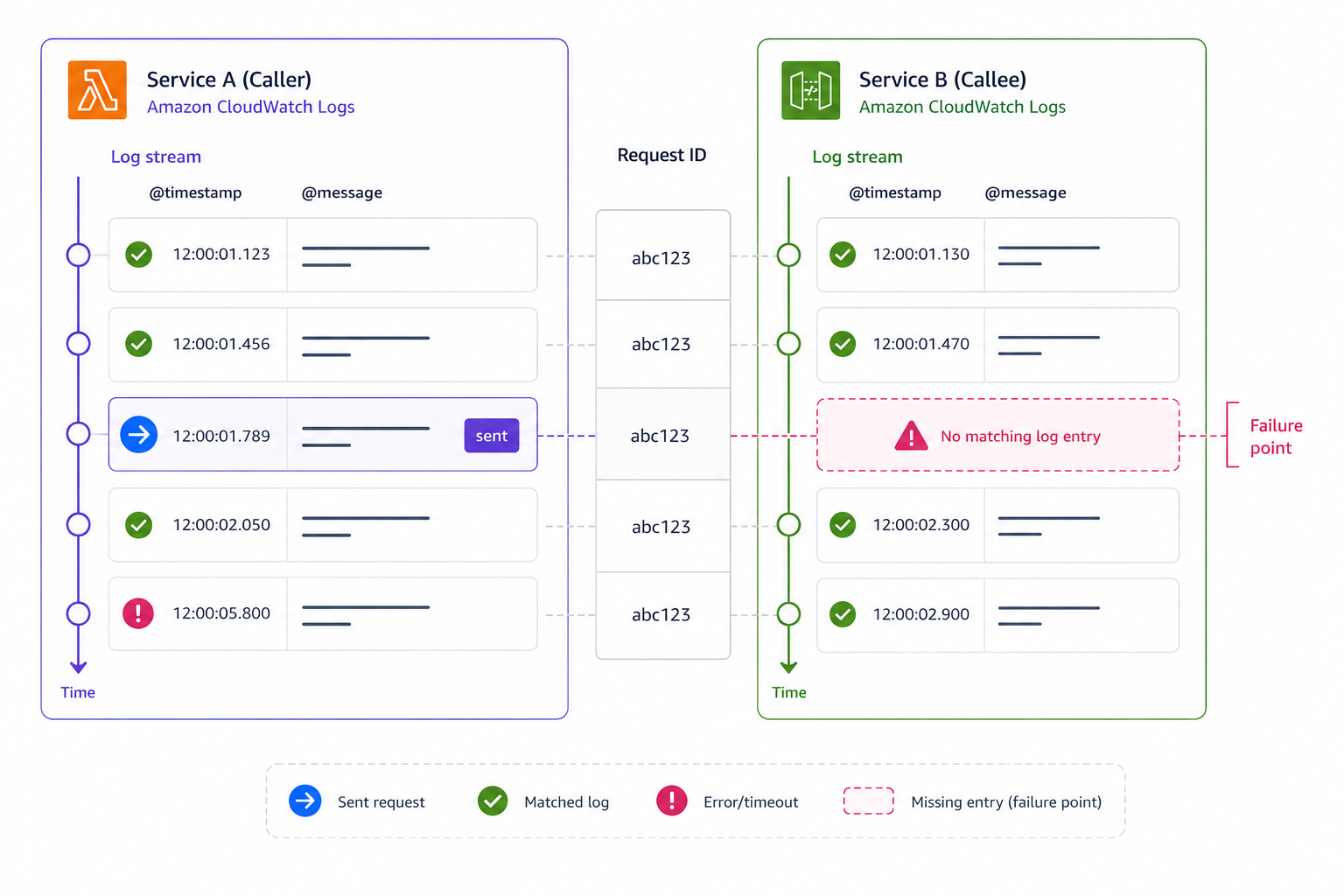
  • Failures often live between services
  • Read the caller's log and the callee's log
  • Match by request ID or trace ID
  • The gap between them reveals the break

Caller and callee logs aligned side by side by request ID, with a gap between them labeled as the integration break point where the request stops

Deploying Applications on AWS

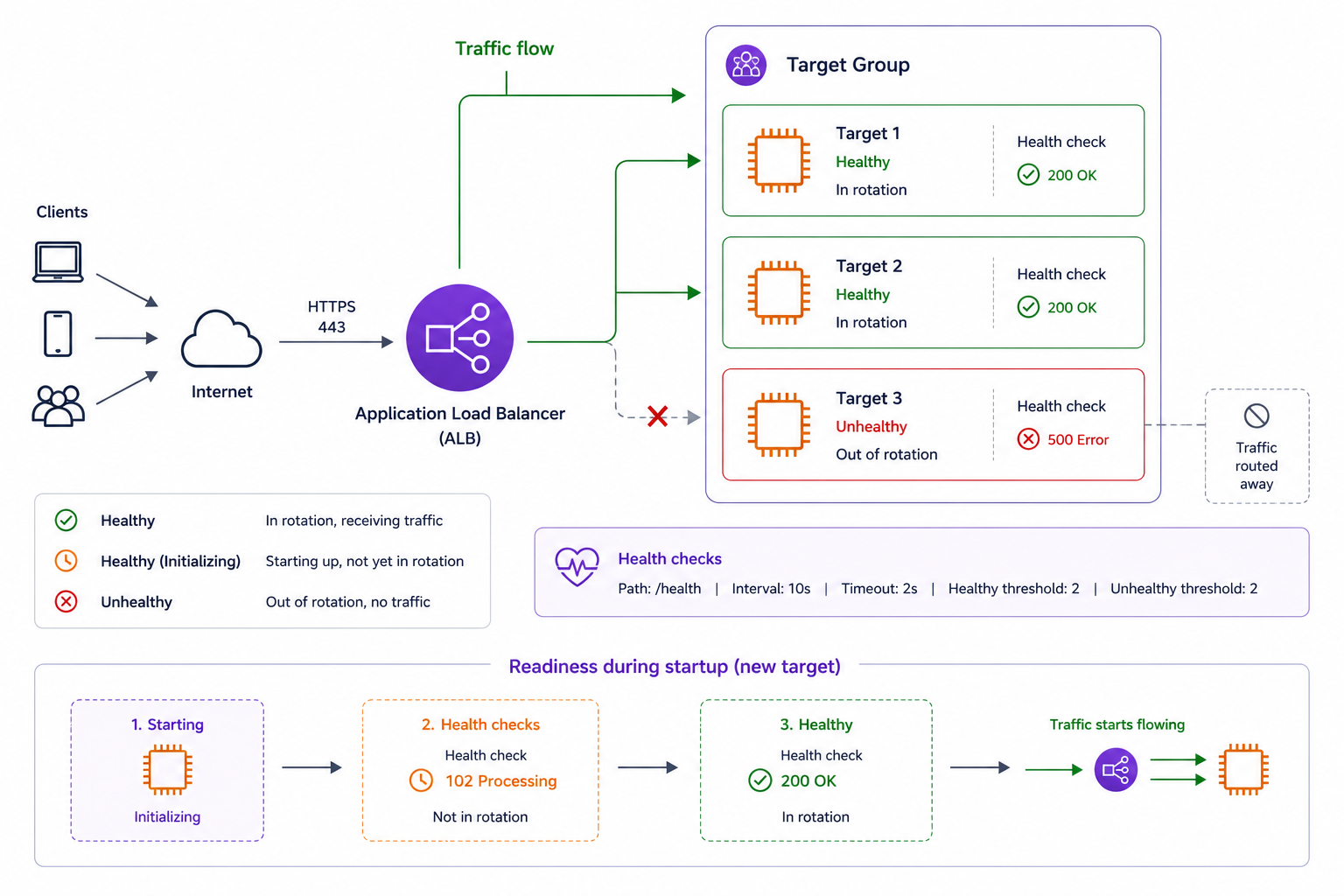
Health checks and readiness probes

Load balancer routing traffic to healthy targets with green checkmarks, and a failing target removed from rotation after successive health check failures

  • Health check: is the instance alive and serving?
  • Load balancers route only to healthy targets
  • Readiness: is it ready to take traffic yet?
  • Failing checks pull a target out of rotation
Deploying Applications on AWS

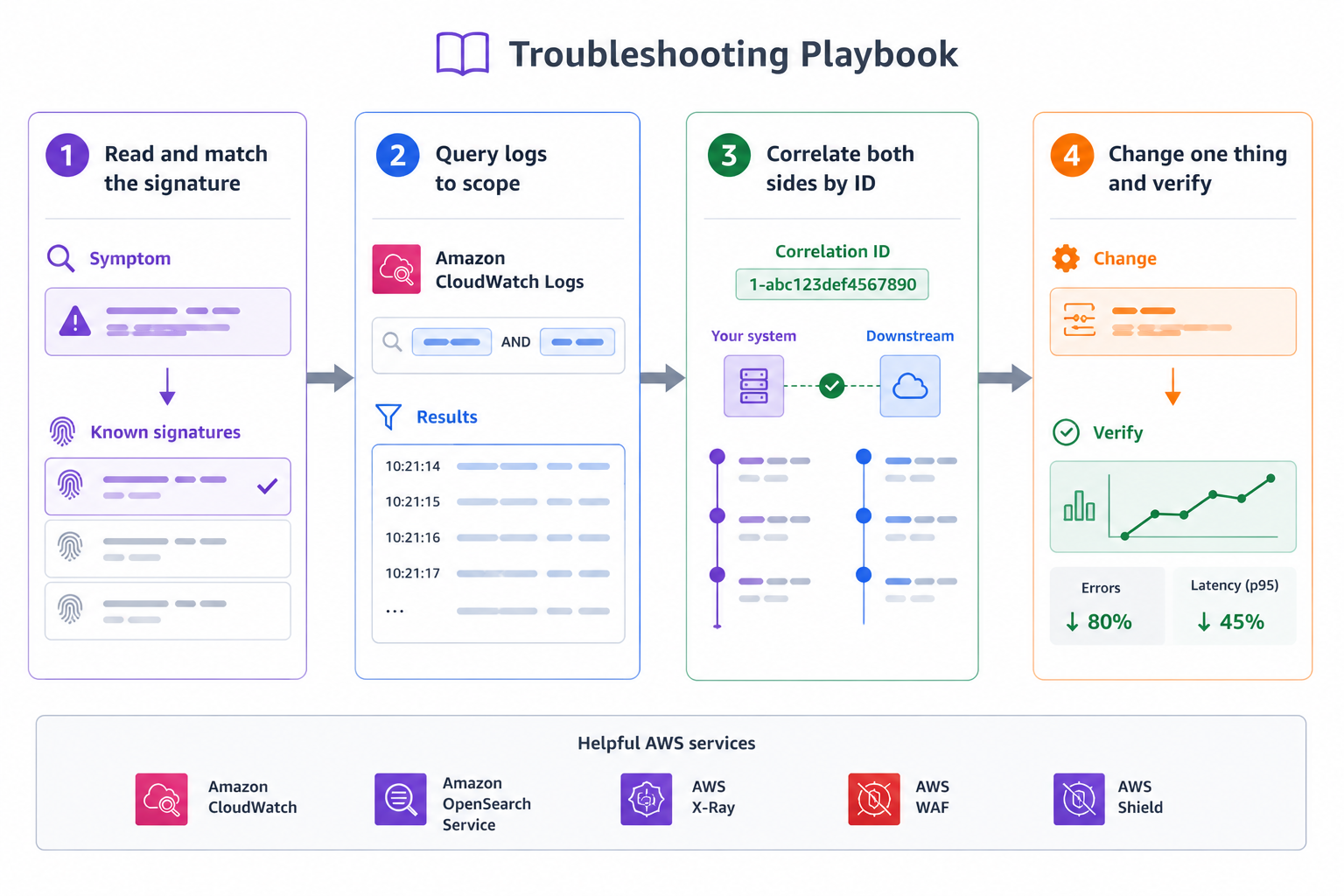
A troubleshooting playbook

  • Read the error and match the signature
  • Query logs with Logs Insights to scope it
  • Correlate both sides by request or trace ID
  • Change one thing and verify

Four-step troubleshooting playbook: Read error and match signature, Query logs with Insights to scope it, Correlate both sides by trace ID, Change one thing and verify

Deploying Applications on AWS

Let's practice!

Deploying Applications on AWS

Preparing Video For Download...