Encryption and certificate management on AWS
Deploying Applications on AWS
Dunieski Otano
Amazon Web Services Solutions Architect
The missing backup disk
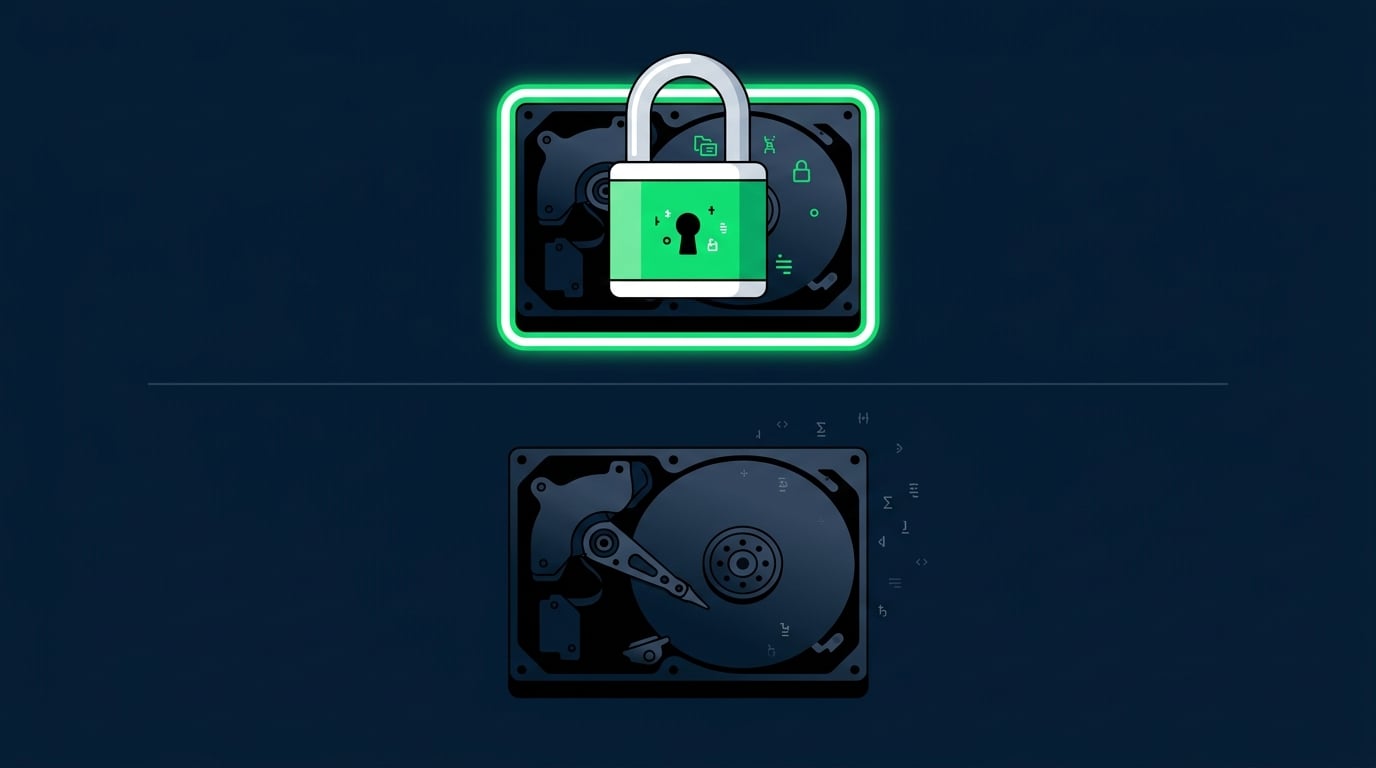
A backup drive goes missing in transit
Encrypted at rest, it is useless to a thief
TLS does the same for data on the wire
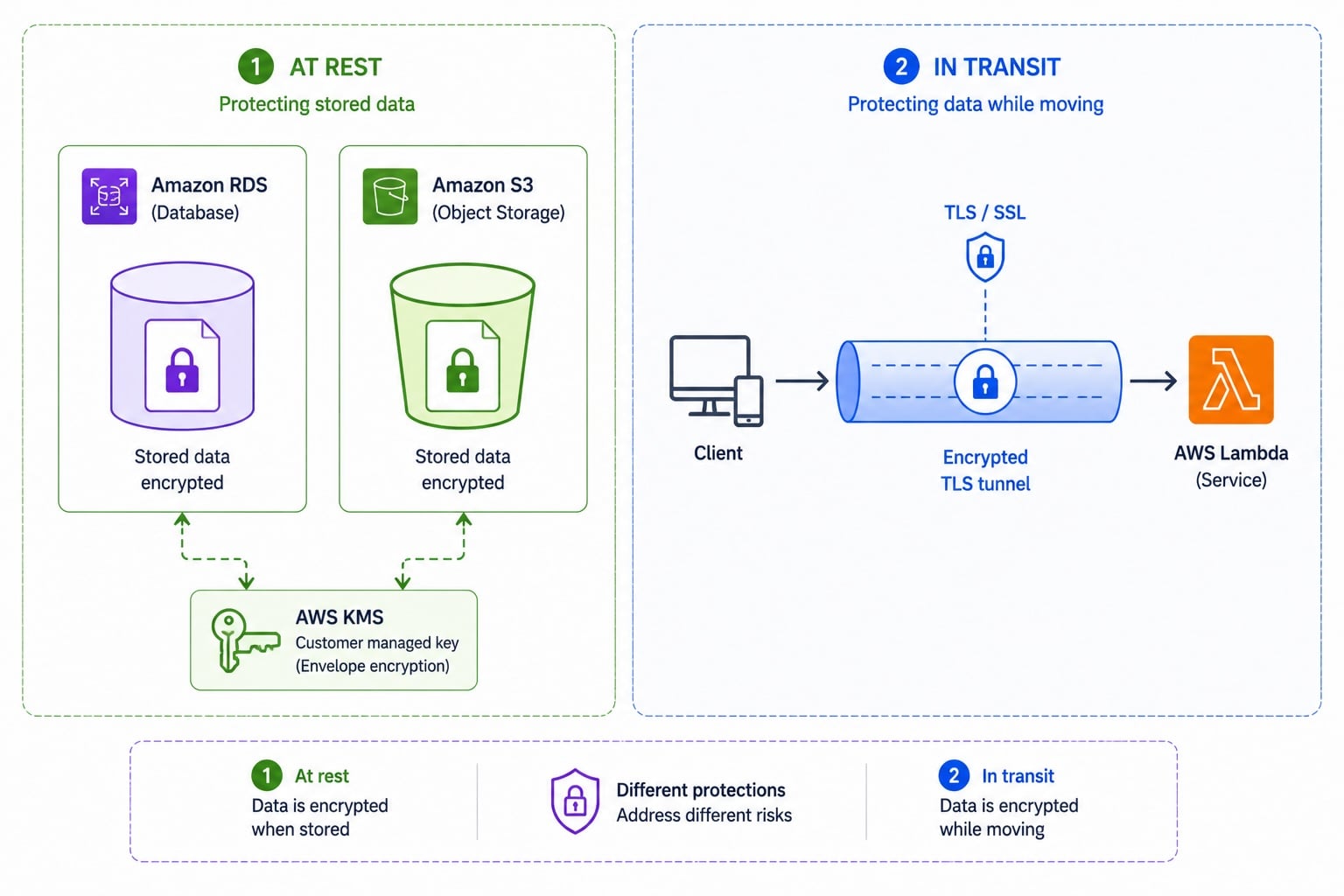
Encryption at rest vs in transit
At rest
: data stored on disk is encrypted
At rest uses keys, often via
KMS
In transit
: data moving over the network is encrypted
In transit uses
TLS
certificates
Client-side vs server-side encryption
Server-side
The service encrypts data after it receives it
Simplest; AWS manages the step, usually with a KMS key
Client-side
You encrypt before the data leaves your code
The service only ever stores ciphertext, never plaintext
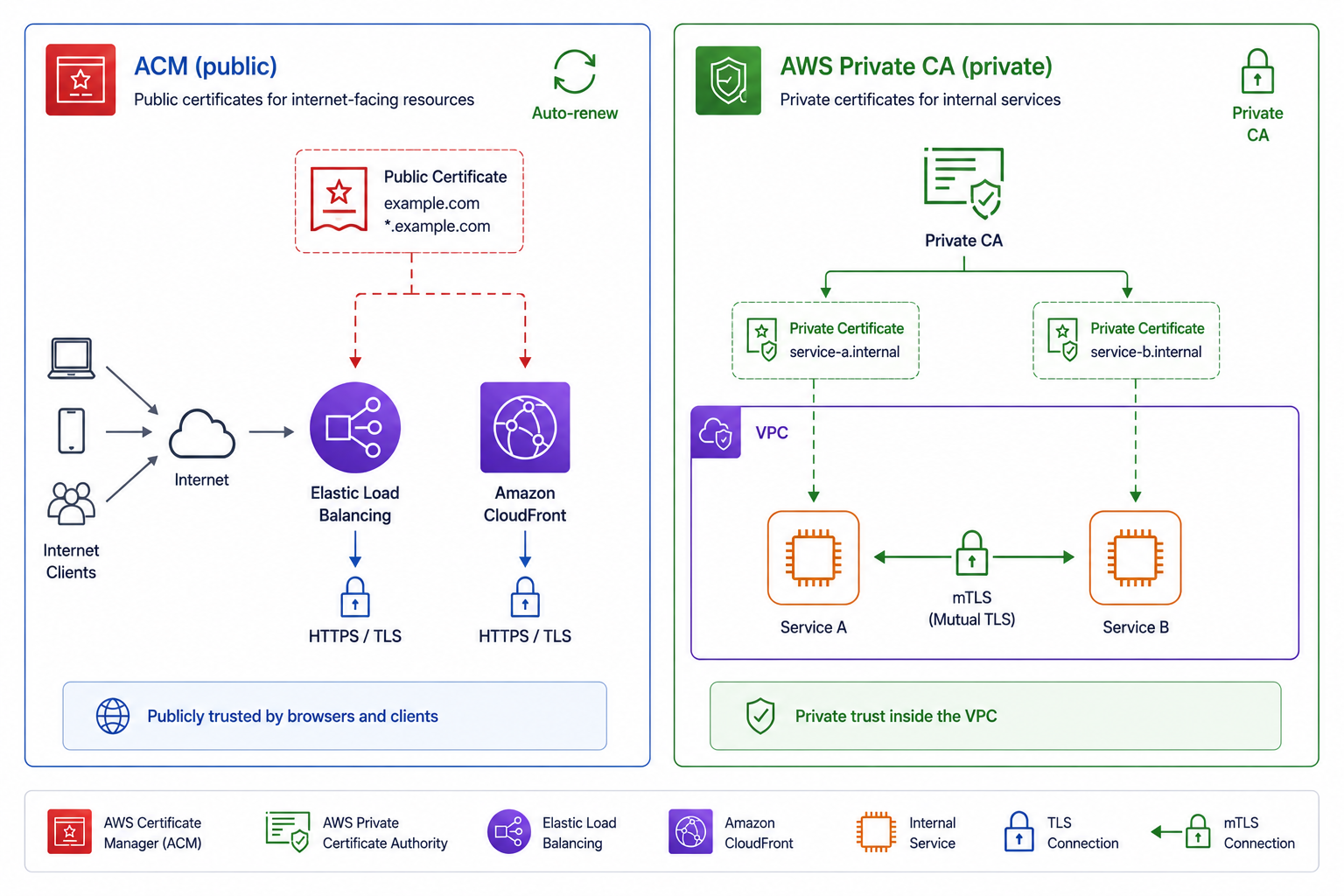
Public vs private certificates
ACM
: free public TLS certificates for your domains
Used on load balancers, CloudFront, API Gateway
AWS Private CA
: issues internal, private certificates
Private CA powers internal services and
mTLS
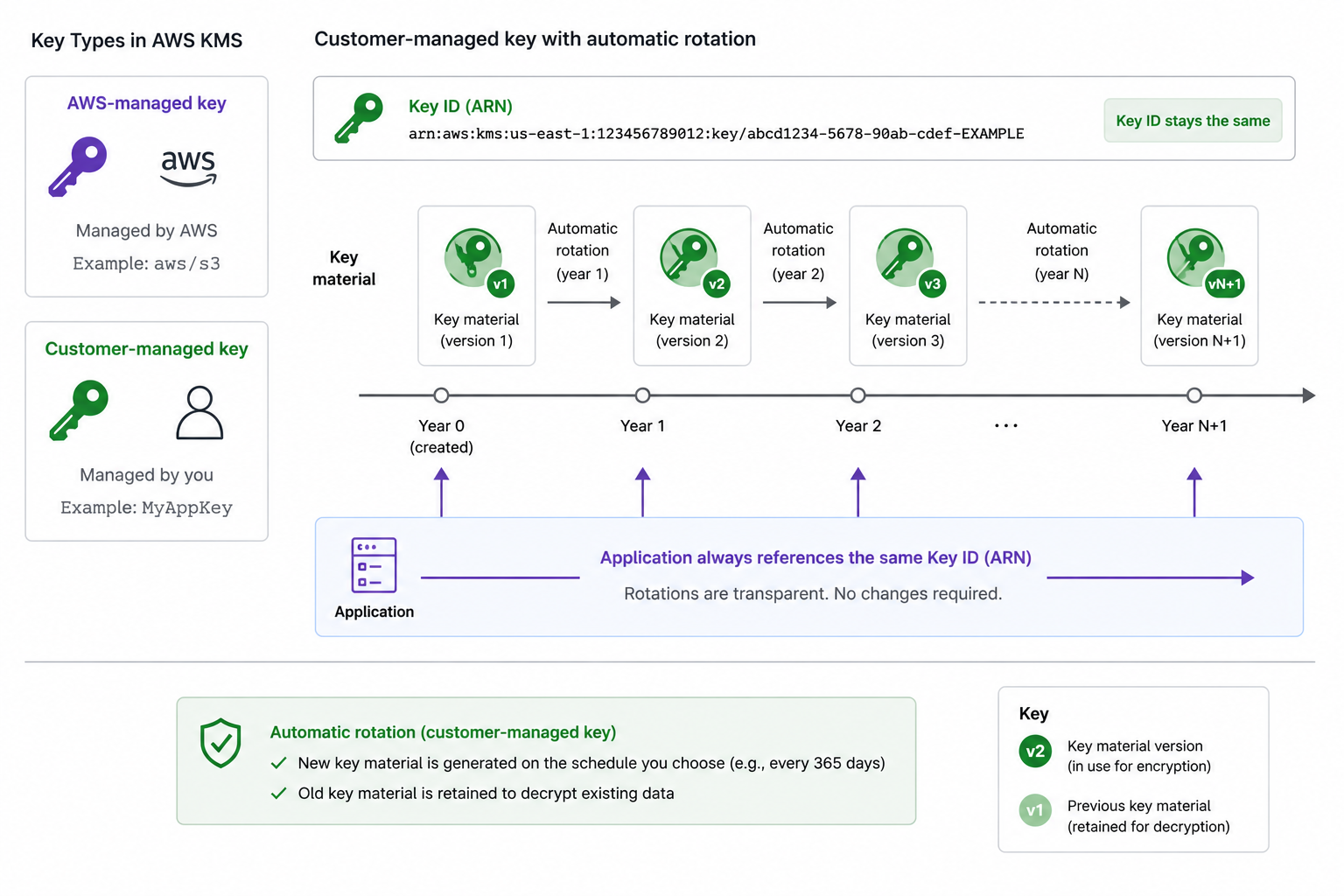
KMS keys and rotation
AWS-managed keys
: created and rotated by AWS
Customer-managed keys
: you control policy and rotation
Automatic rotation
: new key material yearly, same key ID
Applications keep using the same key reference
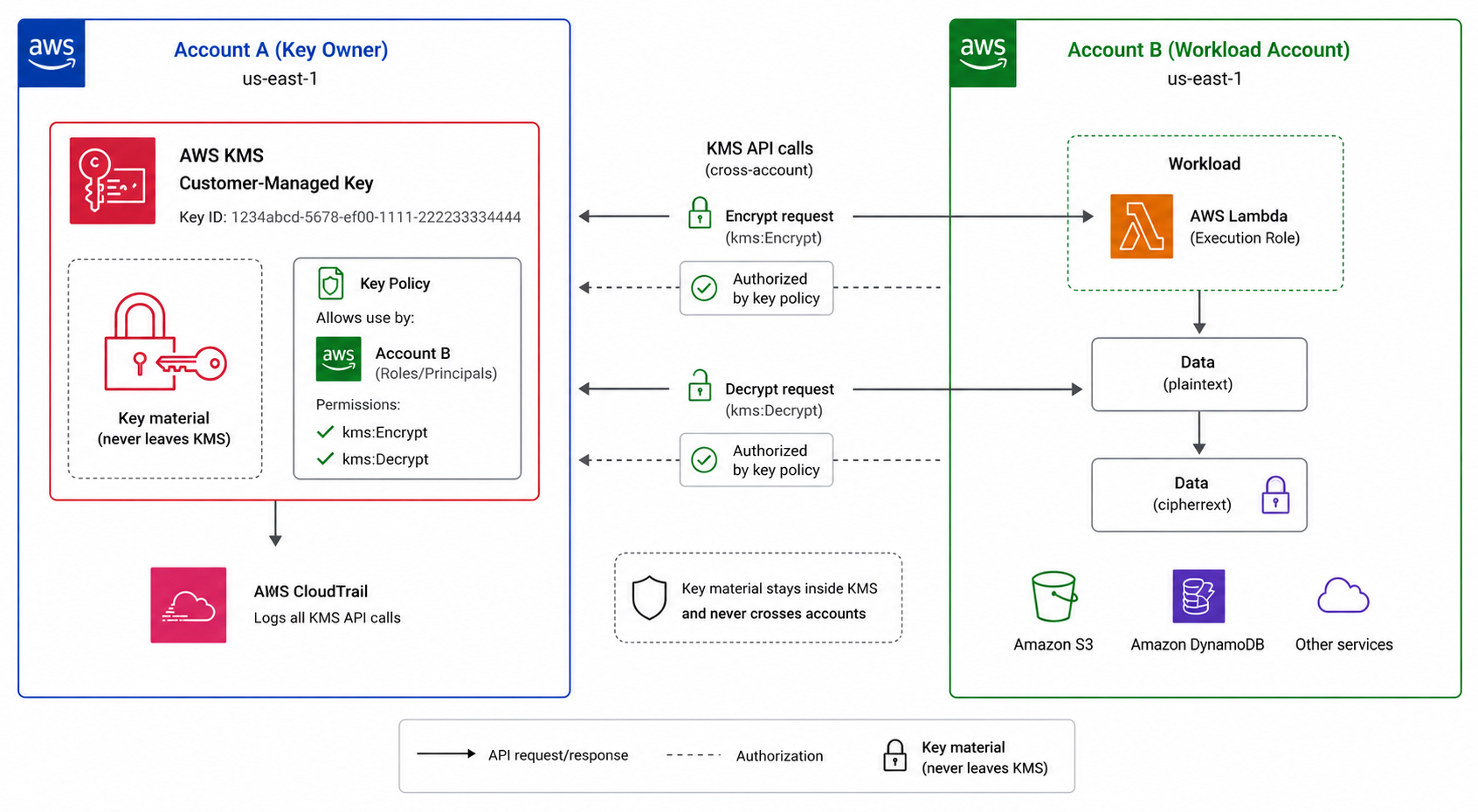
Cross-account key access
A
key policy
controls who can use a KMS key
Grant another account use of the key via the policy
The key never leaves KMS
Enables
shared encrypted resources
across accounts
Putting encryption and certificates together
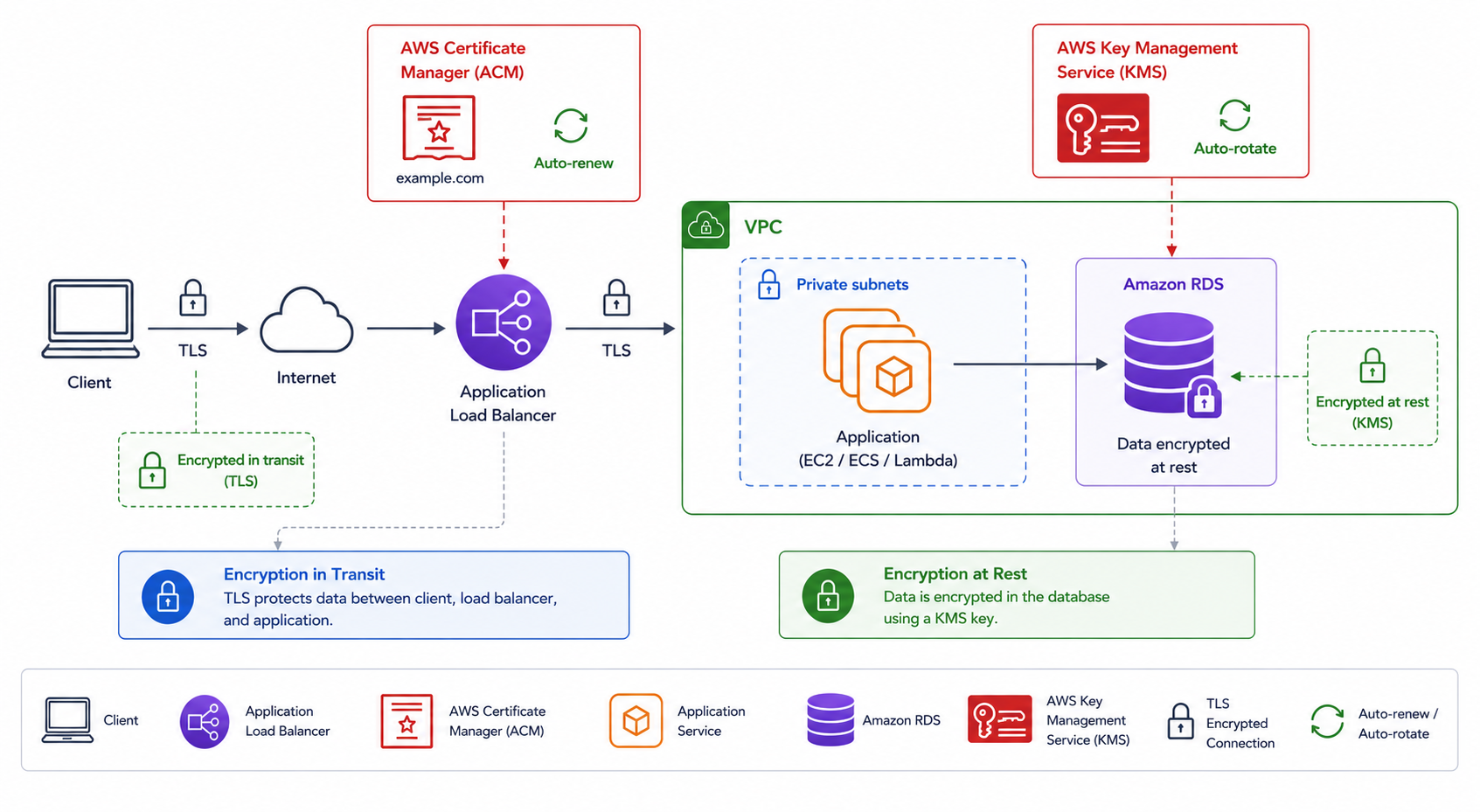
In transit
: ACM certificate ends TLS at the edge
At rest
: KMS key encrypts the stored data
Rotate keys automatically; renew certificates automatically
Layered protection from the wire to the disk
Let's practice!
Deploying Applications on AWS
Preparing Video For Download...