Authorizing service access with IAM

Deploying Applications on AWS

Dunieski Otano

Amazon Web Services Solutions Architect

The key in the commit
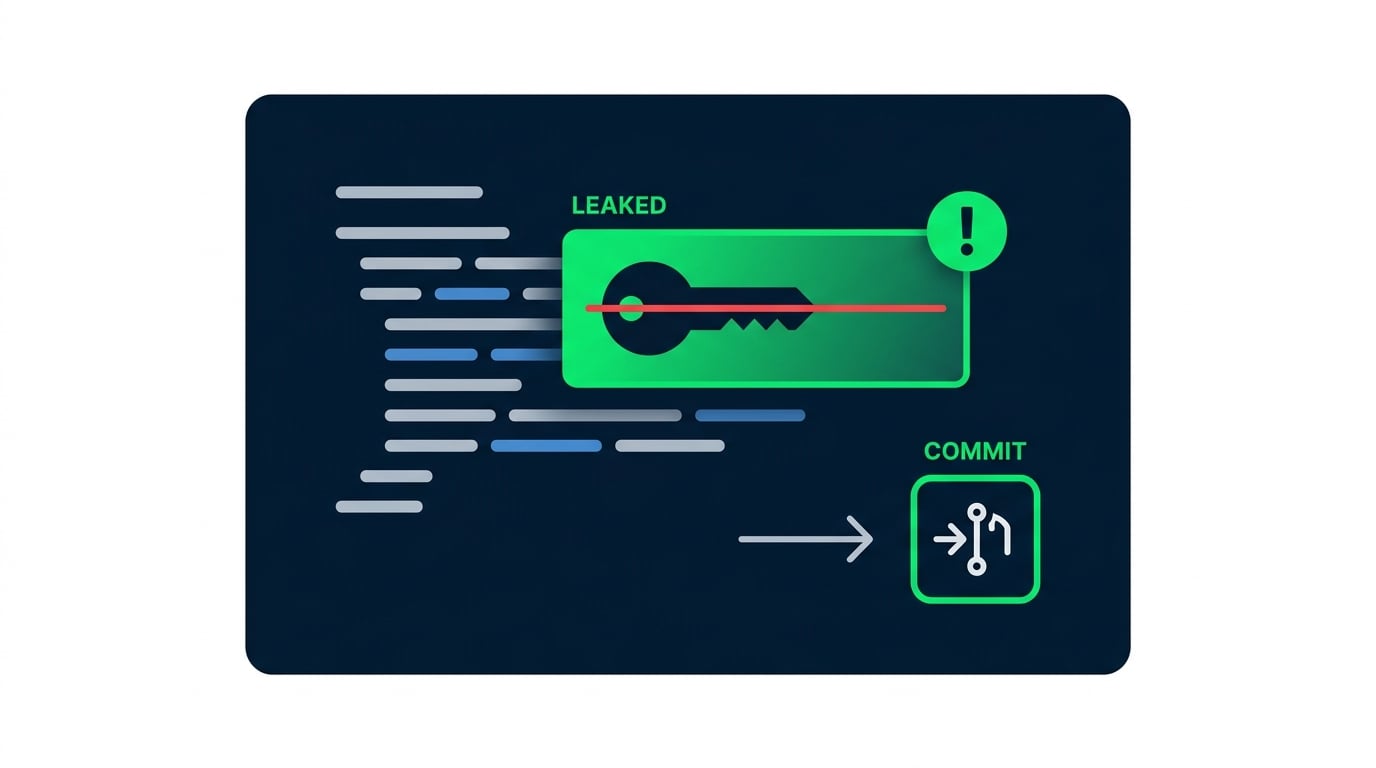
  • A long-lived access key is committed to a repo
  • A scanner bot finds it and runs up the bill
  • Roles and least privilege prevent this

An AWS access key accidentally leaked inside a code commit, flagged as a security risk

Deploying Applications on AWS

IAM principals: users, roles, and policies
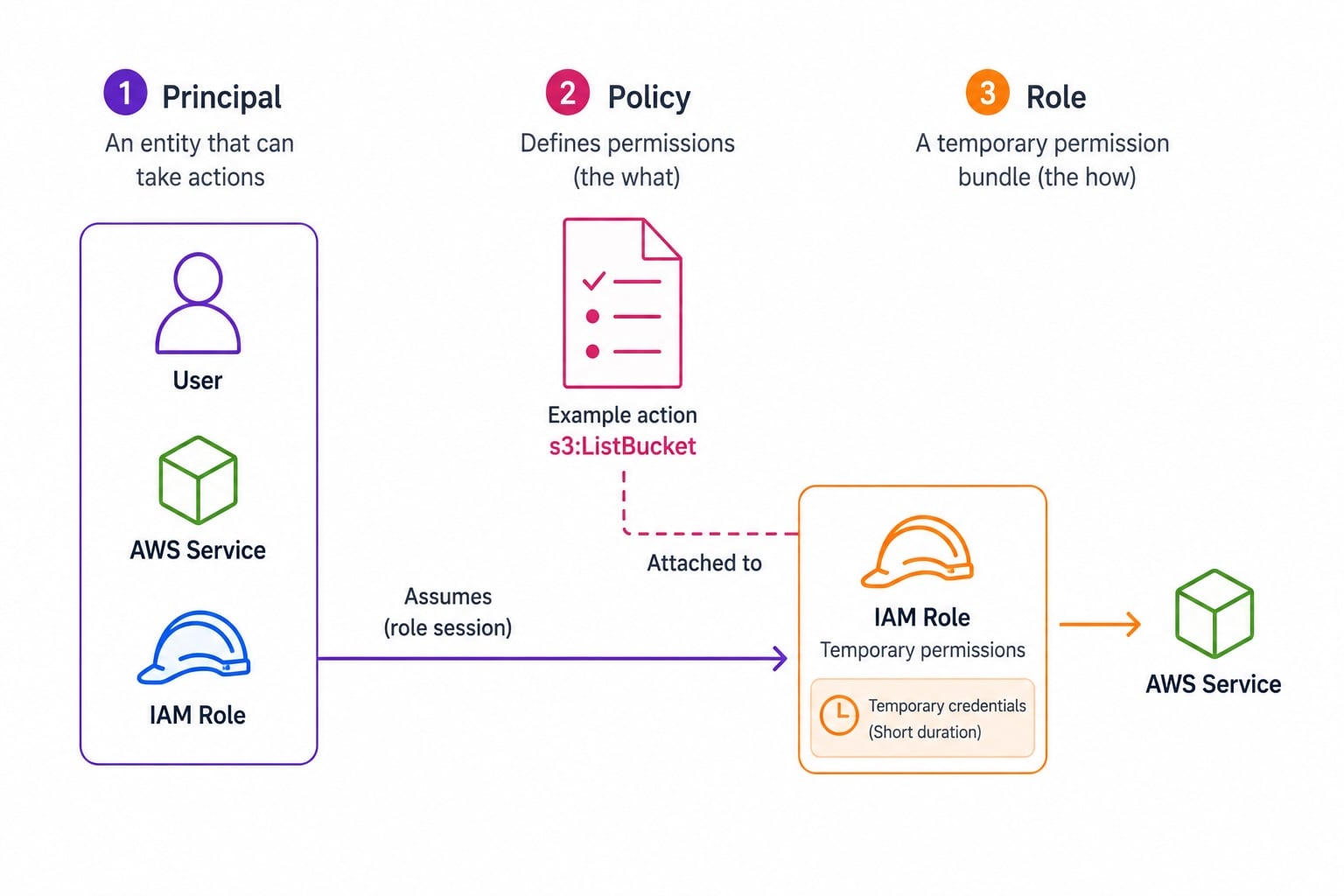
IAM three-column diagram: Principal (user, service, or role) on the left, Policy document with Allow/Deny actions in the center, IAM Role with temporary short-lived credentials on the right

  • Principal: who is making the request
  • Policy: a JSON document granting permissions
  • Role: a set of permissions an entity can assume
  • Roles are assumed; users hold long-lived credentials
Deploying Applications on AWS

Programmatic credentials done right

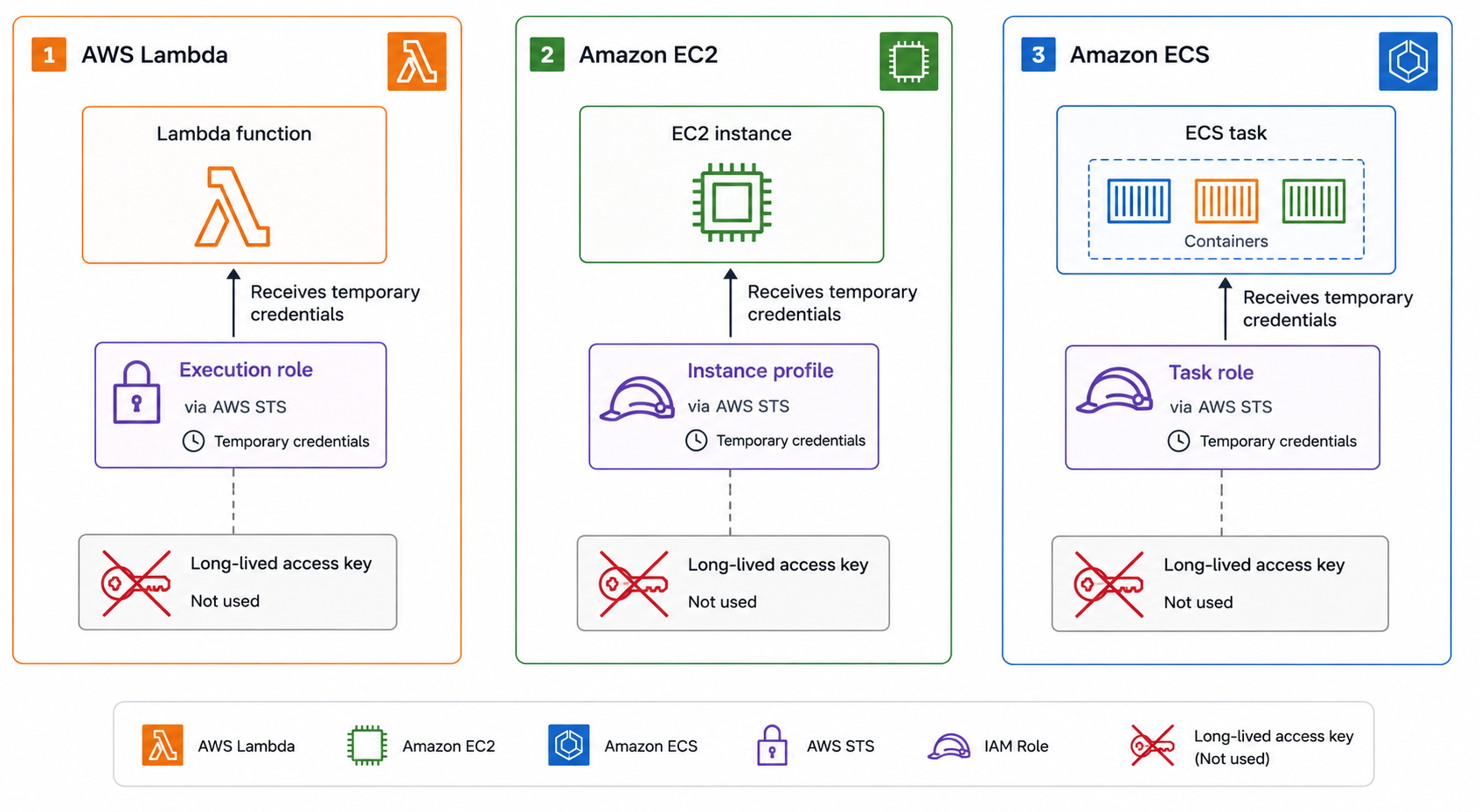
  • Lambda: an execution role grants permissions
  • EC2: an instance profile delivers role credentials
  • ECS: task roles scope permissions per task
  • No long-lived access keys in code or config

Three AWS compute services using roles without long-lived keys: Lambda with execution role, EC2 with instance profile, and ECS with task role, each showing automatic credential rotation

Deploying Applications on AWS

AssumeRole and STS

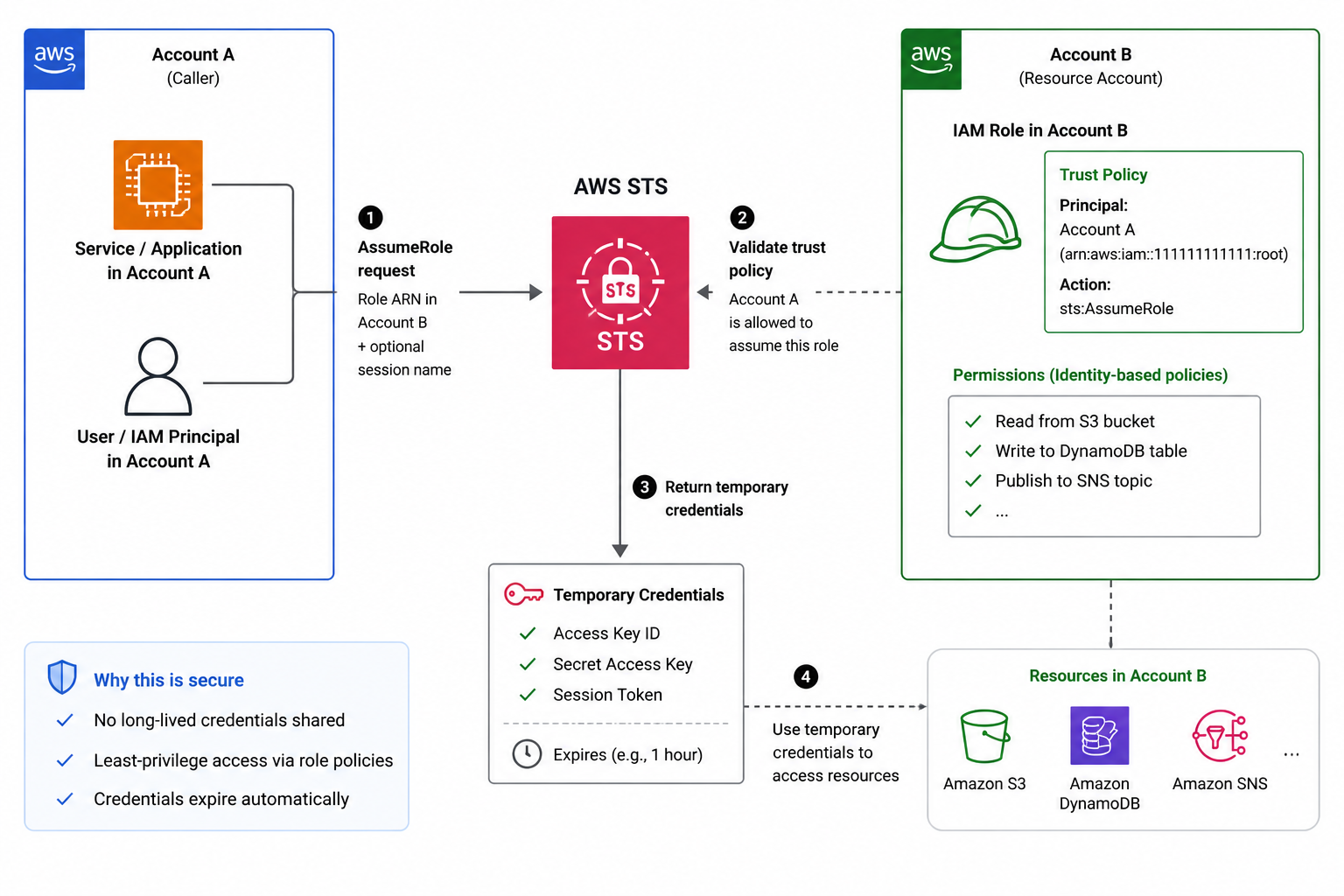
  • STS AssumeRole: get temporary credentials for a role
  • Used for cross-account access
  • The trust policy controls who may assume the role
  • Credentials are short-lived and auto-expire

STS AssumeRole cross-account flow: caller in Account A requests credentials from STS, trust policy on Account B role permits it, STS returns short-lived credentials that auto-expire

Deploying Applications on AWS

Least privilege and policy structure

A policy statement has three required parts (Effect, Action, and Resource) plus an optional Condition:

{
  "Effect": "Allow",
  "Action": "dynamodb:PutItem",
  "Resource": "arn:aws:dynamodb:us-east-1:123456789012:table/Orders",
  "Condition": {
    "Bool": { "aws:SecureTransport": "true" }
  }
}
Deploying Applications on AWS

Where IAM stops and your code begins


IAM: the service layer

  • Authorizes AWS API calls: can this role call this operation?
  • Cannot enforce per-tenant or per-record rules

Your code: the data layer

  • Checks the authenticated user against the data requested
  • Use both: IAM guards the service, your code guards the data
Deploying Applications on AWS

A least-privilege execution role in practice
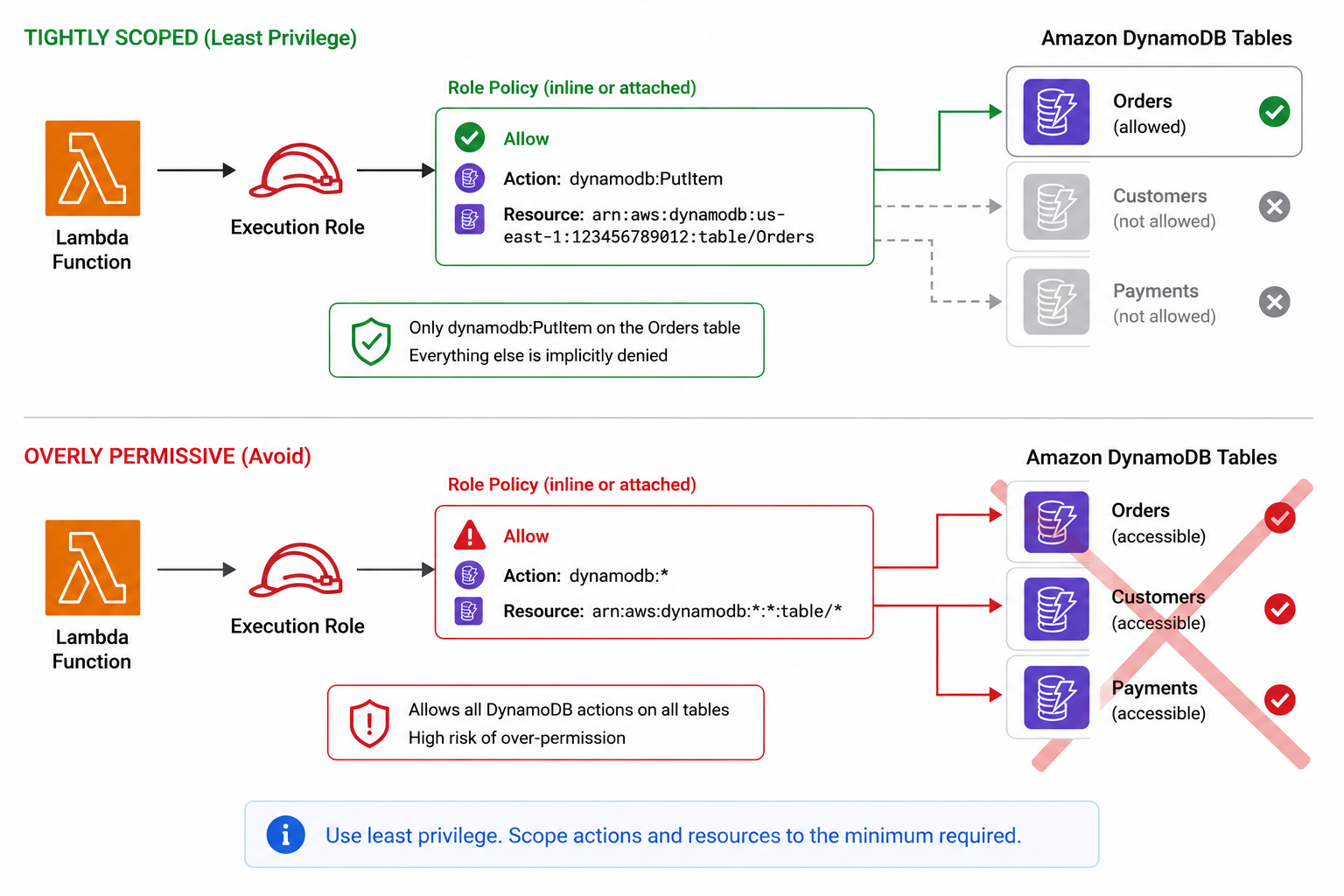
Minimal Lambda execution role: single DynamoDB PutItem permission granted only on one table ARN, with no wildcards on action or resource

  • A Lambda needs to write to one DynamoDB table
  • Grant dynamodb:PutItem on that table's ARN only
  • No wildcards on action or resource
  • Add more only if a real call is denied
Deploying Applications on AWS

Let's practice!

Deploying Applications on AWS

Preparing Video For Download...