Configuring AWS Lambda for production

Deploying Applications on AWS

Dunieski Otano

Amazon Web Services Solutions Architect

It worked in test
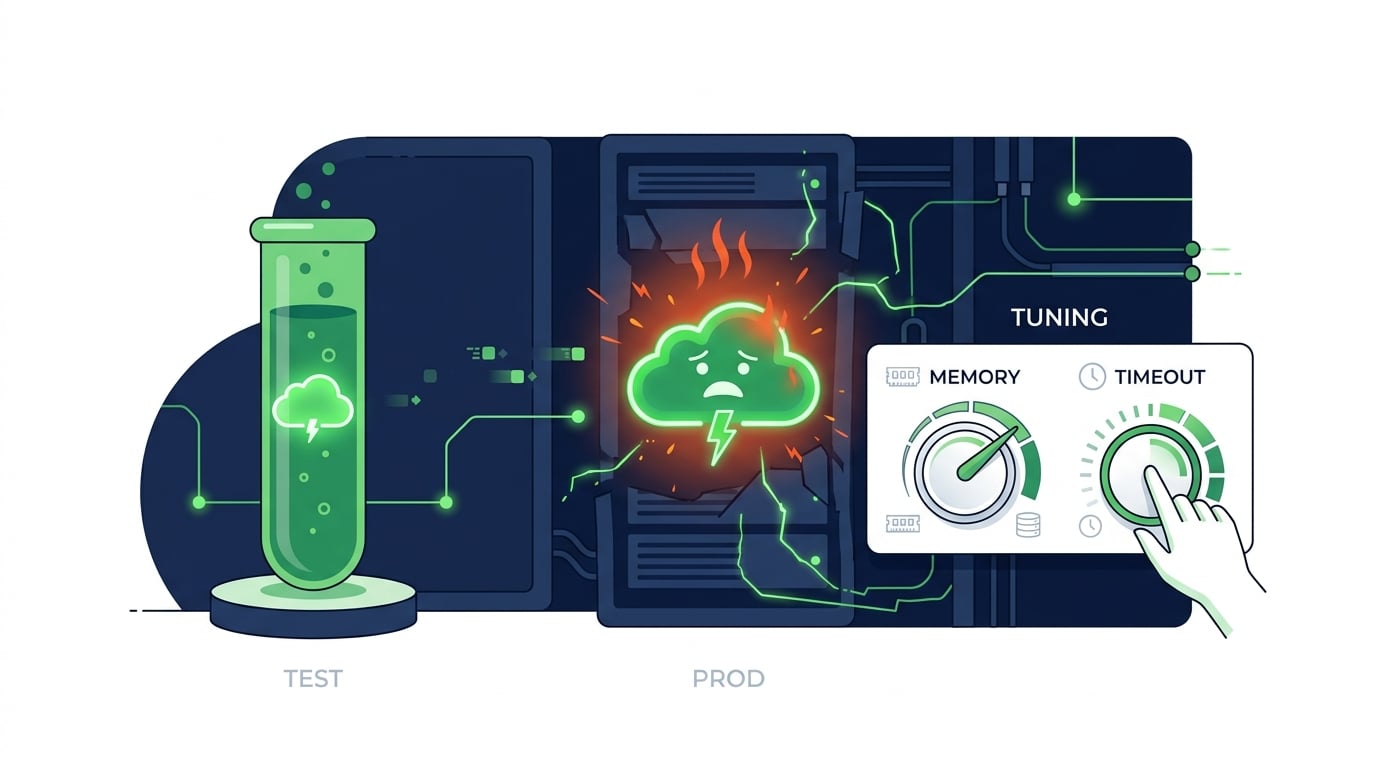
  • The function passed every test
  • In production it times out and throttles
  • The code was fine; the configuration wasn't

A serverless function that passed testing but struggles in production, with memory and timeout dials being tuned

Deploying Applications on AWS

Lambda configuration that matters in production
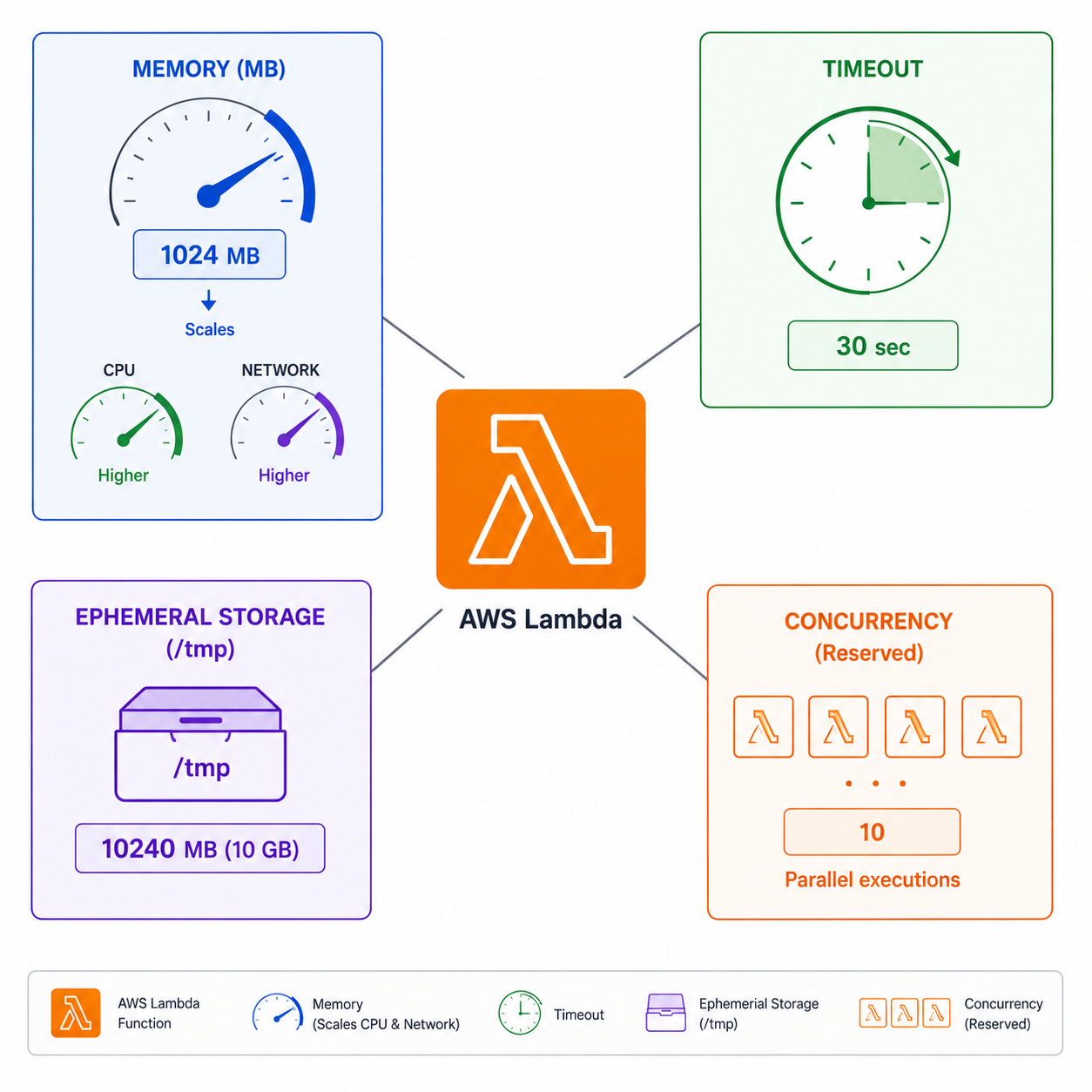
Central Lambda logo with four radiating production configuration boxes: Memory with CPU scaling dial, Timeout with clock, Ephemeral Storage, and Concurrency showing parallel function instances

  • Memory: also scales CPU and network
  • Timeout: max seconds before the function is killed
  • Ephemeral storage: temporary space in /tmp
  • Concurrency: how many run at once
Deploying Applications on AWS

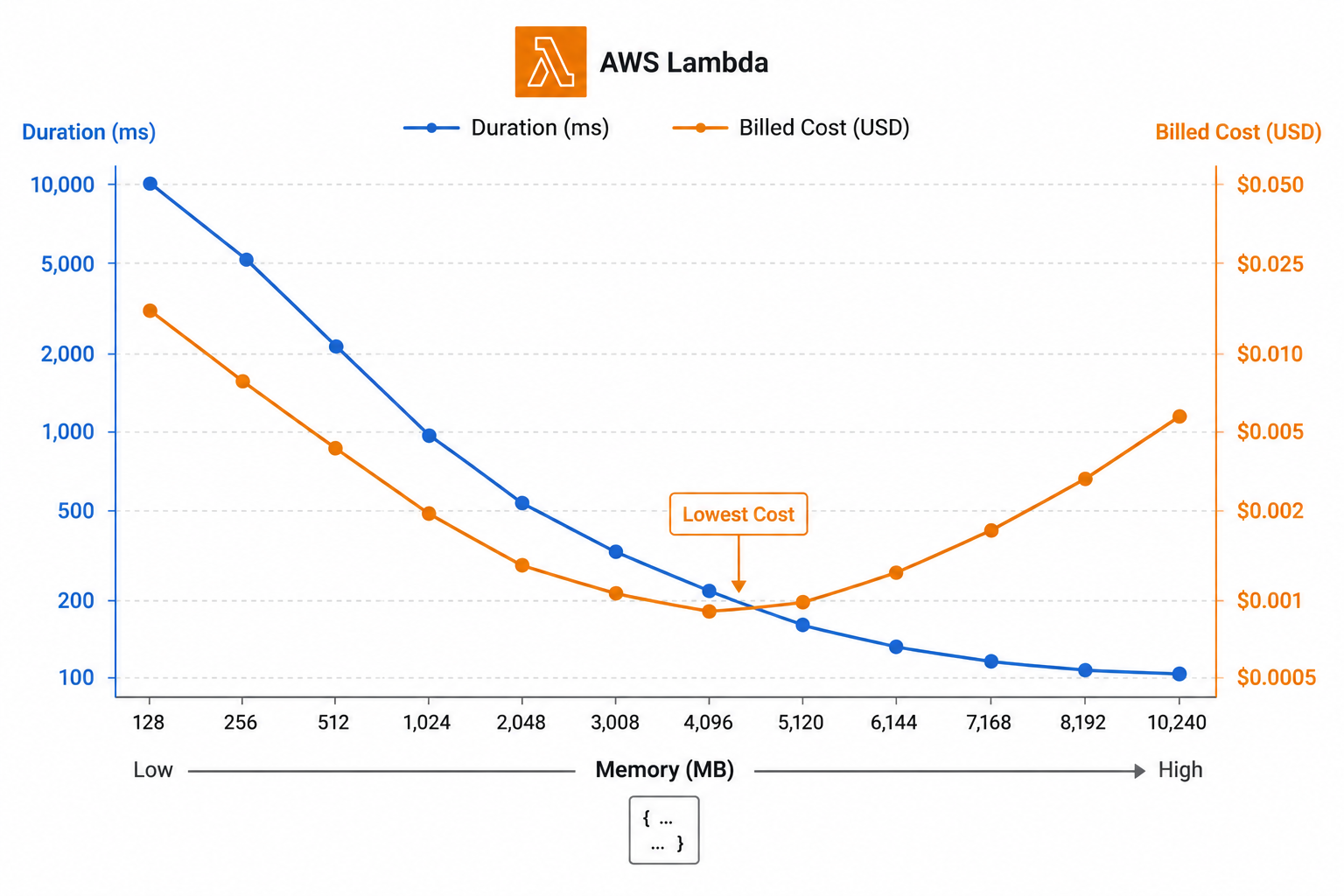
Memory sizing and the CPU link

  • More memory = proportionally more CPU
  • A CPU-bound function can run faster at higher memory
  • Faster duration can mean lower cost
  • Right-size by testing, not by guessing

Memory-vs-cost curve: duration drops steeply as memory increases then flattens, total cost forms a U-shape with the cheapest optimal point highlighted in the middle

Deploying Applications on AWS

Concurrency: reserved vs provisioned


Reserved concurrency

  • Caps the maximum simultaneous executions
  • Protects downstream systems and other functions

Provisioned concurrency

  • Pre-warms instances, so there is no cold start
  • For latency-sensitive, user-facing functions
Deploying Applications on AWS

Packaging configuration and shared code
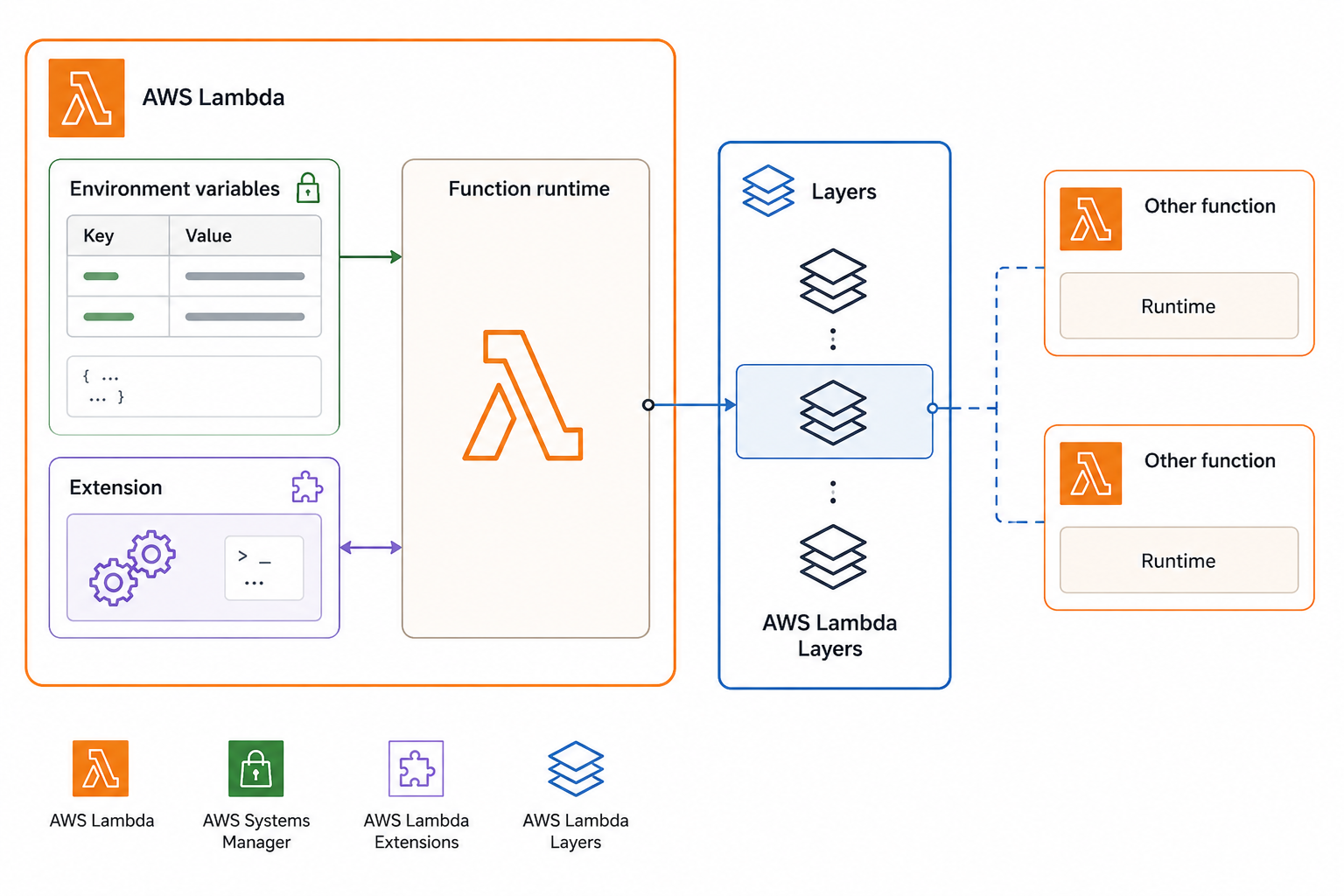
  • Environment variables: per-environment configuration
  • Layers: share code and dependencies across functions
  • Extensions: run alongside the function for tools
  • Keep config out of the deployment package

Lambda packaging options: environment variables holding external config, layers sharing common libraries across functions, and extensions running alongside the handler for monitoring or secrets

Deploying Applications on AWS

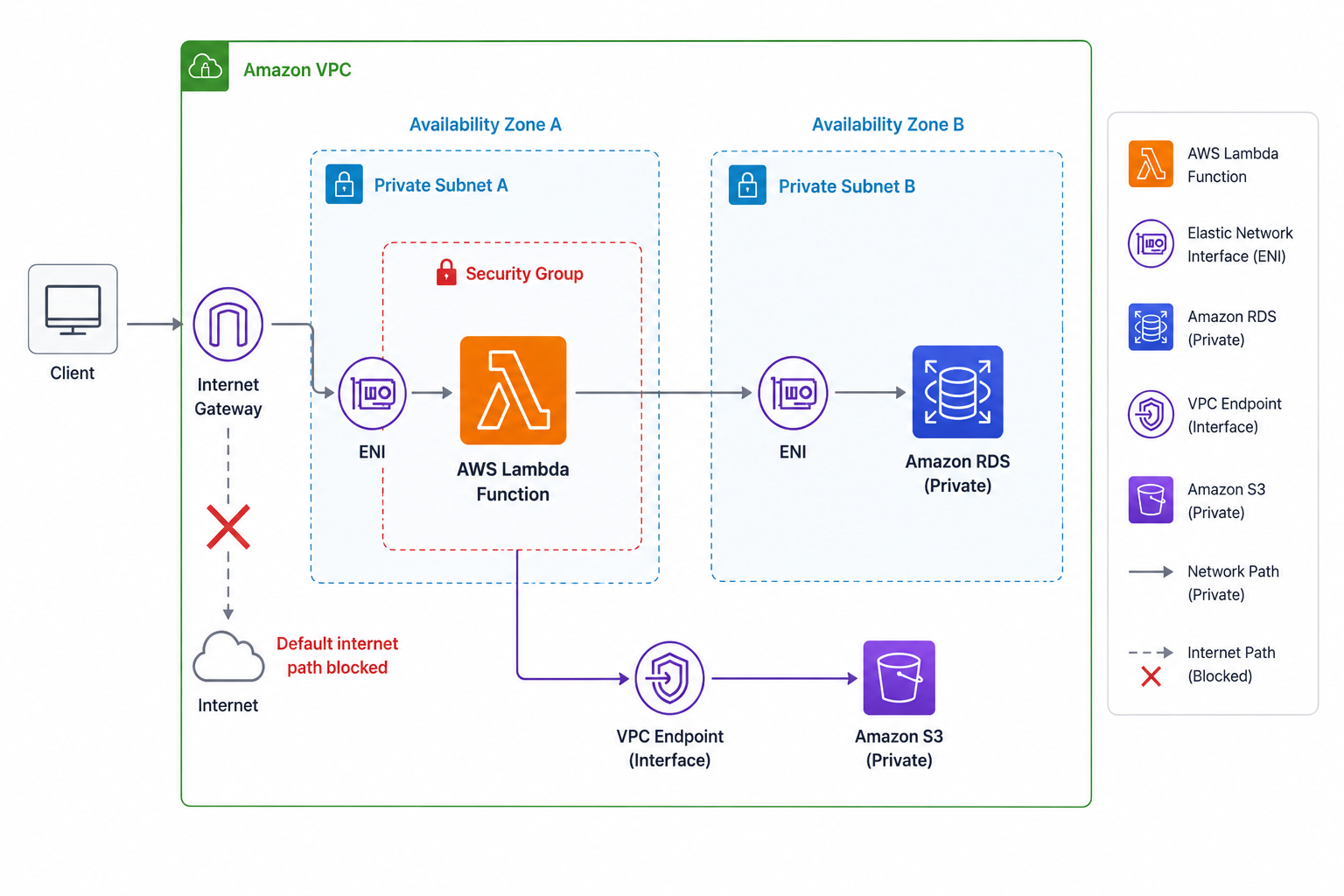
Connecting Lambda to a VPC

Lambda connected to a private VPC via ENIs in private subnets, security group controlling outbound access, and a NAT gateway providing internet connectivity

  • Attach Lambda to private subnets for internal resources
  • Lambda creates ENIs in your VPC
  • Security groups control what it can reach
  • Needs a NAT or VPC endpoint for outside access
Deploying Applications on AWS

Handling failures with destinations and DLQs
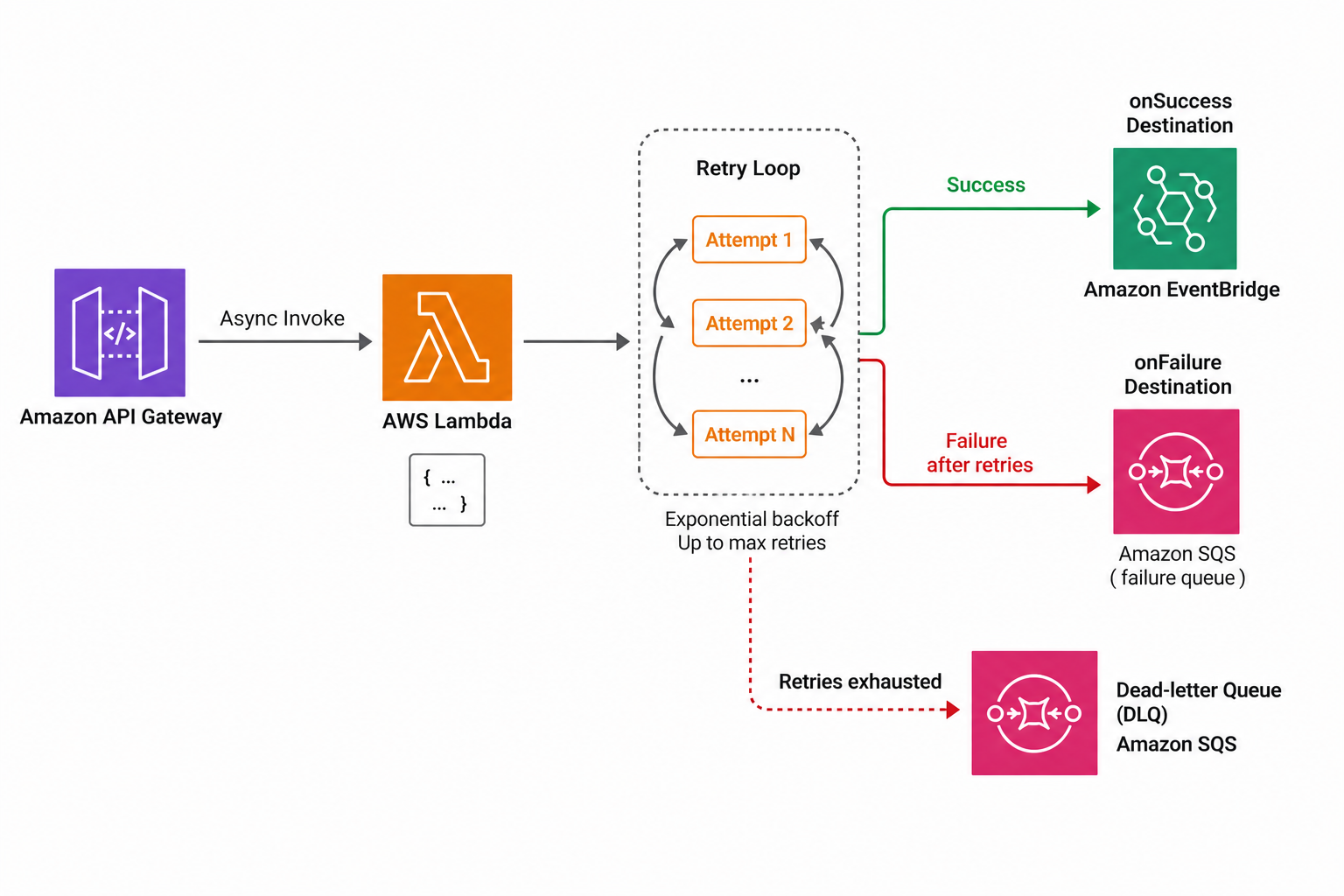
  • Async invokes retry automatically on failure
  • Lambda Destinations: route onSuccess and onFailure
  • Dead-letter queue: capture events that never succeed
  • Never silently drop a failed event

Lambda async failure handling: retry loop leading to Lambda Destinations with onSuccess and onFailure branches, and a dead-letter queue capturing events that exhaust all retries

Deploying Applications on AWS

Let's practice!

Deploying Applications on AWS

Preparing Video For Download...