Distributed tracing with AWS X-Ray and structured logging
Deploying Applications on AWS
Dunieski Otano
Amazon Web Services Solutions Architect
The slow request nobody could find
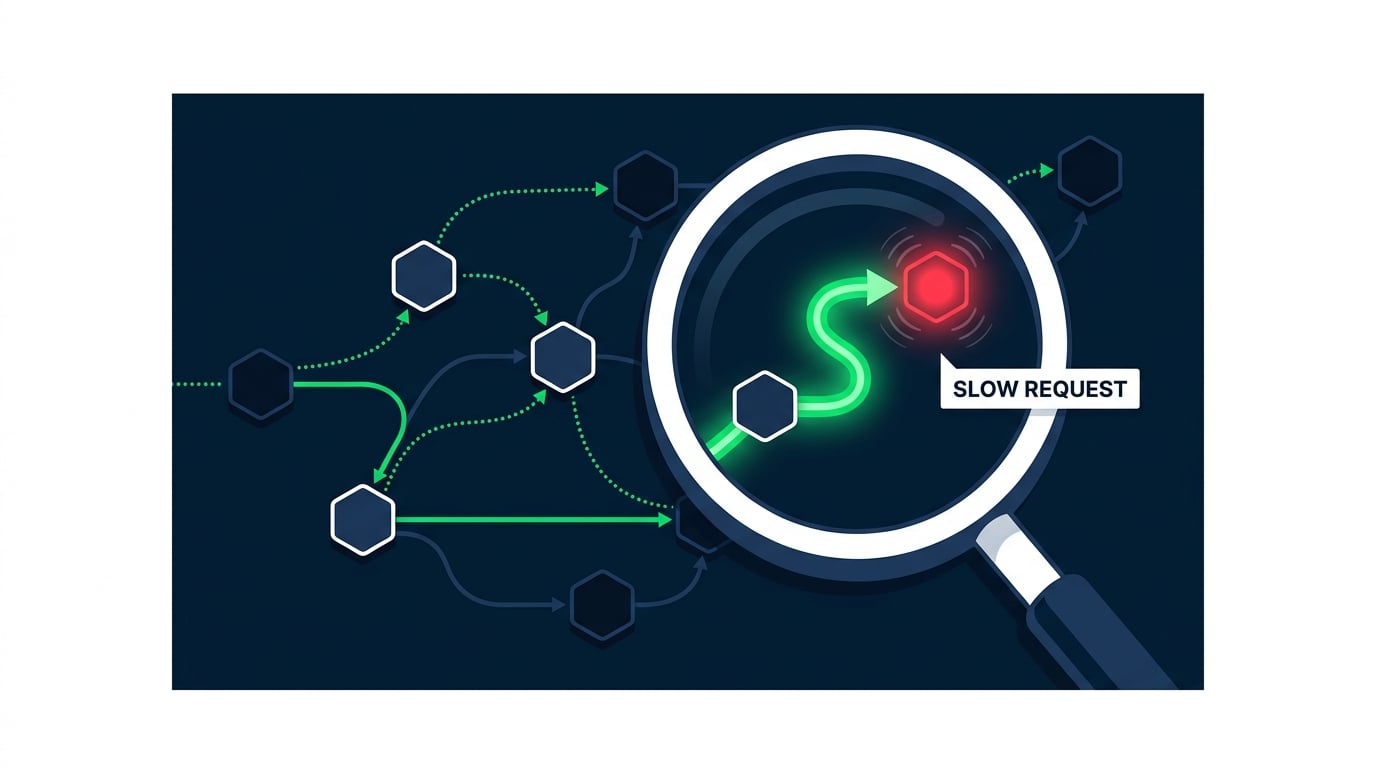
One request takes four seconds
Each service's logs look fine alone
No one can see the whole path
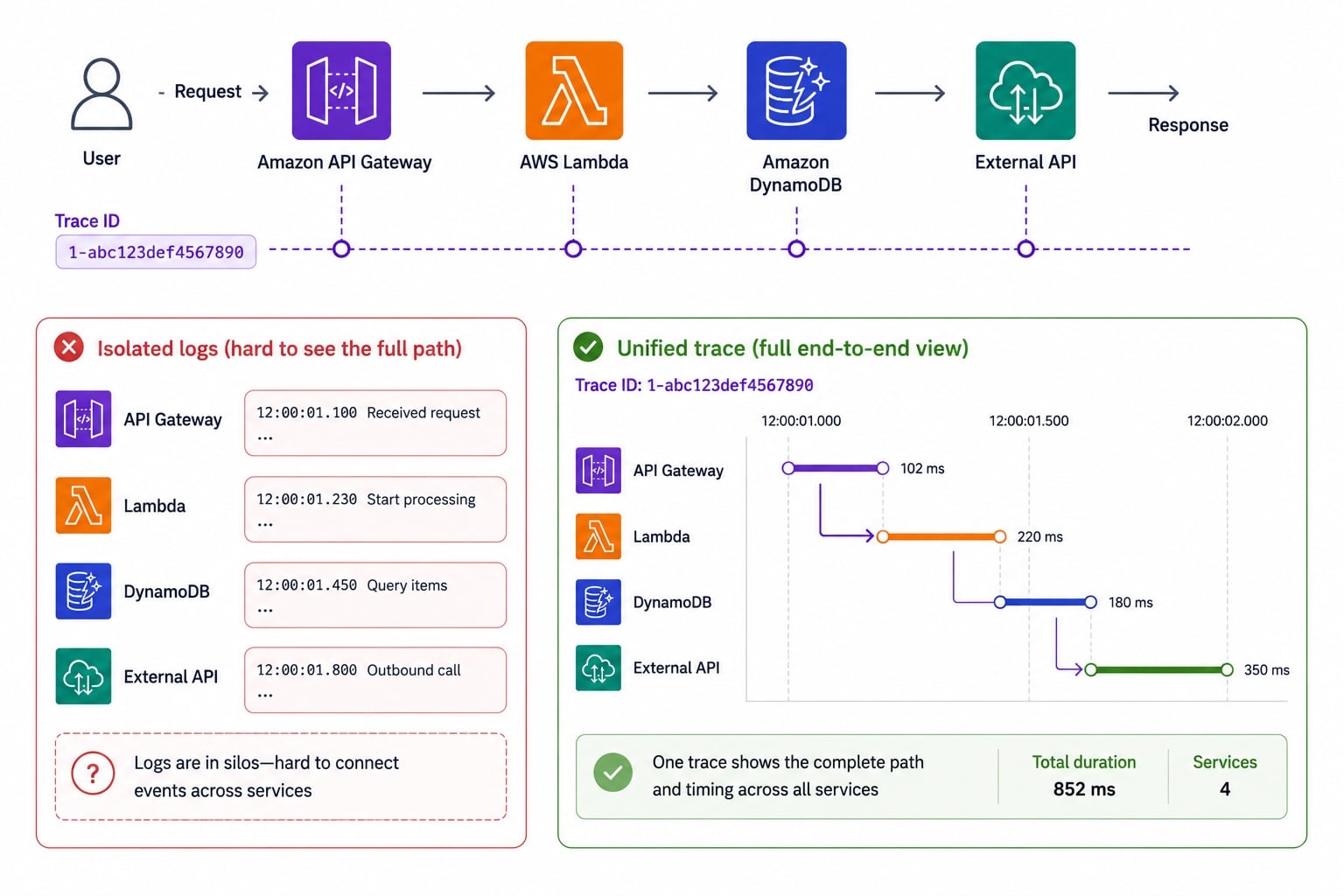
What distributed tracing solves
One request touches
many services
Logs alone can't show the
end-to-end path
A
trace
stitches the whole request together
See exactly where the time went
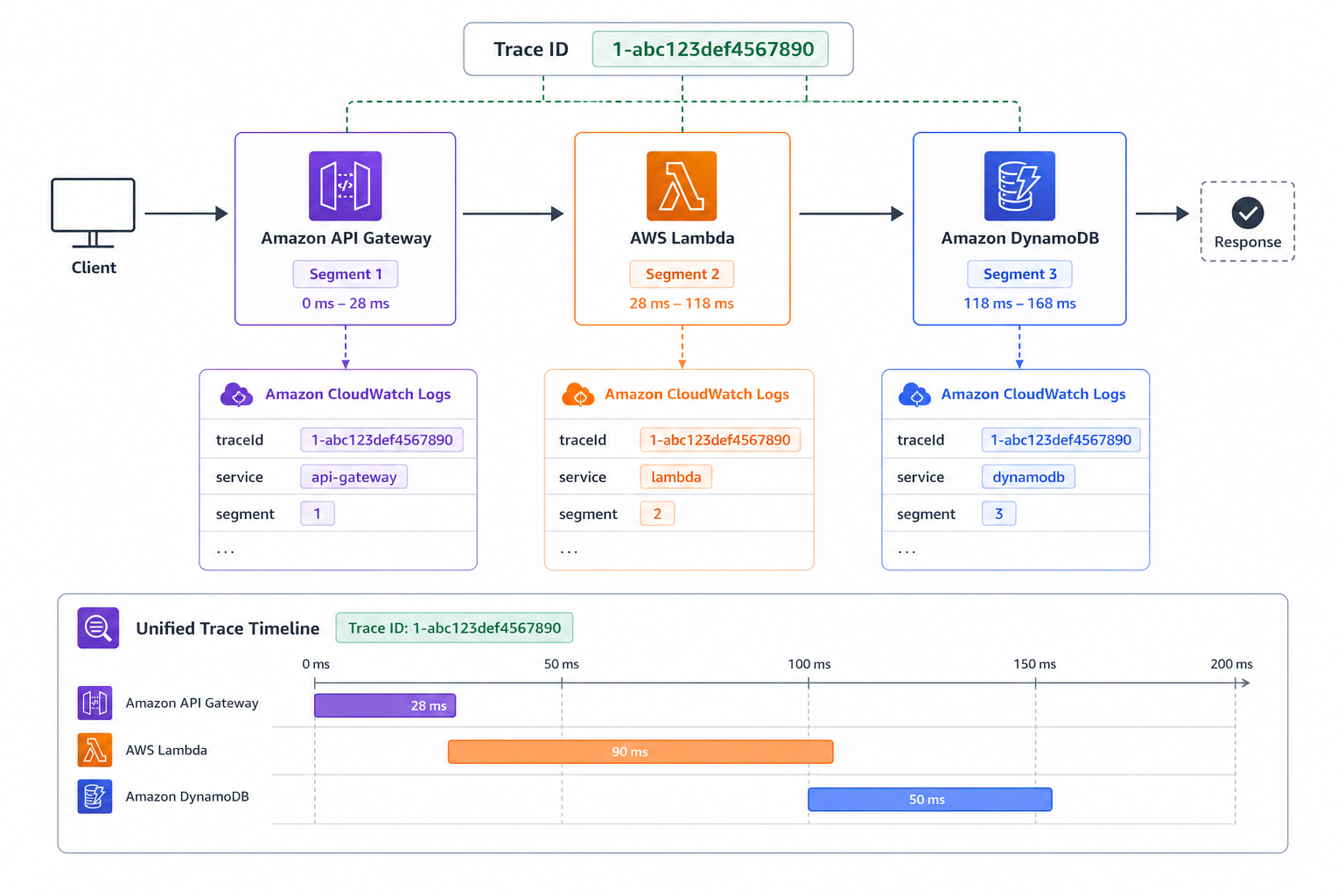
Segments, subsegments, and the service map
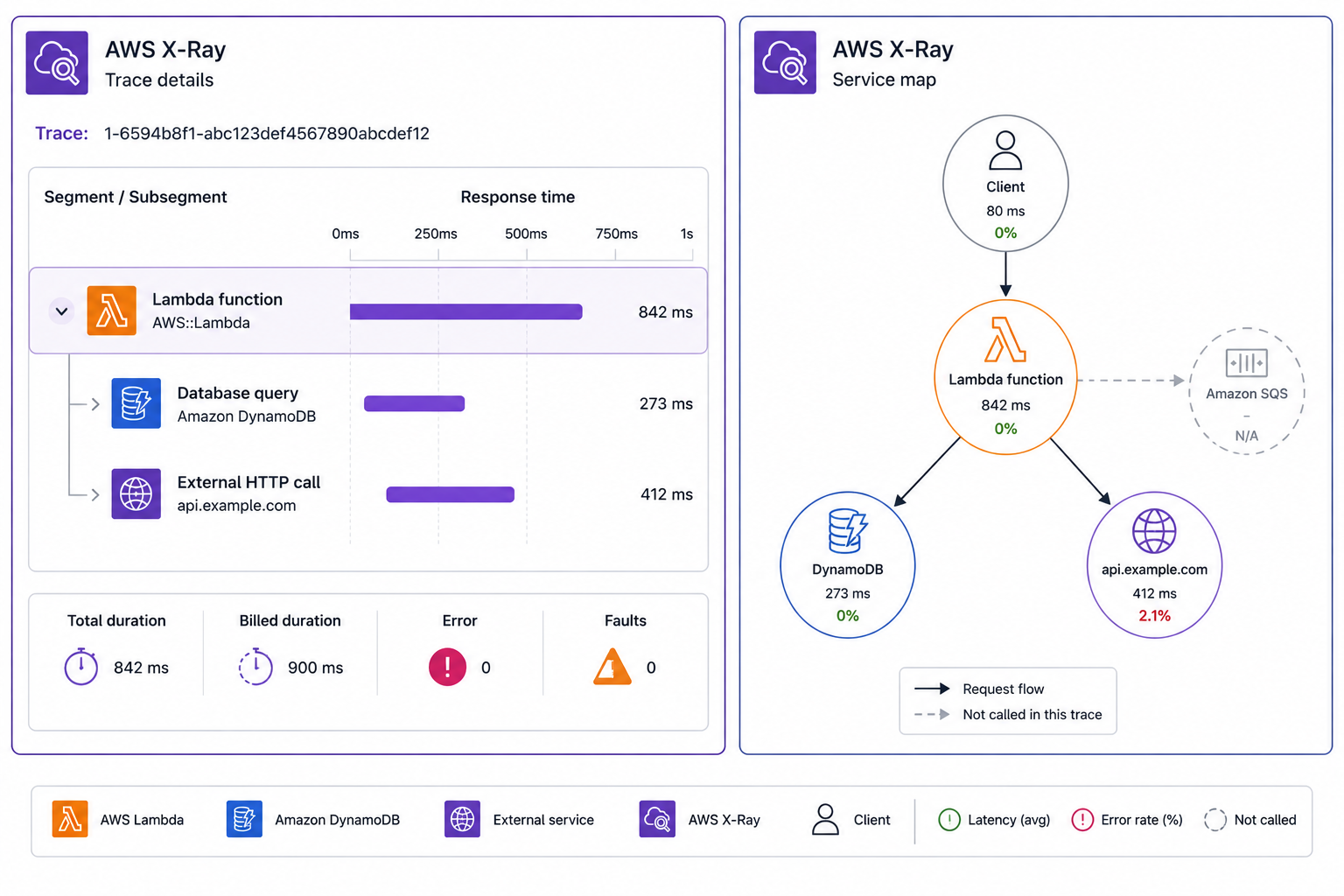
Segment
: the work done by one service
Subsegment
: a unit inside a segment, like a DB call
Service map
: a visual graph of all segments
Latency and errors show on each node
Annotations vs metadata
Annotations
Indexed key-values, so they are
filterable
Use for things you'll search by, like customer tier
Metadata
Extra detail,
not indexed
Attach it for context, but you can't search by it
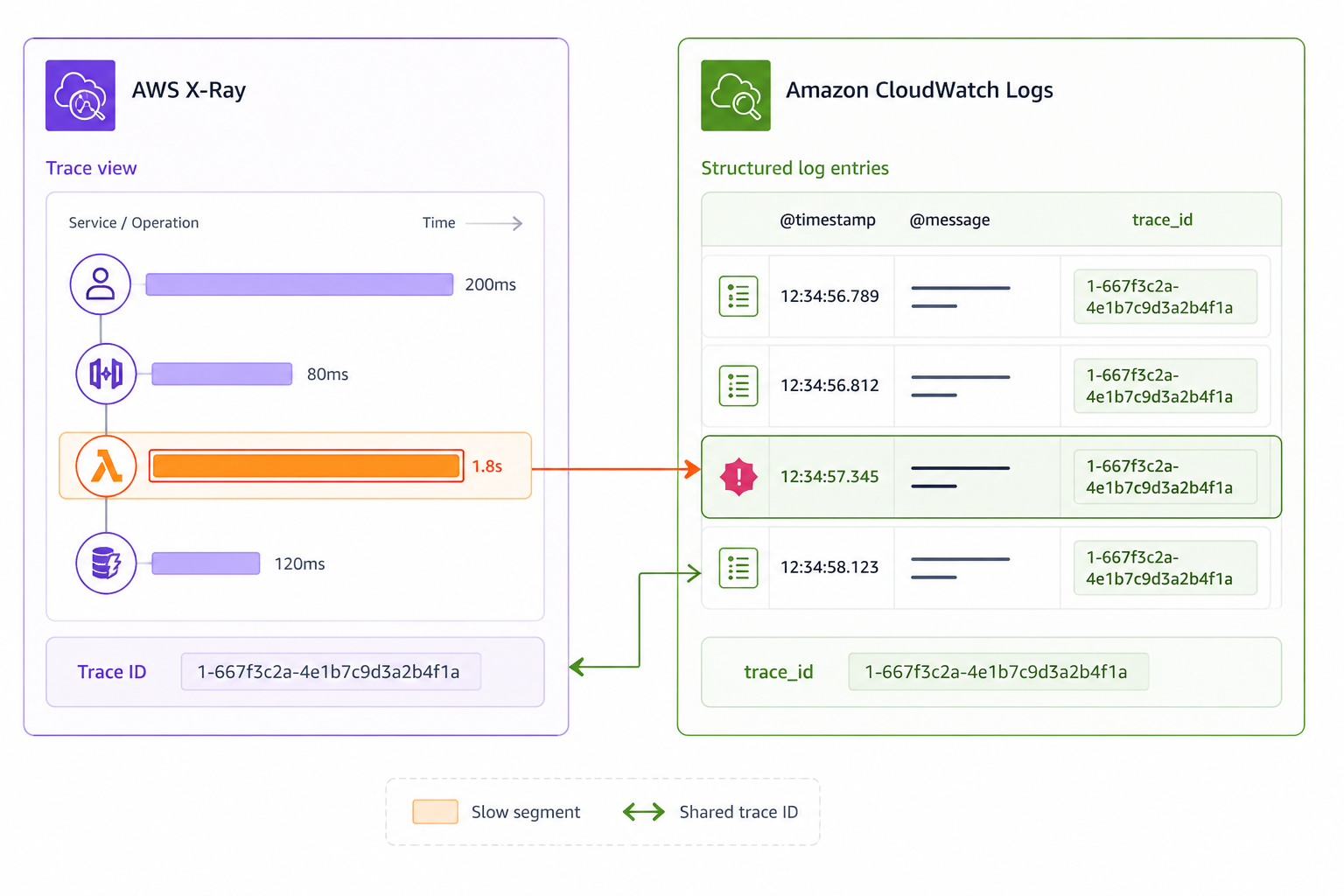
Correlating logs with trace IDs
Each trace has a unique
trace ID
Include the trace ID in your
structured logs
Jump from a slow trace to its exact log lines
Logs and traces become one investigation
Reading the service map to find the bottleneck
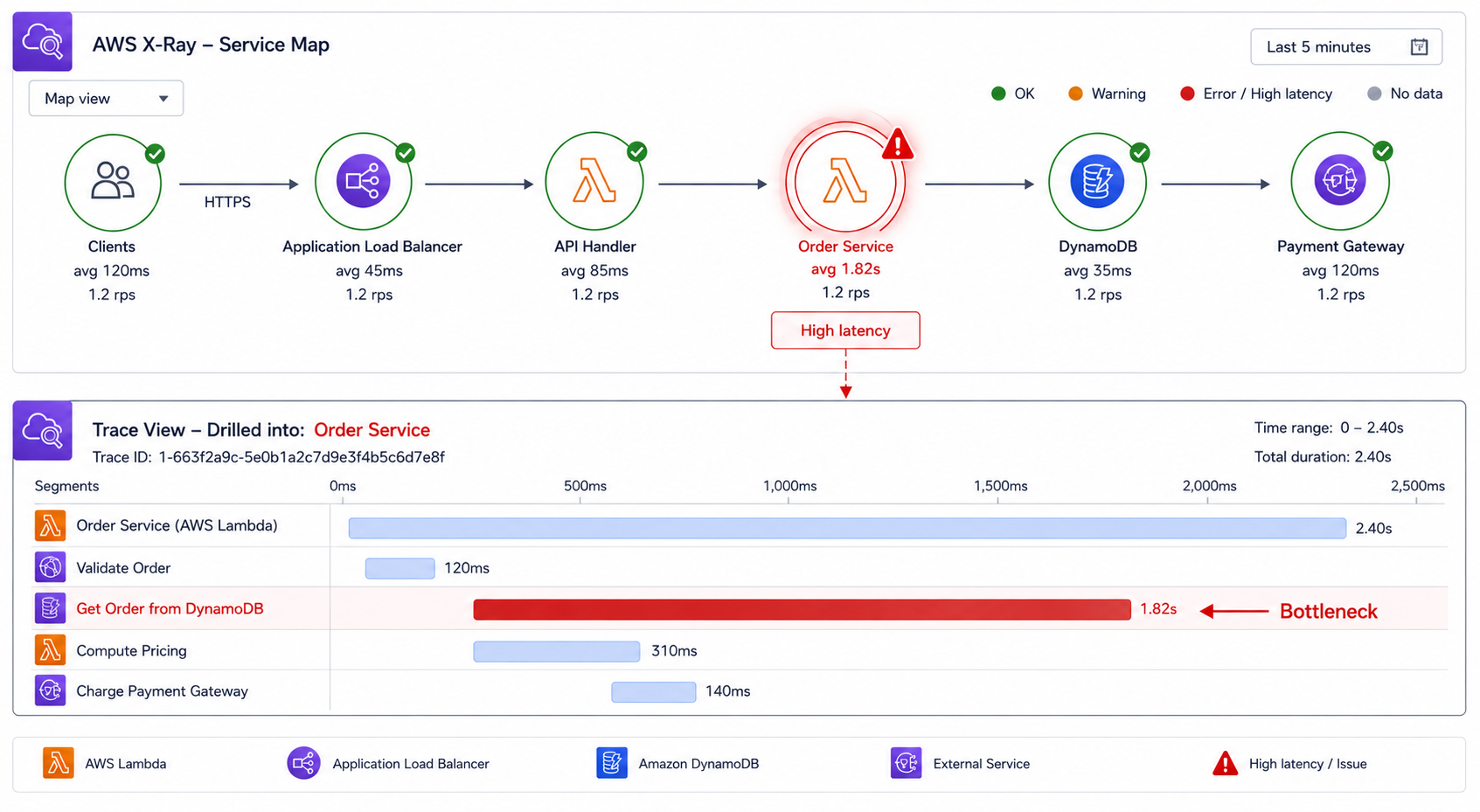
Start at the
service map
, not the logs
Find the node with the highest
latency
Drill into its
trace timeline
The longest segment is your suspect
Tracing across the full request
API Gateway, Lambda, and downstream calls all
traced
Each adds its
segment
to the same trace
One trace ID ties logs and segments together
End-to-end visibility for every request
Let's practice!
Deploying Applications on AWS
Preparing Video For Download...