Wprowadzenie do AWS Boto w Pythonie
Maksim Pecherskiy
Data Engineer
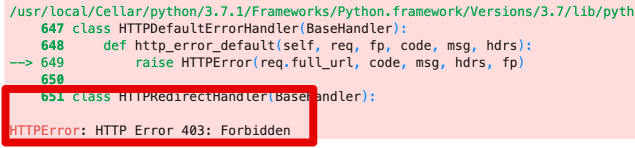
df = pd.read_csv('https://gid-staging.potholes.csv')
Pobierz plik
s3.download_file(
Filename='potholes_local.csv',
Bucket='gid-staging',
Key='2019/potholes_private.csv')
Odczyt z dysku
pd.read_csv('./potholes_local.csv')
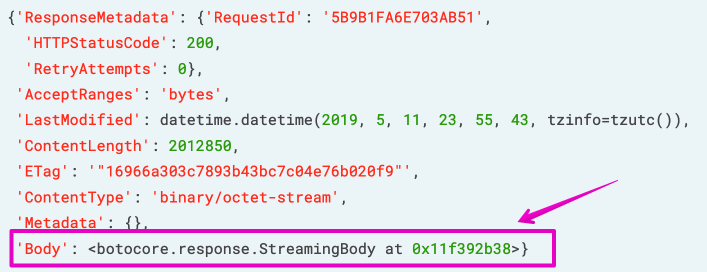
Użyj '.get_object()'
obj = s3.get_object(Bucket='gid-requests', Key='2019/potholes.csv')
print(obj)

Pobierz obiekt
obj = s3.get_object(
Bucket='gid-requests',
Key='2019/potholes.csv')
Wczytaj StreamingBody do Pandas
pd.read_csv(obj['Body'])
Przykład
https://?AWSAccessKeyId=12345&Signature=rBmnrwutb6VkJ9hE8Uub%2BBYA9mY%3D&Expires=1557624801
Prześlij plik
s3.upload_file(
Filename='./potholes.csv',
Key='potholes.csv',
Bucket='gid-requests')
Generowanie presigned URL
share_url = s3.generate_presigned_url(
ClientMethod='get_object',
ExpiresIn=3600,
Params={'Bucket': 'gid-requests','Key': 'potholes.csv'}
)
Otwarcie w Pandas
pd.read_csv(share_url)
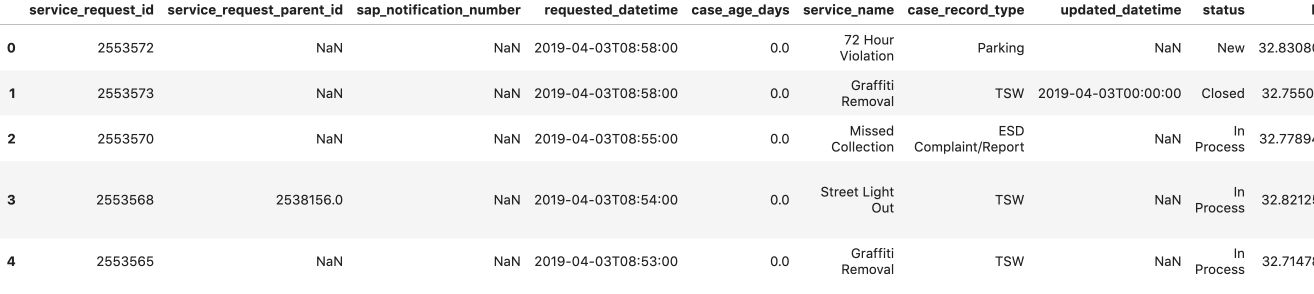
# Create list to hold our DataFrames df_list = []# Request the list of csv's from S3 with prefix; Get contents response = s3.list_objects( Bucket='gid-requests', Prefix='2019/')# Get response contents request_files = response['Contents']
# Iterate over each object for file in request_files: obj = s3.get_object(Bucket='gid-requests', Key=file['Key'])# Read it as DataFrame obj_df = pd.read_csv(obj['Body'])# Append DataFrame to list df_list.append(obj_df)
# Concatenate all the DataFrames in the list df = pd.concat(df_list)# Preview the DataFrame df.head()
Pobierz, a następnie otwórz
s3.download_file()
Otwórz bezpośrednio
s3.get_object()
Generuj presigned URL
s3.generate_presigned_url()
Generowanie za pomocą .format()
'https://{bucket}.{key}'
Generowanie za pomocą .get_presigned_url()
'https://?AWSAccessKeyId=12345&Signature=rBmnrwutb6VkJ9hE8Uub%2BBYA9mY%3D&Expires=1557624801'
Wprowadzenie do AWS Boto w Pythonie