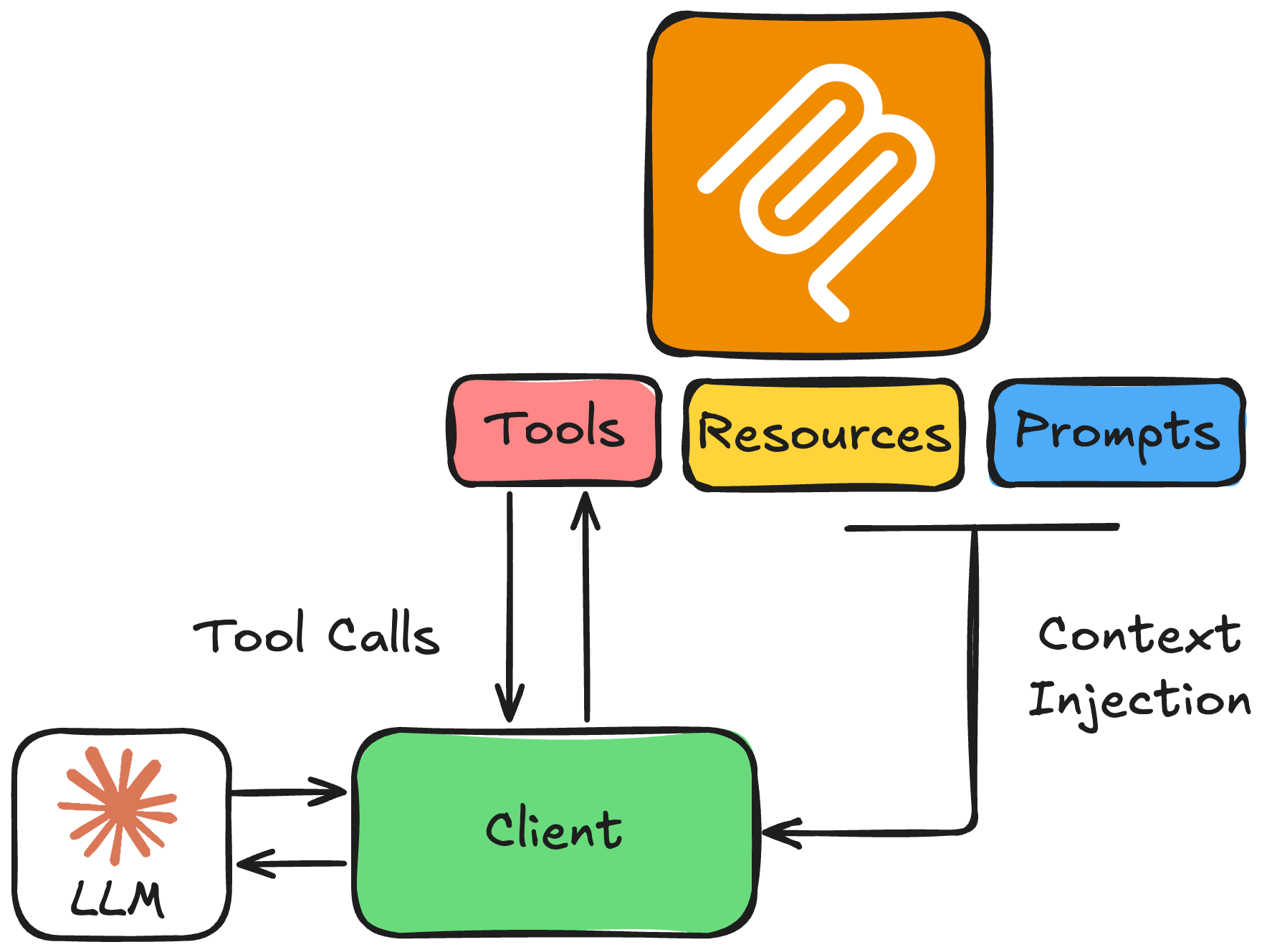
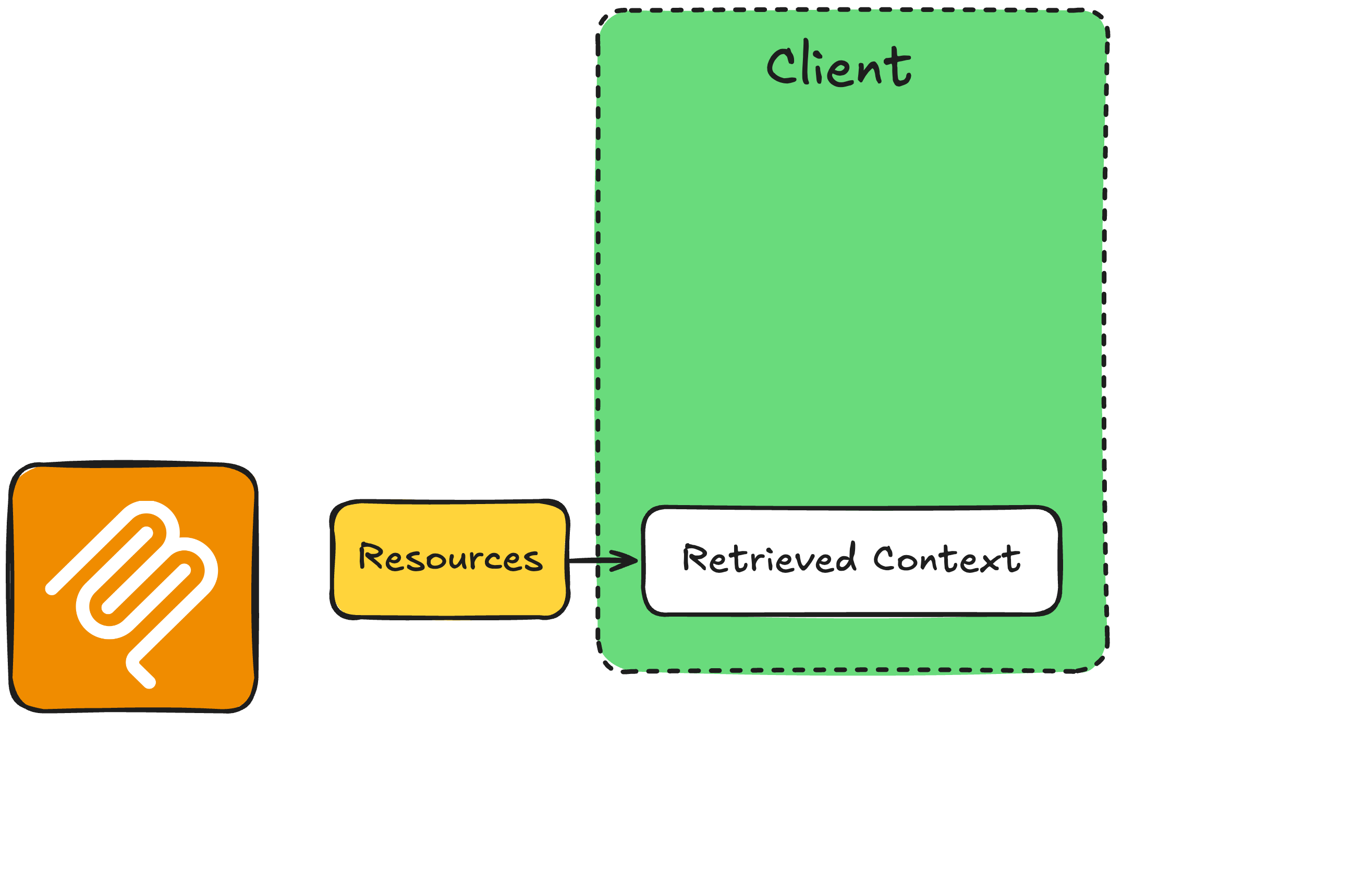
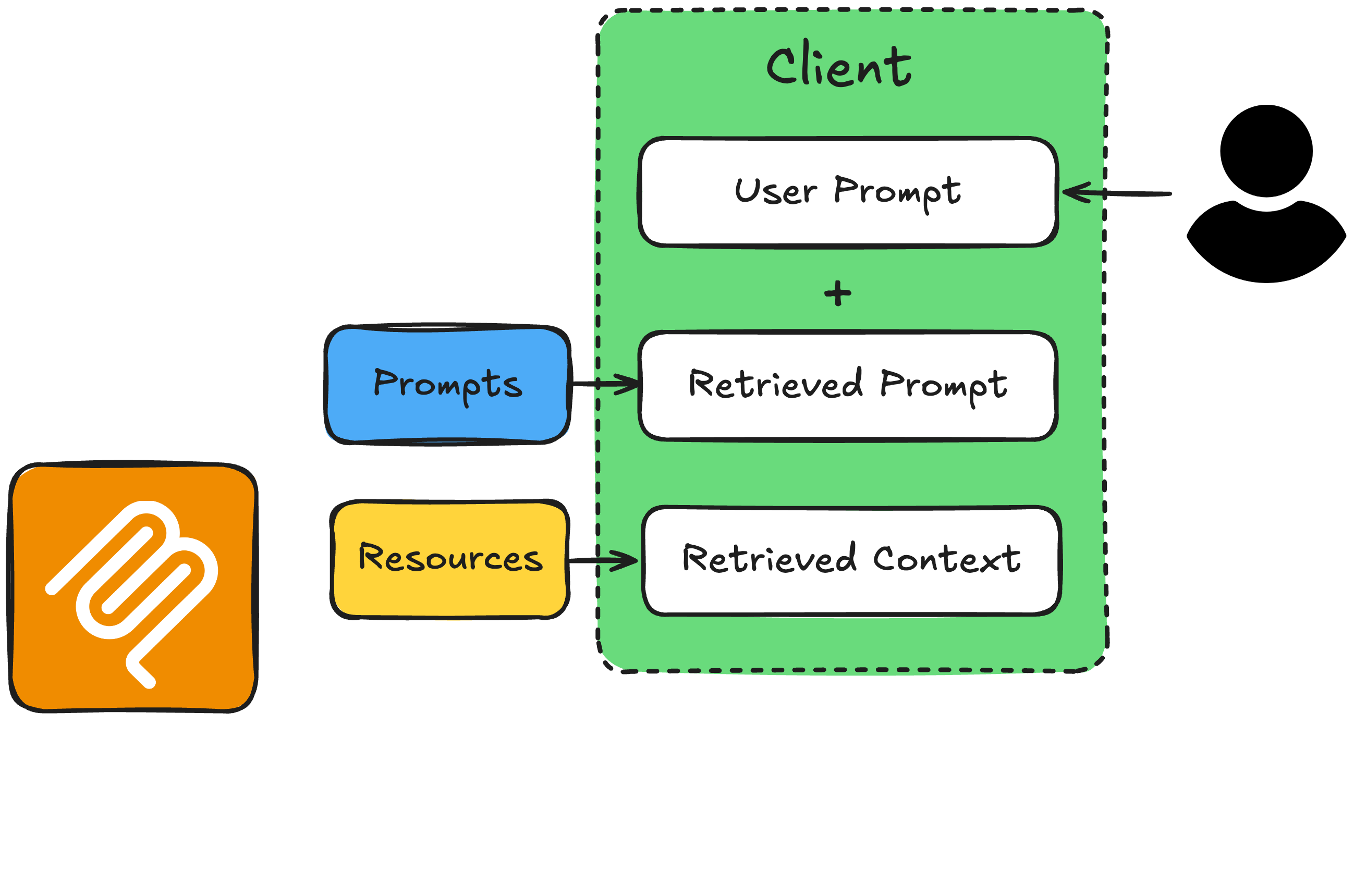
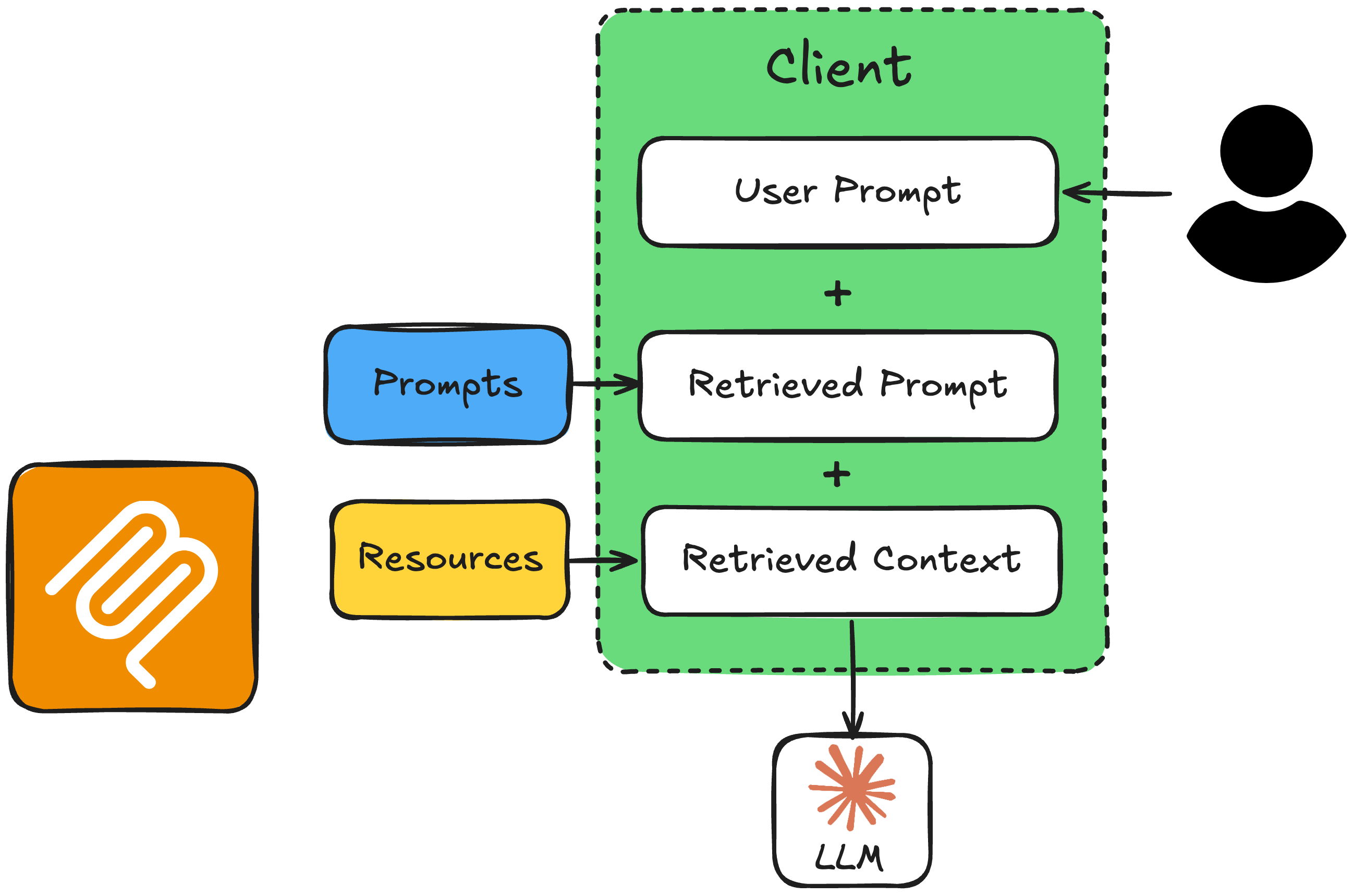
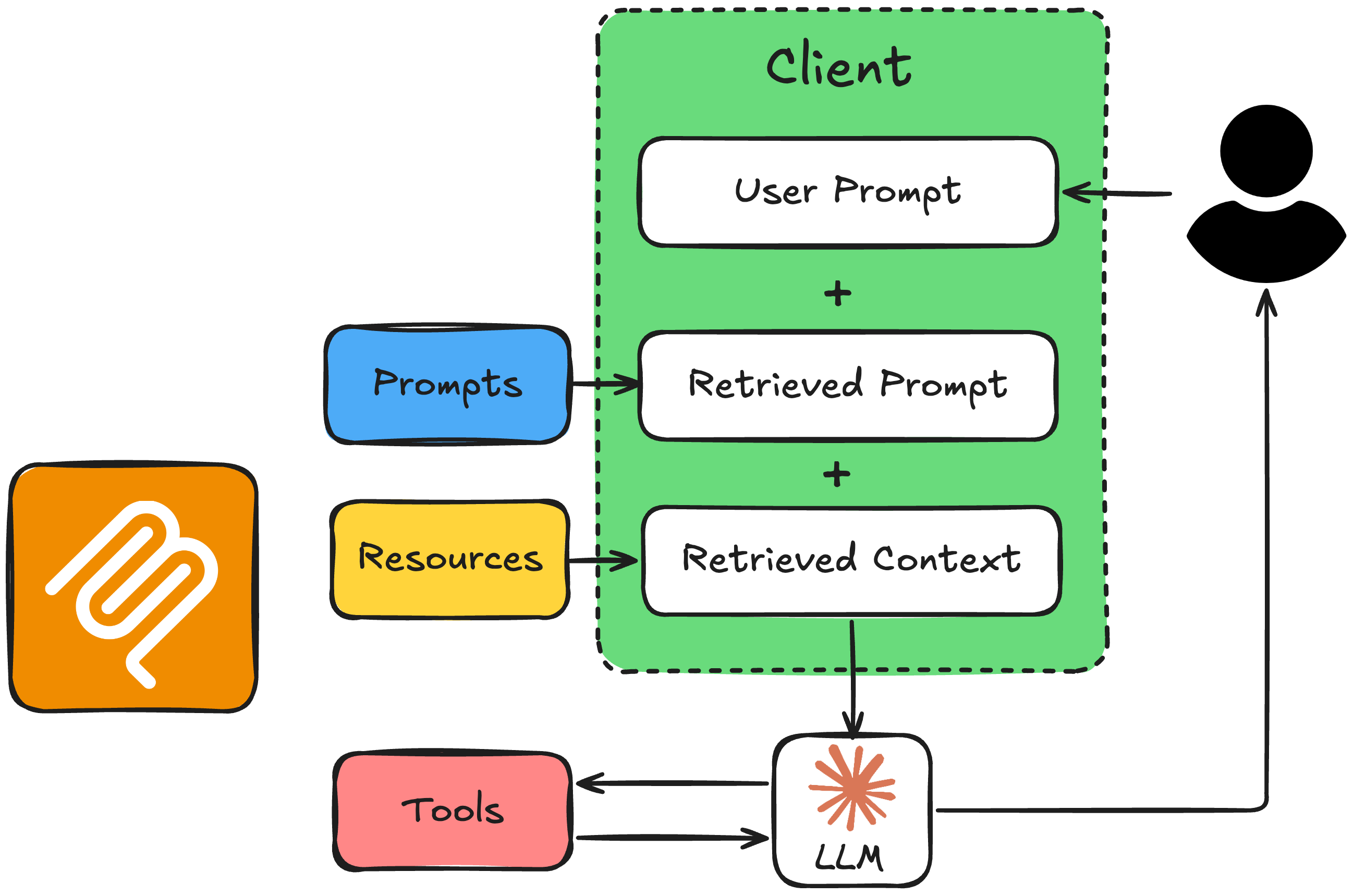
async def get_context_from_mcp(user_query: str) -> tuple[str, str]:
    """Fetch resource content and prompt text from the MCP server."""
    params = StdioServerParameters(command=sys.executable, args=["timezone_server.py"])

    async with stdio_client(params) as (reader, writer):
        async with ClientSession(reader, writer) as session:
            await session.initialize()

            # Get the resource (supported locations)
            resource_result = await session.read_resource("file://locations.txt")
            resource_text = resource_result.contents[0].text

            # Get the prompt with the user's query
            prompt_result = await session.get_prompt("convert_timezone_prompt",
                                                     arguments={"timezone_request": user_query})
            prompt_text = prompt_result.messages[0].content.text

            return resource_text, prompt_text
2. 构建系统消息并调用 LLM
async def call_llm_with_context(user_query: str):
    """Call the LLM with resource and prompt context from MCP."""

    resource_text, prompt_text = await get_context_from_mcp(user_query)

    # Combine prompt (task + rules + user request) with resource (supported locations)
    full_prompt = prompt_text + "\n\nSupported locations:\n" + resource_text

    client = AsyncAnthropic(api_key="<ANTHROPIC_API_TOKEN>")
    response = await client.messages.create(
        model="claude-sonnet-4-6",
        max_tokens=1024,
        messages=[{"role": "user", "content": full_prompt}],
        tools=anthropic_tools,  # from get_tools_from_mcp(), formatted for Anthropic
    )
3. 处理响应
    if response.stop_reason == "end_turn":
        text = next((b.text for b in response.content if b.type == "text"), "")
        print(f"\nAssistant: {text}")
        return str(text)

    if response.stop_reason == "tool_use":
        tool_use = next(b for b in response.content if b.type == "tool_use")
        result = await call_mcp_tool(
            tool_use.name, tool_use.input)
        # ... send the tool_result back in a follow-up
        #     request, then print the reply, as before
示例:请求含糊
if __name__ == "__main__":
    asyncio.run(call_llm_with_context("What time is it in Canada?"))
Assistant: Canada has several time zones. Which city or region do you mean?
For example, Toronto, Vancouver, or Halifax?
示例:请求清晰
if __name__ == "__main__":
    asyncio.run(call_llm_with_context("It is 9:50 AM in the UK in January. What
        time is it in Lisbon, Portugal?"))