Prompts dans les serveurs MCP
Introduction au Model Context Protocol (MCP)

James Chapman
AI Curriculum Manager, DataCamp
Qu'est-ce que les prompts MCP ?
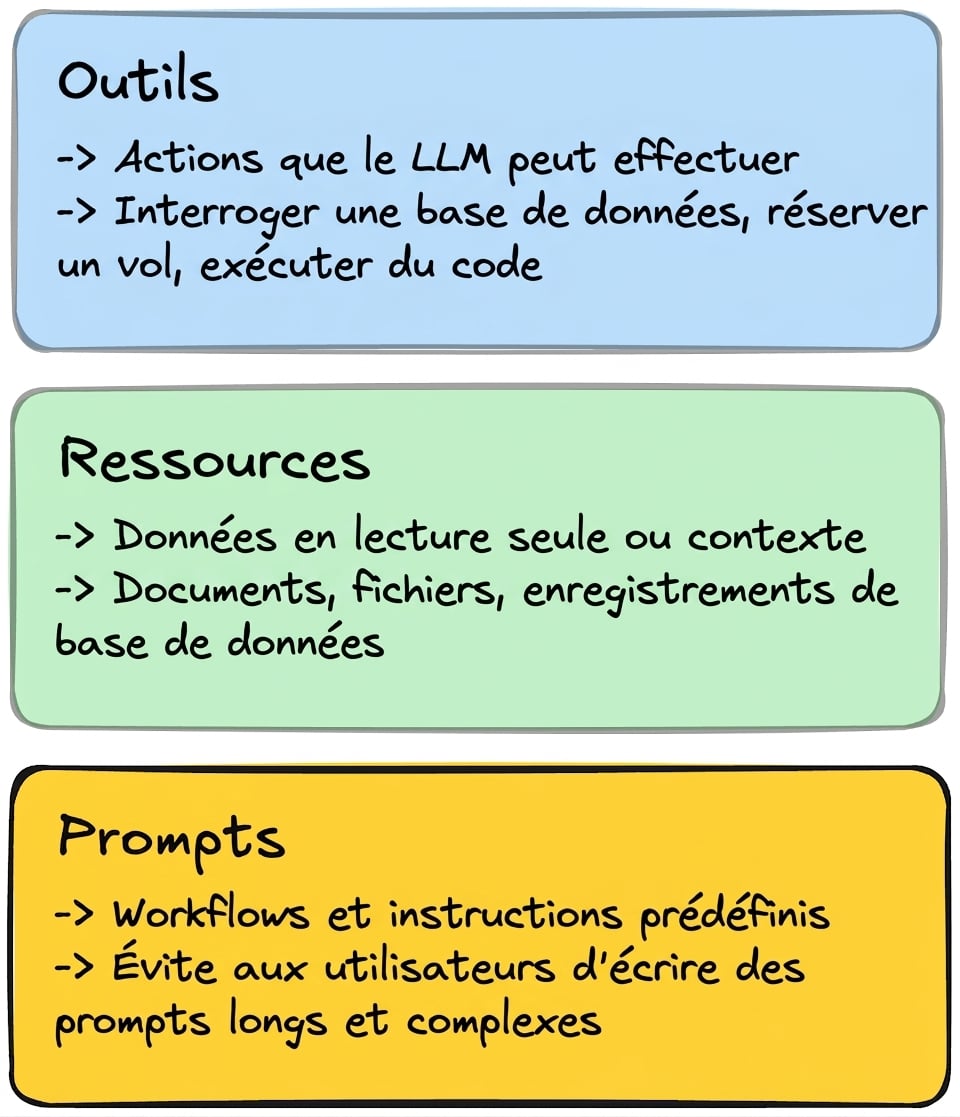
Prompts : réutilisables, optimisant LLM pour tâches spécifiques
- Flux de travail et comportements
- Réduit charge prompt pour utilisateurs
Le besoin de prompt
Le prompt de conversion de fuseau horaire
You are a timezone conversion engine.

Your task is to:
1. Extract the source datetime from the user's natural language input.
2. Identify the source timezone (explicit or inferred).
3. Convert the datetime into the target timezone.

Rules:
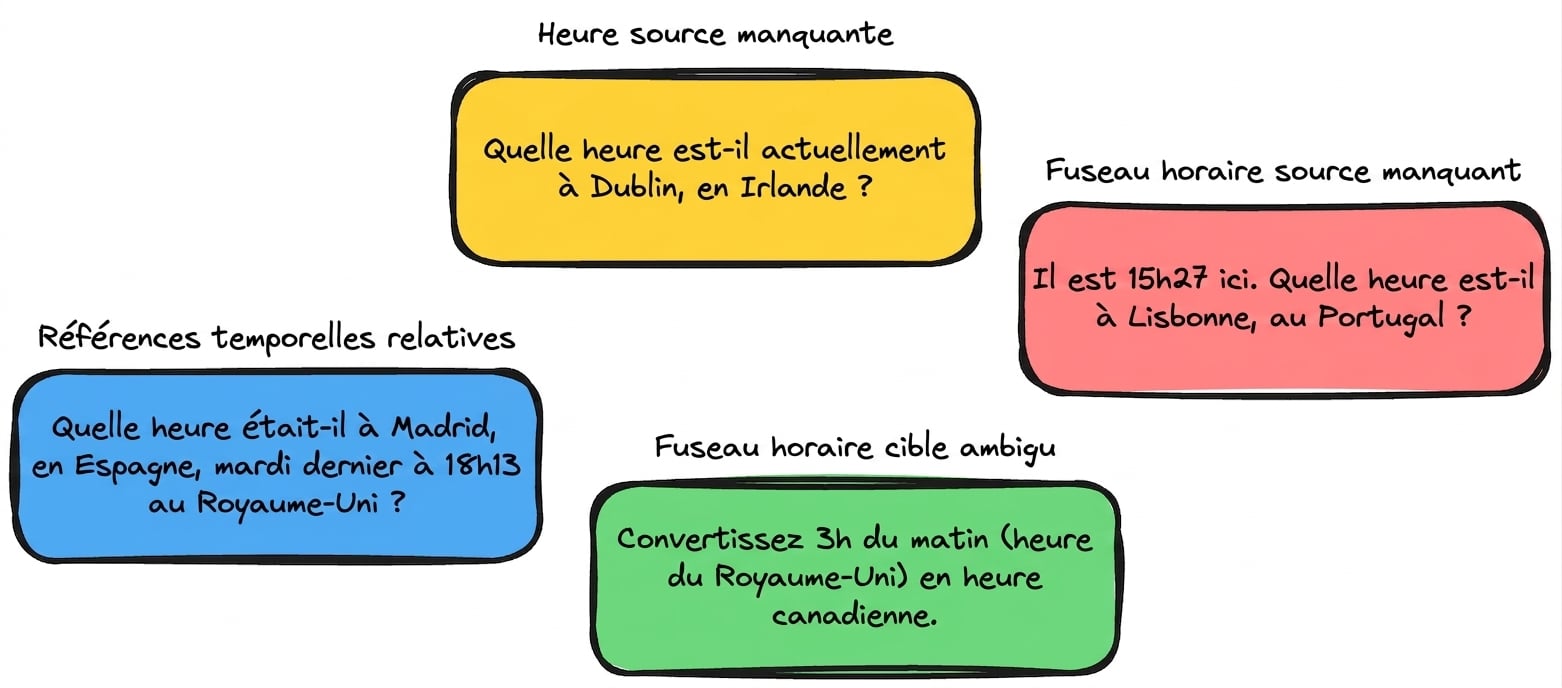
- If the date is ambiguous (e.g., "next Friday"), resolve it relative to the provided datetime.
- If the input cannot be resolved confidently, seek clarification.
→ Exposez ce prompt pour la tâche de conversion de fuseau horaire
Définition des prompts du serveur MCP
@mcp.prompt(title="Timezone Conversion")def convert_timezone_prompt(user_input: str) -> str:return f"""You are a timezone conversion engine. Your task is to: 1. Extract the source datetime... Rules: - If the date is ambiguous (e.g., "next Friday"), resolve it relative to the provided datetime. - If the input cannot be resolved confidently, seek clarification. User's timezone conversion request: {user_input}"""
Serveur MCP local : timezone_server.py
from mcp.server.fastmcp import FastMCP

mcp = FastMCP("Timezone Converter")

# Tools and resources from before...

@mcp.prompt(title="Timezone Conversion")
def convert_timezone_prompt(timezone_request: str) -> str:
    # ...

if __name__ == "__main__":
    mcp.run(transport="stdio")
Client : Affichage des prompts
async def list_prompts(): """List all available prompts from the MCP server.""" params = StdioServerParameters(command=sys.executable, args=["timezone_server.py"]) async with stdio_client(params) as (reader, writer): async with ClientSession(reader, writer) as session: await session.initialize()# List available prompts prompts = await session.list_prompts() print(f"Available prompts: {[p.name for p in prompts.prompts]}")
Client : Affichage des prompts
print(asyncio.run(list_prompts()))
Available prompts: ['convert_timezone_prompt']
Le prompt name n'est pas identique au title
@mcp.prompt(title="Timezone Conversion")
def convert_timezone_prompt(timezone_request: str) -> str:
    # ...
Client : Affichage des prompts
print(asyncio.run(list_prompts()))
Available prompts: ['convert_timezone_prompt']
Le prompt de name n'est pas identique au title
# List available prompts
prompts = await session.list_prompts()
print(f"Available prompts: {[p.name for p in prompts.prompts]}")
- Utilisé l’attribut
.namedans le client (pas.title)
Client : Récupération des prompts
async def read_prompt(user_input: str, prompt_name: str = "convert_timezone_prompt") -> str: """Retrieve a prompt from the MCP server with user input.""" params = StdioServerParameters(command=sys.executable, args=["timezone_server.py"]) async with stdio_client(params) as (reader, writer): async with ClientSession(reader, writer) as session: await session.initialize() prompts = await session.list_prompts()# Retrieve the prompt if prompts.prompts: prompt = await session.get_prompt(prompt_name, arguments={"timezone_request": user_input})print(f"Prompt result: {prompt.messages[0].content.text}") return prompt.messages[0].content.text
print(asyncio.run(read_prompt(user_input="It is 9:50 AM in the UK in January. What time is
    it in Lisbon, Portugal?")))
You are a timezone conversion engine.

Your task is to:
1. Extract the source datetime from the user's natural language input.
2. Identify the source timezone (explicit or inferred).
3. Convert the datetime into the target timezone.

Rules:
- If the date is ambiguous (e.g., "next Friday"), resolve it relative to the...
- If the input cannot be resolved confidently, seek clarification.

User's timezone conversion request: It is 9:50 AM in the UK in January. What time is it in
Lisbon, Portugal?
Passons à la pratique !
Introduction au Model Context Protocol (MCP)

