MCP और LLMs: टूल्स

Model Context Protocol (MCP) परिचय

James Chapman

AI Curriculum Manager, DataCamp

MCP टूल्स से LLM टूल्स तक
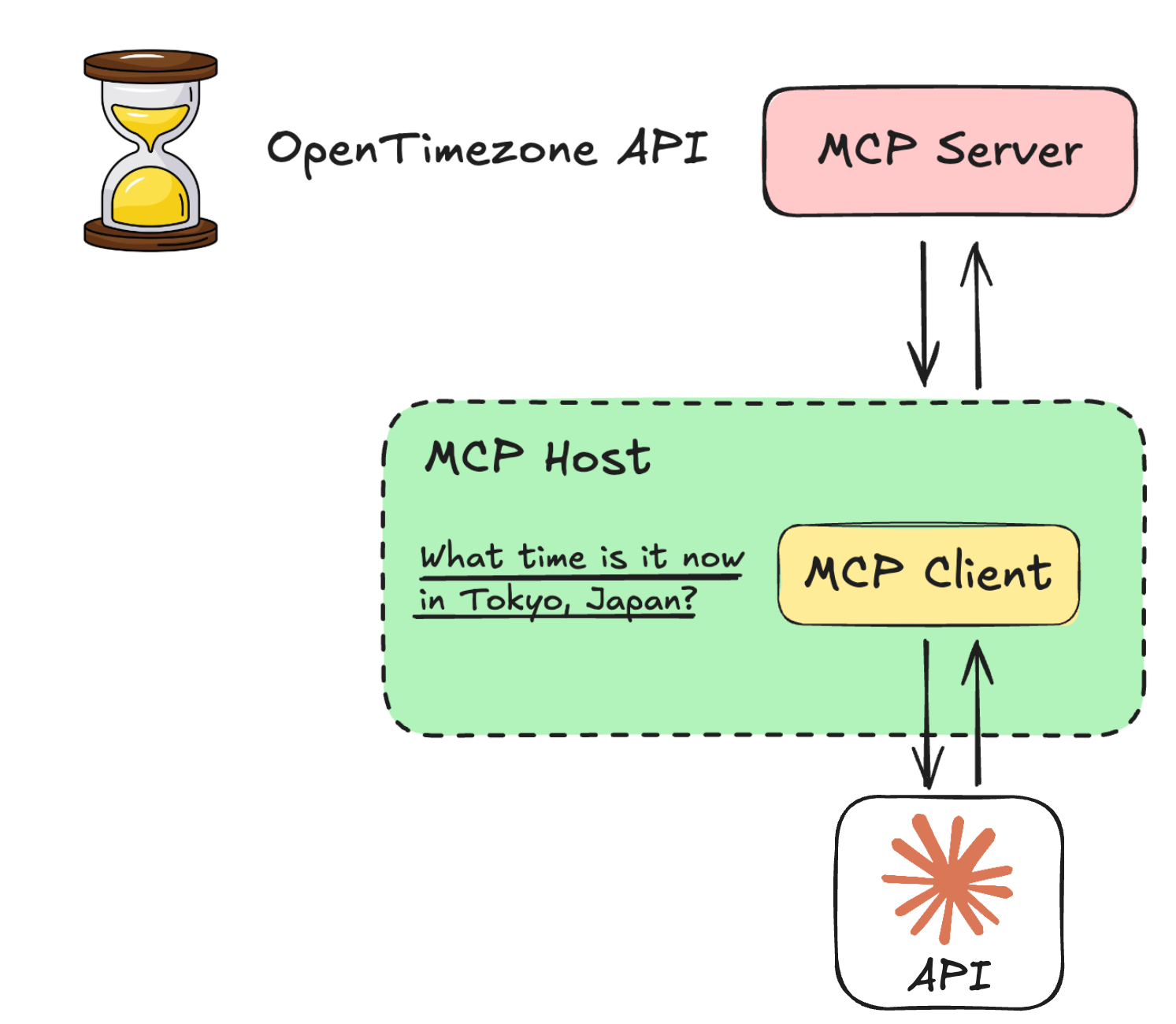
 

टूल ↔ LLM एकीकरण LLM पर बहुत निर्भर है

  • अलग-अलग LLM टूल्स को अलग तरह और अलग सिंटैक्स से स्वीकारते हैं
  • Claude को Anthropic Messages API से उपयोग करें
  • फोकस: प्रक्रियाएँ और ट्रांसफ़ॉर्मेशन

llm_mcp.png

Model Context Protocol (MCP) परिचय

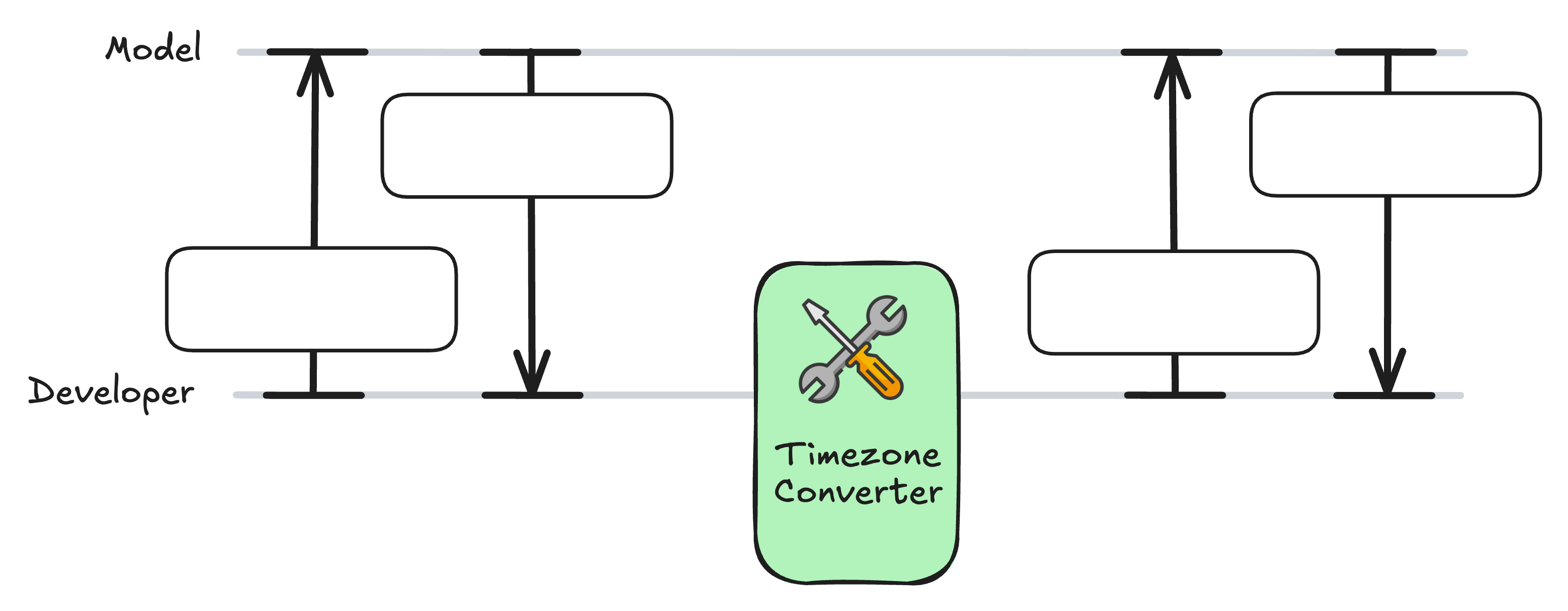
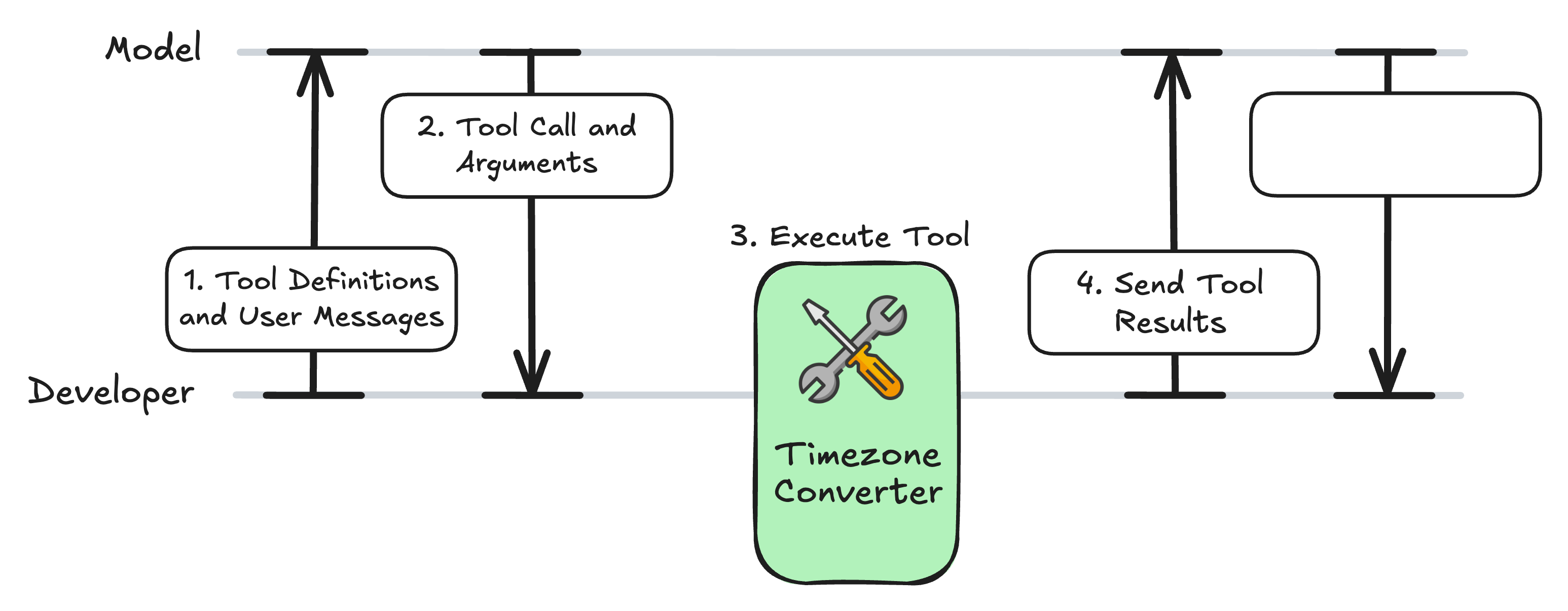
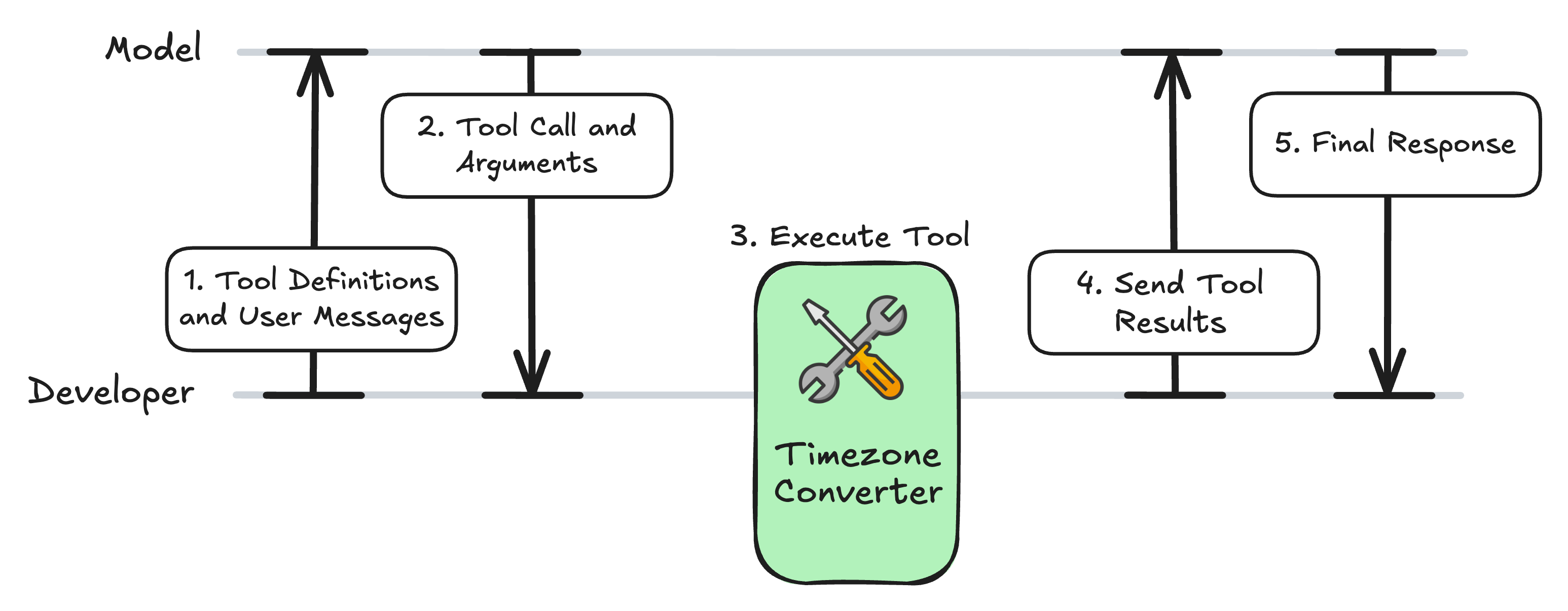
टूल-कॉलिंग वर्कफ़्लो

fct1.jpg

Model Context Protocol (MCP) परिचय

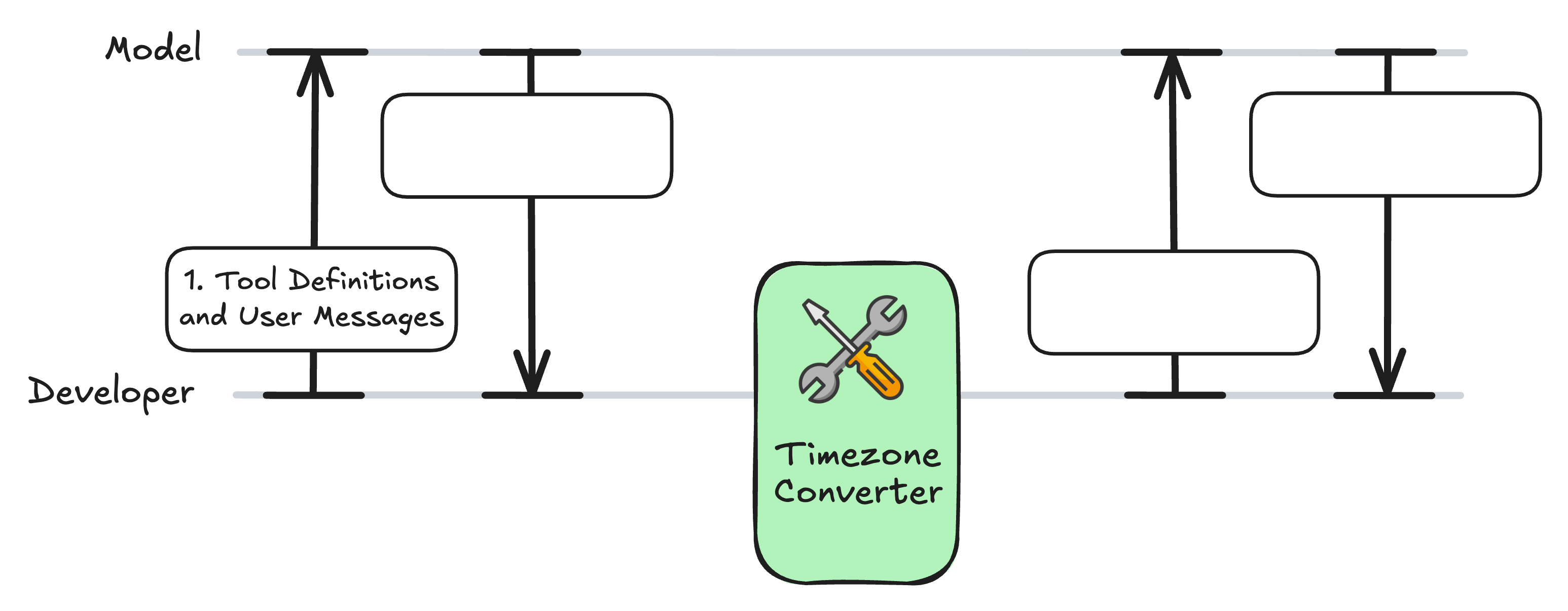
टूल-कॉलिंग वर्कफ़्लो

fct2.jpg

Model Context Protocol (MCP) परिचय

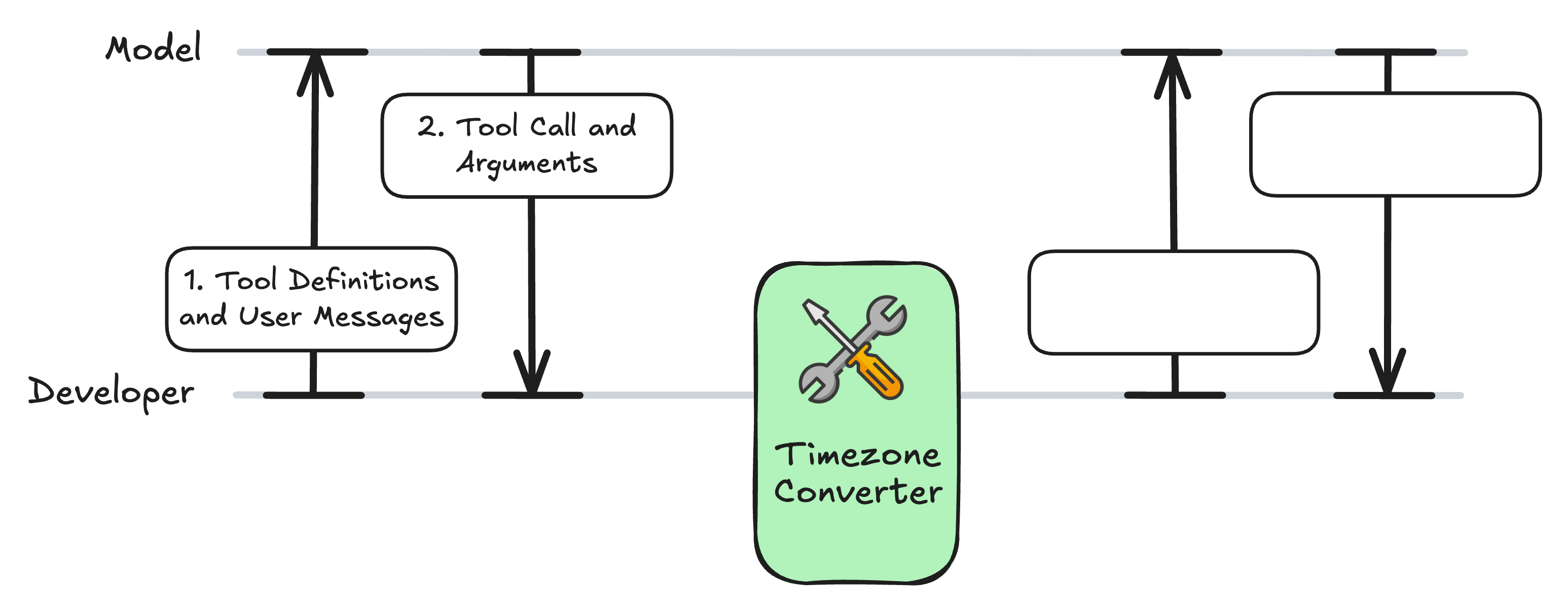
टूल-कॉलिंग वर्कफ़्लो

fct3.jpg

Model Context Protocol (MCP) परिचय

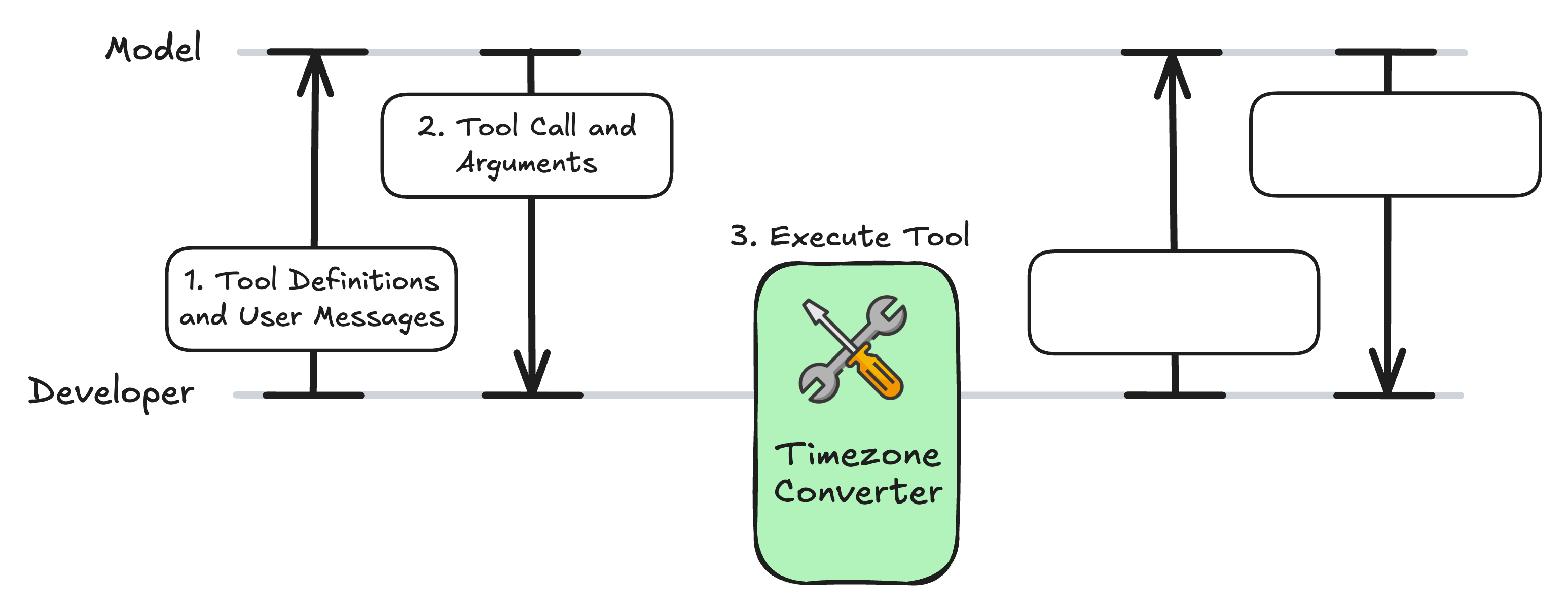
टूल-कॉलिंग वर्कफ़्लो

fct4.jpg

Model Context Protocol (MCP) परिचय

टूल-कॉलिंग वर्कफ़्लो

fct5.jpg

Model Context Protocol (MCP) परिचय

टूल-कॉलिंग वर्कफ़्लो

fct6.jpg

Model Context Protocol (MCP) परिचय

MCP सर्वर: timezone_server.py

from mcp.server.fastmcp import FastMCP
import requests

mcp = FastMCP("Timezone Converter")

@mcp.tool()
def convert_timezone(date_time: str, from_timezone: str, to_timezone: str) -> str:
    ...

if __name__ == "__main__":
    mcp.run(transport="stdio")
Model Context Protocol (MCP) परिचय

क्लाइंट कोड का विस्तार

async def get_tools_from_mcp():
            # ... 
            return response.tools

async def call_mcp_tool(tool_name: str, arguments: dict) -> str:        
            # ...
            result = await session.call_tool(tool_name, arguments)
            return str(result.content[0].text)

async def call_anthropic_llm(user_query: str):
Model Context Protocol (MCP) परिचय

सेटअप: LLM के लिए टूल्स फ़ॉर्मैट करें

async def call_anthropic_llm(user_query: str):
    """Call Claude with MCP tools."""

mcp_tools = await get_tools_from_mcp()
anthropic_tools = [] for tool in mcp_tools:
anthropic_tool = { "name": tool.name, "description": tool.description or "", "input_schema": tool.inputSchema, # MCP uses JSON Schema format }
anthropic_tools.append(anthropic_tool)
Model Context Protocol (MCP) परिचय

1. क्वेरी और टूल्स LLM को भेजें

from anthropic import AsyncAnthropic
async def call_anthropic_llm(user_query: str):
    # ...

client = AsyncAnthropic(api_key="<ANTHROPIC_API_TOKEN>")
response = await client.messages.create( model="claude-sonnet-4-6", max_tokens=1024, messages=[{"role": "user", "content": user_query}], tools=anthropic_tools, )
Model Context Protocol (MCP) परिचय

2. टूल कॉल की जाँच

async def call_anthropic_llm(user_query: str):
    # ...

    if response.stop_reason == "tool_use":

tool_use = next(b for b in response.content if b.type == "tool_use") name = tool_use.name args = tool_use.input print(f"Model decided to call: {name}") print(f"Arguments: {args}\n")
Model Context Protocol (MCP) परिचय

3. टूल कॉल | 4. फॉलो-अप संदेश

async def call_anthropic_llm(user_query: str):
    # ...

    if response.stop_reason == "tool_use":
        # ...

result = await call_mcp_tool(name, args)
tool_result = {"type": "tool_result", "tool_use_id": tool_use.id, "content": result} followup = await client.messages.create( model="claude-sonnet-4-6", max_tokens=1024, messages=[ {"role": "user", "content": user_query}, {"role": "assistant", "content": response.content}, {"role": "user", "content": [tool_result]}, ], tools=anthropic_tools, )
Model Context Protocol (MCP) परिचय

5. अंतिम प्रतिक्रिया

async def call_anthropic_llm(user_query: str):
    # ...

    if response.stop_reason == "tool_use":
        # ...

final = next((b.text for b in followup.content if b.type == "text"), None) if final: print(f"\nAssistant: {final}") else: print("No follow-up message from model.")
else: text = next((b.text for b in response.content if b.type == "text"), "") print(f"\nAssistant: {text}") return str(text)
Model Context Protocol (MCP) परिचय

फ़ंक्शन का परीक्षण

if __name__ == "__main__":
    asyncio.run(call_anthropic_llm("It is 9:50 AM in the UK in January. What time 
    is it in Lisbon, Portugal?"))
Assistant: It's 9:50 AM in Lisbon as well.
Model Context Protocol (MCP) परिचय

टूल-कॉलिंग वर्कफ़्लो

fct6.jpg

Model Context Protocol (MCP) परिचय

Ayo berlatih!

Model Context Protocol (MCP) परिचय

Preparing Video For Download...