个人访问令牌(PAT)

GitHub 概念入门

George Boorman

Curriculum Manager, DataCamp

身份验证

  • 可在终端用 Git 与 GitHub 交互
git clone https://github.com/george-boorman/bank_marketing
Username for 'https://github.com': george-boorman
Password for 'https://[email protected]':
GitHub 概念入门

身份验证失败


remote: Support for password authentication was removed on August 13, 2021.
remote: Please see https://docs.github.com/en/get-started/getting-started-with-git/about-remote-
repositories#cloning-with-https-urls for information on currently recommended modes of authentication.
fatal: Authentication failed for 'https://github.com/george-boorman/bank_marketing/'
GitHub 概念入门

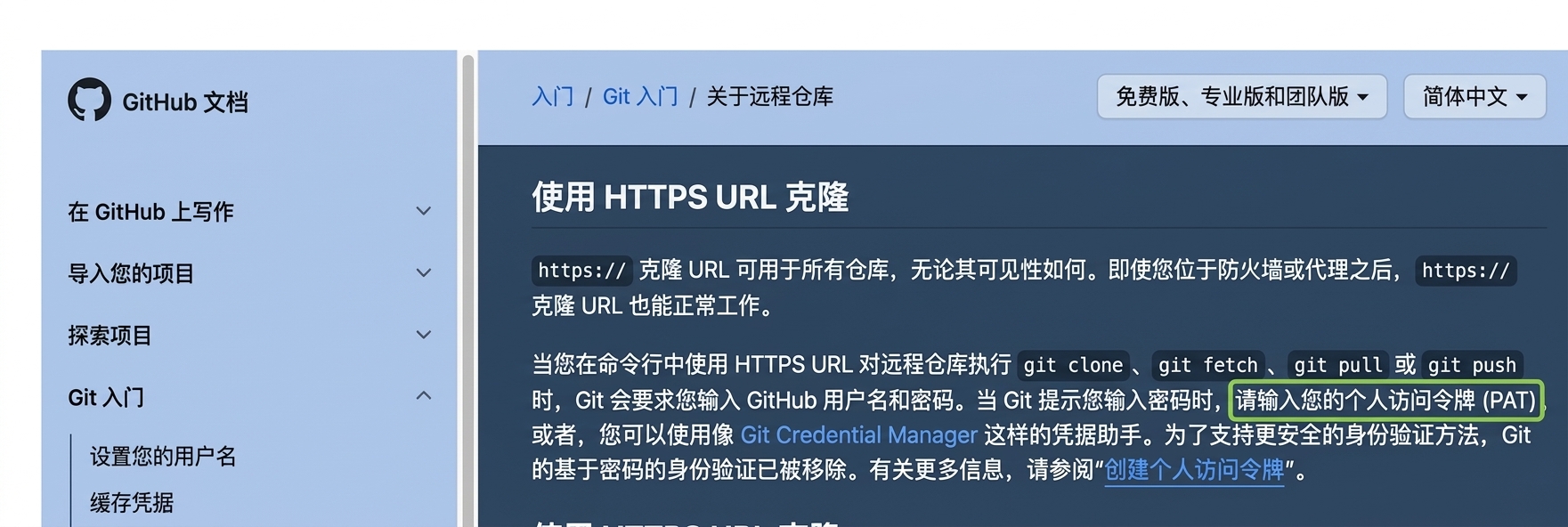
GitHub 文档

GitHub 文档页面,说明在执行 git clone、fetch、pull 或 push 到远程仓库时提供个人访问令牌(PAT)。

1 https://docs.github.com/en/get-started/getting-started-with-git/about-remote-repositories#cloning-with-https-urls
GitHub 概念入门

什么是个人访问令牌?

  • 个人访问令牌(PAT)

    • 终端身份验证的密码替代
    • 自 2021 年 8 月起取代密码
    • 更安全
  • GitHub 网页端不需要

    • 仅用于在终端访问远程仓库
1 https://docs.github.com/en/authentication/keeping-your-account-and-data-secure/creating-a-personal-access-token
GitHub 概念入门

创建 PAT

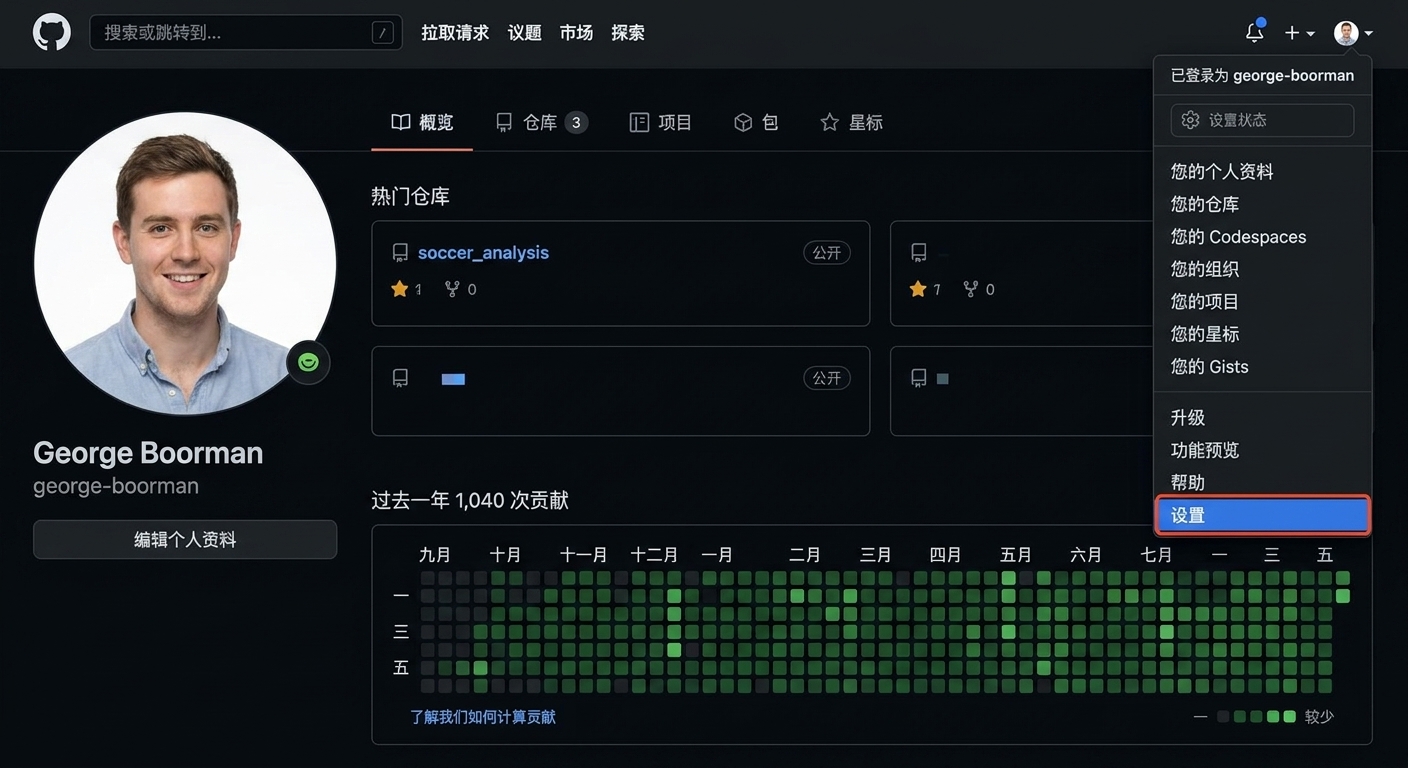
从个人资料页进入设置部分

GitHub 概念入门

创建 PAT

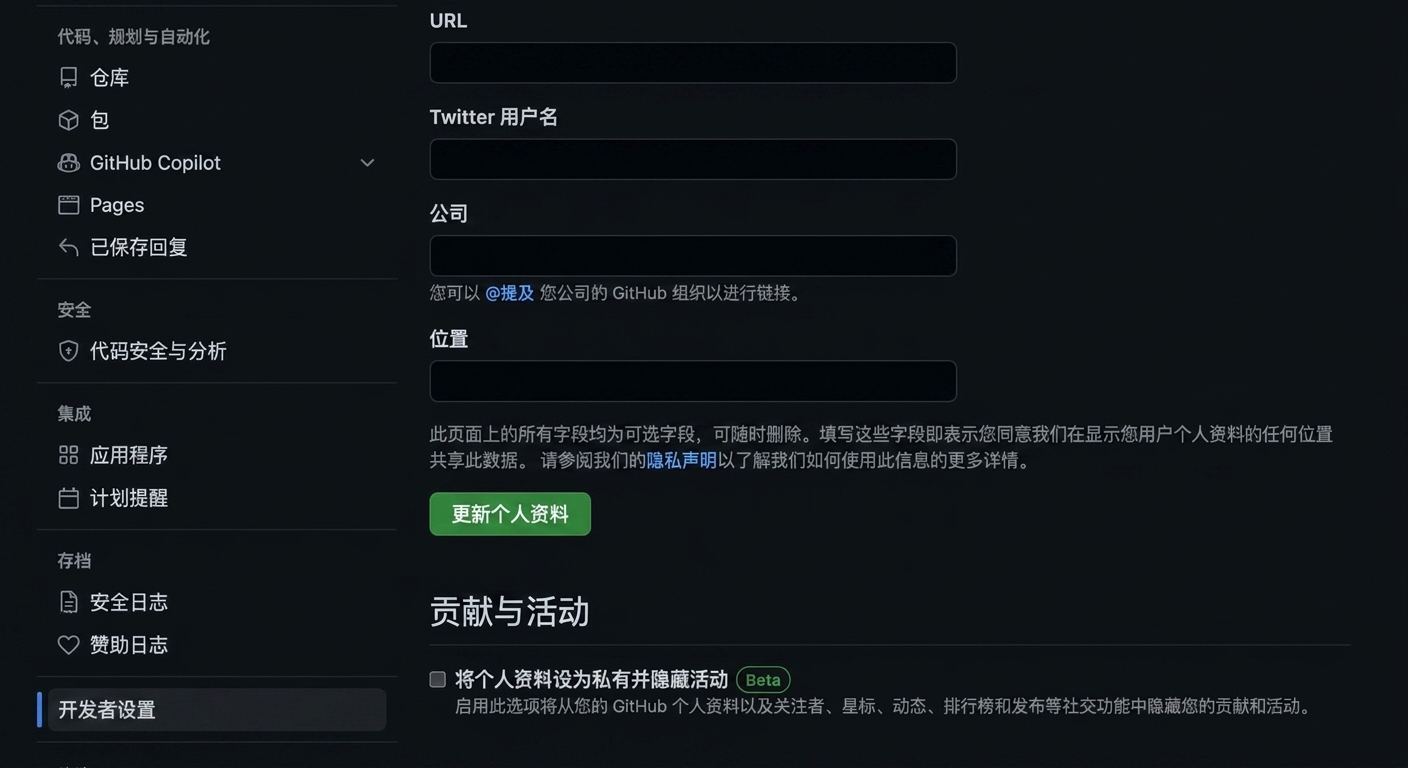
设置页中的开发者设置

GitHub 概念入门

创建 PAT

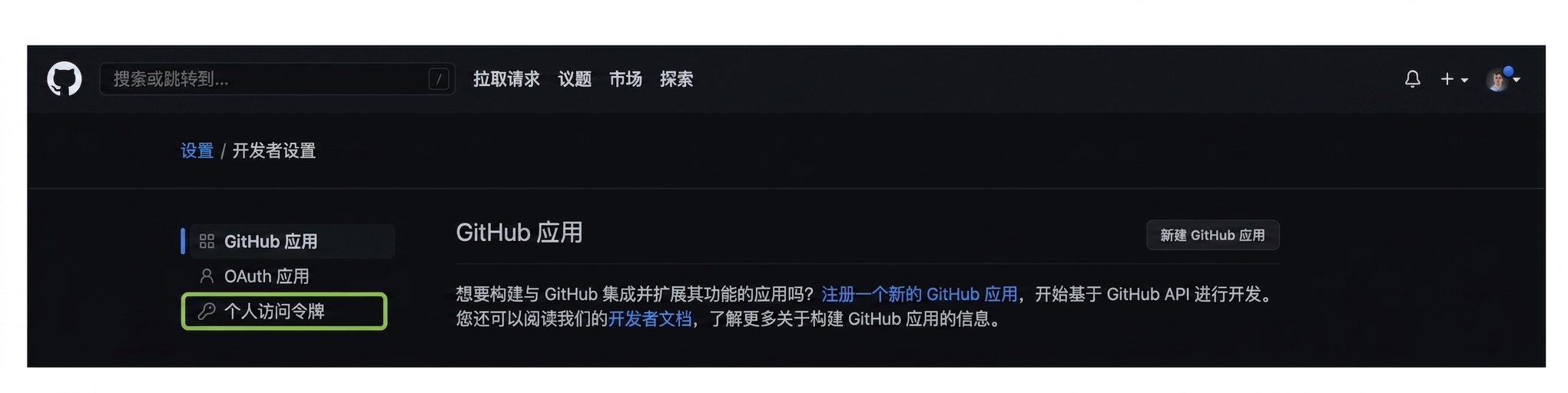
开发者设置页包含三项:GitHub Apps、OAuth Apps、个人访问令牌

GitHub 概念入门

创建 PAT

个人访问令牌部分,带"生成新令牌"按钮

GitHub 概念入门

创建 PAT

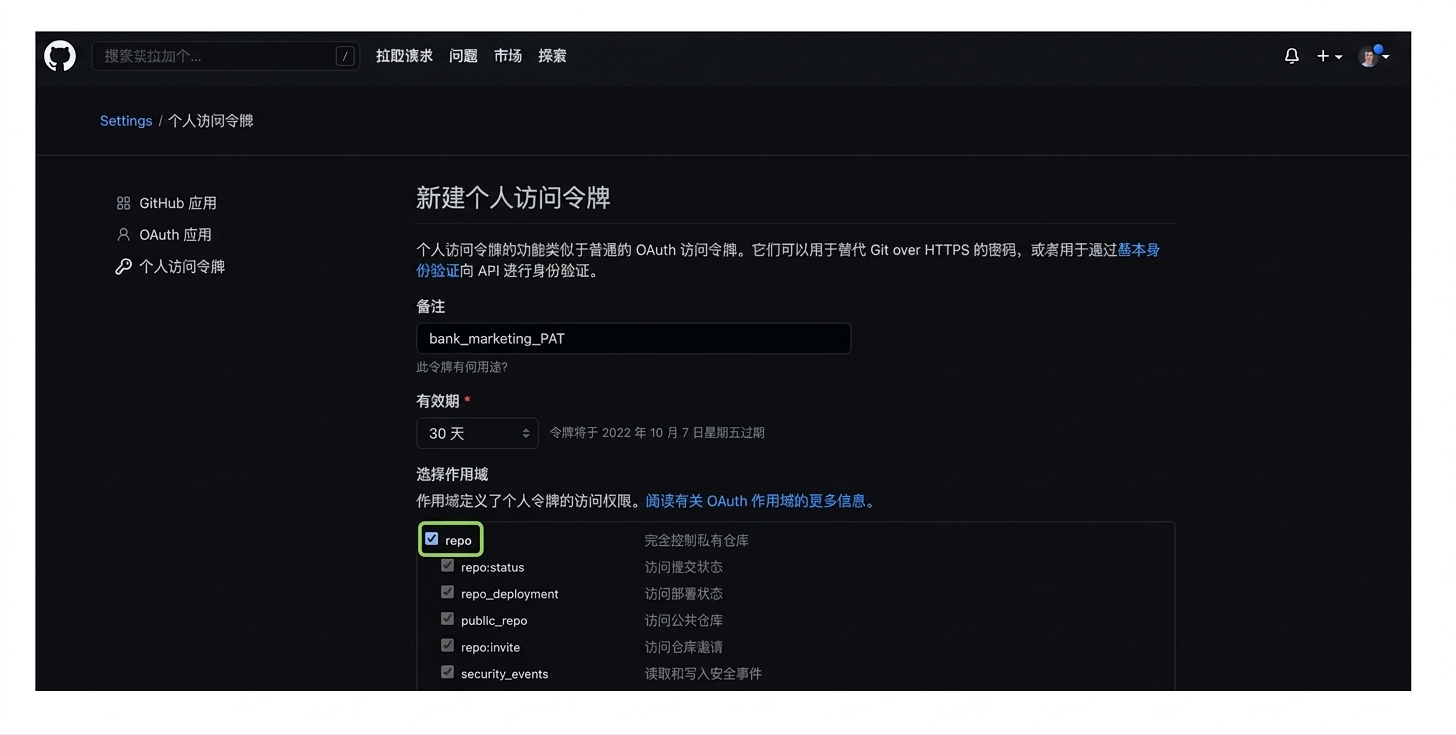
新建 PAT 的备注与过期时间部分

GitHub 概念入门

创建 PAT

选择仓库访问的复选框

GitHub 概念入门

创建 PAT

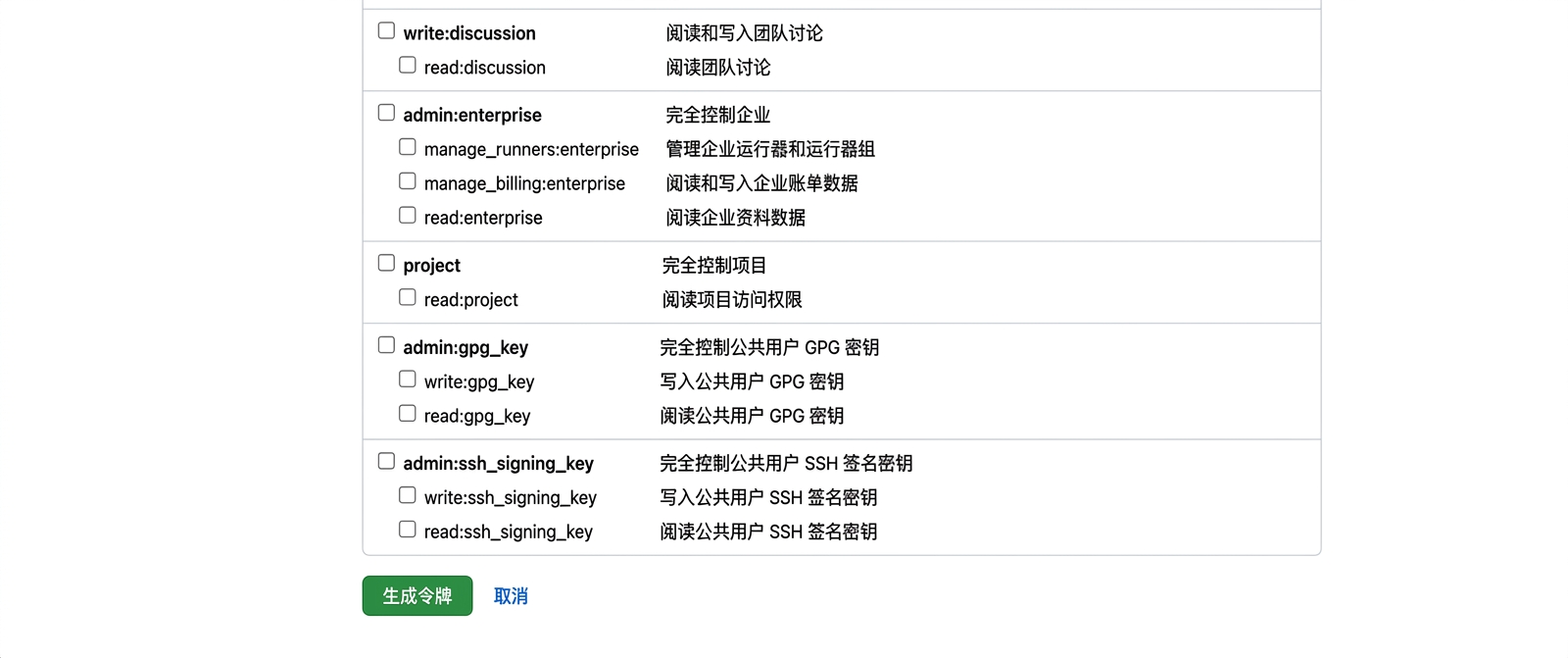
生成令牌按钮

GitHub 概念入门

使用 PAT

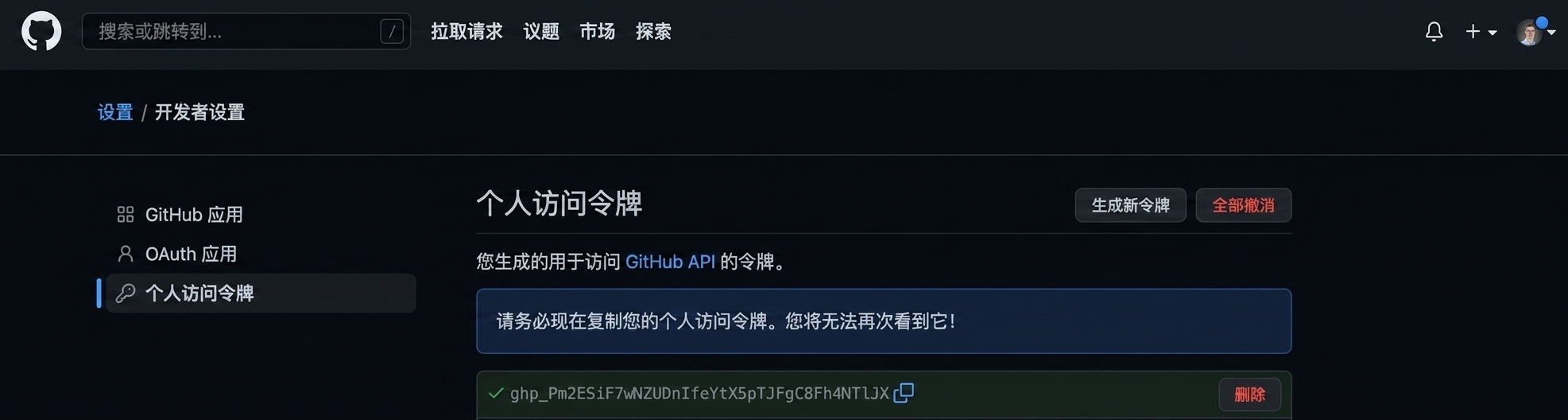
显示为可复制的字母和数字混合的 PAT

GitHub 概念入门

使用 PAT

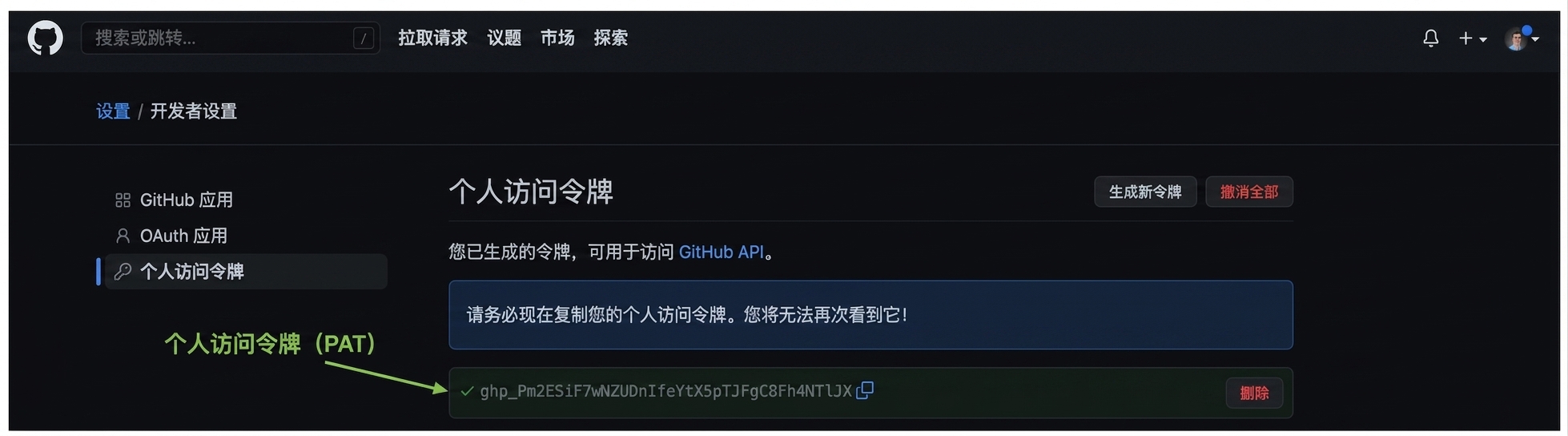
高亮显示为可复制的字母和数字混合的 PAT

  • 请勿共享 PAT!
GitHub 概念入门

使用 PAT

git clone https://github.com/george-boorman/bank_marketing
Cloning into 'bank_marketing'...
Username for 'https://github.com': george-boorman
Password for 'https://[email protected]':
remote: Enumerating objects: 3, done.
remote: Counting objects: 100% (3/3), done.
remote: Total 3 (delta 0), reused 0 (delta 0), pack-reused 0
ls
bank_marketing
GitHub 概念入门

Passons à la pratique !

GitHub 概念入门

Preparing Video For Download...