创建你自己的 Docker 镜像
Docker 入门

Tim Sangster
Software Engineer @ DataCamp
用 Dockerfile 创建镜像
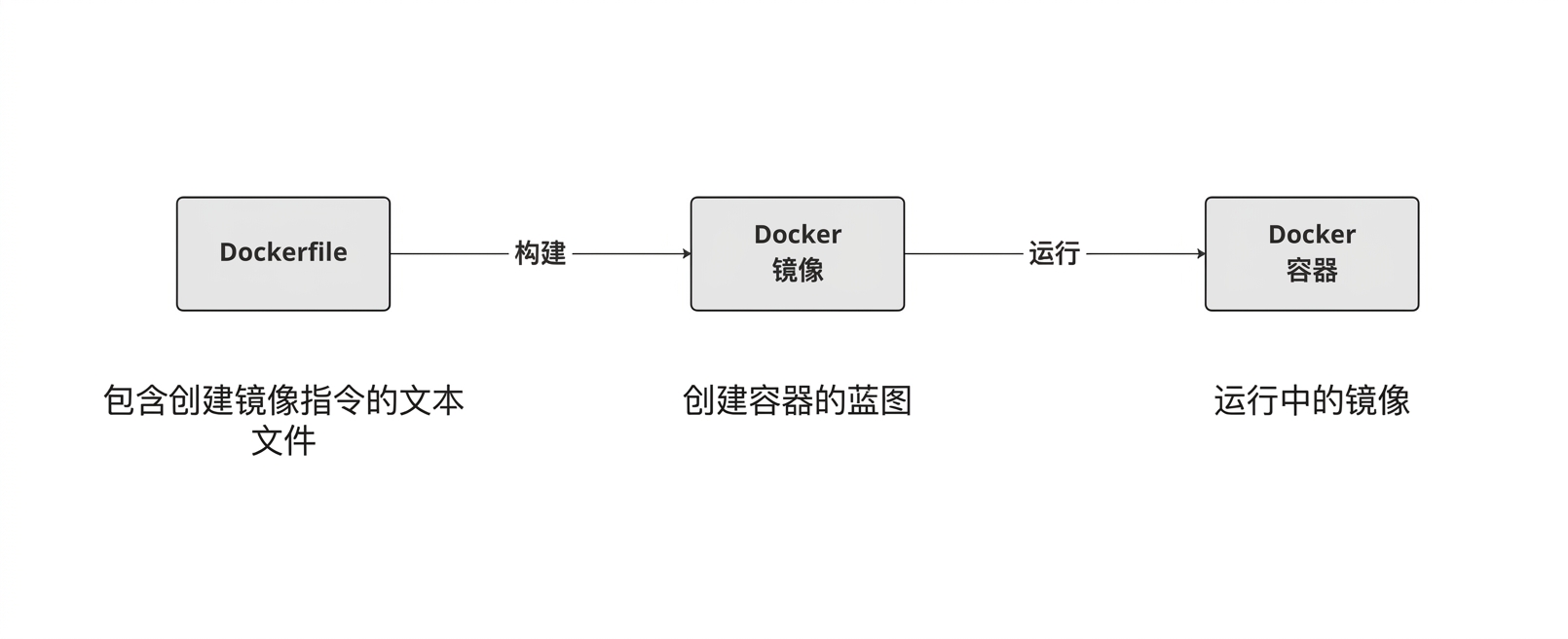
Dockerfile 的起始
Dockerfile 总是基于另一个镜像开始,使用 FROM 指令指定。
FROM postgres
FROM ubuntu
FROM hello-world
FROM my-custom-data-pipeline
FROM postgres:15.0
FROM ubuntu:22.04
FROM hello-world:latest
FROM my-custom-data-pipeline:v1
构建 Dockerfile
构建 Dockerfile 会生成一个镜像。
docker build /location/to/Dockerfile
docker build .
[+] Building 0.1s (5/5) FINISHED
 => [internal] load build definition from Dockerfile
 => => transferring dockerfile: 54B
...
 => CACHED [1/1] FROM docker.io/library/ubuntu
 => exporting to image
 => => exporting layers
 => => writing image sha256:a67f41b1d127160a7647b6709b3789b1e954710d96df39ccaa21..
给镜像命名
实践中我们几乎总用 -t 标志给镜像命名:
docker build -t first_image .
...
=> => writing image sha256:a67f41b1d127160a7647b6709b3789b1e954710d96df39ccaa21..
=> => naming to docker.io/library/first_image
docker build -t first_image:v0 .
=> => writing image sha256:a67f41b1d127160a7647b6709b3789b1e954710d96df39ccaa21..
=> => naming to docker.io/library/first_image:v0
自定义镜像
RUN <valid-shell-command>
FROM ubuntu
RUN apt-get update
RUN apt-get install -y python3
使用 -y 标志以避免交互提示:
...
After this operation, 22.8 MB of additional disk space will be used.
Do you want to continue? [Y/n]
构建一个更复杂的 Dockerfile
构建镜像时,Docker 会实际执行 RUN 后的命令
Docker 执行 RUN apt-get update 花的时间和我们手动执行一样!
root@host:/# apt-get update
Get:1 http://ports.ubuntu.com/ubuntu-ports jammy InRelease [270 kB]
...
Get:17 http://ports.ubuntu.com/ubuntu-ports jammy-security/restricted arm64 Pack..
Fetched 23.0 MB in 2s (12.3 MB/s)
Reading package lists... Done
总结
| 用途 | Dockerfile 指令 |
|---|---|
| 从镜像开始一个 Dockerfile | FROM <image-name> |
| 向镜像添加一条 shell 命令 | RUN <valid-shell-command> |
| 确保命令无需交互输入 | RUN apt-get install -y python3 |
| 用途 | Shell 命令 |
|---|---|
| 从 Dockerfile 构建镜像 | docker build /location/to/Dockerfile |
| 在当前目录构建镜像 | docker build . |
| 构建时指定镜像名 | docker build -t first_image . |
开始练习吧!
Docker 入门

