使用 pandas 将数据加载到 SQL 数据库中

使用 Python 的 ETL 和 ELT

Jake Roach

Data Engineer

用 pandas 将数据加载到 SQL 数据库

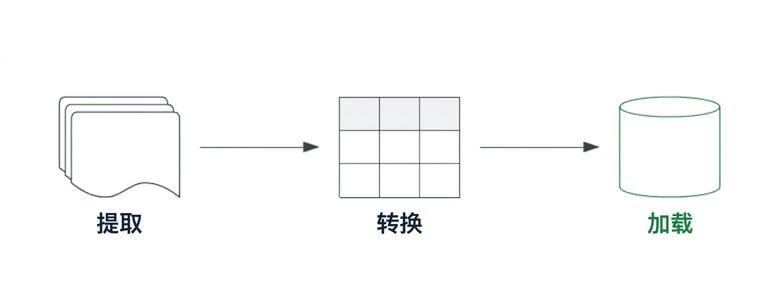
突出显示加载组件的 ETL 管道。

使用 Python 的 ETL 和 ELT

使用 pandas 将数据加载到 SQL 数据库

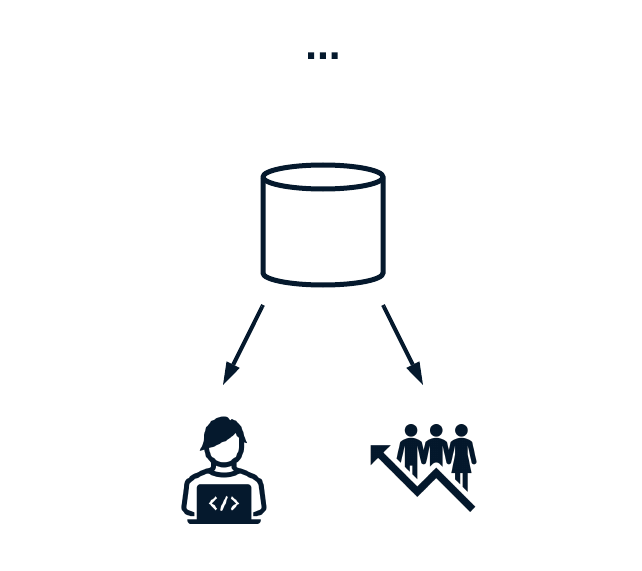
数据消费者访问 SQL 数据库。

pandas 提供 .to_sql() 将数据持久化到 SQL

  • name
  • con
  • if_exists
  • index
  • index_label
使用 Python 的 ETL 和 ELT

用 pandas 将数据持久化到 Postgres

# Create a connection object
connection_uri = "postgresql+psycopg2://repl:password@localhost:5432/market"
db_engine = sqlalchemy.create_engine(connection_uri)
# Use the .to_sql() method to persist data to SQL
clean_stock_data.to_sql(
    name="filtered_stock_data",
    con=db_engine, 
    if_exists="append",
    index=True,
    index_label="timestamps"
)
使用 Python 的 ETL 和 ELT

使用 pandas 验证数据持久化

验证数据按预期持久化很重要。

  • 确认可查询
  • 核对行数一致
  • 验证每行都存在
# Pull data written to SQL table
to_validate = pd.read_sql("SELECT * FROM cleaned_stock_data", db_engine)
# Validate counts, record equality, etc
...
使用 Python 的 ETL 和 ELT

让我们来练习!

使用 Python 的 ETL 和 ELT

Preparing Video For Download...