readxl(2)

R 数据导入入门

Filip Schouwenaars

Instructor, DataCamp

read_excel()

read_excel(path, sheet = 1, 
           col_names = TRUE, 
           col_types = NULL, 
           skip = 0)
2019-07-15 下午3:27:34 的屏幕截图.png

R 数据导入入门

read_excel() - col_names

read_excel(path, sheet = 1, 
           col_names = TRUE, 
           col_types = NULL, 
           skip = 0)
  • col_names = FALSE:R 自动分配列名

  • col_names = 字符向量:手动指定

R 数据导入入门

read_excel() - col_types

read_excel(path, sheet = 1, 
           col_names = TRUE, 
           col_types = NULL, 
           skip = 0)

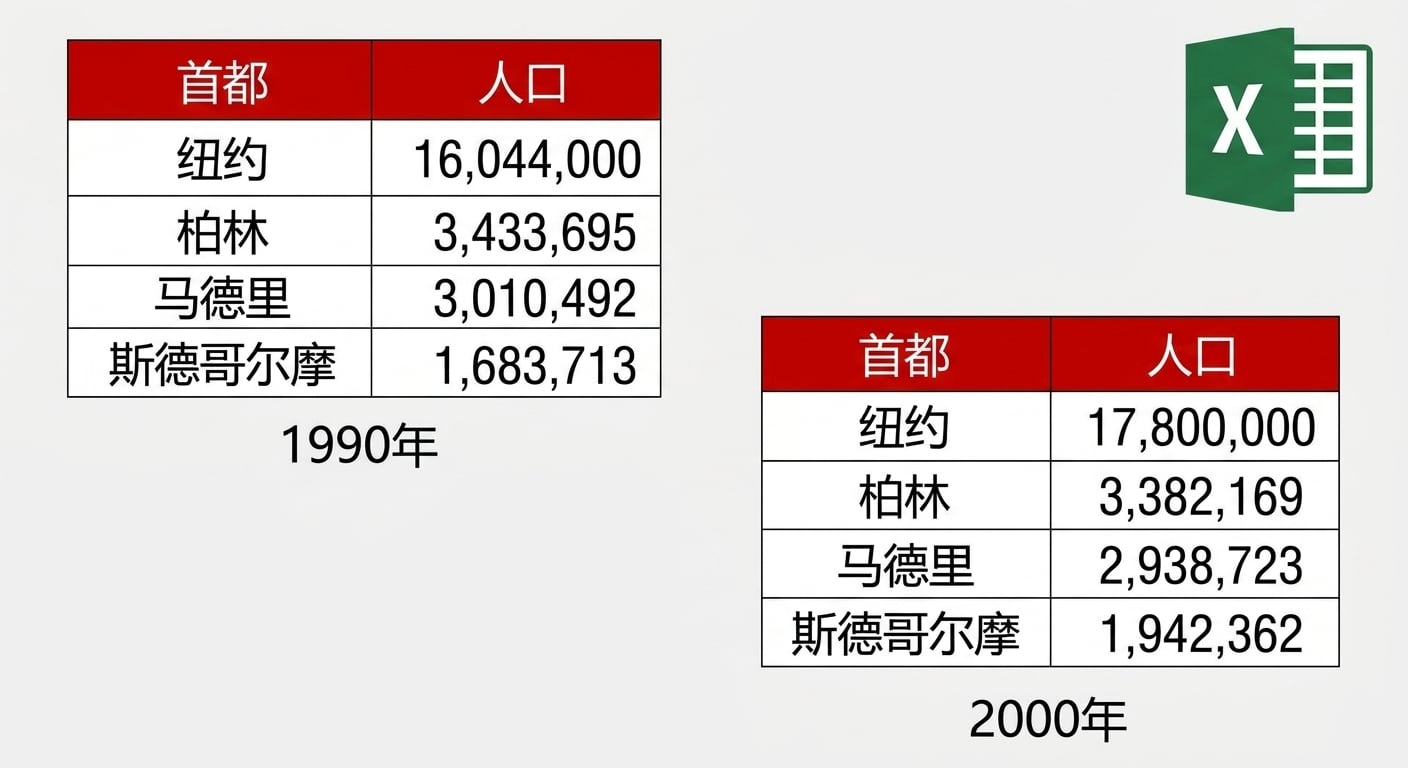
read_excel("cities.xlsx", col_types = c("text", "text"))
# A tibble: 4 × 2
    Capital Population
      <chr>      <chr>
1  New York   16044000
2    Berlin    3433695
3    Madrid    3010492
4 Stockholm    1683713
R 数据导入入门

read_excel() - col_types

read_excel(path, sheet = 1, 
           col_names = TRUE, 
           col_types = NULL, 
           skip = 0)`
read_excel("cities.xlsx", 
             col_types = c("text", "blank"))
# A tibble: 4 × 1
    Capital
      <chr>
1  New York
2    Berlin
3    Madrid
4 Stockholm
R 数据导入入门

read_excel() - skip

read_excel(path, sheet = 1, 
           col_names = TRUE, 
           col_types = NULL, 
           skip = 0)
read_excel("cities.xlsx", 
             col_names = c("Capital", "Population"),
             skip = 2)
# A tibble: 3 × 2
    Capital Population
      <chr>      <dbl>
1    Berlin    3433695
2    Madrid    3010492
3 Stockholm    1683713
R 数据导入入门

总结

  • excel_sheets()

  • read_excel()

  • 您需要的一切!

  • 快速

  • 与 readr 包参数一致

  • 一致性

R 数据导入入门

Ayo berlatih!

R 数据导入入门

Preparing Video For Download...