使用 Pinecone 构建 AI 应用
James Chapman
Curriculum Manager, DataCamp
pc = Pinecone(api_key="API_KEY")

pc.create_index(
    name='datacamp-index',
    dimension=1536,
    spec=ServerlessSpec(
        cloud='aws',
        region='us-east-1'
    )
)


index = pc.Index('datacamp-index')
pc = Pinecone(api_key="API_KEY") pc.create_index( name='datacamp-index', dimension=1536, spec=ServerlessSpec( cloud='aws', region='us-east-1' ) )
index = pc.Index('datacamp-index')
index = pc.Index('datacamp-first')
...
pinecone.core.client.exceptions.NotFoundException: (404)
Reason: Not Found
HTTP response headers: HTTPHeaderDict({'content-type': 'text/plain; charset=...
HTTP response body: {"error":{"code":"NOT_FOUND","message":"Resource datacamp-first
not found"},"status":404}
index.describe_index_stats()
{'dimension': 1536,
 'index_fullness': 0.0,
 'namespaces': {},
 'total_vector_count': 0}
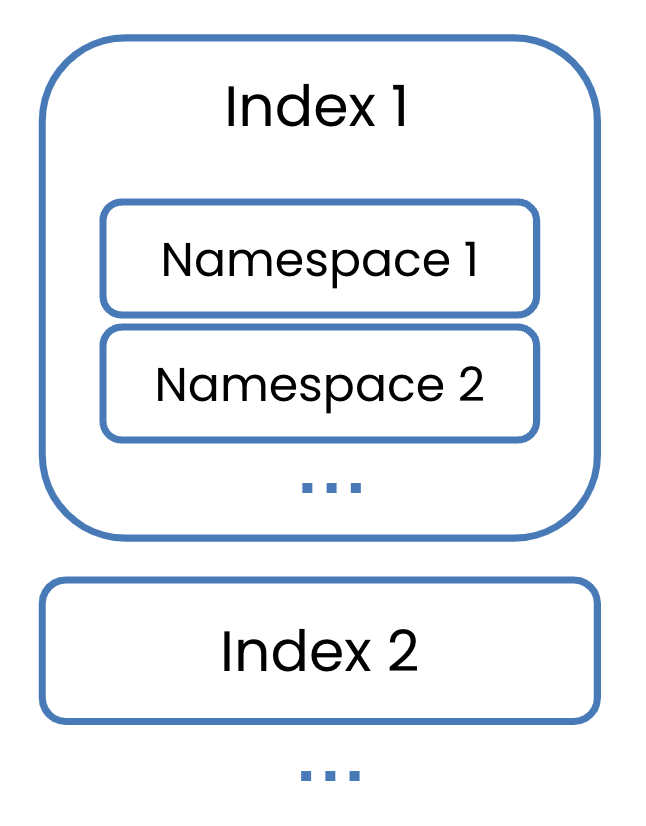
目前先聚焦单一命名空间
pc.delete_index('datacamp-index')


pc.list_indexes()
pc.delete_index('datacamp-index')
pc.list_indexes()
{'indexes': []}