Lucrul cu date structurate

Introducere în API-uri cu Python

Chris Ramakers

Engineering manager

Structuri de date complexe

Răspuns API versuri
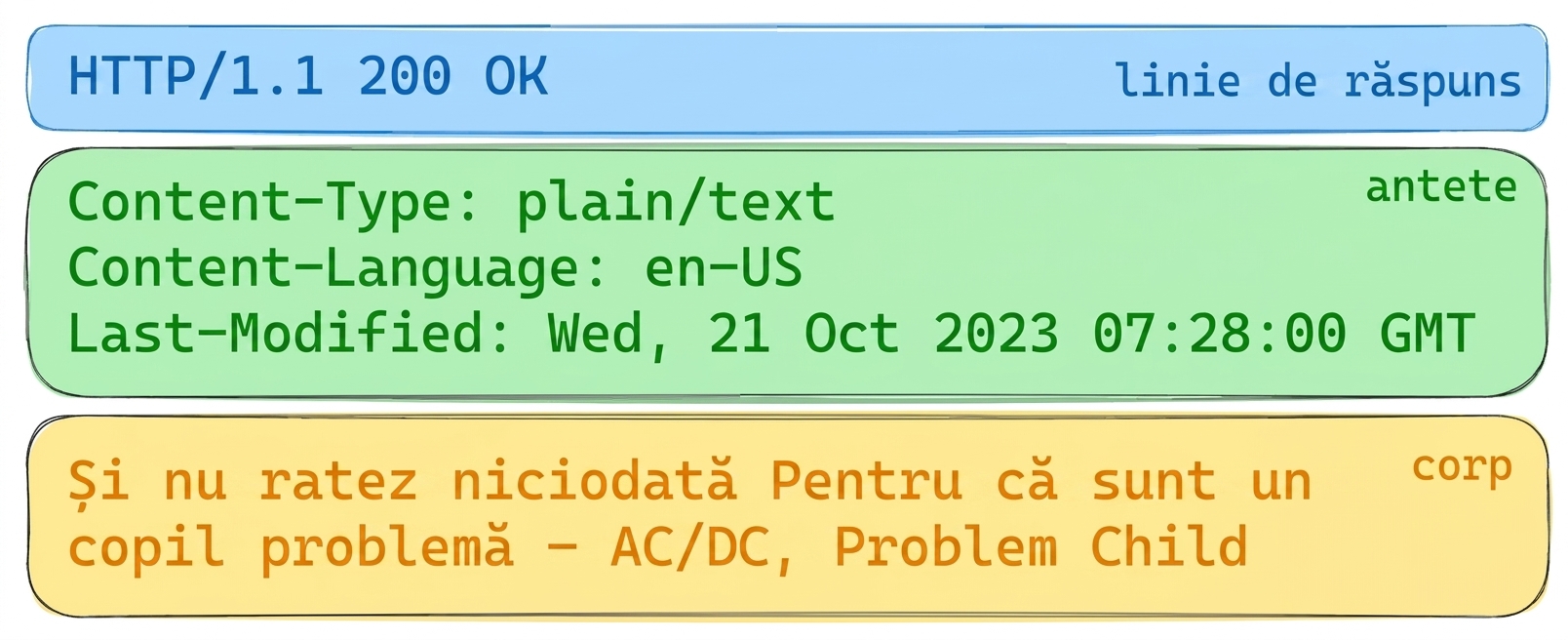
Răspuns API versuri cu HTTP 200 OK. Anteturi: Content-Type: plain/text, Content-Language: en-US, Last-Modified: Wed, 21 Oct 2023. Corp: versuri din „Problem Child" de AC/DC.

Răspuns API album

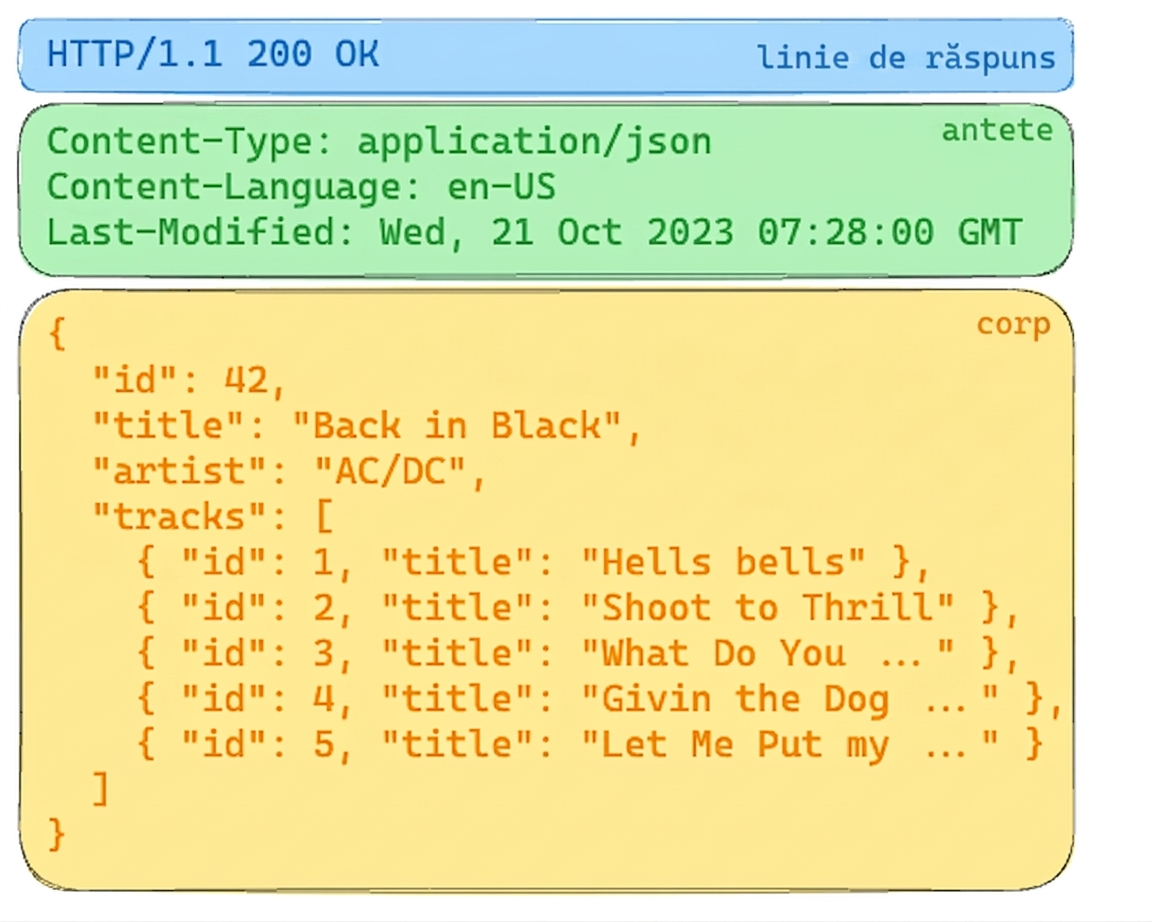
Răspuns API album cu HTTP 200 OK. Anteturile specifică conținut JSON. Corpul include detalii despre albumul „Back in Black" de AC/DC, cu titlurile pieselor.

Introducere în API-uri cu Python

Structuri de date complexe: JSON

  • JSON
    • JavaScript Object Notation
    • Suport larg
    • Lizibil de om și utilizabil de mașini
  • Content-type, mime-type sau media-type
  • Alte formate
    • XML
    • CSV
    • YAML

Răspuns API album

Răspuns API album cu HTTP 200 OK. Anteturile specifică conținut JSON. Corpul include detalii despre albumul „Back in Black" de AC/DC, cu titlurile pieselor.

Introducere în API-uri cu Python

Din Python în JSON și înapoi

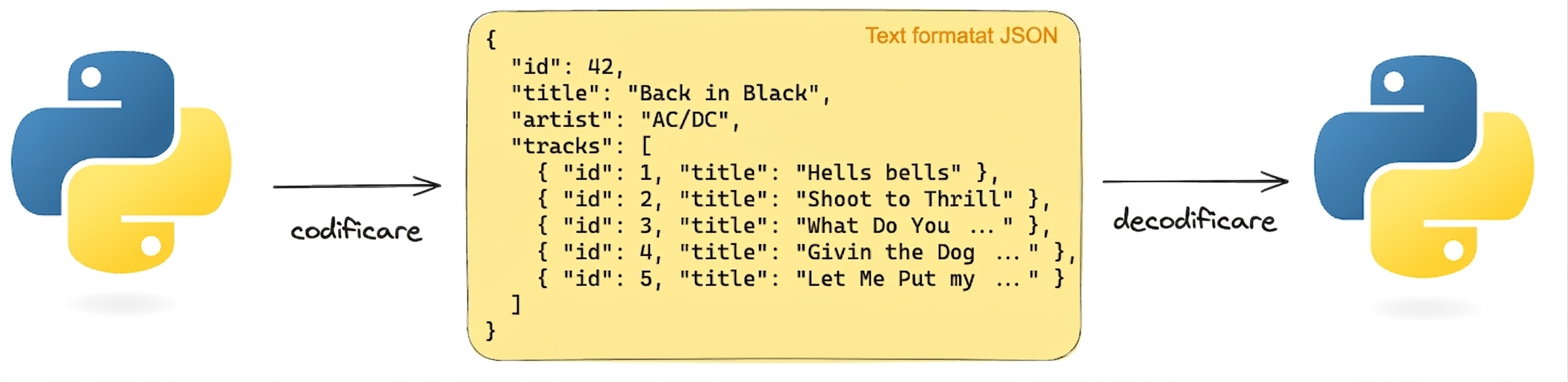
  Reprezentare vizuală a codificării și decodificării textului în format JSON folosind Python. JSON-ul conține detalii despre albumul „Back in Black" de AC/DC.

import json
album =  {'id': 42, 'title':"Back in Black"}
string = json.dumps(album) # Encodes a python object to a JSON string
album = json.loads(string) # Decodes a JSON string to a Python object
Introducere în API-uri cu Python

Solicitarea datelor JSON

# GET request without headers
response = requests.get('http://api.music-catalog.com/lyrics')
print(response.text)
N' I never miss Cause I'm a problem child - AC/DC, Problem Child
# GET request with an accept header
response = requests.get('http://api.music-catalog.com/lyrics', headers={'accept': 'application/json'})

# Print the JSON text
print(response.text)

# Decode into a Python object data = response.json() print(data['artist'])
{'artist': 'AC/DC', 'lyric': "N' I never miss Cause I'm a problem child", 'track': 'Problem Child'}

AC/DC
Introducere în API-uri cu Python

Trimiterea datelor JSON

import requests
playlist = {"name": "Road trip", "genre":"rock", "private":"true"}

# Add the playlist using via the `json` argument 
response = requests.post("http://api.music-catalog.com/playlists", json=playlist)
# Get the request object
request = response.request

# Print the request content-type header
print(request.headers['content-type'])
application/json
Introducere în API-uri cu Python

Să exersăm!

Introducere în API-uri cu Python

Preparing Video For Download...