Rularea containerelor Docker

Introducere în Docker

Tim Sangster

Software Engineer @ DataCamp

Condiții prealabile

Comandă Utilizare
nano <file-name> Deschide <file-name> în editorul de text nano
touch <file-name> Creează un fișier gol cu numele specificat
echo "<text>" Afișează <text> în consolă
<command> >> <file> Adaugă rezultatul comenzii <command> la sfârșitul fișierului <file>
<command> -y Răspunde automat „da" la toate solicitările din <command>
Introducere în Docker

Docker CLI

  • Interfața de linie de comandă Docker trimite instrucțiuni către daemonul Docker.
  • Fiecare comandă începe cu docker.

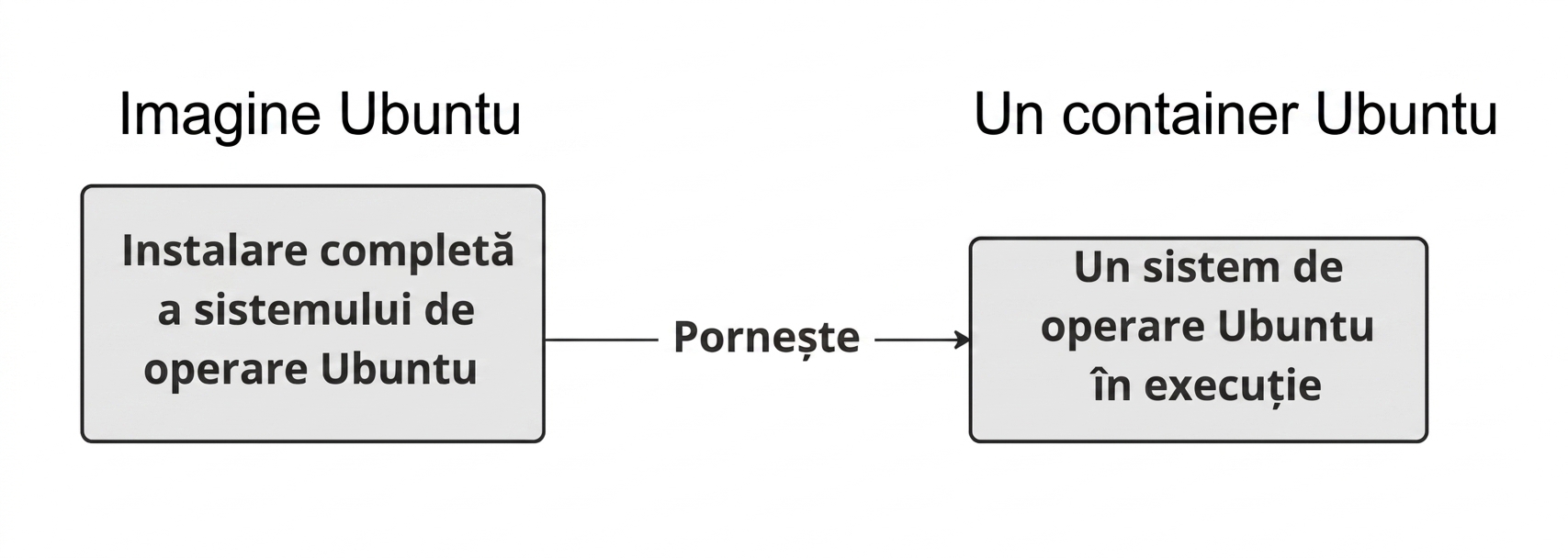
Imaginea numită Ubuntu cu o instalare completă a Ubuntu OS poate fi pornită pentru a crea un sistem Ubuntu OS activ, cu care putem interacționa printr-un shell.

Introducere în Docker

Rezultatul containerului Docker

docker run <image-name>
docker run hello-world
Hello from Docker!

To generate this message, Docker took the following steps:
1. The Docker client contacted the Docker daemon.
2. The Docker daemon created a new container from the hello-world image which runs
 the executable that produces the output you are currently reading.
3. The Docker daemon streamed that output to the Docker client, which sent it to 
 your terminal.
Introducere în Docker

Alegerea rezultatului containerului Docker

docker run <image-name>
docker run ubuntu
repl@host:/# docker run ubuntu

repl@host:/#
Introducere în Docker

Container Docker interactiv

Adăugând -it la docker run, se deschide un shell interactiv în containerul pornit.

docker run -it <image-name>
docker run -it ubuntu
repl@container:/#
repl@container:/# exit
exit
repl@host:/#
Introducere în Docker

Rularea unui container în fundal

Adăugând -d la docker run, containerul rulează în fundal, returnând controlul shell-ului.

docker run -d <image-name>
docker run -d postgres
repl@host:/# docker run -d postgres
4957362b5fb7019b56470a99f52218e698b85775af31da01958bab198a32b072
repl@host:/#
Introducere în Docker

Listarea și oprirea containerelor active

docker ps
repl@host:/# docker ps
CONTAINER ID   IMAGE      COMMAND                  CREATED  
4957362b5fb7   postgres   "docker-entrypoint.s…"   About a minute ago
STATUS              PORTS      NAMES
Up About a minute   5432/tcp   awesome_curie
docker stop <container-id>
repl@host:/# docker stop cf91547fd657
cf91547fd657
Introducere în Docker

Rezumat comenzi noi

Utilizare Comandă
Pornire container docker run <image-name>
Pornire container interactiv docker run -it <image-name>
Pornire container în fundal docker run -d <image-name>
Listare containere active docker ps
Oprire container docker stop <container-id>
Introducere în Docker

Vamos a practicar!

Introducere în Docker

Preparing Video For Download...