Git परिचय
George Boorman
Curriculum Manager, DataCamp

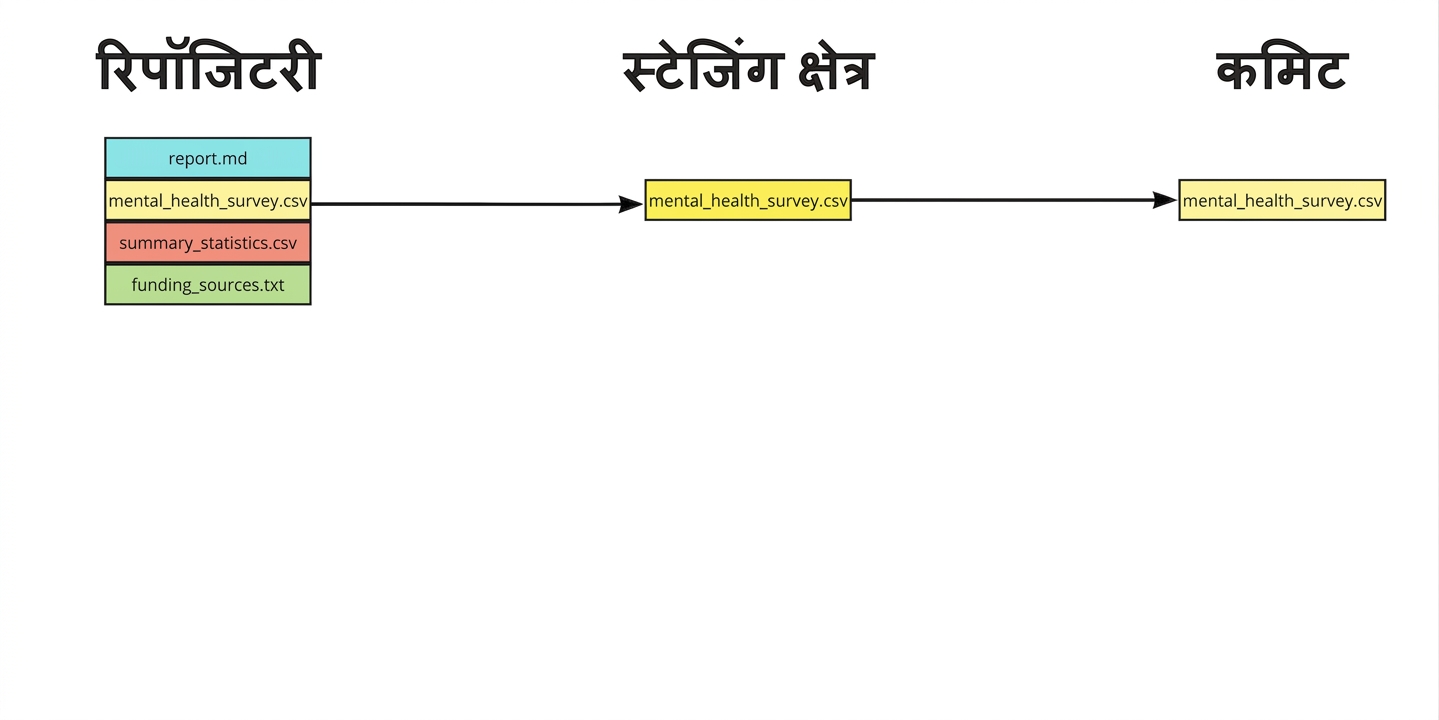
पिछले commit से पहले वाली स्थिति में repo बहाल करना
git revert
a845edcb, ebe93178, आदिHEAD, HEAD~1, आदिgit revert HEAD
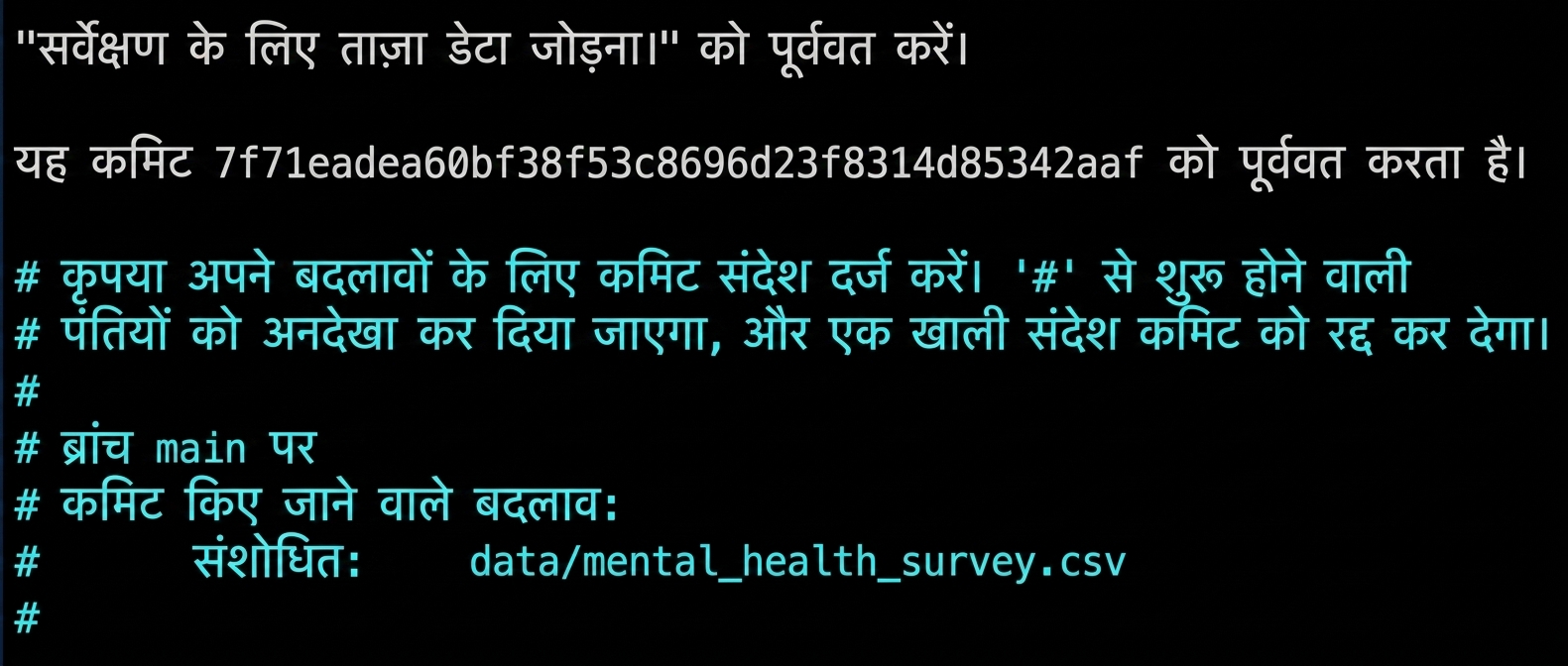
git revert HEAD

Ctrl + O, फिर EnterCtrl + X[main 7d11f79] Revert "Adding fresh data for the survey."
Date: Tue Jul 30 14:17:56 2024 +0000
1 file changed, 3 deletions(-)
git revert --no-edit HEAD
git revert -n HEAD
git revert commits पर काम करता है, individual files पर नहीं
एक ही फाइल रिवर्ट करने के लिए:
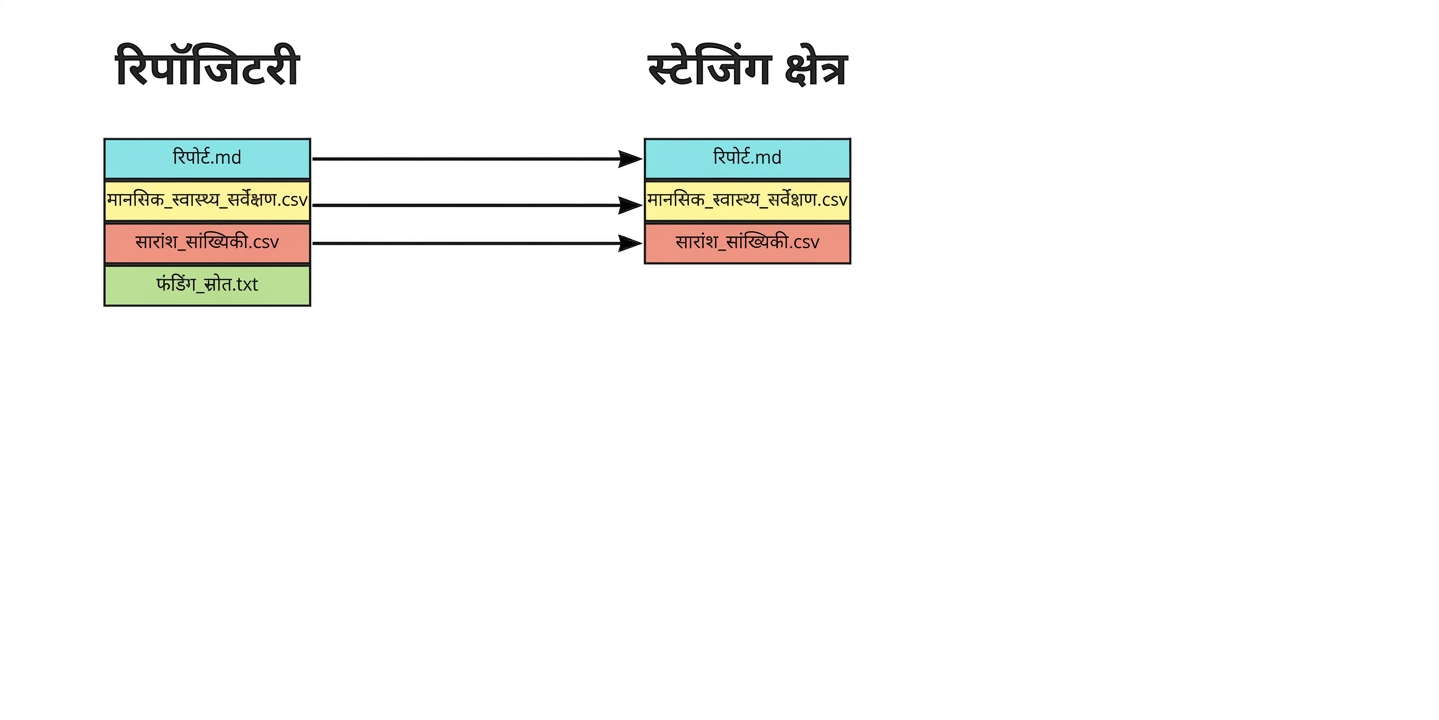
git checkoutHEAD सिंटैक्स उपयोग करें git checkout HEAD~1 -- report.md
git status
On branch main
Changes to be committed:
(use "git restore --staged <file>..." to unstage)
modified: report.md
git commit -m "Checkout previous version of report.md"
[main daa6c87] Checkout previous version of report.md
1 file changed, 1 deletion(-)


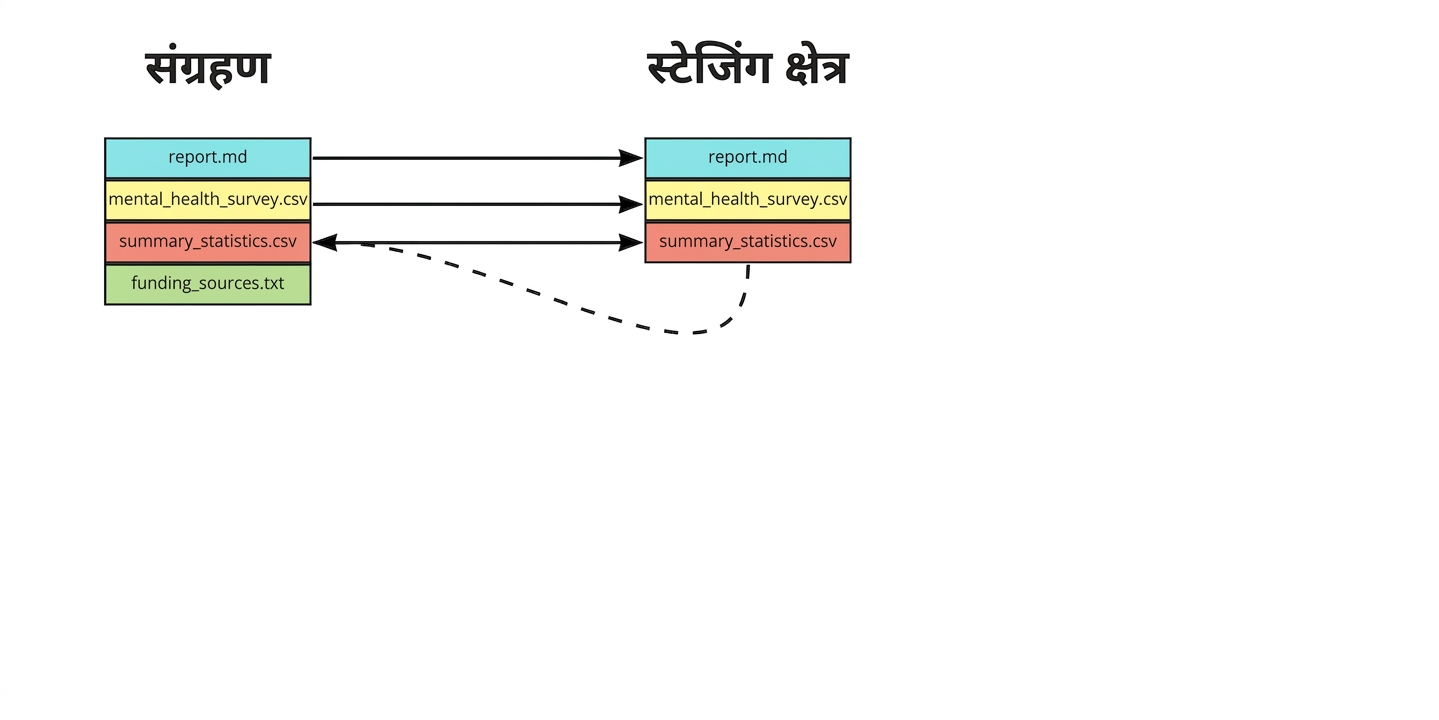
git restore --staged summary_statistics.csv
git add summary_statistics.csv
git commit -m "Adding age summary statistics"
git restore --staged
| Command | Result |
|---|---|
git revert HEAD |
किसी दिए गए commit की सभी फाइलें रिवर्ट करें |
git revert HEAD --no-edit |
टेक्स्ट एडिटर खोले बिना रिवर्ट करें |
git revert HEAD -n |
नया commit बनाए बिना रिवर्ट करें |
git checkout HEAD~1 -- report.md |
पिछले commit से एक फाइल रिवर्ट करें |
git restore --staged report.md |
एक फाइल को staging area से हटाएँ |
git restore --staged |
सभी फाइलों को staging area से हटाएँ |
Git परिचय