아이디어에서 결과물까지

Microsoft Copilot 활용하기

Susanth Sutheesh

Copilot Solution Engineer, Microsoft

Copilot 앱에서 시작하기
 

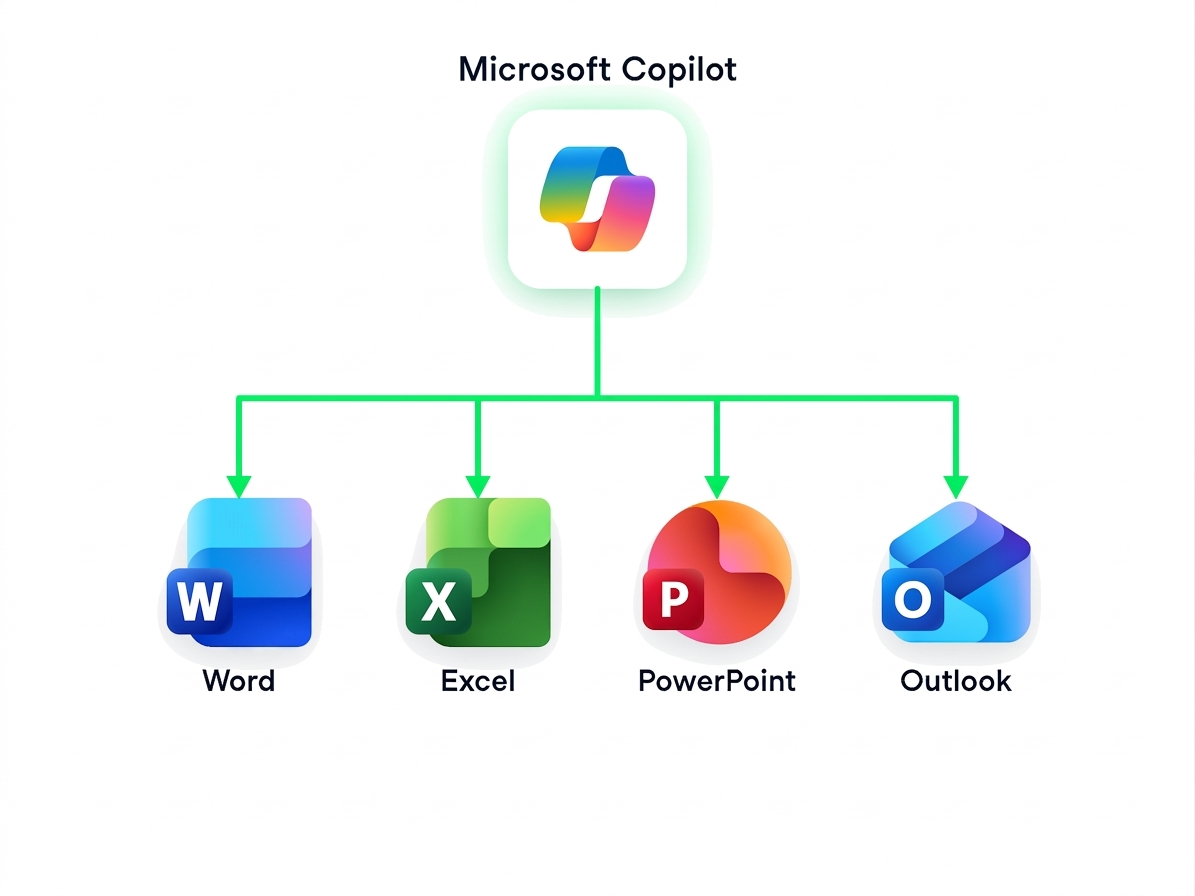
  • Copilot 앱은 여러 파일을 다루는 작업의 중심입니다
  • 하나의 작업 공간에서 다양한 파일 형식을 연결합니다
  • 여러 파일에 걸쳐 질문하면 통합된 답변을 즉시 받을 수 있습니다
  • 첨부 파일은 기본적으로 OneDrive에 저장됩니다


cross-file-workspace-notext.png

Microsoft Copilot 활용하기

Copilot 앱에서 시작하기

$$

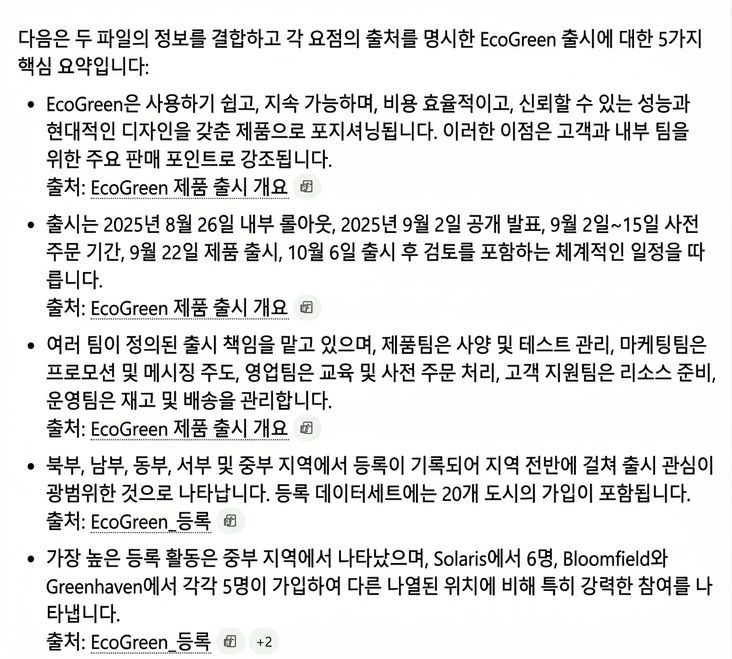
두 파일을 모두 첨부한 후, 질문을 하나 해보세요:

Summarize the EcoGreen launch across both files in 5 bullets, and note which file each point comes from

Copilot이 제공한 다섯 가지 요약 항목 전체, 각 항목에 출처가 Word 보고서인지 Excel 파일인지 표시됨

Microsoft Copilot 활용하기

Word로 이어가기

$$

Rewrite this pasted summary as a 3-sentence executive summary, in the same tone as the rest of the report
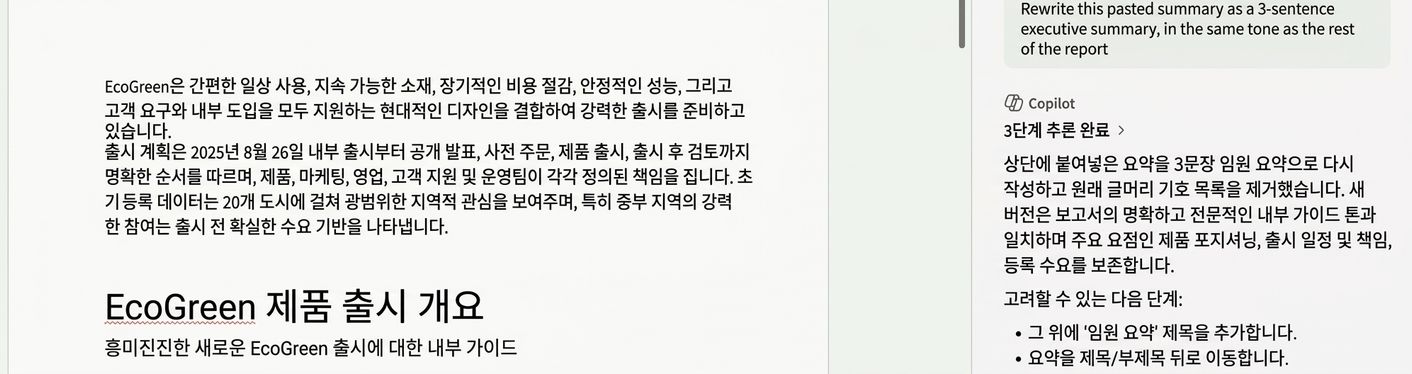
Word가 붙여넣은 교차 파일 요약을 EcoGreen 보고서 상단의 3문장 요약으로 변환하는 모습

Microsoft Copilot 활용하기

Excel에서 주장 확인하기

The summary says Central had the highest registration activity. Check that against this data and show the top 3 regions
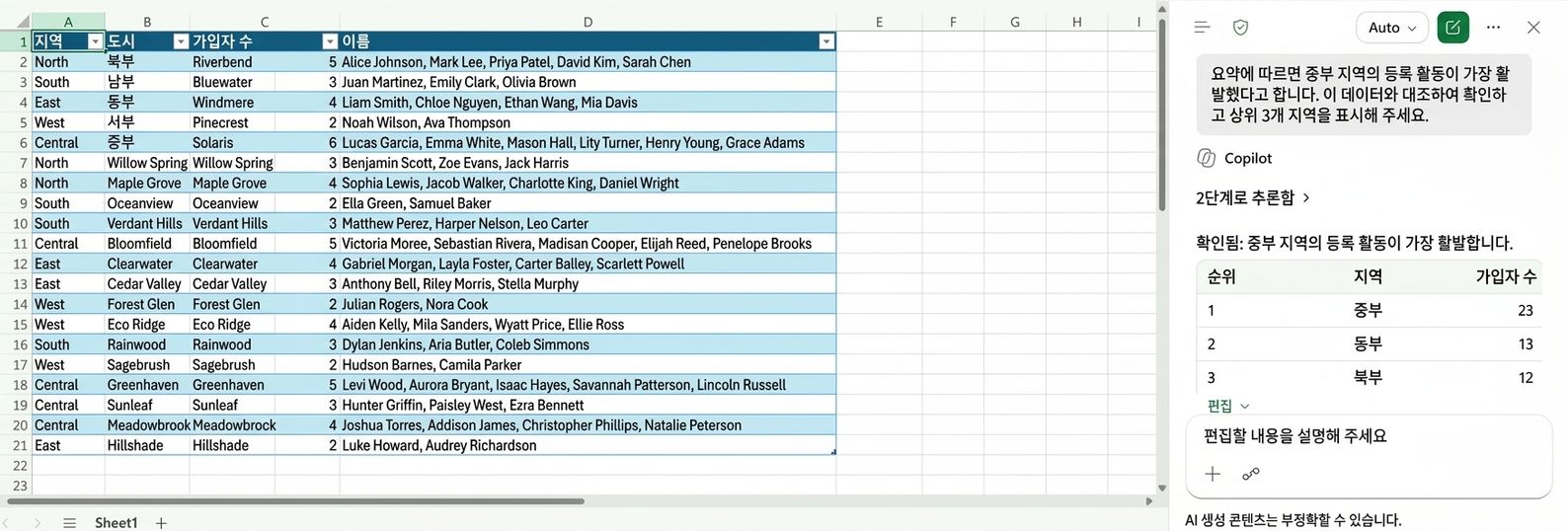
Excel의 Copilot이 Central 지역의 등록 활동이 가장 높음을 확인하고 상위 3개 지역 순위를 보여주는 모습

Microsoft Copilot 활용하기

PowerPoint로 프레젠테이션 만들기


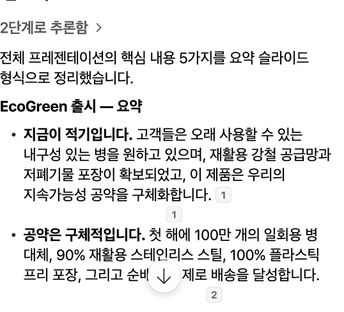
슬라이드를 만든 후, 요약을 요청해보세요:

Recap the whole deck in five key takeaways for a closing slide

  • 다섯 가지 핵심 내용, 각각 출처 슬라이드를 명시
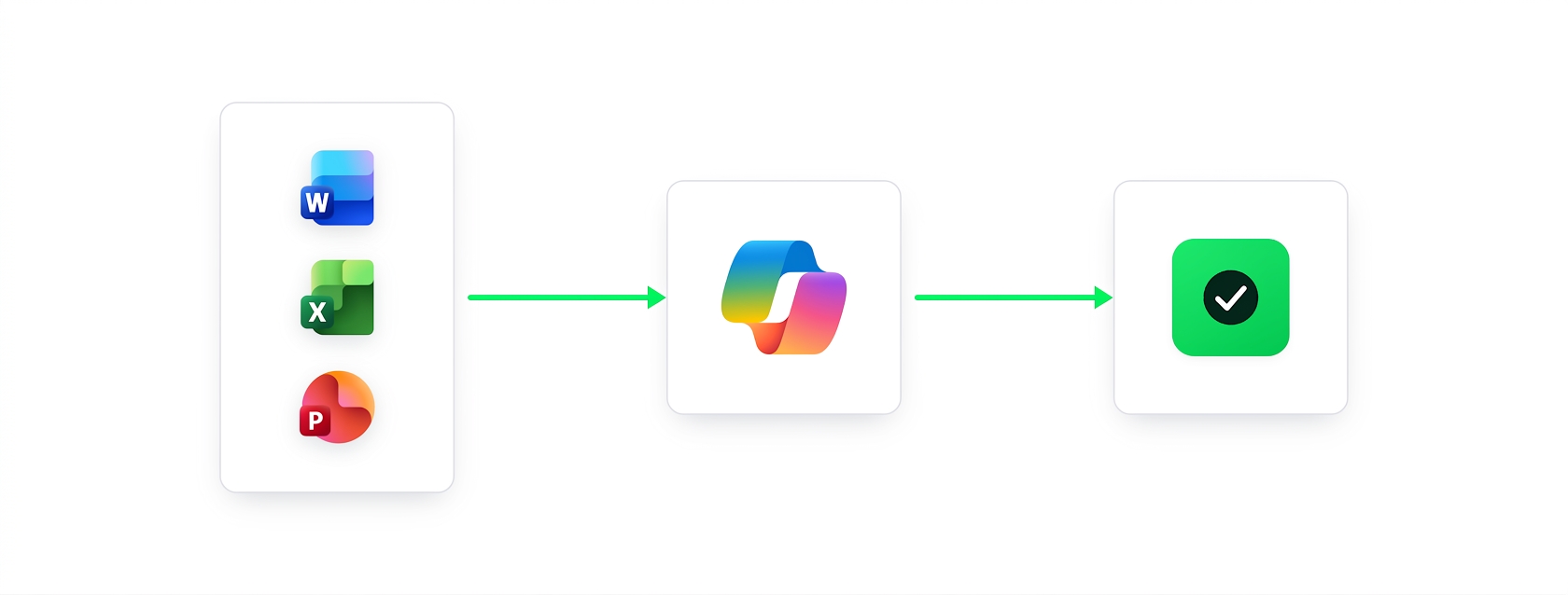
  • 질문 하나 → Word → Excel → PowerPoint, 중복 작업 없음


슬라이드 출처가 명시된 Copilot의 다섯 가지 요약

Microsoft Copilot 활용하기

요약

Microsoft Copilot 로고를 중심으로 Word, Excel, PowerPoint 아이콘이 연결된 그래픽, 앱 간 작업을 연결하는 Copilot의 기능을 나타냄

  • Microsoft Copilot은 여러 앱에 걸쳐 작업을 연결합니다
  • 작성, 분석, 발표 작업을 끊김 없이 자연스럽게 오갈 수 있습니다
Microsoft Copilot 활용하기

연습해 봅시다!

Microsoft Copilot 활용하기

Preparing Video For Download...