Agent capabilities

Working with Microsoft Copilot

Susanth Sutheesh

Copilot Solution Engineer, Microsoft

What Code interpreter does


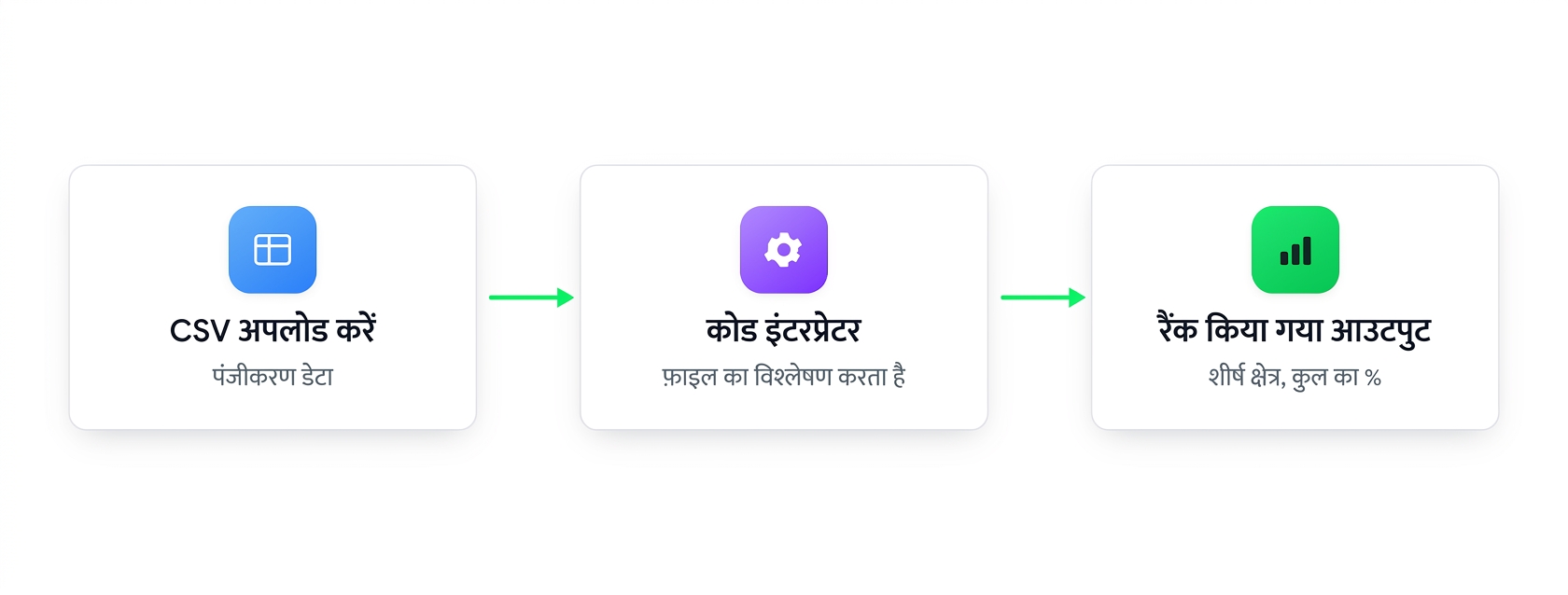
Flow: upload a CSV, Code Interpreter processes it, and returns a ranked output


  • This is what lets an agent write and run code
  • So it can handle data files, calculations and charts
  • On by default in Knowledge settings
Working with Microsoft Copilot

What Image generator does


  • Turn text descriptions into simple visuals - great for placeholders or concept sketches

Flow: describe what you want in text and the image generator returns a generated image

Working with Microsoft Copilot

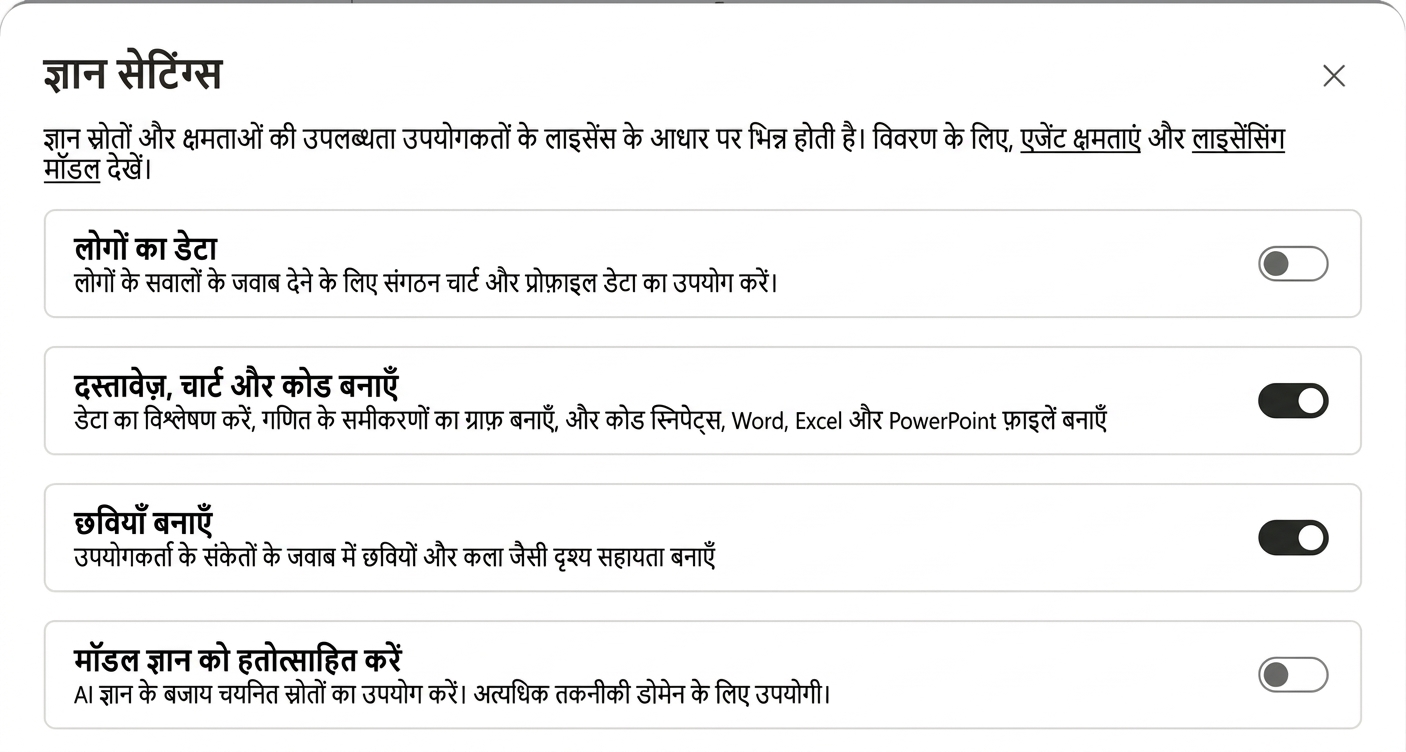
Capabilities are on by default


  • Code Interpreter and Image generator are already enabled
  • Toggle off only if you don't want them


The Knowledge settings dialog with Create documents, charts, and code and Create images both switched on

Working with Microsoft Copilot

Example with Code interpreter


Upload a CSV, then ask a data question:

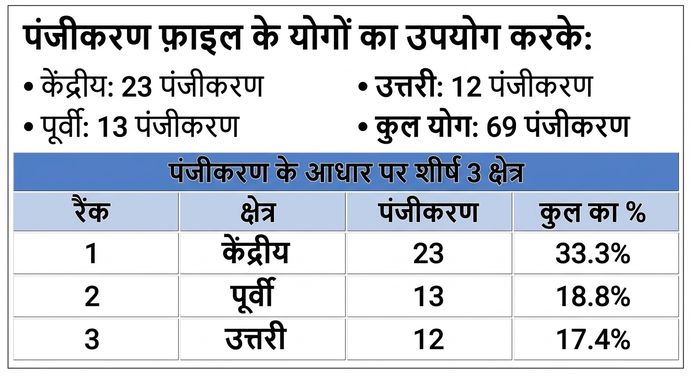
List the top 3 regions by sign-ups and show each one's percentage of total


Code Interpreter's ranked table with each region's percentage of total

Working with Microsoft Copilot

Example with Image generator


Ask Copilot for a visual:

Create a simple image of the EcoGreen bottle on a store shelf, eco-friendly green branding


The EcoGreen bottle image Copilot generated from the prompt, on a store shelf in green branding

Working with Microsoft Copilot

Let's practice!

Working with Microsoft Copilot

Preparing Video For Download...