Dimensionnalité des tableaux

Introduction à NumPy

Izzy Weber

Core Curriculum Manager, DataCamp

Tableaux 3D
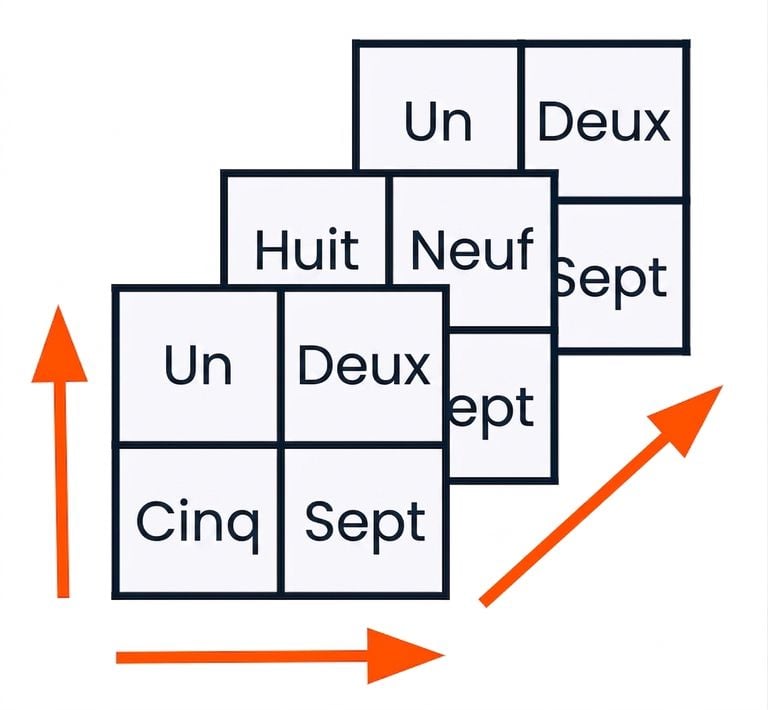
array_1_2D = np.array([[1, 2], [5, 7]])
array_2_2D = np.array([[8, 9], [5, 7]])
array_3_2D = np.array([[1, 2], [5, 7]])
array_3D = np.array([array_1_2D, array_2_2D, array_3_2D])

graphique d'un tableau 3D

Introduction à NumPy

Tableaux 4D

array_4D = np.array([array_A_3D, array_B_3D, array_C_3D, array_D_3D, array_E_3D,
                     array_F_3D, array_G_3D, array_H_3D, array_I_3D])
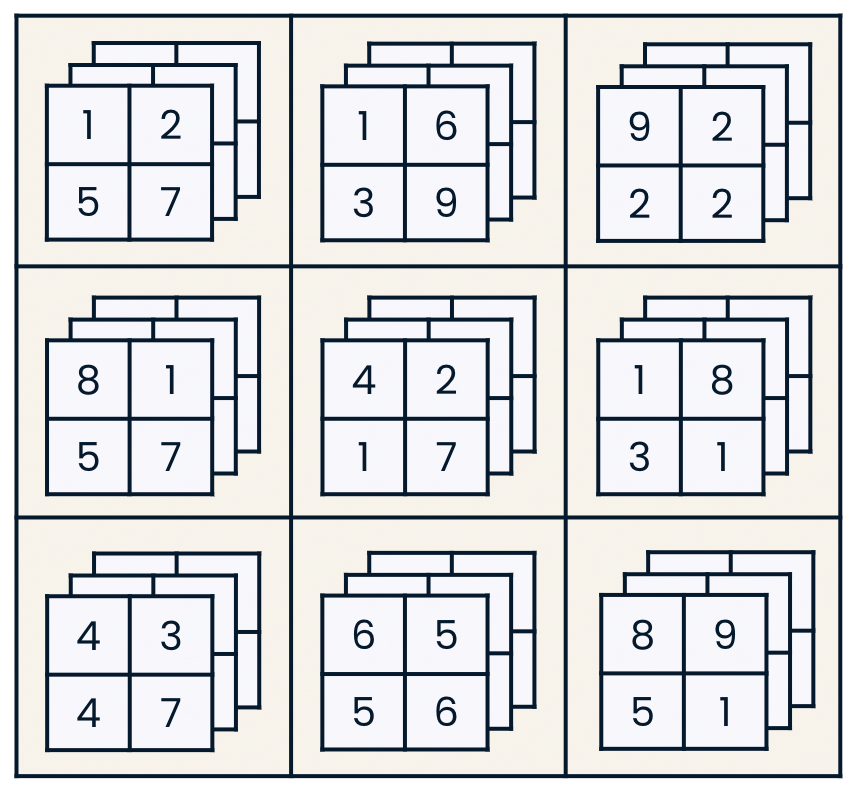
graphique d'un tableau 4D

Introduction à NumPy

Tableaux vecteurs


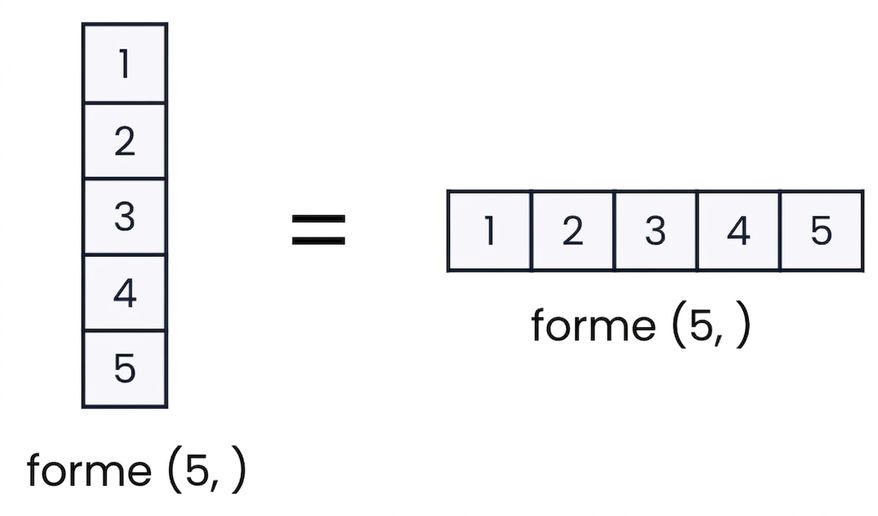
Graphique montrant que les tableaux 1D ne peuvent pas être verticaux ou horizontaux dans NumPy


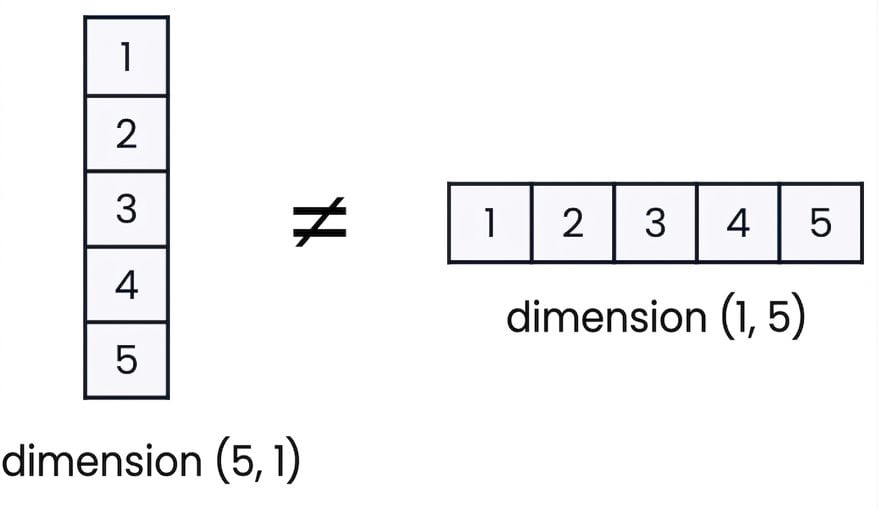
Graphique montrant que les tableaux 2D peuvent être verticaux ou horizontaux dans NumPy

Introduction à NumPy

Matrice et tenseur


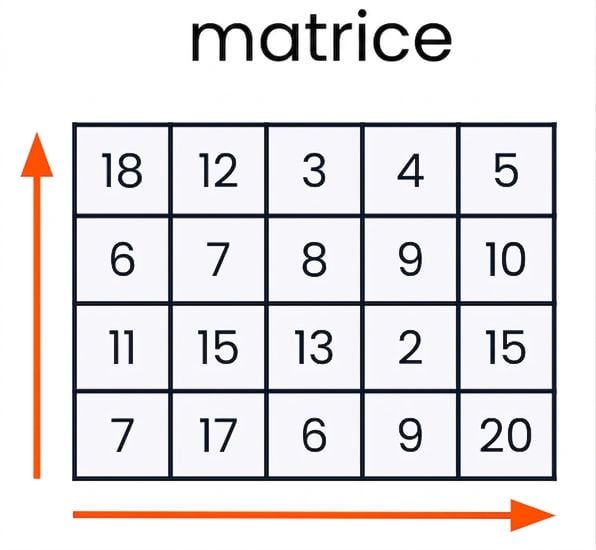
  • Une matrice a deux dimensions

graphique d'une matrice


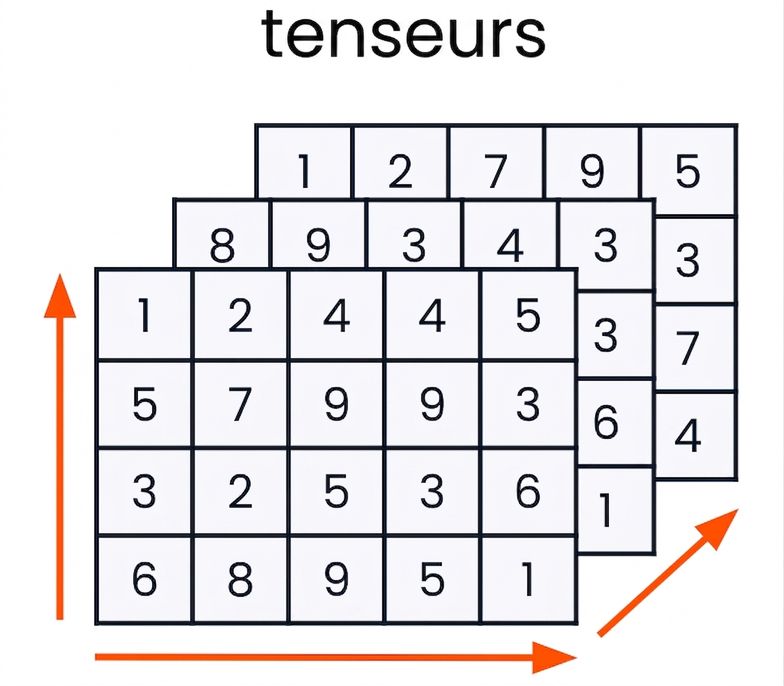
  • Un tenseur a trois dimensions ou plus

graphique d'un tenseur

Introduction à NumPy

Changer de forme


Attribut d'un tableau :

  • .shape


Méthodes de tableau :

  • .flatten()
  • .reshape()
Introduction à NumPy

Trouver la forme d'un tableau

array = np.zeros((3, 5))
print(array)
array([[0., 0., 0., 0., 0.],
       [0., 0., 0., 0., 0.],
       [0., 0., 0., 0., 0.]])
array.shape
(3, 5)
Introduction à NumPy

Rangées et colonnes

Dans les tableaux 2D…

  • Les rangées sont la première dimension
  • Les colonnes sont la deuxième dimension
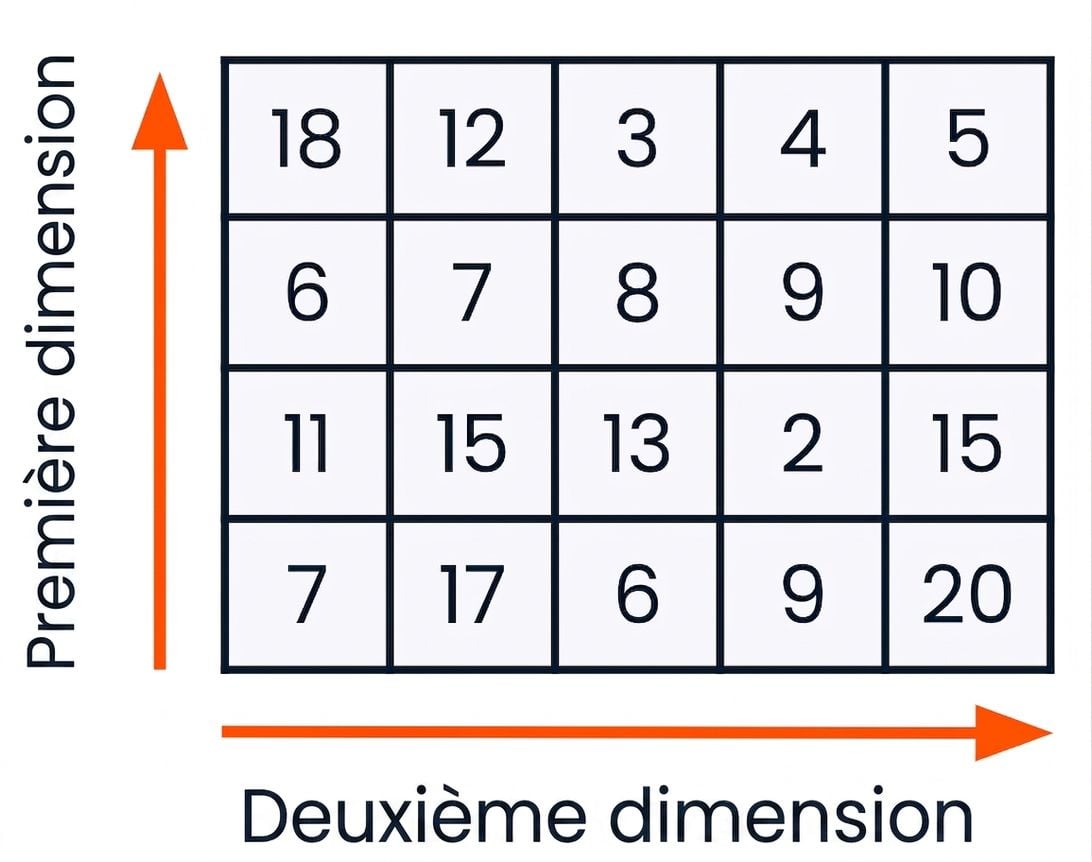
Tableau 2D avec étiquettes de rangées et de colonnes

Introduction à NumPy

Aplatir un tableau

array = np.array([[1, 2], [5, 7], [6, 6]])
array.flatten()
array([1, 2, 5, 7, 6, 6])
Introduction à NumPy

Redimensionner un tableau

array = np.array([[1, 2], [5, 7], [6, 6]])
array.reshape((2, 3))
array([[1, 2, 5],
       [7, 6, 6]])


array.reshape((3, 3))
ValueError: cannot reshape array of size 6 into shape (3,3)
Introduction à NumPy

Passons à la pratique !

Introduction à NumPy

Preparing Video For Download...