Docker परिचय
Tim Sangster
Software Engineer @ DataCamp
| Command | उपयोग |
|---|---|
| nano <file-name> | <file-name> को nano टेक्स्ट एडिटर में खोलता है |
| touch <file-name> | दिए गए नाम से खाली फ़ाइल बनाता है |
| echo "<text>" | कंसोल पर <text> प्रिंट करता है |
| <command> >> <file> | <command> का आउटपुट <file> के अंत में जोड़ता है |
| <command> -y | <command> के सभी प्रॉम्प्ट का जवाब अपने-आप yes करता है |
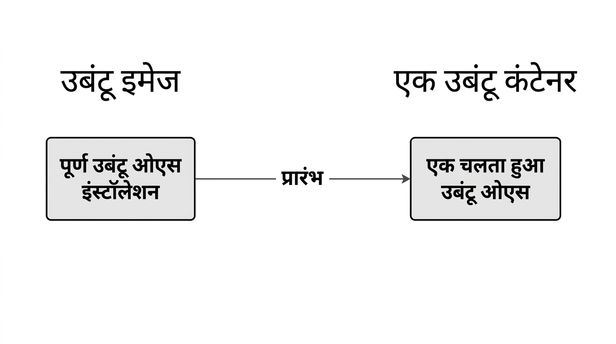
docker से शुरू होती है.
docker run <image-name>
docker run hello-world
Hello from Docker!
To generate this message, Docker took the following steps:
1. The Docker client contacted the Docker daemon.
2. The Docker daemon created a new container from the hello-world image which runs
the executable that produces the output you are currently reading.
3. The Docker daemon streamed that output to the Docker client, which sent it to
your terminal.
docker run <image-name>
docker run ubuntu
repl@host:/# docker run ubuntu
repl@host:/#
docker run में -it जोड़ने से शुरू हुए कंटेनर में एक इंटरैक्टिव शेल मिलता है.
docker run -it <image-name>
docker run -it ubuntu
repl@container:/#
repl@container:/# exit
exit
repl@host:/#
docker run में -d जोड़ने से कंटेनर बैकग्राउंड में चलेगा और शेल पर नियंत्रण वापस मिल जाएगा.
docker run -d <image-name>
docker run -d postgres
repl@host:/# docker run -d postgres
4957362b5fb7019b56470a99f52218e698b85775af31da01958bab198a32b072
repl@host:/#
docker ps
repl@host:/# docker ps
CONTAINER ID IMAGE COMMAND CREATED
4957362b5fb7 postgres "docker-entrypoint.s…" About a minute ago
STATUS PORTS NAMES
Up About a minute 5432/tcp awesome_curie
docker stop <container-id>
repl@host:/# docker stop cf91547fd657
cf91547fd657
| उपयोग | Command |
|---|---|
| कंटेनर शुरू करें | docker run <image-name> |
| इंटरैक्टिव कंटेनर शुरू करें | docker run -it <image-name> |
| detached कंटेनर शुरू करें | docker run -d <image-name> |
| चल रहे कंटेनर देखें | docker ps |
| कंटेनर रोकें | docker stop <container-id> |
Docker परिचय