PyTorch के साथ इमेज हैंडल करना

इंटरमीडिएट Deep Learning with PyTorch

Michal Oleszak

Machine Learning Engineer

Clouds डेटासेट
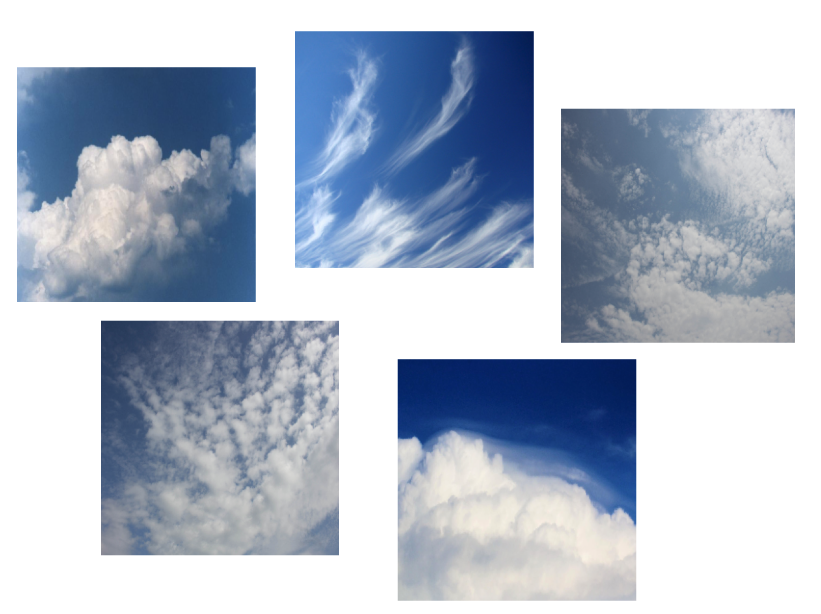
क्लाउड्स डेटासेट से सैंपल: पाँच इमेज जो अलग-अलग तरह के बादल दिखाती हैं.

1 https://www.kaggle.com/competitions/cloud-type-classification2/data
इंटरमीडिएट Deep Learning with PyTorch

इमेज क्या है?

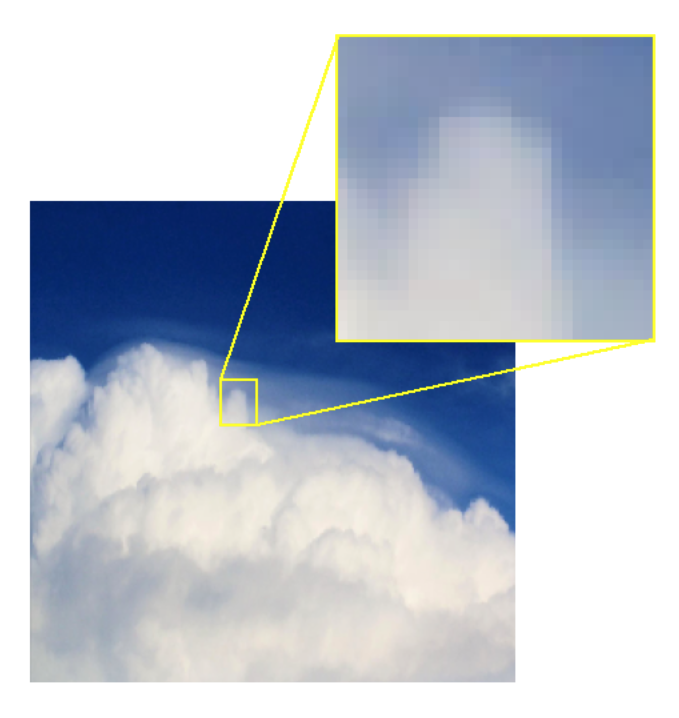
एक बादल की इमेज, जिसका एक भाग ज़ूम किया गया है ताकि पिक्सेल दिखें.

  • इमेज पिक्सेल ("picture elements") से बनी होती है
  • हर पिक्सेल में रंग की जानकारी होती है

  • ग्रेस्केल इमेज: 0 - 255 के बीच का integer

    • 30:

धूसर रंग का बॉक्स

  • कलर इमेज: तीन integers, हर कलर चैनल (Red, Green, Blue) के लिए एक
    • RGB = (52, 171, 235):

नीले रंग का बॉक्स

इंटरमीडिएट Deep Learning with PyTorch

PyTorch में इमेज लोड करना

वांछित डायरेक्टरी स्ट्रक्चर:

clouds_train

- cumulus
- 75cbf18.jpg - ...
- cumulonimbus - ...
clouds_test
- cumulus - cumulonimbus - ...


  • मुख्य फोल्डर: clouds_train और clouds_test
  • हर मुख्य फोल्डर के अंदर: हर कैटेगरी के लिए एक फोल्डर
  • हर क्लास फोल्डर के अंदर: इमेज फाइलें
इंटरमीडिएट Deep Learning with PyTorch

PyTorch में इमेज लोड करना

from torchvision.datasets import ImageFolder
from torchvision import transforms


train_transforms = transforms.Compose([ transforms.ToTensor(), transforms.Resize((128, 128)), ])
dataset_train = ImageFolder( "data/clouds_train", transform=train_transforms, )
  • ट्रांसफॉर्मेशन परिभाषित करें:

    • Tensor में पार्स करें
    • 128x128 में रिसाइज़ करें
  • डेटासेट बनाएँ, पास करें:

    • डेटा का path
    • पहले से परिभाषित ट्रांसफॉर्मेशन
इंटरमीडिएट Deep Learning with PyTorch

इमेज प्रदर्शित करना

dataloader_train = DataLoader(
    dataset_train, 
    shuffle=True, 
    batch_size=1,
)

image, label = next(iter(dataloader_train))
print(image.shape)
torch.Size([1, 3, 128, 128])
image = image.squeeze().permute(1, 2, 0)
print(image.shape)
torch.Size([128, 128, 3])
import matplotlib.pyplot as plt
plt.imshow(image)
plt.show()

plt.show का क्लाउड इमेज आउटपुट

इंटरमीडिएट Deep Learning with PyTorch

Data augmentation

train_transforms = transforms.Compose([

transforms.RandomHorizontalFlip(), transforms.RandomRotation(45),
transforms.ToTensor(), transforms.Resize((128, 128)), ])
dataset_train = ImageFolder( "data/clouds/train", transform=train_transforms, )

Data augmentation: मूल इमेज पर रैंडम ट्रांसफॉर्मेशन लगाकर और डेटा बनाना

  • प्रशिक्षण सेट का आकार और विविधता बढ़ाएँ
  • मॉडल की robustness सुधारें
  • overfitting घटाएँ

तीन बादल इमेज जो rotation ट्रांसफॉर्मेशन दिखाती हैं

इंटरमीडिएट Deep Learning with PyTorch

अभ्यास करते हैं!

इंटरमीडिएट Deep Learning with PyTorch

Preparing Video For Download...