अपनी lookup स्किल्स बेहतर करें!
एडवांस्ड Excel फंक्शंस

Agata Bak-Geerinck
Product Owner Data, Telenet
Excel से लेकर डेटा टीम लीड तक!


LOOKUP फंक्शनों की ताकत
पहले DataCamp पर:
VLOOKUP()- वर्टिकल lookupHLOOKUP()- हॉरिज़ॉन्टल lookup
सीमाएँ:
VLOOKUP()- searched value को lookup value के दाएँ होना चाहिएHLOOKUP()- searched value को lookup value के नीचे होना चाहिए
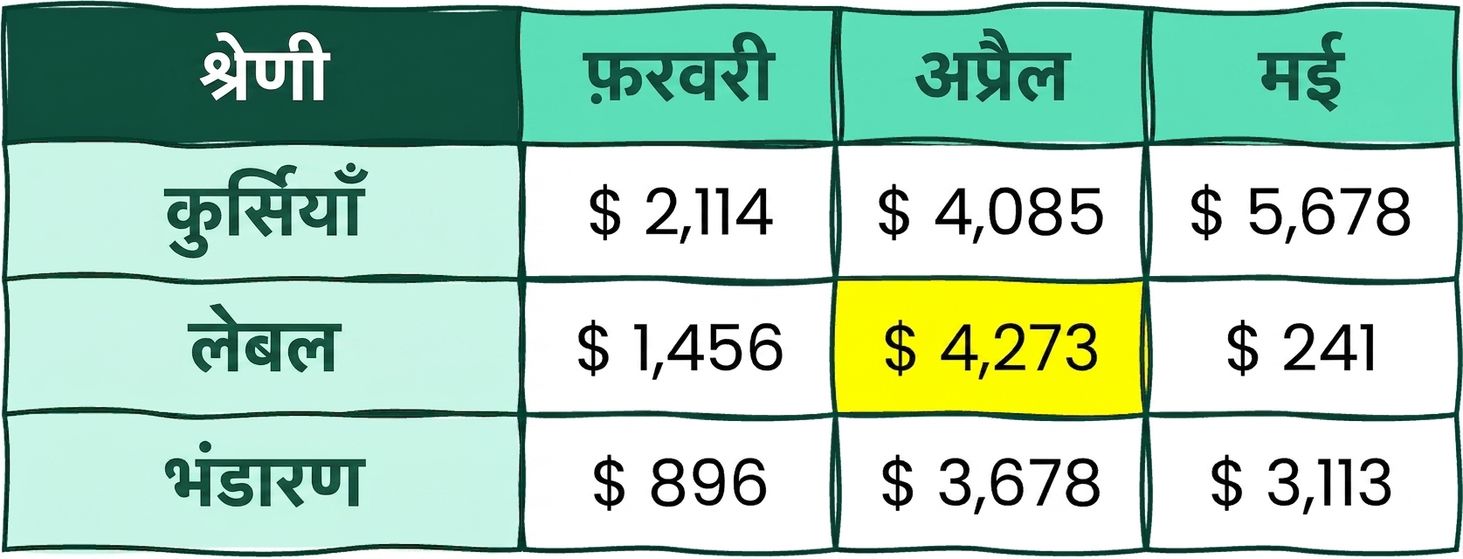
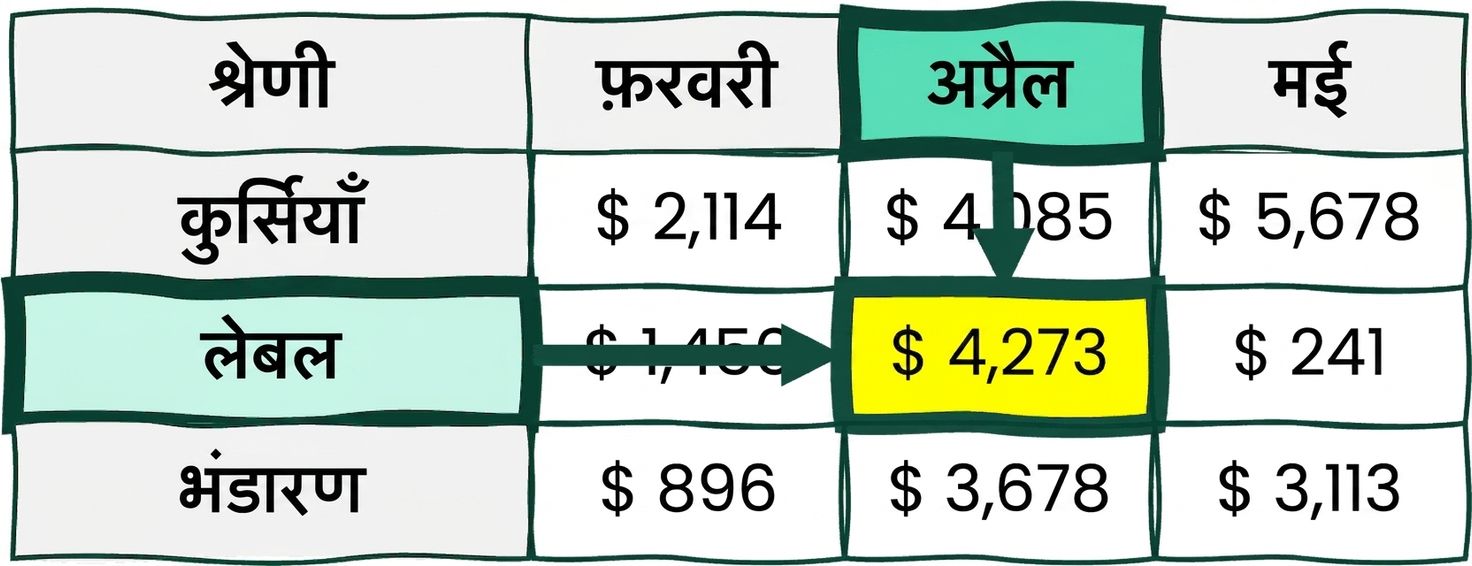
Array क्या है?

एक Excel टेबल में होता है:
- Header: पंक्ति और कॉलम के नाम
- Array: अंदर के मानों का सेट
1 https://support.microsoft.com/
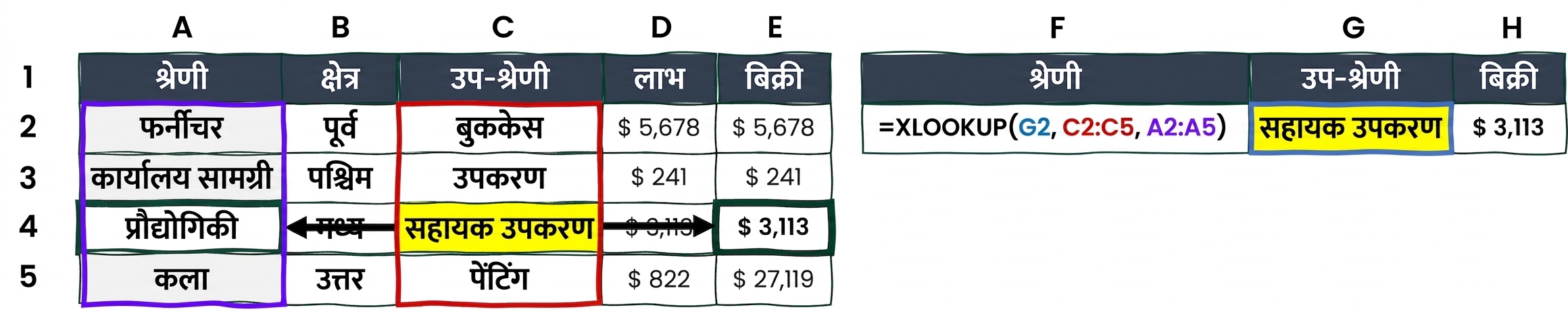
ड्रम रोल... XLOOKUP!
XLOOKUP() - एक lookup फंक्शन जो arrays की बदौलत किसी भी दिशा में खोज सकता है.
Excel 2021 से नया!
Syntax: XLOOKUP(lookup_value, lookup_array, return_array, [if_not_found], [match_mode], [search_mode])

2D lookups? INDEX()
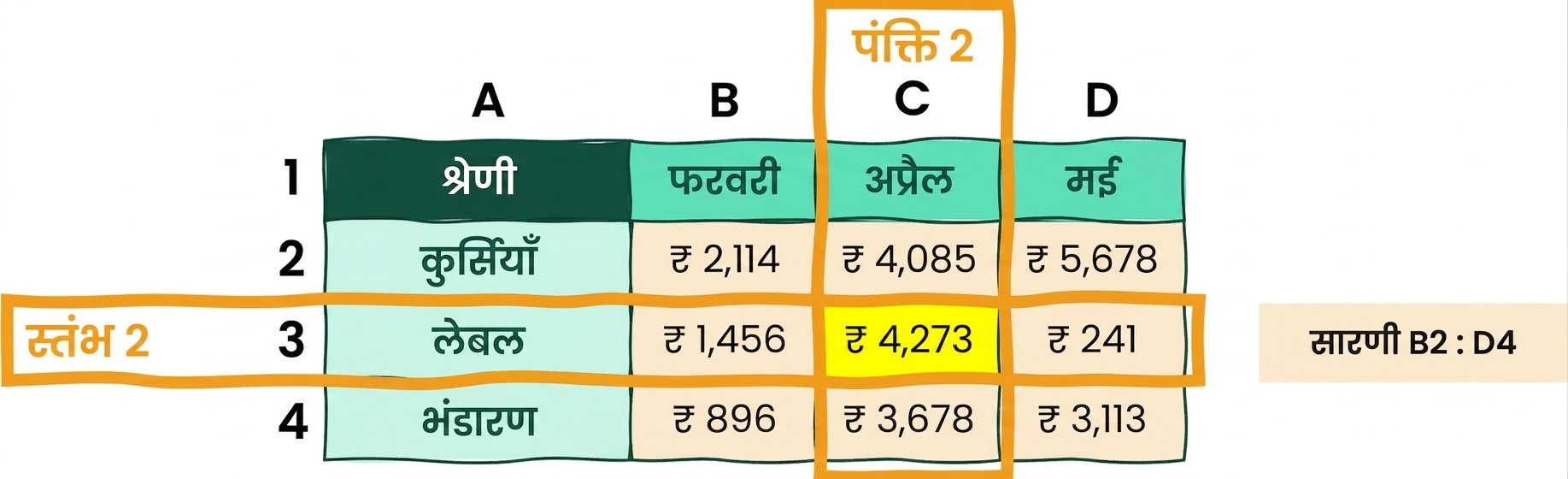
April के लिए Labels Sales? = INDEX ( B2:D4, 2, 2)
- Syntax:
INDEX(array, row_num, [column_num]) - किसी निर्दिष्ट array के भीतर किसी cell का मान लौटाता है
2D lookups? MATCH()
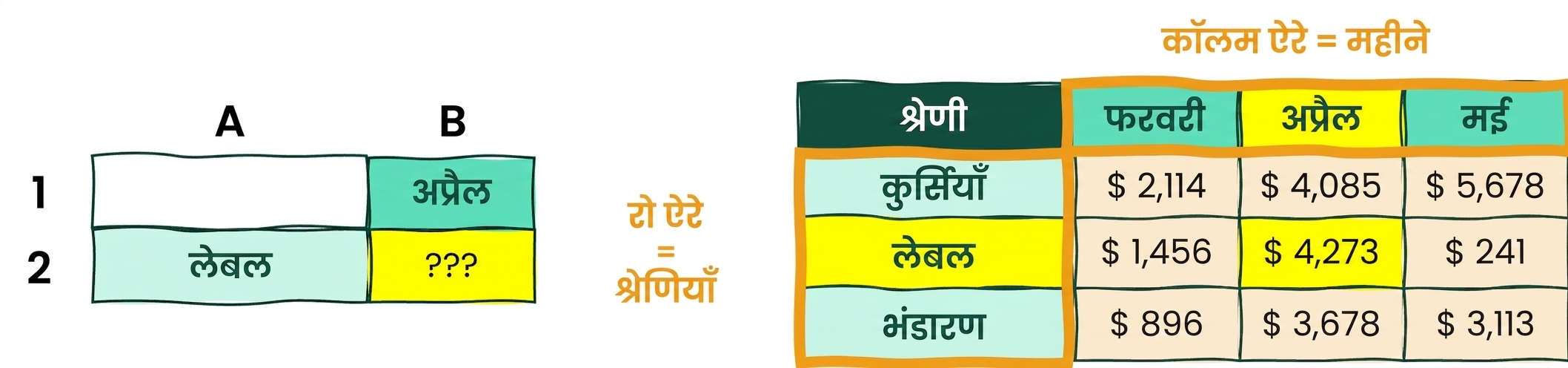
April के लिए Labels Sales कहाँ मिलेगा?
= Match ( "Labels", Categories, 0) = row 2
= Match ( "APR", Months, 0) = column 2
2D lookups? (INDEX और) MATCH की परफेक्ट जोड़ी
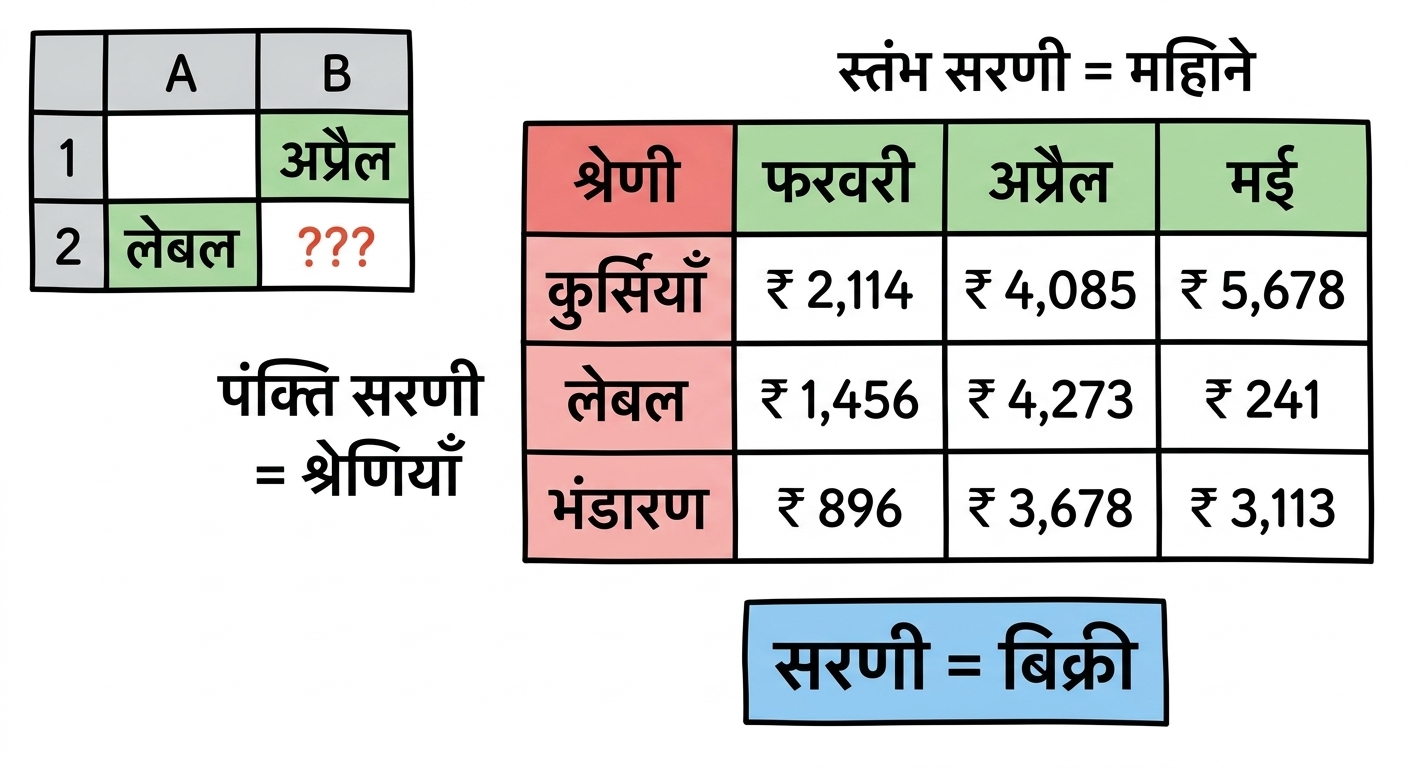
= INDEX ( B2:D4, 2, 2)
= INDEX(array, MATCH(rows), MATCH(columns))
= INDEX ( Sales, MATCH( "Labels", Categories, 0), MATCH( "APR", Months, 0) )
हमारा डेटासेट मिलिए!
Commercial डेटासेट:
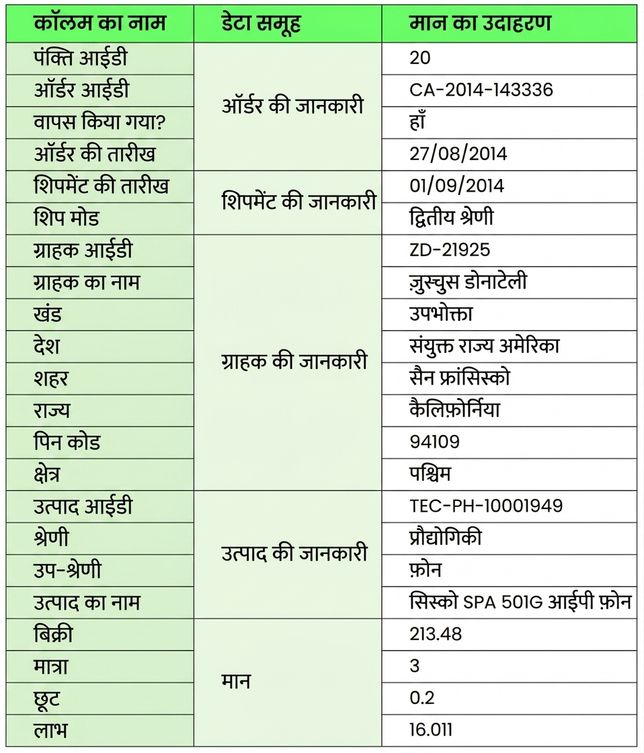
डेटा एक नज़र में:
- Order जानकारी
- Customer socio-demo
- विस्तृत product डेटा
- Sales, Volumes, Discounts, और Profits
और जानकारी के लिए Metadata sheet देखें.

