Arrayakrobatik

Introduktion till NumPy

Izzy Weber

Core Curriculum Manager, DataCamp

Dataaugmentering
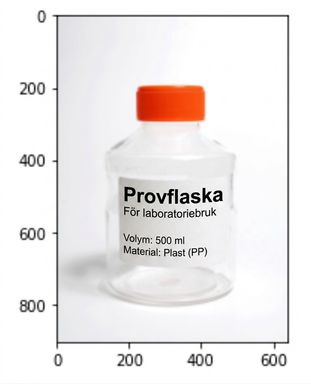
En bild på en plastflaska

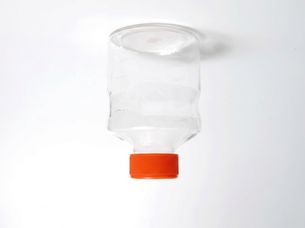
En bild på samma plastflaska, upp och ned och spegelvänd

1 Foto på plastflaska av Lilly_M via Wikimedia Commons
Introduktion till NumPy

Vända en array


NumPy-logotypen

flipped_logo = np.flip(logo_rgb_array)
plt.imshow(flipped_logo)
plt.show()
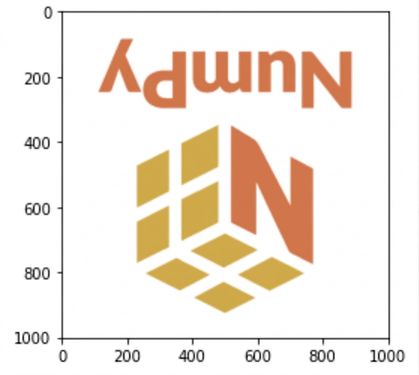
NumPy-logotypen efter att np.flip() har tillämpats

Introduktion till NumPy

Vända längs en axel

flipped_rows_logo = np.flip(logo_rgb_array, axis=0)
plt.imshow(flipped_rows_logo)
plt.show()
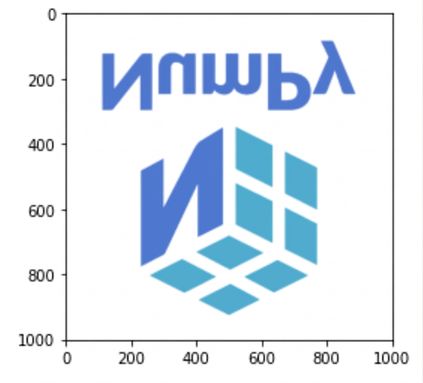
NumPy-logotypen med raderna av pixlar i omvänd ordning

Introduktion till NumPy

Vända längs en axel

flipped_colors_logo = np.flip(logo_rgb_array, axis=2)
plt.imshow(flipped_colors_logo)
plt.show()

NumPy-logotypen med röda och blå värden utbytta

Introduktion till NumPy

Vända flera axlar

flipped_except_colors_logo = np.flip(logo_rgb_array, axis=(0, 1))
plt.imshow(flipped_except_colors_logo)
plt.show()

NumPy-logotypen med första och andra axeln vända men inte den tredje; färgerna är desamma som originalet

Introduktion till NumPy

Transponera en array

array = np.array([[1.1, 1.2, 1.3], 
                  [2.1, 2.2, 2.3], 
                  [3.1, 3.2, 3.3], 
                  [4.1, 4.2, 4.3]])
np.flip(array)
array([[4.3, 4.2, 4.1],
       [3.3, 3.2, 3.1],
       [2.3, 2.2, 2.1],
       [1.3, 1.2, 1.1]])
array = np.array([[1.1, 1.2, 1.3], 
                  [2.1, 2.2, 2.3], 
                  [3.1, 3.2, 3.3], 
                  [4.1, 4.2, 4.3]])
np.transpose(array)
array([[1.1, 2.1, 3.1, 4.1],
       [1.2, 2.2, 3.2, 4.2],
       [1.3, 2.3, 3.3, 4.3]])
Introduktion till NumPy

Ange axelordning vid transponering

transposed_logo = np.transpose(logo_rgb_array, axes=(1, 0, 2))
plt.imshow(transposed_logo)
plt.show()
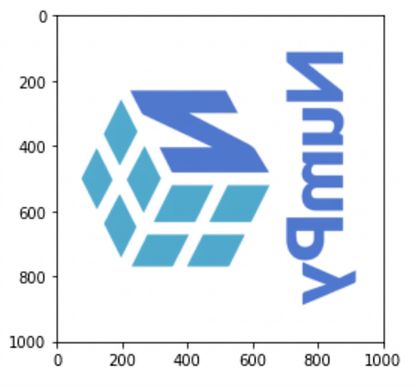
NumPy-logotypen med rader och kolumner transponerade så att logotypen visas spegelvänd och på sidan

Introduktion till NumPy

Nu kör vi en övning!

Introduktion till NumPy

Preparing Video For Download...