readxl (2)

Introduktion till dataimport i R

Filip Schouwenaars

Instructor, DataCamp

read_excel()

read_excel(path, sheet = 1, 
           col_names = TRUE, 
           col_types = NULL, 
           skip = 0)
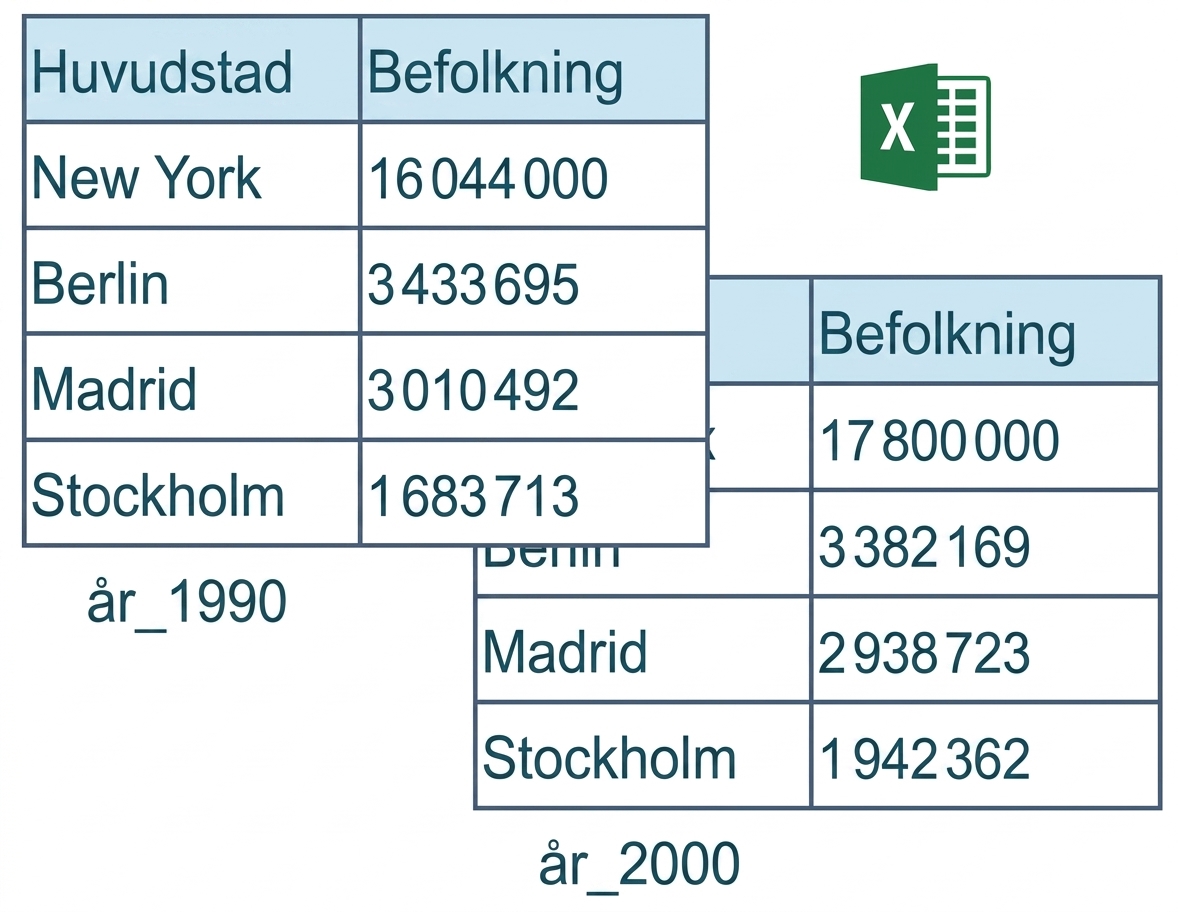
Skärmbild 2019-07-15 kl. 15.27.34.png

Introduktion till dataimport i R

read_excel() - col_names

read_excel(path, sheet = 1, 
           col_names = TRUE, 
           col_types = NULL, 
           skip = 0)
  • col_names = FALSE: R tilldelar namn automatiskt

  • col_names = teckenvektorn: ange namn manuellt

Introduktion till dataimport i R

read_excel() - col_types

read_excel(path, sheet = 1, 
           col_names = TRUE, 
           col_types = NULL, 
           skip = 0)

read_excel("cities.xlsx", col_types = c("text", "text"))
# A tibble: 4 × 2
    Capital Population
      <chr>      <chr>
1  New York   16044000
2    Berlin    3433695
3    Madrid    3010492
4 Stockholm    1683713
Introduktion till dataimport i R

read_excel() - col_types

read_excel(path, sheet = 1, 
           col_names = TRUE, 
           col_types = NULL, 
           skip = 0)`
read_excel("cities.xlsx", 
             col_types = c("text", "blank"))
# A tibble: 4 × 1
    Capital
      <chr>
1  New York
2    Berlin
3    Madrid
4 Stockholm
Introduktion till dataimport i R

read_excel() - skip

read_excel(path, sheet = 1, 
           col_names = TRUE, 
           col_types = NULL, 
           skip = 0)
read_excel("cities.xlsx", 
             col_names = c("Capital", "Population"),
             skip = 2)
# A tibble: 3 × 2
    Capital Population
      <chr>      <dbl>
1    Berlin    3433695
2    Madrid    3010492
3 Stockholm    1683713
Introduktion till dataimport i R

Sammanfattning

  • excel_sheets()

  • read_excel()

  • Allt du behöver!

  • Snabbt

  • Samma argument som i readr-paketet

  • Enhetlighet

Introduktion till dataimport i R

Nu kör vi en övning!

Introduktion till dataimport i R

Preparing Video For Download...